Bazaart AI Photo Editor Design
- 1.66K
- 4.7
- Installs
- 1.00M
- Price
- Free

Screenshots
Analysis by Reviewed
When I need to turn an ordinary phone photo into something ready to share, I often run into the same small obstacles: a distracting object, an untidy background, or no obvious place for a caption. Bazaart AI Photo Editor Design appeals to me because it brings photo cleanup and graphic composition into one workflow. I can start with a source image and work toward a finished post without jumping between separate kinds of apps. That convenience matters most when the task is more than applying a filter but less than building a carefully measured professional layout.
A useful starting point for everyday projects
Picture a small-business owner who has photographed a handmade item on a kitchen table and wants to make a simple announcement before the end of the day. The original photo may be perfectly usable, but a busy room behind the product competes with the item itself. In Bazaart, I would begin by choosing the clearest photo, isolate the product, and then decide whether a plain or more expressive background supports the message. This sort of focused task shows the app’s value more clearly than opening it just to browse effects.
The same approach works for personal projects: a birthday invitation, a travel collage, or a photo with a short note for a group chat. The important choice is not which effect looks most dramatic; it is what the finished image needs to communicate. I get a cleaner result when I decide that first, then use only the tools that help. That keeps a simple design from becoming a pile of decorations.
From a rough photo to a composed design
For example, imagine I have taken a product photo at home and want to share it in a small sale announcement. I would begin by choosing the strongest shot, then use the cutout and background tools to separate the item from its surroundings. I would check the edges closely, especially around fine shapes, before building the rest of the layout. AI can speed up the first pass, but I would not treat its result as automatically perfect: hair, thin handles, and busy outlines are the kinds of places where a little manual attention can make the difference.
After the subject is isolated, I can try a different background, add text, and adjust the arrangement until the image reads clearly at a glance. A useful habit is to keep the subject and the words from competing: leave open space for the caption rather than shrinking the product until it gets lost. I also like to make a copy before trying a more dramatic treatment such as double exposure. That gives me room to experiment without losing the simpler version that may work better for a practical post.
Small decisions that improve the result
One detail I pay attention to is the order of the work. I clean up the subject before choosing a background, because an edge that looks acceptable against one color may become obvious against another. Once the cutout is in place, I test the text at the size and position where someone will actually read it. This is more useful than polishing decorative details first: if the main words are hard to scan, a clever effect will not rescue the design.
I also try to keep a simpler version of a project alongside a more playful one. A double exposure or elaborate collage can be enjoyable, but the restrained design may be easier to understand when viewed quickly on a phone. Comparing those versions helps me decide whether an effect is adding meaning or merely drawing attention to itself. For a sale post, invitation, or announcement, that distinction matters more than using every available tool.
More From Our News Desk

Clash of Clans Is Won Between the Battles

Android Auto Makes the Case for Quieter Car Software

MobiOffice: Transforming Mobile Productivity with Seamless Integration

EA SPORTS FC™ Mobile Soccer: Redefining Mobile Sports Gaming

How Microsoft OneDrive Became a Mobile Productivity Giant

How Google Translate Breaks Language Barriers Effortlessly
Where it fits in a daily routine
This is the sort of workflow I would use for a birthday invitation, a small-business announcement, or a travel collage assembled from a few phone photos. A dedicated photo editor is usually faster for a single exposure adjustment or a batch of similar images; a desktop design program can offer more precise control for print work. Bazaart sits between those choices: I reach for it when the job involves both editing a photo and arranging it with text or other visual elements, and I would skip it when speed, batch processing, or exact professional layout control matters more.
A realistic example is making a last-minute invitation after taking a decent portrait at a family gathering. I can remove a distracting background, choose a more suitable setting, and add the date and a short message in the same project. The advantage is not that every step is effortless; it is that I do not have to export a cleaned-up image to another app just to compose the invitation. If the design needs exact print dimensions or a large set of matching versions, though, I would move to a tool built for that sort of precision.
The app is free to start, with in-app purchases ranging from $1.49 to $71.99 per item. That makes it sensible to explore the basic workflow before paying for anything: try one real project, see which tools you actually use, and check the purchase screen carefully before committing. It is rated for Everyone, and its 4.7 average across around 66,000 ratings suggests that many users find the creative toolkit worthwhile, though a strong average cannot tell me whether every feature will suit my own habits.
First Impressions and What Caught My Eye
When I first opened Bazaart AI Photo Editor Design, I was greeted by a sleek and intuitive interface that's super easy to navigate. It's like the app was giving me a big, warm hug, saying, “Come on in, the editing's fine!” The app's design is modern, and everything is where you'd expect it to be, which means less time hunting for tools and more time getting creative!
A Playground for Creativity
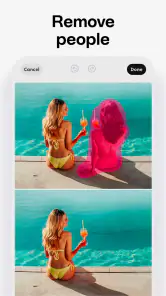
One of the standout features of this app is its AI-powered tools. These little wonders help even the most novice of editors create professional-looking images. From removing unwanted objects in your photos with a simple swipe to adding layers of artistic flair, the AI technology here is top-notch. I was particularly impressed with how seamlessly it integrates machine learning to make suggestions that actually enhance your images.
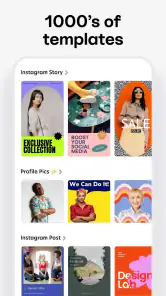
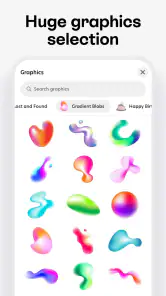
Another thing I love is the app's versatility. Whether you're doing a quick edit for your social media or designing a full-blown digital masterpiece, Bazaart has got you covered. The range of templates and design elements available are mind-boggling, and you'll never run out of inspiration. It's like having a full design studio right in your pocket!
Features That Make It Shine
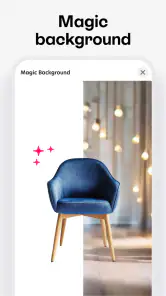
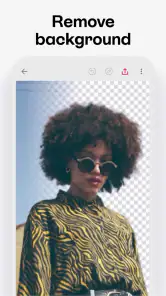
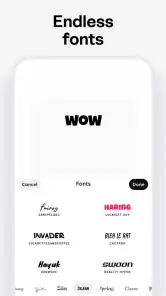
Let's talk features because Bazaart AI Photo Editor Design is packed with them. You can easily cut out images, add backgrounds, and experiment with double exposure effects. The app also offers robust text editing capabilities, perfect for creating eye-catching posters or social media posts.
One of my favorite features is the ability to collaborate on projects. It's a game-changer for team projects or just getting some feedback from friends. Plus, everything syncs beautifully across devices, which is a huge win in my book.
Making a project easier to hand off
When someone else needs to review a design, I find it helps to be specific about what feedback I want. Asking whether the product is clear or whether the caption is easy to read is more useful than asking for general opinions on the whole image. Collaboration can bring in another pair of eyes, but a clear question keeps feedback tied to the purpose of the design instead of leading to endless small changes.
Before sharing or continuing on another device, I would also make sure I can identify the version I mean to use. A saved draft and an exported finished image serve different purposes: one leaves room for editing, while the other is a ready-to-share result. For anything important, keeping that finished copy gives me a straightforward fallback if I later want to revisit the project or cannot immediately tell which draft is current.
The Final Verdict
In conclusion, Bazaart AI Photo Editor Design is a powerhouse of an app that combines user-friendly design with powerful editing tools. It's perfect for anyone looking to dip their toes into the world of photo editing or seasoned pros who need a reliable tool on the go. The only downside? You might find yourself spending way too much time perfecting every little detail of your photos because it's just that fun!
So, if you're ready to unleash your creativity and transform your photos into works of art, give Bazaart a try. Trust me, your Instagram feed will thank you!
Who will get the most from it
I think the best fit is someone who makes occasional visual content and wants the edit and the layout in one place, without learning a full desktop design suite. It is also useful for beginners who want to test how a cutout, a new background, and a short line of text change the feel of the same image. More experienced creators may enjoy it as a convenient companion for rough concepts, while keeping a more exacting editor for final production.
There is a practical trade-off in having so many creative possibilities close at hand: it can be easy to keep adding effects simply because they are available. I get better results when I decide what the image needs before opening the tools—clean up the subject, set a background, then add only the text or effect that helps the message. That small plan keeps a simple announcement from turning into a crowded collage.
Device, account, and project expectations
Bazaart Ltd. develops the app, which is in the Art & Design category. It has more than 1 million installs, and version 3.3.5 supports devices running Android 8.0 or later. If your phone is older than that, this Android release is not the right fit. The app’s free starting point makes it easy to try, but I would treat paid items as optional until I know which parts of my own workflow benefit from them.
For a shared project, I would agree on a simple handoff before editing: decide who chooses the source photo, who checks the cutout, and who gives the final approval. Collaboration can help gather feedback, but it does not replace a clear decision about which version is final. Likewise, syncing across devices is handy when moving between screens, yet I would still keep an exported copy of an important finished design so the handoff does not depend on remembering which draft is current.
When another tool is the better choice
If I need consistent edits across a large batch of photographs, a traditional photo editor is the more sensible choice. If I am building a print-ready layout that needs exact measurements and fine control, a desktop design tool is better suited to the job. Bazaart is strongest in the middle ground: a single image that needs cleanup and a composed, shareable design. Its broad toolkit rewards experimentation, but users who want a minimal interface or a strictly photographic workflow may find the extra design options distracting.
Overall, I would recommend trying it with a specific small task rather than opening it with no plan. Make one cutout, test a background, and see whether the text controls help you finish the piece you had in mind. That gives a much clearer sense of its value than browsing effects at random—and helps you decide whether its flexible, hands-on style matches the way you like to create.
Bazaart AI Photo Editor Design Frequently Asked Questions
Do I need photo-editing experience to use Bazaart AI Photo Editor Design?
Bazaart AI Photo Editor Design is aimed at making photo editing and graphic design accessible, including for people creating images for personal projects or social posts. Its focus on AI photo editing, background erasing, and object removal gives users several ways to modify images. If you are new to design, you can start with a simple edit and explore the available tools as you become more familiar with them.
What kinds of projects can I create with Bazaart AI Photo Editor Design?
Bazaart AI Photo Editor Design is an Art & Design app for editing photos and creating graphics. Its tools are relevant to a range of everyday creative tasks, such as preparing images for social posts, removing a background, or taking unwanted objects out of a photo. It can also be considered for personal design projects, with the app bringing photo editing and design features together in one mobile tool.
Is Bazaart AI Photo Editor Design suitable for children?
Bazaart AI Photo Editor Design has an Everyone content rating, which means its stated age rating is suitable for a broad audience. It is a creative app centered on photo editing and graphic design, including background erasing and object removal. Parents may still want to look over the app themselves and decide whether its editing tools and the way their child uses them are appropriate for their family.
What devices can I use Bazaart AI Photo Editor Design on?
Bazaart AI Photo Editor Design is available for Android and iOS devices. On Android, it requires version 8.0 or later, so it is worth checking your device’s operating system before downloading. The app is in the Art & Design category and is developed by Bazaart Ltd., making it a mobile option for photo editing and graphic design.
Who is Bazaart AI Photo Editor Design for?
Bazaart AI Photo Editor Design is a creative tool that allows users to edit photos and design graphics with ease. Its focus on AI photo editing, background erasing, and object removal makes it relevant to people creating images for personal projects, social posts, or design work. The app is rated for Everyone, so its stated content rating is suitable for a broad audience.
Pros
- Intuitive user interface for easy navigation.
- Wide range of editing tools available.
- Seamless integration with cloud services.
- High-quality export options for images.
- Regular updates with new features.
Cons
- Requires subscription for full features.
- Can be resource-intensive on older devices.
- Limited free version functionalities.
- Occasional app crashes reported.
- Ads in the free version can be intrusive.

- Category
- Art & Design
- Version
- 3.3.5











