

Battery Charging Animation App
- 385.00
- 3.7
- Installs
- 10.00M
- Price
- Free
Screenshots

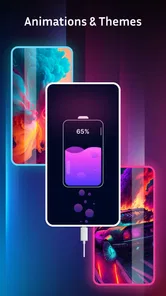
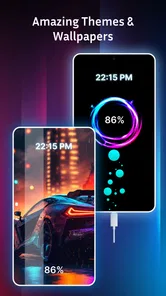
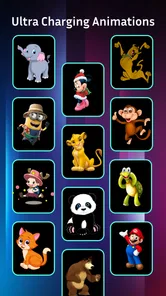
Analysis by Reviewed
Battery charging is usually the kind of pause I ignore: plug in, set the phone down, and move on. This app is for people who would rather make that small moment feel more personal. Battery Charging Animation App adds animated visuals to the charging screen, so its appeal is less about managing power and more about adding a bit of character to a familiar routine.
A small visual change, not a battery tool
Before installing a charging animation app, I’d ask myself one simple question: do I actually look at my phone when it is plugged in? If the answer is yes, a custom animation can make that familiar moment more enjoyable. If the phone spends most of its charging time face down, in a bag, or on a bedside table with the screen off, the benefit is naturally limited.
That distinction matters because the app belongs to personalization, not battery management. It is aimed at changing how charging looks, rather than diagnosing battery health, controlling charge speed, or explaining power use. I’d keep the built-in battery indicator as my source of practical status information and treat the animation as an optional layer of visual style.
Niam Technologies’ free personalization app has reached version 4.1.68 and is rated Teen. It has a 3.1 average from around 23,000 ratings and has passed 10 million installs, so it has attracted plenty of curiosity, though that average suggests experiences are mixed. Optional in-app purchases range from $0.49 to $14.99 per item. I’d treat it as a visual extra, not a battery utility: it doesn’t replace your phone’s battery settings or tell you how to improve charging health.
Choosing the right moment and look
The practical question is whether an animation fits how you use your phone. If you leave it charging on a desk while working, a brief visual flourish may be welcome. If you charge overnight with the screen out of sight, the effect matters much less. I’d also be selective about when to use a bright or busy animation: a calmer choice is a better fit for a bedside table, while a more vivid one makes sense when the phone is in view during the day.
There is also a useful middle ground between turning the effect on everywhere and deciding it has no value at all. I’d try it during visible daytime charging first, then see whether I still want it when I plug in at night. If the visual treatment pulls my attention away from a task, or lights up a dark room at the wrong moment, that is a good reason to choose something quieter or return to the ordinary screen.
What the release history can and cannot tell you
The app was released on February 16, 2022, and its current version is 4.1.68. That gives a useful snapshot of where the product stands, but a version number by itself does not tell me which features changed or how earlier releases behaved. For someone already using it, the most sensible approach is to judge the current experience on their own phone rather than assume that an update has changed the look or performance in a particular way.
More From Our News Desk

 Gmail
GmailGmail in a Busy Inbox: Who Benefits Most?
From first account to crowded workday, Gmail earns its place through dependable search and flexible sorting—but its best fit depends on how much inbox maintenance you can tolerate.

 Prime Video
Switching to Prime Video: What Changes in Your Viewing Routine
Prime Video can make a compelling second home for streaming, but switching means learning a different catalog, rental layer, and route from browsing to playback.

 Universal TV Remote Control
Universal TV Remote Control Works Best as a Reliable Backup
A phone remote earns its place through quick setup and reliable habits. Here is how to get more from Universal TV Remote Control—and where its limits show.

 Weather - By Xiaomi
Weather by Xiaomi Review: Clear at a Glance, Less Clear Up Close
Xiaomi’s weather app makes everyday forecasts quick to scan, but its calm surface can leave useful details and recovery paths harder to find than they should be.

 X
XX Under Pressure: Can It Recover When Posting Goes Wrong?
A resilience-focused review of X, examining setup, mistaken posts, interruptions, weak connections, and the gaps that matter when recovery needs to be dependable.

 Clash of Clans
Clash of Clans Is Won Between the Battles
Its raids are quick; its community is a long-term project of coordination, teaching, rivalry, and shared responsibility—with all the friction that entails.
Latest News



For existing users, I’d make a quick note of the animation and screen behavior I currently rely on before changing anything. After an update, I’d test the same charging routine again rather than judge it from a brief glance: plug in at the usual place, check whether the chosen visual appears, and confirm that the ordinary battery indicator is still easy to find. This is a practical way to spot a change that matters to your own setup without guessing what a version number means.
Making the effect useful in a real routine
The original appeal is straightforward: choose an animation, connect the charger, and let the screen provide a small bit of visual feedback. For example, if I plug in my phone at my desk before a video call, an animation can make it obvious that charging has started without my opening a battery menu. That convenience is modest, and I wouldn’t rely on it as a charging-status tool; the phone’s own indicator remains the better check when the connection matters.
A realistic use case is a shared work area where I set my phone on a stand between tasks. The animation gives me a quick visual cue when I connect the cable, and the phone can remain on the desk rather than being picked up to inspect a settings screen. I’d still check the system indicator if I needed certainty, especially before leaving the house. The value here is a pleasant glance, not a guarantee that a charging connection is working correctly.
When setting it up, I’d read each permission prompt before accepting it and think about whether the requested access makes sense for the effect I want. I’d also test the chosen look in the places I actually charge: a theme that seems attractive in a preview may be distracting in a dark room or too visually busy beside a work screen. Trying a subdued option first is an easy way to see whether the app fits your routine before spending on any optional items.
One less obvious tip is to make the first trial deliberately boring: pick a restrained animation and leave other customization alone for a few charging sessions. That gives you a fair comparison with the normal screen and helps separate a genuinely useful visual cue from the novelty of seeing something new. If you change several things at once, it is harder to tell which part you like—or whether you would rather turn the effect off.
Personalization versus broader phone themes
One appealing idea is to match the animation to the moment: a lively look when charging during the day, then something gentler in the evening. That kind of small adjustment can make a phone feel more individual without changing its core interface. The trade-off is that customization is worthwhile only if you enjoy seeing the effect; if you prefer an uncluttered screen, the animation may feel like decoration you quickly stop noticing.
Compared with the usual alternatives in personalization, this is a narrow, occasion-specific choice. A wallpaper or icon change is visible throughout the day, while a charging animation appears in a particular situation. I’d pick those broader changes if I wanted a consistent new look, and choose this app if the charging moment itself is what I want to customize. It is also not the right choice for someone seeking battery diagnostics, charging controls, or a dependable way to extend battery life.
That narrow focus can be a strength. A full theme or a collection of icon changes affects the phone every time I use it, while a charging visual is confined to one small part of the day. If I like personal touches but do not want to redesign the home screen, this kind of focused customization is easier to try and easier to abandon. On the other hand, anyone who wants a unified appearance across apps and menus will get more from the phone’s built-in theme tools, where available.
Bring Your Charging Screen to Life
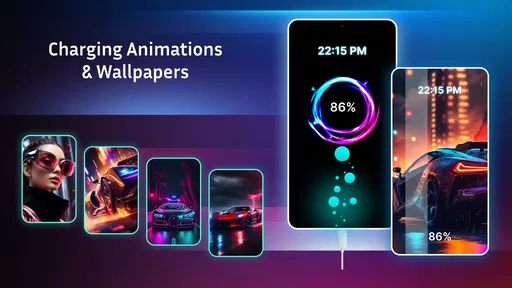
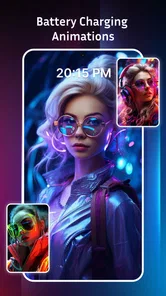
First things first, the app is super easy to set up. Once you download it, you just need to allow a few permissions, and voila, you're all set. The app offers a variety of animated themes that light up your screen every time you plug in your charger. From playful animations to serene visuals, there's something for everyone. I personally love the galaxy theme – it gives my phone a little cosmic touch every time it juices up.
Customization at Your Fingertips
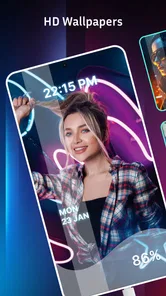
One of the best parts about the app is the level of customization it offers. You can tweak the animations to match your mood or even the time of day. Feeling a bit more energetic in the morning? Switch to a lively animation to kickstart your day. Want to wind down at night? Opt for something more calming and let your phone charge in peace.
I’d approach those choices as a personal preference rather than a setting that needs constant attention. A look that feels fun the first evening may be less welcome after a week, so I’d settle on one option and see whether it still suits the room and routine. If I find myself changing it often, that may be part of the enjoyment; if I stop noticing it, there is little reason to keep searching for a perfect theme.
Performance and Battery Drain
Now, you might be wondering, "Won’t animations drain my battery faster?" That's a valid concern, and thankfully, the app developers have thought of this too. The animations are designed to be lightweight, ensuring that your battery life isn’t significantly impacted. I didn't notice any major battery drain during my time using it, which is a huge plus!
Also, the app runs smoothly without any annoying lags or crashes. It's optimized well to make sure it doesn't interfere with your phone’s performance. It's like having a little entertainment while you wait for your phone to power up, without any downsides.
I would still judge that experience on the phone I use every day, rather than assume every device will behave identically. Screen settings, charging habits, and the way a device handles its own charging display can affect whether an overlay feels convenient. If you notice an unwanted interruption, extra screen activity, or an effect that does not suit your setup, turning back to the standard charging view is a sensible choice—not a failure to use the app properly.
Who should give it a try
In my opinion, if you're looking for a way to add some flair to your charging routine, this app is definitely worth a try. It's a fun way to break the monotony and make something as boring as charging your phone a bit more exciting. Plus, the variety of animations means you'll never get tired of seeing the same thing over and over again.
There are a couple of practical questions I’d settle early. It is free to try, but some items are sold separately, so I’d explore the available choices before deciding whether any purchase is worthwhile. The app is intended for Teen users, and it requires Android 8.0 or later; if your device runs an older system, this version is not a fit. Since charging behavior and screen settings vary by phone, I’d also check the effect in my own setup rather than assume every device will present the animation in exactly the same way.
I’d recommend it most to people who keep their phones visible while charging, enjoy small cosmetic changes, and are comfortable treating the result as entertainment rather than a utility. It is less suited to someone who wants to conserve attention, keep the lock screen plain, or solve a power problem. In those cases, the phone’s built-in display is simpler, and a dedicated battery-information tool is a better match if diagnostics are the goal.
For anyone weighing the optional purchases, I’d first spend time with the free experience and decide whether the app has become part of a real routine. A purchase makes more sense when a particular visual is something you genuinely want to keep using, not simply because a menu presents more choices. Since individual items have different prices, I’d check the cost shown for the specific selection before confirming anything.
Keeping expectations realistic
I’d recommend giving it a try if you often charge your phone where you can see it, enjoy changing visual details, and are happy with a small cosmetic benefit rather than a practical battery tool. Someone who charges out of sight, dislikes animated screens, or wants dependable power information will probably be happier sticking with the built-in battery display and spending no time configuring an extra layer.
My advice is to begin with one animation and use it for a few charging sessions before changing anything else. That makes it easier to tell whether the effect genuinely brightens the routine or merely catches your attention once. I’d also keep an eye on how it behaves alongside the phone’s ordinary charging indicator and screen settings; if the animation becomes distracting or doesn’t appear reliably in your usual routine, the default display is the simpler choice.
For current users, that same routine is a useful way to assess whether the app still earns a place on the phone: try it in the situations where you actually charge, then decide whether the effect remains enjoyable. For someone new, it answers the main question quickly without requiring a complicated setup or an immediate purchase. Either way, the best reason to keep it is that you like seeing it, not because it promises to improve battery performance.
A sensible choice for a specific kind of user
To sum it up, the Battery Charging Animation App is a delightful addition to anyone's phone. Whether you're a fan of eye-catching visuals or just want to spruce up your screen, this app has got you covered. So, why not give it a shot? You might find yourself looking forward to charging your phone just to see what animations pop up next!
My recommendation is a little more specific: try it if the charging screen is a place where you welcome decoration, and skip it if you expect a practical charging feature. The app’s established presence—more than 10 million installs—shows that many people are curious about this kind of customization, while its 3.1 average from around 23,000 ratings is a reminder that it will not suit every phone or preference. I’d let my own experience decide: one calm trial, a check of the permissions and any purchase choices, then keep it only if the animation makes an ordinary pause feel better.
Battery Charging Animation App Frequently Asked Questions
What should I check before installing Battery Charging Animation App?
Check that your device runs Android 8.0 or later, as this is the stated minimum operating system requirement. The app is a personalization tool intended to add visual effects while your phone charges, so consider whether that kind of charging-screen decoration is something you want. It is free to download, with optional in-app purchases for additional content.
Is Battery Charging Animation App suitable for teens?
The app has a Teen content rating. That rating is worth considering when deciding whether it is appropriate for you or someone in your family. Its stated purpose is to make charging more visually engaging with animation effects, and it belongs to the personalization category. Parents and guardians can review the app and its purchase options together with younger users before installation.
Can I use Battery Charging Animation App on an iPhone?
The app’s stated minimum operating system requirement is Android 8.0, so it is presented as an Android app rather than one with a confirmed iOS requirement. If you are using an iPhone, check the relevant app store for availability and compatibility before proceeding. On Android, make sure your device meets the minimum OS requirement.
Does Battery Charging Animation App need special permissions or access to run?
Before downloading, it is worth considering that an app which displays an animation when charging may need permission to show content over other screens or send notifications. Review the permission prompts during setup and allow only the access you are comfortable with. The app is a personalization tool, so its main appeal is changing the look of the charging experience rather than managing essential phone functions.
What features does the Battery Charging Animation App offer?
The Battery Charging Animation App provides a variety of engaging animations and themes that can be displayed while your phone is charging. It includes features such as customizable animations, real-time charging status, and notifications. Users can personalize their charging experience with different styles and effects, making the charging process visually pleasing and informative.
Pros
- Visually appealing graphics enhance user experience.
- Customizable themes for personalization.
- Provides battery health information.
- Supports fast charging animation.
- Low impact on device performance.
Cons
- Contains ads that may disrupt usage.
- Limited free features available.
- Some animations require premium.
- Not compatible with all devices.
- Occasional lag on older devices.











