Avaz AAC
- 64.00
- 3.4
- Installs
- 100.00K
- Price
- Free

Screenshots
Analysis by Reviewed
Choosing an AAC app is not like choosing another keyboard or note-taking tool. The layout, voice, language options, and speed of access can affect whether someone can express a need, join a conversation, or take part in an ordinary family routine. I spent time looking at Avaz AAC from that practical point of view, and my impression is that it is a focused education app for people who use augmentative and alternative communication, along with the families, teachers, and therapists supporting them.
The app is free to install, carries an Everyone age rating, and comes from Avaz, LLC. Its central appeal is the ability to shape an AAC experience around the person using it rather than forcing every communicator into the same fixed arrangement. Expressive voice tones and multilingual support also make it more interesting than a basic picture board. At the same time, the average rating of 3.4 from around 400 ratings suggests that the experience is not equally smooth for everyone.
My overall view is cautiously positive. Avaz AAC can be a useful starting point when personalization and spoken output matter, especially if a caregiver is willing to spend time building a workable setup. It is less convincing for someone who wants an instantly perfect communication system, a completely free long-term experience, or a tool that can be handed to a new user without preparation.
How Avaz AAC feels in everyday communication
A communication tool that needs to fit one person
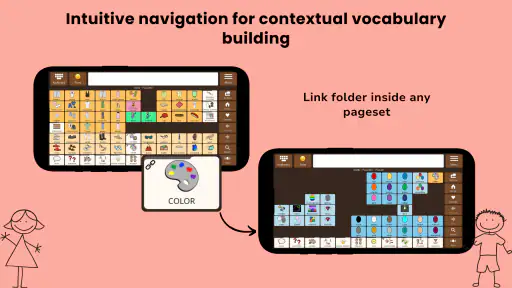
The strongest idea behind this app is customization. In AAC, customization is not just a cosmetic extra. A child who recognizes familiar images quickly may need a different arrangement from an adult who reads comfortably. Someone who communicates in more than one language may need a different vocabulary structure from someone who uses one language at home and another at school. Avaz AAC is aimed at those differences rather than treating them as edge cases.
I would think of it as a communication system that grows through adjustment. The first setup is important, but the more meaningful work happens afterward: observing which words are easy to find, noticing which categories cause hesitation, and changing the layout or vocabulary so the person can communicate with less help. That makes the app potentially valuable in real routines, but it also means a parent or professional should not judge it after only a few minutes.
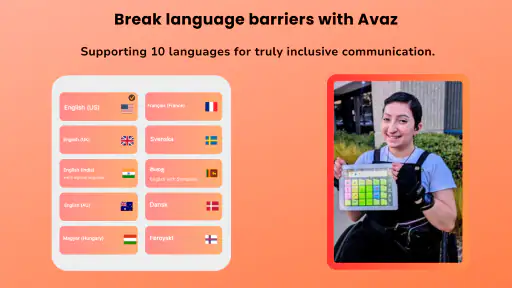
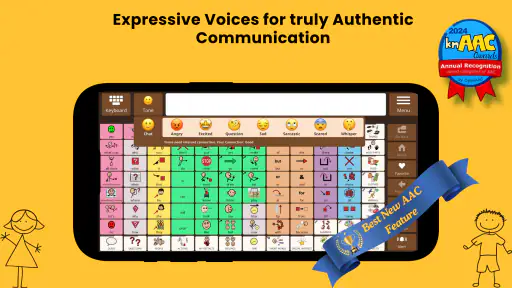
The store summary emphasizes expressive voice tones and multilingual support, and those two areas point to practical strengths. A voice that sounds more suitable to the user can make spoken output feel less mechanical or disconnected from their identity. Language support can also reduce the awkwardness of switching between home, school, and community contexts. I would still test the actual language and voice choices against the user’s daily needs before relying on them in important conversations.
A realistic morning routine
Imagine a child getting ready for school. Instead of a caregiver guessing whether the child wants breakfast, a different shirt, or more time, the child can use the device to make a selection and produce speech. Later, the same system can help communicate a classroom request. The value is not one impressive demonstration; it is the repeated reduction of guesswork in small moments.
More From Our News Desk

Clash of Clans Is Won Between the Battles

Android Auto Makes the Case for Quieter Car Software

MobiOffice: Transforming Mobile Productivity with Seamless Integration

EA SPORTS FC™ Mobile Soccer: Redefining Mobile Sports Gaming

How Microsoft OneDrive Became a Mobile Productivity Giant

How Google Translate Breaks Language Barriers Effortlessly
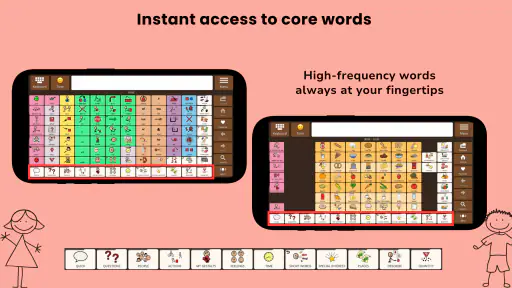
For that scenario to work, the vocabulary must reflect the child’s life. “Breakfast” may be useful, but the child may need the names of familiar foods, a preferred cup, a sibling, a teacher, or a recurring activity. I would begin with a small set of high-value words and phrases, then add vocabulary based on real communication attempts. Filling every available space immediately can make the screen harder to scan and may slow down the person who needs it most.
A useful habit is to watch for words that are technically present but practically hidden. If a user repeatedly asks someone else to find a word, that is a design signal. Move the word, create a clearer route to it, or reconsider whether the category makes sense to that person. This kind of observation is one of the most important parts of using Avaz AAC well, and it is easy to miss if the app is treated as a finished product rather than an evolving communication aid.
Who will benefit most
I see the best fit among families and educators who want an AAC app that can be adapted over time. It may also suit users whose communication needs cross language boundaries or who respond better to a more expressive voice. Therapists and teachers can use the app as part of a broader communication plan, provided they involve the user in decisions instead of designing everything around adult convenience.
It is also worth considering for someone moving away from a paper board or a very limited picture-based tool. Spoken output can make communication more practical in places where pointing alone is difficult, while customization gives caregivers room to preserve familiar concepts. The free entry point makes experimentation less intimidating, especially when a family is still learning what kind of AAC arrangement works.
I would be more careful recommending it to a person who needs a highly specialized professional system immediately, or to a family that cannot spend time maintaining the vocabulary. A communication app is only as useful as its availability, organization, and relevance. If no one is able to adjust it when needs change, the user may end up with a cluttered or frustrating interface regardless of the app’s underlying capabilities.
What the current release tells me
The current version is 8.0.4, while the app was released on November 22, 2018. That history matters because it suggests an established product rather than a brand-new experiment. An app that has been around for years has had time to develop its approach, but longevity should not be confused with perfection. Older users may have accumulated personal setups and habits that make any change feel significant.
For a new user, the current release is the version to evaluate, not the app’s earlier reputation. For an existing user, updating deserves a little planning. I would take screenshots or notes of important vocabulary arrangements, review any custom voice or language preferences, and test the app in a calm setting before using it for school, appointments, or travel. That is sensible practice for any essential communication tool, particularly when a new version may alter familiar behavior.
The version number alone does not tell me whether every change will be visible to every user. An update can improve the underlying experience without changing a person’s favorite buttons, or it can affect navigation in a way that is immediately noticeable to someone who relies on muscle memory. The right question is not simply whether the app is current, but whether the current setup still lets this particular user communicate efficiently.
How it compares with familiar alternatives
The usual alternatives fall into a few groups: paper communication boards, simple picture-board apps, general text-to-speech tools, and more specialized AAC platforms. Avaz AAC sits between simplicity and depth. It offers more room for personalization and spoken expression than a static board, while remaining more purpose-built for AAC than a general typing app.
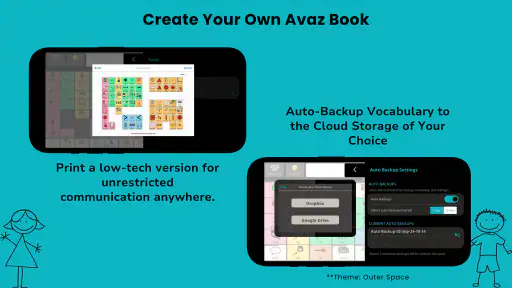
A paper board can be faster to grab, easier to understand at a glance, and unaffected by battery or software changes. It also provides a useful backup even when a digital system is working well. However, paper does not offer the same spoken output or the same flexibility for changing language and vocabulary. I would not treat Avaz AAC as a replacement for every low-tech option; I would keep a simple backup available for situations where a device is unavailable or difficult to use.
A general text-to-speech keyboard may be better for a literate user who wants unrestricted typing. It can handle names, unusual words, and detailed messages without the caregiver building a vocabulary system. The trade-off is speed and effort. For a user who benefits from visual choices, saved phrases, or carefully arranged vocabulary, a general keyboard may demand too much typing and navigation.
More advanced specialist AAC platforms may offer a better fit for users with complex access needs, intensive clinical support, or very particular symbol and layout requirements. Avaz AAC is more appealing when the priority is an approachable, customizable communication experience with voice and language flexibility. I would choose the specialist option when the communication plan requires capabilities or professional integration that this app does not provide in a straightforward way.
Practical setup advice
The first useful step is to identify communication goals, not just favorite words. Ask what the person needs to say during meals, lessons, play, personal care, and stressful moments. A phrase that prevents frustration or communicates discomfort may be more important than a large collection of nouns. This keeps the early setup focused and gives the user quick wins.
Next, test the arrangement with real movement and attention limits. A layout that looks tidy to an adult may be slow for a user who has difficulty with fine motor control, visual scanning, or concentration. Try the app while standing, sitting, moving between rooms, or dealing with background noise. These small tests can reveal whether buttons are easy to reach and whether the voice output is practical outside a quiet demonstration.
One less obvious trade-off is the tension between consistency and customization. Changing the arrangement whenever an adult thinks of a better idea may make the system unpredictable for the person learning it. I would make changes deliberately, introduce them one at a time, and give the user repeated opportunities to practice. Personalization should reduce cognitive load, not create a constantly shifting target.
Another helpful workflow is to keep a short record of communication breakdowns. Write down what the user tried to express, where the search became difficult, and what workaround was used. After several days, patterns usually become clearer. This is more reliable than adding words based on occasional guesses, and it helps distinguish a vocabulary gap from a layout problem.
Costs, access, and long-term expectations
Avaz AAC is listed as free, which makes it easier to try before committing a family budget. However, the app includes in-app purchases ranging from $1.99 to $299.99 per item. That is a very wide range, so I would inspect the purchase choices carefully and decide what is genuinely necessary before treating the free installation as the complete long-term experience.
This pricing structure is especially important for schools and families comparing several AAC options. The initial download cost is only one part of ownership. Time spent customizing, training supporters, maintaining vocabulary, and preparing a backup also matters. A cheaper app that nobody maintains may be less useful than a paid solution that fits the user immediately, while a costly purchase may be difficult to justify if the basic workflow does not suit the communicator.
The minimum operating system is version 9, so compatibility should be checked on the intended device before planning around it. I would also test the app on the actual phone or tablet the user will carry, rather than assuming that a setup that works on a caregiver’s device will feel equally comfortable on another screen. Screen size, case design, mounting position, and access method can all change the experience.
Limitations I would take seriously
The first limitation is the learning curve. Customization is a strength only when someone has the time and confidence to use it. A caregiver may understand the goal but still struggle to decide which vocabulary belongs on the main screen, how much detail to expose, or how to respond when the user’s needs change. Without guidance from people who understand AAC, the app can become either too sparse or too crowded.
The second is that voice output does not automatically create natural conversation. A user may still need support with turn-taking, finding words, repairing misunderstandings, and communicating abstract ideas. I would avoid measuring success only by how quickly the app speaks a phrase. The more meaningful test is whether the person can initiate, respond, refuse, ask, comment, and participate with less dependence on someone who already knows what they mean.
Multilingual support is promising for bilingual households, but language switching can introduce its own organizational challenge. Vocabulary should match the situations in which each language is used, and supporters need to agree on a consistent approach. Otherwise, the user may have the right word available but in a place that is difficult to predict. I would test language changes during ordinary conversations rather than assuming that a multilingual label alone solves the problem.
The rating of 3.4 is another reason to approach the app thoughtfully. It is not a reason to dismiss it, because AAC needs are highly personal and one user’s frustration may not apply to another. Still, it signals that I would test the complete workflow before purchasing any substantial add-on or making it the only communication method. A short trial with the actual user is more informative than relying on the store score alone.
Questions to settle before relying on it
If you are wondering whether it works for a non-reader, the answer depends on the person’s visual recognition, motor access, and the way the vocabulary is arranged. The app’s AAC focus makes it relevant to users who do not communicate primarily through typing, but no layout is automatically suitable for every non-reader. I would involve a speech-language professional or experienced AAC supporter when access needs are complex.
If you are asking whether it can replace a therapist, teacher, or caregiver, I would say no. The app is a tool for communication, not a complete intervention plan. Supporters still need to model communication, respect the user’s choices, and make sure the person has opportunities to communicate for more than requesting objects. The app works best when the surrounding people treat it as the user’s voice rather than as a device adults control.
If you are concerned about starting with too much vocabulary, begin with a manageable core and expand from observed needs. Do not remove useful words simply because they are not used every day; a person may need to communicate about pain, emotions, people, or unexpected events. The goal is a clear route to important language, not the smallest possible number of buttons.
If you are deciding whether the app is suitable for school, ask whether staff can keep the device accessible and whether they will honor communication attempts during lessons, transitions, and social activities. A powerful setup that stays in a backpack is not a successful school system. Consistent access and shared understanding among adults matter as much as the app’s interface.
What I would watch as the app evolves
For existing users, I would watch how future updates affect saved arrangements, voice choices, language workflows, and everyday navigation. The most valuable improvements would be the ones that reduce setup friction without disrupting familiar communication paths. A change that looks small to a developer can be meaningful to someone who depends on a known sequence of selections.
I would also pay attention to whether the app continues to serve both new users and established communicators. Beginners need clear ways to build a useful system, while experienced users need stability and room for more nuanced expression. Those goals can conflict, so the best evolution would preserve predictable access while making customization easier to understand.
My advice is to treat each update as a reason for a brief review, not an automatic reason to change everything. Confirm that essential phrases still work, check the device with the person who uses it, and keep a low-tech backup nearby. This approach protects communication continuity while still allowing the app to improve over time.
After reviewing its purpose, current version, pricing model, and practical trade-offs, I would recommend Avaz AAC as a candidate to test rather than a universal answer. It has a meaningful focus, useful personalization, expressive voice possibilities, and multilingual appeal. Its free entry point lowers the barrier to experimentation, but the in-app purchase range means families should plan carefully before committing.
The best results will come from treating the app as a living communication system, not a download that works perfectly on day one. If you can customize patiently, observe real communication needs, and involve the user in every important decision, Avaz AAC may become a valuable part of daily life. If you need unrestricted typing, a paper-first backup, or a highly specialized professional platform, another option may fit better. For the right communicator and support team, though, it is worth a thoughtful trial.
Avaz AAC Frequently Asked Questions
What devices can run Avaz AAC?
Avaz AAC is an education app for Android devices running version 9 or later. Before downloading, check that your device meets this requirement and has enough space for the app and its communication content. It is designed for use on a mobile device, so the screen and controls should be comfortable for the person who will select pictures, symbols, words, or phrases.
What languages and voice options does Avaz AAC offer?
Avaz AAC is described as supporting multiple languages and expressive voice tones, which can help users communicate in a way that feels more natural to them. Language and voice preferences are worth considering before setup, particularly when a user communicates with people who speak different languages. The choices available can depend on the device and app configuration, so explore the settings and available options with the user or their caregiver.
Is Avaz AAC appropriate for children, and who should help set it up?
Avaz AAC is rated for everyone and is designed to support people with communication needs, including children. An adult, caregiver, teacher, or speech-language therapist can help select useful vocabulary and arrange the screen around the user’s abilities and daily routines. Since communication needs differ, a familiar support person can make setup more comfortable and help the user practice using the app in everyday situations.
What is Avaz AAC and who is it designed for?
Avaz AAC is an augmentative and alternative communication app designed to help people who have difficulty speaking communicate more independently. It is commonly used by children and adults with autism, apraxia, cerebral palsy, Down syndrome, and other speech or language challenges. The app uses visual symbols, customizable vocabulary, and text or speech output to support communication at home, school, therapy, and in everyday situations.
How does Avaz AAC help users communicate?
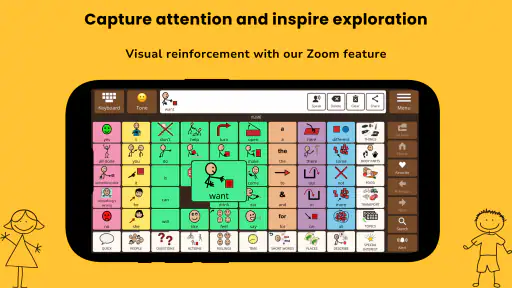
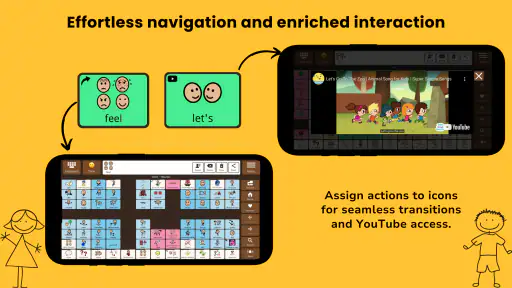
Avaz AAC allows users to select pictures, symbols, words, or phrases on the screen to create messages. Those messages can then be spoken aloud using the device’s voice output. The app generally supports a gradual progression from picture-based communication to more text-based communication, making it useful for different ability levels. Caregivers and therapists can also customize vocabulary, categories, and layouts to match the user’s needs.
Pros
- Personalized symbol-based communication supports nonverbal users.
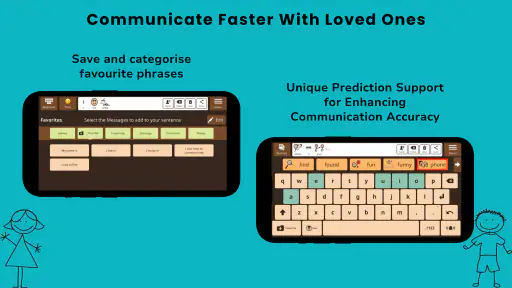
- Useful phrase prediction can speed up everyday conversations.
- Includes tools for building vocabulary around personal needs and routines.
- Voice output offers multiple language and speech options.
- Progress can be supported through caregiver and therapist involvement.
Cons
- The large symbol library may feel overwhelming during initial setup.
- Customization often requires time from a parent
- teacher
- or therapist.
- Some advanced features may depend on a paid subscription or plan.
- Voice output quality and available voices can vary by device.
- Older or less powerful devices may struggle with large communication boards.
- Category
- Education
- Version
- 8.0.4











