

ASVAB Practice Test 2026 Prep
- 999.00
- 4.2
- Installs
- 100.00K
- Price
- Free

Screenshots
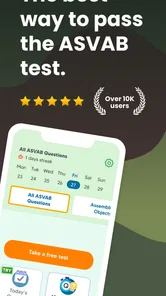
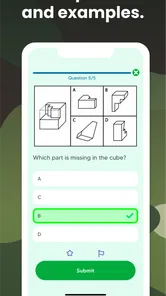
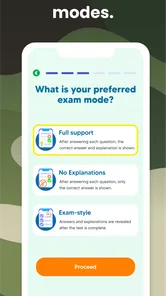
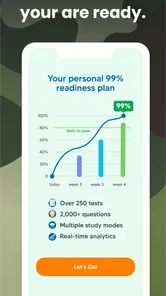
Analysis by Reviewed
Preparing for the ASVAB can feel confusing because the exam covers several different skills rather than one subject. ASVAB Practice Test 2026 Prep takes a focused approach: it turns study time into repeated practice sessions that help you recognize question styles, find weak areas, and build a steadier routine. I found it most useful as a mobile study companion rather than a complete replacement for official preparation material.
This is a free Education app from Best Fun Games, LLC, aimed at learners who want to work through ASVAB-style practice on an Android device. It is suitable for Everyone, requires Android 6.0 or later, and its current version is 1.2.0. The app has reached over 100 thousand installs, with an average rating of 4.2 from around 4.1 thousand ratings. Those figures suggest that it has found a practical audience, although popularity alone does not guarantee that its approach will suit every learner.
How I used it as a repeatable study routine
My first recommendation is not to open the app with the vague goal of “studying the ASVAB.” That is too broad. I would begin with a short practice session, notice which questions slow me down, and then use the result to decide what to review next. The value of this kind of app is not simply answering a large number of questions. It is turning mistakes into a study plan.
A useful baseline workflow is to take a practice set without looking up answers while working. I would keep a small note of the questions I guessed on, even when the final answer happened to be correct. A lucky answer and a confident answer are not the same thing, and treating them differently makes later review much more efficient.
After finishing, I would separate errors into three groups: a missing fact, a calculation mistake, and a question-reading mistake. That distinction matters. If I repeatedly miss a vocabulary item, I need recall practice. If I understand the concept but make an arithmetic slip, I need slower working and better checking. If I choose the wrong operation because I skimmed the wording, more content review will not solve the real problem.
This approach also prevents a common trap with mobile test apps: chasing a better session result without understanding why the result changed. A higher score can come from remembering repeated questions, becoming familiar with the format, or genuinely improving. I would therefore repeat a topic after a break and compare the reasoning, not just the number of correct answers.
Making short sessions useful
The app fits especially well into small gaps in the day. A learner might complete one session during a commute, before work, or while waiting for an appointment. I would avoid treating every spare minute as an excuse to rush. Five attentive questions can be more valuable than a long session completed while distracted.
More From Our News Desk

 Gmail
GmailGmail in a Busy Inbox: Who Benefits Most?
From first account to crowded workday, Gmail earns its place through dependable search and flexible sorting—but its best fit depends on how much inbox maintenance you can tolerate.

 Prime Video
Switching to Prime Video: What Changes in Your Viewing Routine
Prime Video can make a compelling second home for streaming, but switching means learning a different catalog, rental layer, and route from browsing to playback.

 Universal TV Remote Control
Universal TV Remote Control Works Best as a Reliable Backup
A phone remote earns its place through quick setup and reliable habits. Here is how to get more from Universal TV Remote Control—and where its limits show.

 Weather - By Xiaomi
Weather by Xiaomi Review: Clear at a Glance, Less Clear Up Close
Xiaomi’s weather app makes everyday forecasts quick to scan, but its calm surface can leave useful details and recovery paths harder to find than they should be.

 X
XX Under Pressure: Can It Recover When Posting Goes Wrong?
A resilience-focused review of X, examining setup, mistaken posts, interruptions, weak connections, and the gaps that matter when recovery needs to be dependable.

 Clash of Clans
Clash of Clans Is Won Between the Battles
Its raids are quick; its community is a long-term project of coordination, teaching, rivalry, and shared responsibility—with all the friction that entails.
Latest News



For an everyday example, imagine someone preparing for an upcoming enlistment conversation while working full time. They could use the app on weekdays for brief question practice, write down two recurring mistakes, and reserve one longer weekend session for reviewing those mistakes. That rhythm is more realistic than promising to study for hours every evening and abandoning the plan after a few days.
I also like the idea of ending each session with one clear action. That could be revisiting a math rule, learning a small group of vocabulary terms, or practicing how to estimate an answer before calculating it. Without that final step, practice can become passive tapping rather than deliberate preparation.
Settings and habits worth checking
Before settling into a routine, I would inspect the available study and question settings rather than accepting the first arrangement automatically. The important principle is to choose a setup that reveals weaknesses instead of hiding them. If the app lets you focus on particular areas, use that option after an initial mixed session. If it offers a broader practice mode, return to it regularly so that improvement in one topic does not create neglect elsewhere.
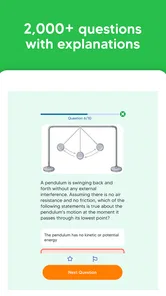
I would also check how answer explanations are presented and make a habit of reading them after incorrect answers. An explanation should be used actively: pause before moving on and say, in your own words, why the correct option works. If you cannot explain it without looking, the question is not really finished.
Another useful setting-related habit is controlling the difficulty of the session through your own behavior. I would begin with untimed or comfortable practice when learning a concept, then introduce stricter pacing only after the method feels familiar. Starting under pressure can make every mistake look like a knowledge problem when it may actually be a speed problem.
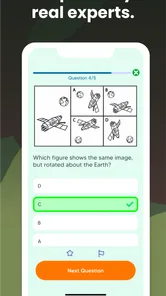
Because this is a phone-based tool, I would also prepare the physical environment. Keep a pencil and scrap paper nearby for arithmetic and spatial reasoning instead of trying to perform every calculation mentally. Turn off distracting notifications if possible, and avoid switching between the app and unrelated social feeds. The app cannot create concentration for you; your setup determines how much of each session becomes useful practice.
Faster patterns that improve accuracy
One of the strongest ways to use ASVAB Practice Test 2026 Prep is to look for repeatable solving patterns. In arithmetic questions, I would estimate the answer before calculating. That gives me a rough target and helps expose an impossible result. In word problems, I would identify what the question is actually asking before sorting through the numbers. Many avoidable errors happen because the reader starts calculating too soon.
For vocabulary practice, I would avoid memorizing isolated definitions only. I would connect each unfamiliar word to a simple sentence and one contrasting word. That makes recall more flexible when the wording changes. If a term keeps appearing as a weak point, I would write it down and review it away from the app later rather than repeatedly guessing until it becomes familiar by accident.
For reading-based questions, I would separate information stated directly in the passage from conclusions that merely sound reasonable. Test questions often reward careful evidence rather than general knowledge. I found that asking “where is this supported?” is a faster long-term habit than rereading the entire passage after every option.
For science-related practice, I would focus on relationships and basic principles instead of trying to memorize every isolated detail. When an answer is wrong, I would note the underlying idea that was tested. A compact list of principles is easier to review than a long list of missed question numbers.
Timed practice should come later in the workflow. First build reliable methods, then measure speed. When timing becomes part of the session, I would mark questions that consume too much time and move on when appropriate. The goal is not to prove that every question can be solved instantly. It is to avoid allowing one difficult item to damage the rest of the session.
Where the app helps, and where it reaches its limits
The biggest strength is convenience. A dedicated practice app is easier to open than a large book when I have only a few minutes. It also encourages repetition, which is essential for exam preparation. The free entry point makes it reasonable to try the basic workflow before deciding whether it deserves a regular place in your routine.
Still, I would not use it as my only source. Practice questions can show whether I am improving, but they do not automatically provide the full instruction needed to repair every weakness. A learner with serious gaps in algebra, mechanical concepts, or reading comprehension may need a textbook, class, tutor, or carefully selected instructional videos alongside the app.
The in-app purchase range is from $24.99 to $89.99 per item, so I would pay close attention before buying anything. The free version is the sensible starting point. I would only consider spending money after identifying a specific limitation in the free experience and deciding that the additional material addresses it. A purchase should support a plan, not become a substitute for one.
Another limitation is the risk of confusing familiarity with readiness. Repeating similar questions can make the app feel easier without preparing you for unfamiliar wording. To counter that, I would alternate focused practice with mixed sessions and occasionally solve questions on paper without relying on the same quick tapping rhythm used on the phone.
I would also be cautious about using a practice score as a prediction of an official result. It is a progress signal, not a guarantee. Scores can be affected by concentration, memory of previous questions, and whether the session matches the conditions you will face. The most meaningful improvement is consistent performance across different topics and question styles.
Who should use it and who should choose another tool
This app is a good fit for someone who already knows the broad areas they need to study and wants frequent practice in a convenient format. It is particularly useful for learners who struggle with consistency. Opening a phone app can feel less demanding than organizing a full study desk, and that lower barrier may be exactly what helps a routine survive busy days.
It also suits people who prefer learning through active recall. If you enjoy answering, checking, and trying again, the format can keep you engaged. The app is less suitable for someone who wants long lessons, detailed teaching before every question, or a complete guided course from beginner level to exam readiness.
If your main problem is understanding a mathematical concept, I would choose a teaching resource first and use this app afterward for reinforcement. If your main problem is pacing and exam familiarity, the app becomes more valuable. That distinction is important: practice is excellent for exposing a weakness, but exposure is not the same as instruction.
The Everyone age rating makes it broadly accessible, but younger learners should still have a realistic study plan and adult guidance if they are unfamiliar with the exam process. The app can provide practice opportunities; it cannot decide which military career path, score target, or preparation timeline is appropriate for an individual.
A practical progression from first session to mastery
I would use the app in four stages. First, take a mixed session to establish a baseline without trying to impress yourself. Second, group mistakes by skill and spend several short sessions on the most frequent problem. Third, return to mixed practice so that you learn to switch between subjects. Fourth, add time pressure and paper-based work to make the routine less dependent on the phone interface.
At each stage, keep the review narrow. Instead of writing “study math,” write “check percentage setup” or “review how I identify the main claim.” Specific notes make the next session easier to start. They also show whether the same mistake is disappearing or simply changing form.
A useful advanced habit is to maintain two review lists: “still cannot solve” and “can solve slowly.” The first list needs teaching and repetition. The second needs timed practice. Mixing them together can lead to overstudying material you already understand while ignoring questions that require a genuine conceptual repair.
I would also schedule occasional no-help sessions. Do not look at notes, do not pause to search for a definition, and do not immediately retry a missed question. This provides a more honest view of retention. Afterward, return to explanations and notes, then wait before testing the same skill again.
Version 1.2.0 is the current release, and the app was released on May 17, 2024. Those details are useful when checking that the installed copy is current, especially if a screen or study flow looks different after an update. I would keep expectations practical: an update can refine an app, but your results still depend mainly on how deliberately you use each session.
My verdict for serious ASVAB preparation
I see ASVAB Practice Test 2026 Prep as a convenient practice layer, not a complete preparation system. Its strongest role is helping me maintain contact with exam-style questions, identify recurring mistakes, and build a repeatable habit without carrying a book everywhere. The free starting point makes that role easy to test.
I would recommend it to a learner who is willing to review mistakes carefully and combine phone practice with other study methods. I would not recommend relying on it alone if you need detailed teaching, a personalized schedule, or confidence that every tested area has been covered thoroughly.
The best results will come from using the app with a simple discipline: begin with mixed practice, focus on the weakest skill, read explanations actively, return to mixed questions, and only then add speed. The app is most valuable when it turns mistakes into the next study task. Used that way, it can become a practical part of ASVAB preparation rather than just another question-and-answer app on your phone.
ASVAB Practice Test 2026 Prep Frequently Asked Questions
Who developed ASVAB Practice Test 2026 Prep, and is it an official ASVAB app?
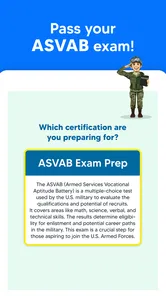
ASVAB Practice Test 2026 Prep is an educational app developed by Best Fun Games, LLC. It is a preparation tool for people studying for the Armed Services Vocational Aptitude Battery, rather than an official military testing platform. You can use it to support your study routine, but treat it as one resource among your preparation materials and check official guidance for information about the real exam.
Does ASVAB Practice Test 2026 Prep work on my device?
The app is available for Android devices running version 6.0 or later. Before downloading, check your device’s operating system version and confirm that you are viewing the correct app page for your platform. The app is rated for Everyone, which describes its content rating; it does not guarantee compatibility with every device. Keeping your operating system and app store up to date can also help with installation.
What is ASVAB Practice Test 2026 Prep?
ASVAB Practice Test 2026 Prep is a study app designed to help users prepare for the Armed Services Vocational Aptitude Battery. It typically includes practice questions, subject-based exercises, mock exams, explanations, and progress-tracking tools covering areas such as mathematics, vocabulary, reading comprehension, science, electronics, and mechanical concepts. It is intended as a preparation aid, not an official military testing platform.
Which ASVAB sections can I study with the app?
The app is generally intended to cover the main ASVAB subjects, including Arithmetic Reasoning, Mathematics Knowledge, Word Knowledge, Paragraph Comprehension, General Science, Electronics Information, Auto and Shop Information, Mechanical Comprehension, and Assembling Objects. Available topics and question counts may vary by version, so users should review the app’s current description to confirm exactly what is included before downloading.
Is ASVAB Practice Test 2026 Prep suitable for beginners?
Yes, the app can be useful for beginners because it allows users to become familiar with the question formats and identify subjects that require additional study. A practical approach is to begin with a diagnostic or untimed practice test, review every incorrect answer, and then create a regular study schedule. Users with stronger preparation may benefit more from timed exams and targeted revision.
Pros
- Covers key ASVAB sections
- including arithmetic
- vocabulary
- and mechanical topics.
- Practice questions help identify weak areas before taking the official exam.
- Short study sessions make it convenient to prepare during spare time.
- Progress tracking can help maintain motivation and monitor improvement.
- Useful for both first-time test takers and those retaking the ASVAB.
Cons
- Some explanations may not provide enough detail for difficult questions.
- The free version may limit access to questions
- tests
- or study features.
- Practice content cannot fully reproduce the official ASVAB experience.
- Ads may interrupt study sessions for users on the free plan.
- A stable study routine is still needed; the app cannot replace focused preparation.













