

ASE Test Prep: Auto Exam 2026
- 717.00
- 4.9
- Installs
- 50.00K
- Price
- Free

Screenshots
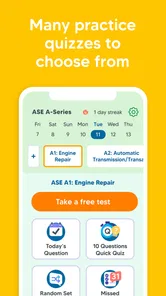
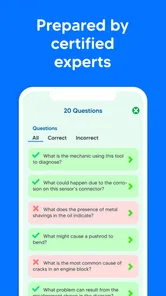
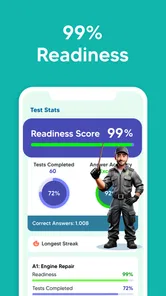
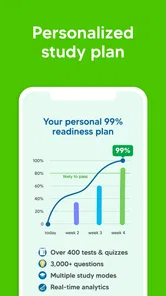
Analysis by Reviewed
Preparing for an ASE exam is less about reading one large book from cover to cover and more about building a dependable routine around the exact areas where your knowledge breaks down. I found ASE Test Prep: Auto Exam 2026 most useful in that role: it is a focused education app from Best Fun Games, LLC that turns spare moments into short practice sessions for the ASE A-Series automotive tests. Its purpose is clear, but the value depends heavily on how deliberately you use it.
The app is free to install, carries an Everyone age rating, and has reached over 50 thousand installs. It holds a 4.9 average from around 2 thousand ratings, with hundreds of written reviews behind that score. Those numbers suggest that many learners find the format approachable, but they should not be mistaken for a guarantee that the app alone will prepare every technician for an exam. ASE preparation still requires understanding, not just recognizing familiar answer choices.
I would recommend it first to someone who already has some automotive experience and wants a convenient way to check recall, identify weak topics, and keep studying consistently. A complete beginner may need a textbook, classroom instruction, or hands-on guidance alongside it. The app can expose gaps quickly, but it cannot replace the physical and diagnostic experience that automotive certification demands.
Where preparation usually gets stuck
Before I change my routine, I first work out whether a stall comes from the material, the way I’m practicing, or a practical interruption. That distinction matters because repeating questions is useful for some gaps but can reinforce guesswork for others. The next section looks at how to identify the sticking point and choose a more productive response.
The first problem is often not the question itself
When a learner struggles with a practice question, it is tempting to blame confusing wording or assume the subject is simply too difficult. In practice, several different problems can look identical. You may have forgotten a specification, misunderstood what the question is asking, confused a symptom with a cause, or selected an answer because it sounds mechanically plausible rather than because the evidence supports it.
That distinction matters when using this app. If I miss a question, I do not immediately repeat it until I can tap the right answer. Instead, I ask what kind of mistake I made. Was I missing a fact? Did I read too quickly? Did I overlook a condition in the scenario? Did I choose a component before confirming the system involved? This small habit turns a quiz into a diagnostic tool for my own study process.
The app is especially convenient for quick checks because an automotive learner can open it between other tasks rather than arranging a full study session every time. That convenience is also a trap. Short practice can become passive tapping if I focus only on keeping a streak of correct answers. The strongest use is slower: answer, explain the choice to yourself, and record the area that needs another look.
More From Our News Desk

 Gmail
GmailGmail in a Busy Inbox: Who Benefits Most?
From first account to crowded workday, Gmail earns its place through dependable search and flexible sorting—but its best fit depends on how much inbox maintenance you can tolerate.

 Prime Video
Switching to Prime Video: What Changes in Your Viewing Routine
Prime Video can make a compelling second home for streaming, but switching means learning a different catalog, rental layer, and route from browsing to playback.

 Universal TV Remote Control
Universal TV Remote Control Works Best as a Reliable Backup
A phone remote earns its place through quick setup and reliable habits. Here is how to get more from Universal TV Remote Control—and where its limits show.

 Weather - By Xiaomi
Weather by Xiaomi Review: Clear at a Glance, Less Clear Up Close
Xiaomi’s weather app makes everyday forecasts quick to scan, but its calm surface can leave useful details and recovery paths harder to find than they should be.

 X
XX Under Pressure: Can It Recover When Posting Goes Wrong?
A resilience-focused review of X, examining setup, mistaken posts, interruptions, weak connections, and the gaps that matter when recovery needs to be dependable.

 Clash of Clans
Clash of Clans Is Won Between the Battles
Its raids are quick; its community is a long-term project of coordination, teaching, rivalry, and shared responsibility—with all the friction that entails.
Latest News



Why repeated correct answers can be misleading
Recognition is weaker than recall. If I see the same question repeatedly, I may remember its position or wording without truly understanding the principle behind it. That is why I prefer to separate practice into two modes. During the first pass, I answer normally and mark the subject of every uncertain question. Later, I return after a break and try to explain the answer before looking at the choices.
This approach also helps reveal whether the app is supporting real learning or merely improving familiarity with its question set. If I can answer inside the app but cannot describe the reasoning in plain language, I treat the result as unfinished. For an ASE exam, that difference is important because practical questions often require interpreting symptoms and selecting a logical test sequence, not recalling isolated vocabulary.
A useful everyday scenario is a technician studying after work. Instead of attempting a long session while tired, I might complete a small group of questions during a quiet break, note two uncertain subjects, and review those subjects from a trusted technical source later. The app then acts as a filter for what deserves attention, rather than pretending to be the entire study plan.
Who may find the format frustrating
Learners who want detailed lessons before seeing any questions may find this style less satisfying. The store summary positions the app around practice preparation, so I approach it as a testing companion rather than a complete course. If I need diagrams, long explanations, wiring examples, or step-by-step demonstrations, I would use dedicated training material in addition to the app.
It may also be a poor fit for someone who has not yet learned basic automotive terminology. Guessing through unfamiliar questions can produce a misleading sense of progress. In that situation, a structured introductory course is the better first step, followed by this app for retrieval practice and self-checking.
Setup checks that prevent avoidable friction
I like to test a study setup before relying on it during a busy day, especially when I expect to use short breaks or move between locations. A quick check of the device, installation, and intended study conditions can separate avoidable setup trouble from problems with the questions themselves. The following section focuses on those checks and on creating a routine that is easy to resume.
Start with the device and app basics
The current version is 1.2.0 and requires Android 6.0 or later. Before beginning a serious study routine, I would check that the phone or tablet meets that requirement, that the app has finished installing correctly, and that the device has enough free space for normal operation. These are ordinary checks, but they prevent a learner from confusing an installation problem with a study-content problem.
I also prefer to open the app once while connected to a reliable network, then move through its main screens before planning to study during a commute or at a job site. That gives me a chance to see whether the content I expect is available in the way I need it. I do not assume that every education app behaves identically when connectivity changes, so I test my intended routine rather than discovering a limitation at the worst moment.
Keeping the operating system and the app current is sensible as well. An update can resolve general compatibility trouble, while an outdated device environment can create slow loading, unexpected closing, or display problems. If an issue appears immediately after installation, I first close and reopen the app, restart the device, and confirm that the installation completed normally before drawing conclusions about the practice material.
Build a study setup that supports concentration
The physical setup matters more than it sounds. I would avoid studying with the phone balanced near tools, fluids, or a running vehicle. A clean, stable place makes it easier to read carefully and reduces the chance of tapping an answer accidentally. If I am using the app in a noisy shop, I keep a small notebook nearby so I can write down the system or concept that needs review instead of trying to remember it later.
I also decide in advance what a session is meant to accomplish. One session might focus on identifying weak areas. Another might test whether I can answer without rushing. A third might combine questions from subjects I previously missed. Without that purpose, it is easy to open the app, answer familiar items, and leave with a comfortable but inaccurate impression of readiness.
The free entry point makes it easy to try this routine without committing money immediately. However, the app includes in-app purchases priced at $24.99 per item. I would inspect any purchase screen carefully and decide whether an added item addresses a specific need before paying. A purchase should support a study plan, not become a substitute for one.
Use the first session as a baseline
My first session would not be a performance test. I would use it to observe the kinds of questions that slow me down, the topics I answer by instinct, and the mistakes I repeat. This baseline is more useful than chasing a high score at the start because it shows where the app can guide my next study block.
For example, if I consistently choose an answer involving a familiar component without verifying the symptom pattern, I know my problem is diagnostic reasoning rather than memorization. If I miss terminology but understand the mechanical situation once it is explained, I need vocabulary review. Those are different remedies, and treating them as the same weakness wastes time.
Recovering when a study workflow breaks
When a routine falls apart, I try to preserve the useful parts rather than restart from scratch or assume the app is at fault. A brief reset, a clearer goal, or a targeted outside reference can help me return with a better question to answer. The next section covers practical ways to recover without turning a temporary snag into a reason to abandon preparation.
When progress feels repetitive
A common failure is opening the app every day but studying in exactly the same way. If the results stop changing, I would change the question before changing the app. Slow down, read the full scenario, cover the answers mentally, and state what evidence would make each option likely or unlikely. This forces active reasoning and reduces dependence on visual familiarity.
Another useful recovery step is to leave the app after a difficult question and consult a reliable reference on that specific subject. I would not search randomly for broad automotive information. I would identify the system, the symptom, and the principle involved, then return later to see whether I can solve the question without the reference open. The app is most effective when it points toward a precise review task.
When you keep missing the same type of question
Repeated misses deserve classification. If the issue is reading, I practice underlining the condition, requested result, and key symptom on paper. If the issue is a technical concept, I write a short explanation in my own words. If the issue is choosing between two plausible answers, I compare what test or observation would distinguish them in a real vehicle.
This last step is particularly valuable for automotive preparation. Instead of memorizing that one answer is correct, I ask what evidence would justify it. That makes the practice closer to workshop reasoning and helps prevent a dangerous habit: replacing parts based on a guess. The app cannot perform the physical test for me, but it can reveal where my reasoning needs more discipline.
When the app closes, loads poorly, or behaves unexpectedly
I handle technical trouble in a simple order. First, I close the app completely and reopen it. Next, I restart the device and check for an available update. If the issue continues, I confirm that the device meets the Android requirement and that the installation is not incomplete. I avoid repeatedly tapping through a broken screen because that can make it harder to tell whether the problem is temporary or consistent.
If a particular question appears unclear, I capture the wording for my own notes when appropriate and compare the underlying subject with a trusted manual or training source. I do not automatically assume that a confusing item means the whole app is unreliable. At the same time, I do not force myself to memorize an answer I cannot justify. The practical response is to verify the principle elsewhere and treat the item as a prompt for investigation.
Purchase-related friction deserves separate care. Because optional items can cost $24.99 each, I would read the purchase description before confirming anything and keep the transaction tied to a clear learning goal. If the purchase screen does not match what I expected, I would stop rather than proceed on assumption. Careful checking is more sensible than buying first and evaluating later.
When the app is not the cause of slow progress
Slow results do not always mean a tool is failing; sometimes I am asking practice questions to do the work of instruction or hands-on experience. I find it helpful to notice when I cannot explain the underlying system, even after I recognize an answer. The following section considers when to change the kind of study support, and how to judge readiness beyond familiar quiz results.
Knowledge gaps need more than more quizzes
There is a point where additional practice questions stop helping because the underlying subject has not been learned. If I cannot explain the basic operation of a system, distinguish related components, or describe a sensible diagnostic order, I need instruction before more testing. Repeating questions in that state can strengthen guessing rather than competence.
This is where a textbook, instructor, manufacturer material, or hands-on lab may be better than the app. I would use those resources to build the mental model, then return here to check retention. The combination is stronger than either approach alone: structured learning provides depth, while practice exposes what I can actually retrieve under pressure.
Exam readiness is broader than app performance
A strong run inside the app is encouraging, but it is not the same as being ready for an official ASE test. I still need to manage time, read unfamiliar wording, reason through questions without relying on repeated exposure, and understand the boundaries of my practical knowledge. I would also avoid studying only the subjects I enjoy. A balanced plan must include the areas I routinely postpone.
The app is a particularly good fit for maintenance between larger study sessions. A learner can use it to keep concepts active during a busy week, then reserve longer periods for manuals, diagrams, and hands-on review. That division of labor makes more sense to me than expecting a compact mobile tool to reproduce every part of professional training.
Who should choose another primary resource
I would not make this the main resource for someone seeking a full curriculum, detailed instruction, or extensive visual demonstrations. It is also not ideal for a learner who has not yet established the fundamentals of automotive systems. In those cases, a course or comprehensive reference should come first.
On the other hand, experienced technicians, students nearing an ASE exam, and people returning to automotive study after a long break can benefit from its focused format. It fits especially well when time is fragmented and the main challenge is maintaining a regular review habit. The app’s Everyone rating also makes it broadly accessible from an age-classification standpoint, although the technical material itself is naturally aimed at learners interested in automotive service.
My practical verdict after using it as a study companion
ASE Test Prep: Auto Exam 2026 succeeds when I treat it as a structured way to find weak spots, not as a magic shortcut to certification. Best Fun Games, LLC has kept the product centered on practice, which is exactly why it can fit into a working technician’s day. I can use a short session to challenge recall, identify a recurring mistake, and decide what to study next.
The strongest workflow is simple: begin with a baseline, read every question carefully, classify mistakes, verify uncertain concepts outside the app when necessary, and return later without relying on remembered answer positions. That process extracts much more value than racing through questions. It also protects against the main weakness of quiz-based preparation: confusing familiarity with understanding.
The free price makes trying the app straightforward, while the optional $24.99 items mean I would review any upgrade carefully and purchase only when it clearly supports my target exam plan. The current version, 1.2.0, and Android 6.0 minimum make it accessible on many older devices, provided the device can run it comfortably.
My recommendation is therefore quite specific. Use it if you want a convenient ASE practice tool, already have some automotive foundation, and are willing to investigate the reasons behind your answers. Skip it as your only resource if you need a complete teaching course or have not yet learned the fundamentals. For the right learner, this is most valuable as a gap-finder and repetition tool: modest in scope, easy to fit into real life, and far more useful when paired with serious technical study.
ASE Test Prep: Auto Exam 2026 Frequently Asked Questions
How can I tell whether ASE Test Prep: Auto Exam 2026 is a good fit for my study routine?
This Education app is aimed at people preparing for ASE automotive tests, so it is most useful if you want to add practice to an existing study routine. You can use it to revisit questions and build familiarity with exam-style material alongside your other learning. The app is free to download, and it includes in-app purchases, so check the purchase details before deciding whether its available options suit your needs.
What is ASE Test Prep: Auto Exam 2026?
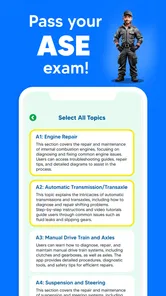
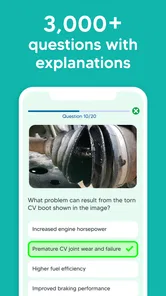
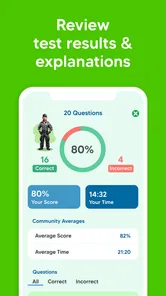
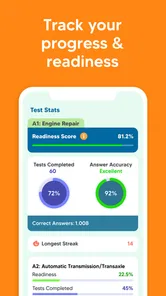
ASE Test Prep: Auto Exam 2026 is a study app designed to help automotive students, technicians, and mechanics prepare for ASE certification exams. It typically provides practice questions, topic-based quizzes, explanations, and progress tracking for several automotive specialties. The app is best used as a revision companion rather than a replacement for official ASE study guides, classroom instruction, or hands-on workshop experience.
Which ASE certification exams does the app cover?
Coverage can vary depending on the version of the app and the content included in its latest update. It may support preparation for common ASE areas such as automobile, engine repair, brakes, electrical and electronic systems, suspension and steering, heating and air conditioning, and other technician tests. Before downloading, check the current app listing to confirm that your specific ASE test series is included.
Is ASE Test Prep: Auto Exam 2026 suitable for beginners?
Beginners can use the app to become familiar with ASE-style questions and automotive terminology, but the experience is more useful when combined with basic mechanical knowledge. Some questions may assume an understanding of diagnostics, tools, vehicle systems, and service procedures. New learners should review explanations carefully and consult a textbook or instructor when an answer is unclear instead of memorizing answers without understanding the underlying repair principles.
Does the app work offline, and are all features free?
Offline access and pricing depend on the app’s current design, subscription model, and the specific platform version. Some practice material may be available without an internet connection, while additional exam categories, explanations, progress reports, or question banks may require payment or an account. Review the Google Play or App Store description carefully, including in-app purchases, before downloading so there are no surprises.
Pros
- Covers key topics commonly found in automotive certification exams.
- Practice questions help identify weak areas before test day.
- Short study sessions fit easily into a busy training schedule.
- Useful for reviewing terminology and basic automotive concepts.
- Can support independent study without requiring classroom attendance.
Cons
- Some explanations may be too brief for difficult technical questions.
- Content quality depends on how closely it matches your exam provider.
- Advanced diagnostic procedures may receive limited coverage.
- Repeated practice can become predictable after extended use.
- A paid plan may be needed to unlock the complete question bank.













