

Aster Flashlight Launcher
- 35.00
- 3.6
- Installs
- 500.00K
- Price
- Free
Screenshots
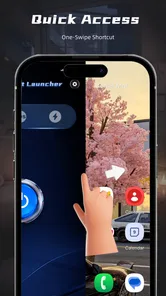
Analysis by Reviewed
Aster Flashlight makes an unusual promise for a personalization app: it brings a flashlight and launcher together, with SOS and disco modes in the mix. I’m drawn to that practical angle more than to the novelty. A phone light is useful only when I can reach it quickly, and a launcher can make frequently used tools easier to find. Putting those ideas together could suit someone who wants fewer steps between noticing a need and turning on a light.
There is an important distinction, though: a flashlight can support everyday access, but it is not automatically an accessibility tool or a substitute for a dedicated emergency device. My view of this app depends on that distinction. It is worth considering for quick, occasional illumination and a more direct route to a phone function, while anyone who relies on a light for safety or needs highly adjustable controls should judge it carefully on their own device.
Getting around the app and its launcher
I’d start by checking whether the combined layout makes the light easier to find, rather than assuming that a launcher automatically improves access. In this section, I look at how a consistent route can help with recognition and routine, and where extra navigation may get in the way. That distinction leads directly to the practical question of how the light and flashing options suit different users and settings.
Readable routes matter more than a crowded home screen
Because Aster Flashlight combines two roles, the key question is whether the route from opening the app to using its light feels simple. A launcher can be helpful when it reduces searching, but it can also add another screen and another decision. For a person who already knows where the phone’s built-in flashlight control is, an extra destination may make access slower rather than faster.
I would test the basic path soon after installing it: open the app, locate the main light control, then return and see whether the launcher’s layout makes sense without relying on memory. That short check is more useful than judging the app by its feature list. If the controls are easy to recognize and the route is consistent, the combined approach may be convenient. If the layout makes the light harder to spot, the phone’s existing quick settings may be the better choice.
Visual comfort is personal. Someone who needs larger text, strong contrast, or a predictable screen may find that a launcher either helps by putting a preferred destination in view or frustrates them with extra visual material. I would check the display in the lighting conditions where I expect to use it, rather than assuming that a screen that looks clear indoors will remain comfortable in a dim hallway or outdoors.
The app is free and intended for Everyone, which makes it approachable as a casual utility, but those details do not tell me whether its interface fits every person’s needs. It is sensible to treat the first use as a quick usability trial: can I identify the important control at a glance, and can I reach it without carefully reading several choices? If not, there is no reason to force a launcher into a routine that already works.
More From Our News Desk

 Gmail
GmailGmail in a Busy Inbox: Who Benefits Most?
From first account to crowded workday, Gmail earns its place through dependable search and flexible sorting—but its best fit depends on how much inbox maintenance you can tolerate.

 Prime Video
Switching to Prime Video: What Changes in Your Viewing Routine
Prime Video can make a compelling second home for streaming, but switching means learning a different catalog, rental layer, and route from browsing to playback.

 Universal TV Remote Control
Universal TV Remote Control Works Best as a Reliable Backup
A phone remote earns its place through quick setup and reliable habits. Here is how to get more from Universal TV Remote Control—and where its limits show.

 Weather - By Xiaomi
Weather by Xiaomi Review: Clear at a Glance, Less Clear Up Close
Xiaomi’s weather app makes everyday forecasts quick to scan, but its calm surface can leave useful details and recovery paths harder to find than they should be.

 X
XX Under Pressure: Can It Recover When Posting Goes Wrong?
A resilience-focused review of X, examining setup, mistaken posts, interruptions, weak connections, and the gaps that matter when recovery needs to be dependable.

 Clash of Clans
Clash of Clans Is Won Between the Battles
Its raids are quick; its community is a long-term project of coordination, teaching, rivalry, and shared responsibility—with all the friction that entails.
Latest News



One combined tool, with a trade-off
Compared with a standard flashlight app, the launcher element is the main difference in approach. A basic light app usually aims to do one thing, while this app groups illumination with a way to navigate phone functions. That can be a good fit for someone who likes a dedicated utility hub. It may be less appealing to someone who values a minimal interface and wants the torch to turn on with as little interaction as possible.
There is also a useful setup habit here: decide in advance what you want the launcher to solve. If the problem is that you keep hunting for the light, try using the app as a consistent destination. If the problem is that you need a torch instantly, compare that route with the built-in control before making it part of muscle memory. This small comparison can prevent a convenience app from becoming an extra step at the exact moment speed matters.
Using light and flashing modes across different needs
The light modes call for different kinds of judgment: a steady beam can help with a quick task, while flashing effects may be uncomfortable or distracting for someone nearby. I consider how dexterity, sensory preferences, and the setting can shape a safe, comfortable workflow. From there, it makes sense to weigh the app’s useful moments against the limits that remain.
Steady illumination and sensory comfort
The core appeal is practical lighting: finding a dropped item, checking a dark stairwell, or reading a label when the room is poorly lit. In those moments, a phone flashlight is convenient because the phone is already close at hand. I would still keep expectations modest. It is a handy source of light, not a replacement for a purpose-built torch when brightness, beam shape, battery endurance, or dependable hands-free use is important.
The SOS and disco modes call for more care than ordinary illumination. Flashing light can be uncomfortable or unsuitable for some people, including those sensitive to flicker or sudden changes in brightness. I would avoid testing these modes around someone who may be affected, and I would not use a flashing effect in a public or shared space without considering the people nearby. A mode being available does not mean it is appropriate in every setting.
For motor needs, the most relevant issue is the physical interaction required to use the app: handling the phone, opening the interface, and selecting a control. Someone with limited dexterity may prefer a route that uses fewer taps, but I cannot assume this app offers voice operation, configurable gestures, or a particular control size. The practical advice is to try the exact movement sequence with one hand and in the posture where it will be used. If that proves awkward, the phone’s built-in shortcut or a separate physical light may be more dependable.
Sound and light can also matter differently from one user to another. A person seeking quiet, low-stimulation use may want only the ordinary light function and may have no interest in flashing effects. Someone who finds sudden bright light disorienting should test cautiously in a safe setting, pointing the phone away from faces and reflective surfaces. These are not reasons to dismiss the app, but they are good reasons to treat the modes as tools with context rather than as features to activate automatically.
Everyday situations where the combination helps
Imagine arriving home with groceries after dark and needing to find a keyhole while keeping one hand occupied. A phone light can help, but the benefit of this app depends on whether I can open it and switch on the beam without a frustrating sequence. I would try that workflow before relying on it outside: keep the phone accessible, use the same route each time, and check that the launcher does not make the torch harder to reach than the normal quick-settings button.
Another useful case is looking under a desk for a cable or checking a bag in a dim café. The app’s single-device convenience is attractive here: no need to carry a separate torch for brief tasks. For longer searches, though, holding a phone while moving objects can be tiring, and the beam may not be ideal for the task. A small dedicated lamp or a hands-free light is a better choice when both hands need to work.
In an emergency, the SOS option may seem reassuring, but I would not treat it as a guaranteed way to summon help or communicate a distress signal. The app’s description identifies a mode, not a complete emergency service. If someone’s safety plan depends on signaling, they should use a method that is known to work in their location and circumstances, and test any light-based signal responsibly rather than waiting for a crisis.
The disco mode is even more situational. It may be entertaining in a casual setting, but flashing light is not a neutral effect and can be distracting or uncomfortable. I would keep it away from driving, cycling, crowded public areas, and anyone who has asked to avoid flashing visuals. For readers who want a calm, accessible utility, it is easy to ignore this mode and focus on the everyday torch, provided the app’s interface makes that separation straightforward.
Who may benefit, and who may prefer another option
This app is most appealing to someone who likes having a small utility and launcher in one place, uses the phone light now and then, and does not mind opening a dedicated app. It may also suit people who want to explore a simple SOS or flashing option without installing several separate tools. The developer is BenAPPmar, and the current release is version 2.3.1; those details are useful context, but my recommendation still comes down to whether the controls feel comfortable in daily use.
It is less compelling if your phone already gives you a reliable one-swipe torch shortcut, if you avoid extra home-screen or launcher layers, or if you need specialist accessibility controls. Someone who depends on high-contrast presentation, screen-reader-friendly labeling, switch access, or voice commands should verify those workflows on their own device rather than assume they are supported. When a tool is essential, a known, tested route is more valuable than a broader feature set.
The app has an average rating of 3.6 from around 1,200 ratings, with 35 written reviews and over 500,000 installs. I read that as evidence that it has found an audience, not as proof that its interface will suit every person. Personalization utilities are especially dependent on device habits: one person may appreciate the combined layout, while another may see it as an unnecessary detour from a built-in control.
Small checks that make use more dependable
Before relying on the app in a dark or stressful situation, I would rehearse the simplest task in daylight. Open it, find the steady light, switch it off, and repeat the sequence until it feels familiar. Then try the route with one hand and with the phone held as it would be during an actual task. This reveals more about accessibility than a quick glance at the app’s promotional wording.
I would also separate ordinary use from experimentation. Try SOS or disco mode only when there is no one nearby who may be startled or affected, and make sure you can stop the effect promptly. If you are choosing the app for another person, let them try it rather than setting it up based on your assumptions; visual clarity, touch precision, and tolerance for flashing light vary widely.
Released on March 10, 2026, the app supports Android 12 and later. That makes checking compatibility a straightforward first step for anyone considering it, particularly if they are using an older phone or helping a family member choose a utility. After installation, the more important test is not simply whether it opens, but whether the main light can be reached comfortably and consistently on that device.
A measured recommendation
I see this as a convenient personal tool rather than an all-purpose solution. Its strongest idea is combining a phone light with a launcher, which may reduce clutter for someone who wants those functions together. The trade-off is that a combined app can add navigation where a built-in torch shortcut is already faster. Its flashing modes also require sensitivity and judgment, and the available description alone is not a reason to assume advanced accessibility options.
If you want an occasional phone flashlight and enjoy having utilities grouped through a launcher, it is reasonable to try Aster Flashlight and judge the controls in your real routine. If you need dependable emergency signaling, specialized access features, hands-free illumination, or the fewest possible steps, I would choose a solution designed and tested for that particular need. My inclusive verdict is cautiously positive: the app could make a useful everyday task easier for some people, but the best choice is the one that remains clear, comfortable, and reliable for the person actually using it.
Aster Flashlight Launcher Frequently Asked Questions
What is Aster Flashlight Launcher, and how does it work?
Aster Flashlight Launcher is an Android app that combines launcher-style features with quick access to a flashlight. Depending on your device, it may use the phone’s camera LED as a torch and provide a shortcut or control from its interface. The available options can vary by Android version and device, so check the app listing and requested permissions before installing.
Does Aster Flashlight Launcher work on every Android phone?
Compatibility depends on the phone’s hardware, Android version, and the app’s current requirements. Most phones need a rear camera flash for the LED flashlight feature, and some models may handle flash controls differently. If your device lacks a camera flash, the torch function may be unavailable. Review the store listing for supported versions and check recent user feedback for device-specific issues.
What permissions might Aster Flashlight Launcher request, and why?
A flashlight app may need access to the camera hardware to switch the camera LED on and off. As a launcher, Aster may also request permissions related to displaying its interface or providing shortcuts, depending on the features it offers. Permission names and requirements can change by version. Read each permission prompt carefully and avoid granting access that does not seem necessary for the feature you intend to use.
Can Aster Flashlight Launcher drain the battery or make the phone warm?
Using the camera LED consumes battery, especially when the flashlight remains on for a long time or at high brightness. The phone may also become warm during extended use, with the effect varying by device and battery condition. Turn the light off when you no longer need it, and follow your phone’s safety guidance if it becomes unusually hot. Battery use from other launcher features may differ.
Is Aster Flashlight Launcher free, and is it safe to download?
Check the official Google Play listing to confirm whether Aster Flashlight Launcher is free, contains ads or in-app purchases, and which developer publishes it; these details can change. For a safer download, use a trusted app store, verify the developer name, and review the requested permissions and recent updates. Avoid unofficial installation files unless you understand the source and the risks involved.
Pros
- Quick access to the flashlight can be convenient in low-light situations.
- A launcher shortcut may make the light easier to reach than searching through settings.
- Useful as a simple backup light when your phone is already in hand.
- Can be handy for finding items in a dark room or hallway.
- A focused flashlight tool may be easier to use than a feature-packed utility app.
Cons
- Flashlight availability depends on the phone having a camera LED.
- Keeping the light on can drain the battery quickly.
- The bright LED may become warm during extended use.
- A launcher shortcut may be redundant if your phone already has a quick-settings toggle.
- Flashlight behavior and brightness can vary between device models.











