ASL - Sign Language.learn ASL!
- 338.00
- 4.7
- Installs
- 100.00K
- Price
- Free

Screenshots
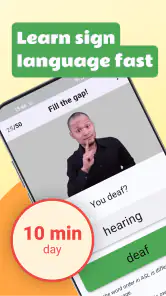
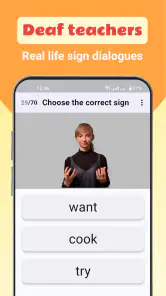
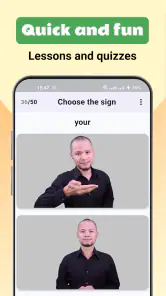
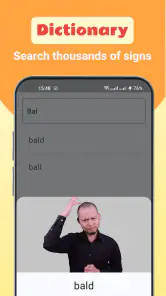
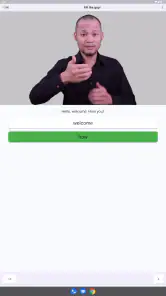
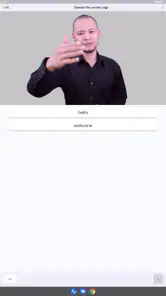
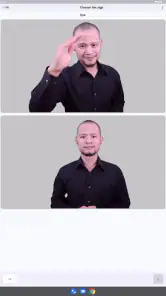
Analysis by Reviewed
Learning American Sign Language is a very different experience from memorizing spoken vocabulary. You are working with hand shapes, movement, position, facial expression, and visual attention at the same time. I tried ASL - Sign Language.learn ASL! with that in mind, and I found it most useful as a gentle starting point rather than a complete replacement for a teacher, conversation partner, or structured class. It is a free education app from Educational quizzes, aimed at helping beginners approach the language used by many Deaf and hard-of-hearing people.
The app is easy to consider because it has a 4.7 average from around 5K ratings and has passed 100K+ installs. Those figures suggest that many people find the basic idea approachable, but they do not tell me whether it will suit every learner. My own view is more specific: this is a convenient tool for building regular exposure to ASL, especially when I have only a few minutes available, but I would not treat repeated practice inside an app as proof that my signing is natural or culturally informed.
What the app feels like to use and who it serves
The strongest reason to try this app is its low barrier to entry. Someone curious about ASL can open an education-focused tool instead of immediately committing to a course, buying a textbook, or searching through unrelated videos. That makes it a sensible first step for a family member of a Deaf person, a student exploring communication options, a traveler who wants basic visual vocabulary, or anyone who prefers short practice sessions on a phone.
I also think it suits learners who need repetition. Sign language is easy to recognize and surprisingly difficult to reproduce accurately after seeing a gesture only once. A compact app can help me return to the same material several times during the day, which is often more realistic than planning a long study session. I can use a short break to review, then come back later when I am ready to concentrate again.
That convenience has a limit. A phone screen cannot respond to my hands, correct a small change in finger position, or tell me that my movement looks unnatural. It may show a sign clearly, but watching and performing are separate skills. I would therefore use this app to establish familiarity and memory, then check my progress with a qualified instructor, a Deaf-led learning resource, or a real conversation setting.
The audience label is Everyone, which makes the app accessible for a broad range of users. That does not mean every lesson will be equally suitable for every age or learning style. Younger learners may need an adult to help them stay focused, while adults who want professional fluency will probably need a more comprehensive program. The app is better understood as an approachable companion for early learning than as a formal qualification route.
A practical routine for a busy day
One realistic way I would use it is during a morning commute or a quiet break at work. I would choose a small group of signs, watch each one carefully, pause, and reproduce it without looking. Later, I would repeat the same signs in a different order. That second pass matters because recognition can create a false sense of progress: I may know a sign when I see it but still hesitate when I need to produce it myself.
More From Our News Desk

Clash of Clans Is Won Between the Battles

Android Auto Makes the Case for Quieter Car Software

MobiOffice: Transforming Mobile Productivity with Seamless Integration

EA SPORTS FC™ Mobile Soccer: Redefining Mobile Sports Gaming

How Microsoft OneDrive Became a Mobile Productivity Giant

How Google Translate Breaks Language Barriers Effortlessly
At home, I would add a short recall exercise. After closing the app, I would try to remember the hand shape, direction, and movement for each item. If I could only remember the general idea, I would reopen the lesson and compare the details. This workflow turns the app from passive viewing into active practice without pretending that the phone can assess my signing.
A useful trade-off appears here. Short sessions are less intimidating and easier to maintain, but they can encourage isolated word collecting. I would avoid learning signs as a disconnected list. Instead, I would group practice around a real situation, such as greeting someone, introducing myself, asking for repetition, or discussing a daily routine. Even if the app presents individual lessons, I can supply the context myself.
What I would check before spending money
The app is free to download, while in-app purchases are listed from $19.99 to $99.99 per item. That range makes it especially important for me to explore the free experience first and understand what I can actually use without paying. I would not assume that a paid option is necessary simply because it is available, nor would I buy immediately before deciding whether the teaching style fits me.
I would also check the purchase screen carefully, including the wording of each option and whether it is a one-time purchase or another kind of payment arrangement. The presence of a price range alone does not explain the value of each item, so I would compare the available material with my goal. A beginner who wants occasional vocabulary practice may need far less than someone seeking a long, organized study path.
This is one place where user control matters more than a promotional claim. I want to know what I am choosing, what remains available without payment, and whether the app gives me a clear way to manage purchases through the platform. I would use device-level purchase protections, particularly if a child might use the phone, and I would avoid entering payment details casually during a first session.
Trust, permissions, and the information I would protect
When I review an app through a trust lens, I separate visible choices from assumptions. The public product details identify Educational quizzes as the developer, but they do not give me a reason to invent a privacy promise or claim that the app collects nothing. I would therefore inspect the permission prompts, privacy information, and account screens shown on my own device before treating the app as suitable for sensitive use.
For a sign-language learning tool, the most important privacy moment would be any request involving the camera, microphone, contacts, or account information. If a feature asks to use the camera, I would ask myself why that access is needed and whether the lesson works without it. If the app requests an account, I would check what is optional, what is required, and whether I can learn without supplying unnecessary personal details.
I would grant only the access that matches a feature I actively want to use. A vocabulary lesson should not automatically make me comfortable with broad device access. If a permission explanation is unclear, I would decline first and see whether the core learning experience remains available. That is not a criticism of this specific app; it is a practical habit because permission behavior can change between versions and devices.
The current version is 1.14.28 and the minimum operating system is Android 7.0. Those details are useful when deciding whether an older phone can run it, but compatibility is only one part of trust. I would still review the app after updates, because a new version can alter screens, permissions, sign-in requirements, or purchase flows. Keeping the app updated may improve reliability, but I would not let an update become an excuse to stop checking what has changed.
I would also be careful about practicing in public if the app ever uses audiovisual functions. Signing itself is not a private activity in the same way as typing a password, but filming people without their consent would be inappropriate. If I record myself for personal comparison, I would keep the clip local and delete it when it no longer helps. I would never include another person just to test a lesson unless they clearly agreed.
Where the learning experience needs outside support
My main reservation is not that an app makes learning impossible; it is that ASL depends on more than isolated hand movements. Facial expression, body position, timing, and the visual grammar of a signed language all matter. A beginner can memorize a sign and still use it in the wrong context. For that reason, I would combine this app with Deaf community perspectives and instruction that explains culture and language rather than presenting signs as a simple code for spoken English.
This is also where usual alternatives can be better. A printed guide may be easier to annotate and can provide a broader reference, but it cannot show movement as naturally as video. A general video platform may offer more examples and different teachers, yet it can be harder to follow a planned sequence and easier to encounter inconsistent explanations. A live class costs more time and money, but it gives me feedback and the chance to ask what I am doing wrong.
Compared with those choices, this app’s likely advantage is immediacy: it sits between a reference tool and a lightweight course. I can reach it quickly, repeat material, and study without arranging a lesson. Its weakness is the same convenience. When everything is reduced to a phone-sized activity, I may focus on completing a lesson instead of developing accurate, respectful communication.
I would also skip it as my main resource if my goal were interpreting, workplace fluency, or sustained conversation. Those goals demand feedback, broader grammar, and exposure to real signing speed. I would choose an instructor or a structured program first, then use this app as extra practice if its material complements that course. Someone who dislikes visual learning or needs detailed explanations before practicing may also find a book or classroom more comfortable.
Small habits that make the app more useful
My first tip is to practice both directions: watch a sign and name its meaning, then think of the meaning and produce the sign. These are different memory tasks. The first helps recognition; the second is closer to what I need in conversation. If the app does not test both directly, I can create the second exercise myself by hiding the screen after studying an item.
My second tip is to slow down rather than chase completion. I would inspect the starting position, the path of movement, and the ending position before repeating a gesture. A quick imitation can preserve the broad shape while losing a detail that changes clarity. I would rather learn a smaller set carefully than rush through a large set and need to relearn everything later.
My third tip is to keep a correction notebook, either on paper or in a private note. I would write the sign, the detail I often forget, and a short example of when I might use it. This makes the app part of a personal study system instead of the entire system. It also helps reveal patterns, such as confusing similar hand shapes or forgetting which signs depend strongly on facial expression.
My fourth tip is to test recall away from the phone. If I can only perform a sign while the demonstration is visible, I have not really learned it. I would practice in a mirror only to check my own orientation, not as a substitute for feedback from a signer. When possible, I would ask a knowledgeable person whether my movement is understandable and accept correction without treating the app’s lesson as final authority.
Another useful boundary is to avoid translating every sign word for word into spoken English. ASL has its own structure, and a list of English equivalents can encourage awkward signing. I would use the app for vocabulary exposure, then seek lessons that explain how signs combine, how questions work, and how meaning changes with context. That distinction is essential for anyone who wants communication rather than memorization.
How I judge the app’s choices and limitations
The rating and install history make the app look established enough to be worth trying, but popularity is not the same as teaching quality for my particular goal. I would read recent user comments with a practical question in mind: are people discussing useful lessons, confusing navigation, missing explanations, or payment friction? Around 338 reviews are visible alongside the broader rating picture, so I would look for recurring themes rather than relying on a single enthusiastic or negative comment.
I also would not confuse a free starting point with a completely cost-free learning journey. The paid items may be appropriate for some learners, but the higher end of the listed range is a meaningful commitment. Before paying, I would decide what outcome I want, how often I will practice, and whether the app provides enough structure to justify that choice. If I cannot describe the benefit in concrete terms, I would continue with the free material or choose another resource.
Account controls deserve the same attention. If signing in is offered, I would prefer the least revealing account option available and avoid reusing an important password. I would check whether the app lets me delete an account or change notification choices from inside its settings. If those controls are not clearly presented on my device, I would keep my use limited to non-sensitive study and avoid sharing personal details.
For families, I would set expectations before handing over the phone. The Everyone rating is reassuring for general accessibility, but adults should still review purchases and permissions. I would teach a child not to approve a payment, allow camera access, or enter personal information without asking. The app can support a shared learning activity, especially when an adult repeats signs alongside the child, but it should not replace guidance from people who understand ASL and Deaf culture.
My cautious recommendation
I recommend trying this app if you want an accessible way to begin exploring ASL, need a repeatable practice aid, or want to build a small daily habit before joining a class. Its Education category, free entry point, broad age rating, and modest device requirement make it easy to test on an older Android phone. The developer is Educational quizzes, and the app has enough public user interest to justify a careful first look rather than an automatic dismissal.
I would recommend it with conditions, though. Start with the free experience, inspect every permission request, review account and notification choices, and treat in-app purchases as a deliberate decision rather than a natural next step. Keep personal information to a minimum, especially if no account is needed for the lessons you want. If a feature involves recording, use it only with clear consent and manage any saved material yourself.
Most importantly, use the app as one piece of learning. Repeat signs actively, practice away from the screen, and seek Deaf-led or instructor feedback when accuracy and cultural understanding matter. If you want professional communication skills, a live course is the better foundation. If you want a low-pressure introduction and a pocket-sized reminder for regular practice, this app can earn a place in your routine.
My final judgment is positive but measured: it is a useful doorway into ASL, not a complete room to stay in. I would install it, explore without paying, and decide based on the clarity of its lessons and the control it gives me over permissions, accounts, and purchases. That cautious approach lets the app provide its main benefit—consistent exposure—without asking it to do what a real teacher, community, and conversation partner do better.
ASL - Sign Language.learn ASL! Frequently Asked Questions
What devices and operating systems can run ASL - Sign Language.learn ASL!?
Before downloading, check that your device meets the app’s system requirements. ASL - Sign Language.learn ASL! is an education app available for Android, with Android 7.0 as its minimum operating system requirement. The app is free to download, so you can check its compatibility in your device’s app store before installing.
Does ASL - Sign Language.learn ASL! offer a way to practice what I learn?
The app is intended to support learning with guided lessons, visual demonstrations, and practice activities. These elements can help you revisit signs and reinforce vocabulary as you study. If you are choosing an app for ongoing language practice, remember that independent exercises are only one part of learning ASL; regular interaction and feedback from fluent signers can also be valuable.
What is ASL - Sign Language.learn ASL! designed for?
ASL - Sign Language.learn ASL! is designed to help beginners study American Sign Language through guided lessons, visual demonstrations, and practice activities. It can be useful for learning everyday signs, building basic vocabulary, and becoming more familiar with hand shapes and movement. It should be viewed as a learning aid rather than a complete replacement for instruction from a qualified ASL teacher or interaction with Deaf signers.
Is ASL - Sign Language.learn ASL! suitable for complete beginners?
Yes, the app is generally aimed at people who are starting from the basics and want an accessible introduction to American Sign Language. New learners can use it to review individual signs and practice at their own pace without needing previous signing experience. However, progress depends on regular practice, and users may need additional resources to understand ASL grammar, facial expressions, regional variations, and natural conversation.
Does the app teach real American Sign Language or just individual gestures?
The application focuses on learning ASL signs and commonly used vocabulary, which makes it helpful for memorizing individual words and phrases. Nevertheless, learning isolated gestures is only one part of becoming proficient in ASL. American Sign Language has its own grammar, sentence structure, facial expressions, and cultural context, so users should combine the app with videos, courses, or practice with fluent signers for a more complete learning experience.
Pros
- Clear lessons introduce essential American Sign Language vocabulary.
- Useful for beginners learning fingerspelling and everyday expressions.
- Short practice sessions make learning easy to fit into a busy routine.
- Visual demonstrations help users understand hand shapes and movement.
- Suitable for independent study without needing a classroom or tutor.
Cons
- Content may not fully explain regional variations in ASL signing.
- Some learners may need more interactive conversation practice.
- Progress tracking and review options may feel limited for advanced users.
- Video quality or playback can vary depending on the device and connection.
- The app may not replace guidance from a qualified ASL instructor.
- Category
- Education
- Version
- 1.14.28











