AR Drawing: Sketch, Art, Paint
- 15.00
- 3.4
- Installs
- 1.00M
- Price
- Free
Screenshots
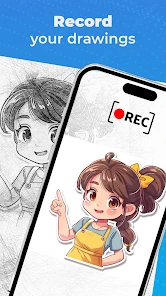
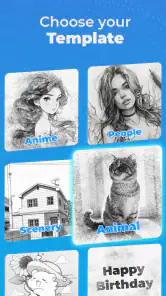
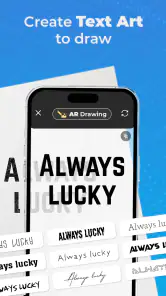

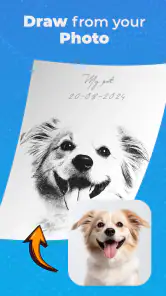
Analysis by Reviewed
Hey there! Ever had that moment where you wished you could just whip out your phone and dive straight into a world of art without any fuss? Well, let me introduce you to an app that might just change how you approach creating art on-the-go: AR Drawing: Sketch, Art, Paint. If you’re into sketching or painting, or even if you're just getting started, this app is like having a mini art studio right in your pocket. Let me break down my experience with it.
Discovering the Artist Within
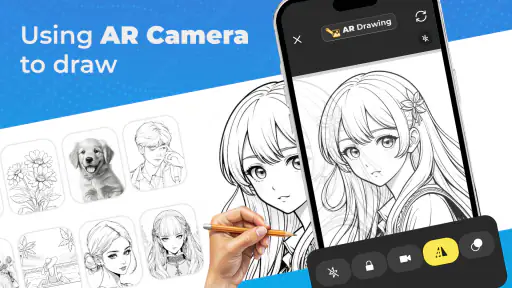
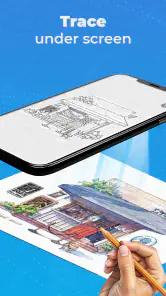
First off, I was intrigued by how AR Drawing: Sketch, Art, Paint blends technology with creativity. It’s not just a typical drawing app; it’s got this cool augmented reality feature that lets you overlay sketches on real-world objects. Imagine sketching your dream art piece on your living room wall or even on a blank canvas you’ve set up in your room. The app uses your phone’s camera to project the image onto the surface, and you can trace it in real-time. It’s like having a stencil that’s customizable to your needs.
Diving into the Features
Once I started exploring, I found a treasure trove of features. The app comes with a variety of brushes and colors, which can make any drawing pop. The layering feature is a lifesaver, especially when you’re working on complex designs. I loved how I could start with a basic sketch, add layers for details, and then just bring everything together to create a masterpiece.
Another aspect that caught my eye is the community feature. You can share your work with other users and even get inspired by their creations. It’s like being part of an art community where everyone’s cheering you on. Plus, the tutorials available in the app are super handy for beginners and even seasoned artists looking to pick up new tricks.
My Personal Take
Using AR Drawing: Sketch, Art, Paint was a breath of fresh air. The app is intuitive, making it easy for anyone to get started. Whether you’re doodling for fun or working on a serious project, it’s got the tools you need. The augmented reality feature is something I didn’t know I needed until I tried it. It’s a game-changer, especially for those who want to see their art in a real-world context before committing to it permanently.
The only hiccup I faced was the initial setup of the AR feature, which took a bit of fiddling to get right. But once you get the hang of it, it’s smooth sailing.
Overall, if you’re looking for an app that’s not just about digital drawing but also about combining your art with the world around you, give this one a shot. It’s fun, engaging, and it might just unleash the artist in you that you didn’t even know was there. So go ahead, download it, and start creating your next masterpiece!
More From Our News Desk

Clash of Clans Is Won Between the Battles

Android Auto Makes the Case for Quieter Car Software

MobiOffice: Transforming Mobile Productivity with Seamless Integration

EA SPORTS FC™ Mobile Soccer: Redefining Mobile Sports Gaming

How Microsoft OneDrive Became a Mobile Productivity Giant

How Google Translate Breaks Language Barriers Effortlessly
AR Drawing: Sketch, Art, Paint Frequently Asked Questions
What is AR Drawing: Sketch, Art, Paint?
AR Drawing: Sketch, Art, Paint is an innovative mobile application that leverages augmented reality technology to enhance your drawing experience. It allows users to project a sketch outline onto a real-world surface using their device's camera, enabling artists to trace and create more precise drawings. This app is perfect for both amateur and professional artists looking to explore new dimensions in their artwork.
How do I use the augmented reality features in AR Drawing?
To use the augmented reality features in AR Drawing, first, ensure your device supports AR technology. Open the app and select a drawing or import your own image. Position your device's camera towards a flat surface, and the app will overlay the chosen image. You can then trace or draw over the AR-projected image to create your art. Detailed instructions are available within the app to guide you through the process.
Is AR Drawing: Sketch, Art, Paint free to use?
AR Drawing offers a free version with essential features suitable for casual artists. However, to unlock advanced features such as premium brushes, additional templates, and ad-free experience, users can opt for a subscription or one-time purchase. The app provides various pricing plans to cater to different needs, ensuring flexibility for users.
Can I use AR Drawing without an internet connection?
Yes, AR Drawing can be used without an internet connection. Once the app is installed and any necessary content is downloaded, you can access most of its features offline. This makes it a convenient tool for artists who wish to work on their projects anywhere without worrying about connectivity issues. However, some features like cloud storage and online templates may require an internet connection.
What devices are compatible with AR Drawing: Sketch, Art, Paint?
AR Drawing is compatible with most modern Android and iOS devices that support augmented reality features. Users should ensure their devices have ARCore (for Android) or ARKit (for iOS) capabilities. The app is optimized for both smartphones and tablets, providing a versatile platform for users to create art using augmented reality. It's advisable to check the app store for specific device compatibility before downloading.
Pros
- Easy-to-use interface for beginners.
- Wide variety of drawing tools.
- Augmented reality feature enhances creativity.
- Supports multiple file formats.
- Regular updates with new features.
Cons
- Requires a stable internet connection.
- May drain battery quickly.
- Limited free version features.
- Occasional lag on older devices.
- AR feature needs a well-lit environment.

- Category
- Art & Design
- Version
- 0.2.7












