AR Drawing: Art, Trace, Sketch
- 0.00
- 0.0
- Installs
- 500.00K
- Price
- Free
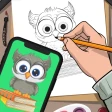
Screenshots
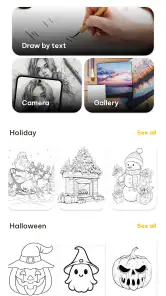

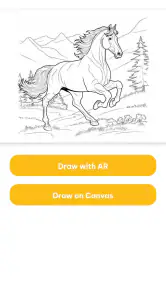
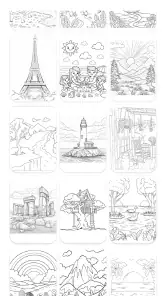
Analysis by Reviewed
Have you ever wished you could draw like a pro without years of practice? Well, your wish might just come true with the AR Drawing: Art, Trace, Sketch app. It's like having a personal art tutor in your pocket, guiding your hand with the magic of augmented reality. Let's dive into what makes this app a potential game-changer for budding artists.
Getting Started with AR Drawing
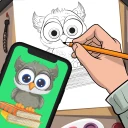
First off, downloading and setting up AR Drawing: Art, Trace, Sketch is a breeze. Available for both Android and iOS, the app integrates with your device’s camera to project images onto a real-world surface. Imagine tracing the outlines of your favorite cartoon character right onto your sketchpad or wall. It’s like tracing paper, but on digital steroids!
Features that Stand Out
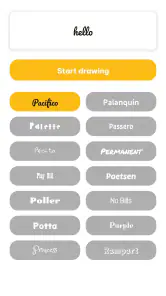
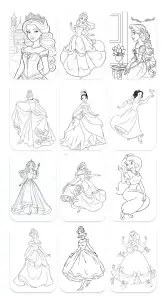
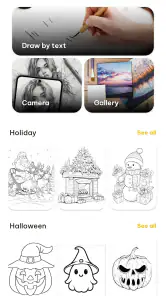
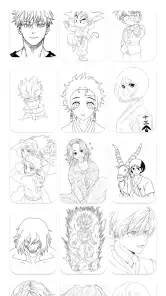
What really sets this app apart is its robust feature set. You can choose from a variety of templates ranging from simple shapes to complex portraits. The app also allows you to import your own images, so the possibilities are endless. Adjust the size, orientation, and opacity of the projected image with intuitive gestures, making it simple even for tech newbies.
One of the coolest features is the "Sketch in Steps" mode, which breaks down complex images into manageable parts. This feature is particularly useful for beginners who might feel overwhelmed by intricate designs. Plus, there’s a nifty grid mode that helps maintain proportions, ensuring your drawings don’t end up looking like a Picasso gone wrong.
Why You'll Love It
What I absolutely adore about AR Drawing: Art, Trace, Sketch is how it democratizes art. You don’t need to be a seasoned artist to create something beautiful. The app’s augmented reality capabilities make it feel like you’re tracing a hologram, which is not only fun but also incredibly satisfying. Plus, it’s a fantastic tool for art educators looking to introduce students to the basics of drawing in a fun and engaging way.
Another bonus is the community aspect. You can share your creations or follow talented artists for inspiration. It's a great way to see how others are using the app and to get new ideas for your own projects. The app regularly updates its template library, so there's always something fresh to try out.
Final Thoughts
In a world where digital art tools are becoming increasingly complex, AR Drawing: Art, Trace, Sketch offers a refreshingly simple yet powerful way to create. Whether you're a complete beginner or just looking to hone your skills, this app makes drawing accessible and enjoyable. So grab your device, pick up a pencil, and let the augmented reality magic unfold on your canvas. Who knew drawing could be this easy and fun?
More From Our News Desk

Clash of Clans Is Won Between the Battles

Android Auto Makes the Case for Quieter Car Software

MobiOffice: Transforming Mobile Productivity with Seamless Integration

EA SPORTS FC™ Mobile Soccer: Redefining Mobile Sports Gaming

How Microsoft OneDrive Became a Mobile Productivity Giant

How Google Translate Breaks Language Barriers Effortlessly
AR Drawing: Art, Trace, Sketch Frequently Asked Questions
What devices are compatible with AR Drawing: Art, Trace, Sketch?
AR Drawing is compatible with most modern Android and iOS devices that support AR technology. This typically includes smartphones and tablets with ARCore or ARKit capabilities. Ensure your device has the latest operating system updates to experience the full potential of the app's augmented reality features.
How does the app enhance the drawing experience?
AR Drawing uses augmented reality to project images onto a surface, allowing users to trace, sketch, and create art interactively. This innovative approach provides a unique way to practice drawing by overlaying guide images onto real-world surfaces, making it easier for beginners and experienced artists to improve their skills.
Is AR Drawing suitable for beginners?
Yes, AR Drawing is designed to be user-friendly and accessible for beginners. The app offers step-by-step tutorials and guides, making it easy for novice artists to get started. With a variety of templates and adjustable difficulty levels, users can comfortably learn and enhance their artistic skills at their own pace.
Does the app require an internet connection to function?
While some features of AR Drawing may require an internet connection, such as downloading new templates or accessing online tutorials, the core functionality of the app can be used offline. Users can enjoy drawing and sketching with existing templates without needing a constant internet connection.
Are there any in-app purchases in AR Drawing?
Yes, AR Drawing offers in-app purchases. These may include additional templates, premium features, or ad-free experiences. While the app is free to download, some advanced options are available for purchase to enhance the user experience and provide more extensive creative possibilities.
Pros
- Helps improve drawing skills.
- Offers a variety of drawing tools.
- User-friendly interface.
- Supports multiple languages.
- Regular updates and new features.
Cons
- Requires a stable internet connection.
- Some tools are behind a paywall.
- May drain battery quickly.
- Limited free version features.
- Ads in the free version.
- Category
- Art & Design
- Version
- 0.0.2











