AR Draw Sketch: Paint & Trace
- 29.00
- 4.4
- Installs
- 1.00M
- Price
- Free

Screenshots

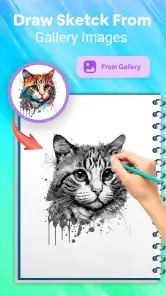
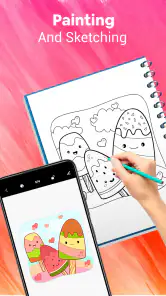
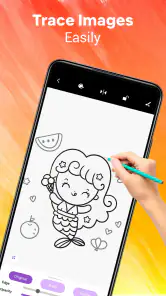
Analysis by Reviewed
Have you ever wished you could just trace a picture onto your paper or wall and create amazing art without any hassle? Well, that's exactly what AR Draw Sketch: Paint & Trace promises to do. As someone who can't draw a straight line without a ruler, I was pretty excited to give this app a try and see if it could turn my stick figures into something a bit more... artistic.
Getting Started with AR Drawing
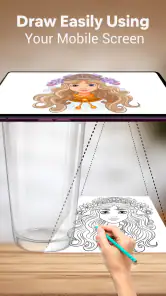
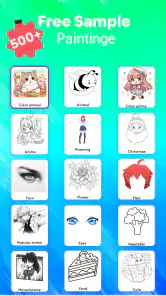
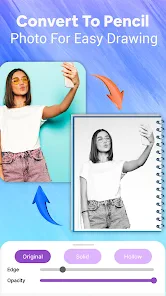
When you first open AR Draw Sketch: Paint & Trace, you're greeted with a simple and intuitive interface. No clutter, no confusion – just a straightforward path to getting your art on. You start by selecting an image from your gallery or choosing one of the app’s suggestions. The app uses augmented reality to project this image onto any surface you point your camera at. Cool, right?
Tracing with Ease
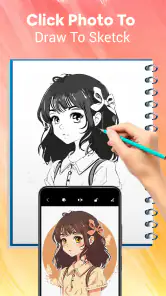
Once you've chosen your image, it’s time to trace. The app allows you to adjust the size and position of the image, so whether you're working on a tiny postcard or a huge mural, you’re covered. The AR feature is surprisingly stable, and I found it easy to trace even intricate details. There's something so satisfying about watching an image come to life under your pen, almost like magic.
Features That Stand Out
One of the standout features of this app is its ability to lock the image in place. This means you can move around while tracing without worrying about the image shifting out of view. Plus, if you need a bit of extra help, there’s a grid overlay option that can guide you with spacing and proportions. It’s like having a digital art teacher by your side.
The app also offers a variety of brush sizes and colors to choose from, so you can customize your tracing experience to fit your style. You can even switch to a darker theme to save your eyes during those late-night art sessions.
Is It Worth Your Time?
So, is AR Draw Sketch: Paint & Trace worth downloading? If you’re an art enthusiast or just someone looking to explore a new hobby, I’d say yes. It’s a great tool for practicing your drawing skills and can be incredibly relaxing. Plus, it’s a fun way to impress your friends with your newfound tracing talents.
However, if you're looking for an app to teach you how to draw from scratch, this might not be the app for you. It’s more about enhancing existing skills and providing a cool tech twist to the age-old art of tracing.
More From Our News Desk

Clash of Clans Is Won Between the Battles

Android Auto Makes the Case for Quieter Car Software

MobiOffice: Transforming Mobile Productivity with Seamless Integration

EA SPORTS FC™ Mobile Soccer: Redefining Mobile Sports Gaming

How Microsoft OneDrive Became a Mobile Productivity Giant

How Google Translate Breaks Language Barriers Effortlessly
In conclusion, AR Draw Sketch: Paint & Trace is a fantastic app for anyone looking to add a little high-tech flair to their art projects. It’s easy to use, highly effective, and makes tracing an absolute breeze. Give it a go, and you might just find yourself spending hours creating art you never thought possible!
AR Draw Sketch: Paint & Trace Frequently Asked Questions
What is AR Draw Sketch: Paint & Trace and how does it work?
AR Draw Sketch: Paint & Trace is an innovative mobile application that utilizes augmented reality technology to assist users in drawing and sketching. By overlaying digital images onto real-world surfaces through your device's camera, it guides users to trace and draw images accurately. This tool is perfect for beginners who wish to enhance their drawing skills by providing a step-by-step tracing guide.
Is AR Draw Sketch: Paint & Trace suitable for beginners?
Yes, AR Draw Sketch: Paint & Trace is designed with beginners in mind. The application provides an easy-to-follow guide that helps users trace and learn drawing techniques. With its augmented reality feature, users can see the drawing process on their device, making it easier to follow along and improve their skills over time.
What devices are compatible with AR Draw Sketch: Paint & Trace?
AR Draw Sketch: Paint & Trace is compatible with both Android and iOS devices that support augmented reality features. Users should ensure their devices have the necessary AR capabilities, such as ARCore for Android or ARKit for iOS, to fully utilize the app's features. It's recommended to check your device specifications before downloading the application.
Are there in-app purchases or ads in AR Draw Sketch: Paint & Trace?
AR Draw Sketch: Paint & Trace may include in-app purchases and advertisements, which help support the developers and allow them to offer the app for free. Users can choose to purchase additional features or remove ads to enhance their drawing experience. It's advisable to review the app's in-app purchase options to decide if they meet your needs.
How can I get the most out of using AR Draw Sketch: Paint & Trace?
To maximize your experience with AR Draw Sketch: Paint & Trace, ensure your device is AR compatible and that you have good lighting conditions for optimal performance. Explore the app's various templates and features to practice different drawing techniques. Regular practice using the app will help improve your skills and creativity over time. Engaging with the community or tutorials may also provide additional insights and inspiration.
Pros
- Easy to use interface for beginners.
- Supports a wide range of devices.
- Regular updates with new features.
- Offers a variety of drawing tools.
- Allows import of custom images.
Cons
- Requires in-app purchases for full features.
- Can be laggy on older devices.
- Limited free version capabilities.
- Ads can be intrusive at times.
- No offline mode available.

- Category
- Art & Design
- Version
- 1.0.0











