

Anime Wallpaper HD 4K
- 291.00
- 4.7
- Installs
- 10.00M
- Price
- Free

Screenshots
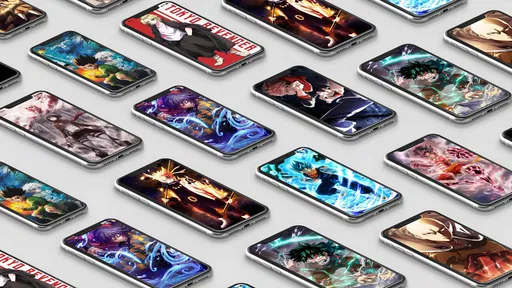
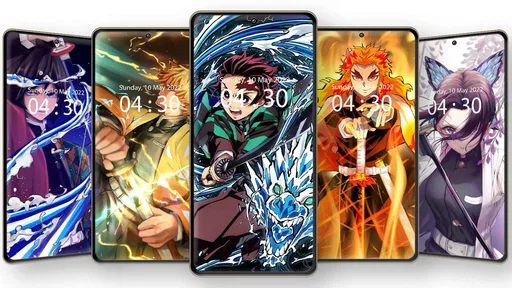
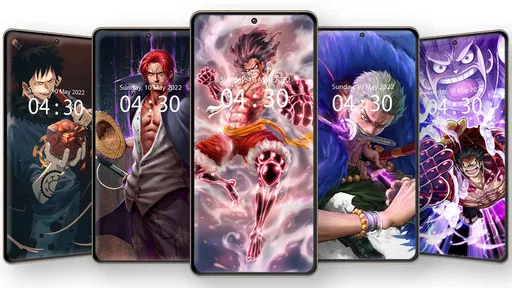
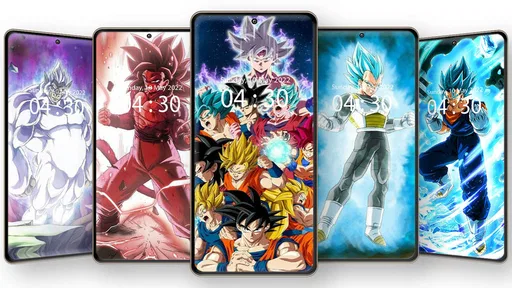
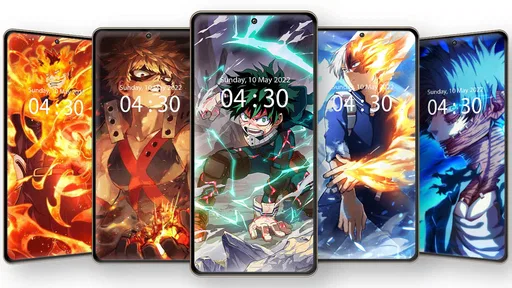
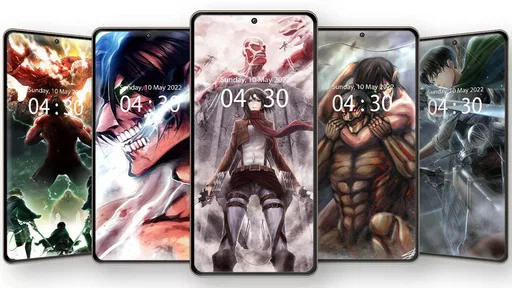
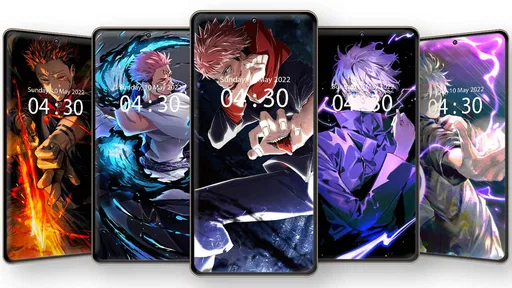
Analysis by Reviewed
I think this app makes the most sense when you treat it as a place to browse for a new look, rather than a wallpaper that is already waiting on your phone. Since the artwork is the reason to open it, a steady connection can make discovery feel smoother; if you’re somewhere with patchy reception, I’d browse when you have a better signal and save a few choices for later use. That small bit of planning is useful if you like changing your screen during a commute or between classes.
When browsing depends on your connection
In my experience, browsing a visual collection is more enjoyable when images appear without interruption. A slow connection can turn what should be a quick search into a stop-and-start session, so I wouldn’t rely on the app to find a new wallpaper at the exact moment I’m about to leave home. Instead, I’d set aside a minute while connected, bookmark a few candidates, and then choose between them when I have time. That workflow also helps avoid repeatedly searching for the same kind of image.
There’s a practical distinction between browsing and applying a wallpaper: I would make the selection while the app is responsive, then handle the phone’s home-screen setup at a convenient moment. If a preview takes longer to load, I’d move on and return to it later rather than tapping repeatedly. That is not a special trick, just a calmer way to use an art-focused app when the network is the bottleneck.
A fit for quick breaks, not every situation
A realistic use case is opening the app during a lunch break, saving a few designs that match your mood, and choosing one before the next meeting. The personalization category suits people who enjoy giving their phone a distinct anime look and who are happy to browse instead of relying on a single static background. With a free price and an Everyone age rating, it is easy to try as a casual customization option.
I’d be less likely to recommend it to someone who wants a minimal, non-anime screen, or who prefers a curated set of plain gradients and abstract patterns. A built-in wallpaper gallery is usually faster for a simple background, while general image-search apps can offer broader subjects. The trade-off is focus: this app is aimed at anime art, which is useful if that is exactly what you want but limiting if you frequently switch to unrelated styles.
Saving choices and keeping expectations realistic
Bookmarks can make a useful shortlist, especially if you’re choosing between different moods or colors. I’d save a small group rather than collecting everything that looks appealing; a shorter list makes it easier to find the design that works with app icons and widgets. Before settling on one, check how the composition sits on your own screen: a character’s face near the clock or icons can be partly obscured, even when the image itself looks excellent.
Connectivity also matters if you’re trying to be careful with mobile data. I’d do most of the browsing while connected to Wi-Fi and avoid repeatedly opening large previews on a limited plan. For a long trip, pick the wallpaper beforehand instead of assuming the app will be convenient in a dead zone. The collection’s appeal is visual variety, but that same browsing can take more time and data than choosing a background already stored in your phone’s standard gallery.
More From Our News Desk

 Gmail
GmailGmail in a Busy Inbox: Who Benefits Most?
From first account to crowded workday, Gmail earns its place through dependable search and flexible sorting—but its best fit depends on how much inbox maintenance you can tolerate.

 Prime Video
Switching to Prime Video: What Changes in Your Viewing Routine
Prime Video can make a compelling second home for streaming, but switching means learning a different catalog, rental layer, and route from browsing to playback.

 Universal TV Remote Control
Universal TV Remote Control Works Best as a Reliable Backup
A phone remote earns its place through quick setup and reliable habits. Here is how to get more from Universal TV Remote Control—and where its limits show.

 Weather - By Xiaomi
Weather by Xiaomi Review: Clear at a Glance, Less Clear Up Close
Xiaomi’s weather app makes everyday forecasts quick to scan, but its calm surface can leave useful details and recovery paths harder to find than they should be.

 X
XX Under Pressure: Can It Recover When Posting Goes Wrong?
A resilience-focused review of X, examining setup, mistaken posts, interruptions, weak connections, and the gaps that matter when recovery needs to be dependable.

 Clash of Clans
Clash of Clans Is Won Between the Battles
Its raids are quick; its community is a long-term project of coordination, teaching, rivalry, and shared responsibility—with all the friction that entails.
Latest News



What to expect if something stalls
If a page or image seems stuck, I’d first give it a moment and check whether other apps are also struggling to connect. Then I’d return to the previous screen and try again once the connection is steadier, rather than making several quick taps that can leave me unsure which choice opened. When the app itself is responsive but a particular image is not, moving on to another option is a sensible workaround; there is little benefit in letting one slow preview spoil a short browsing session.
The app is from Live Wallpapers 4K, and its scale suggests plenty of people use it for this particular interest: it has over 10 million installs and a 4.7 average from around 80,000 ratings. It is free, which makes trying it low-commitment, though I’d still judge it by whether its art selection fits my taste and whether browsing feels comfortable on my connection. The current version is 6.6.1, and it runs on Android 6.0 or later.
Making the most of a short browsing session
I find it helps to decide what I want the screen to feel like before opening the collection: calm colors for a workday, a familiar character for a personal touch, or a more dramatic image for a lock screen. That simple filter cuts down aimless scrolling. It also makes comparison more useful, because I’m judging a few candidates against the same need rather than choosing the brightest image by default.
For a practical home-screen check, I’d look at the wallpaper with the phone’s usual icons visible, not just in an uncluttered preview. A detailed illustration can look impressive on its own yet compete with widgets or make labels harder to read. If that happens, I’d try a crop with quieter space behind the icons, or reserve the busier artwork for the lock screen. This is a small decision, but it often matters more to daily comfort than resolution alone.
Who will enjoy the anime focus
This is a better fit for someone who wants anime to be part of their everyday phone setup, not just a one-time novelty. Fans who enjoy rotating artwork, comparing different visual moods, and curating a personal shortlist are likely to get more from it than someone who changes a background once and forgets about it. The app’s focused subject is its main advantage: it narrows the search toward a particular interest instead of asking you to sift through unrelated photography and abstract designs.
I’d skip it if I wanted one predictable, low-effort background, or if I regularly switch between anime, landscapes, patterns, and other unrelated themes. In those cases, a phone’s built-in wallpaper picker or a broad image library may be more convenient. The choice comes down to whether I value a focused anime browsing experience enough to spend time selecting and checking artwork, rather than simply applying a ready-made background.
How it fits into a day on the move
Picture a commute with only a few minutes to spare before the train arrives. I wouldn’t start an open-ended search then: I’d use a reliable connection earlier to shortlist images, then make the final choice when I can see how it sits behind my icons. If I’m away from a strong signal, I’d avoid treating the app as an on-demand source of fresh previews and use the wallpaper I already selected. That turns a potentially frustrating moment into a quick personalization choice.
For a student or anyone moving between classes, the same approach works around changing routines. I might keep one bright image for a personal phone setup and choose a less busy composition when I need the screen to feel calmer during focused work. The point is not to change wallpapers constantly; it is to make a deliberate choice that suits the time and place, without relying on a last-minute search.
Choosing between this and broader wallpaper options
Compared with a phone’s standard gallery, this app is more appealing when I want anime-specific discovery rather than immediate access to a background already on the device. A general image-search tool can cover more subjects, but it may take extra filtering to find art that fits an anime-focused taste. Here, the narrower subject helps make browsing feel purposeful, while the built-in option remains the simpler choice for a plain color, a personal photo, or a quick change.
There is also a trade-off between browsing and control. A dedicated collection can help me find artwork I would not have chosen from my own photos, but a personal image library gives me more certainty about where an image came from and how it will look. If I care most about a familiar photo or a very specific crop, I’d use my gallery. If I want to explore anime artwork and compare visual options, this app is the more natural place to start.
Small checks that improve the result
Before committing to an image, I’d consider both the screen’s layout and how often I want to look at it. A striking composition can become tiring if it is visually crowded behind every app icon, while a quieter image may work better as an everyday background. I also prefer to shortlist alternatives in different color ranges; if one feels too bright or clashes with my widgets, I can switch without restarting the whole search.
When I’m browsing on mobile data, I’d keep the session focused: open only the previews I’m seriously considering, avoid repeated reloads, and leave broader exploration for Wi-Fi. That is not a guarantee about how much data any particular session uses; it is simply a sensible habit for a visual app when the size of each image and the connection conditions can affect the experience. If data use is a major concern, a wallpaper already saved on the phone is the safer choice for that moment.
Hey there, fellow anime fans! If you’re anything like me, you know that finding the perfect wallpaper for your phone can be a bit of a quest. That’s where Anime Wallpaper HD 4K comes into play. I decided to give this app a whirl, and let me tell you, it was quite the experience. So, grab some Pocky and let’s dive into what makes this app a must-have for anime enthusiasts.
Unleashing a World of Anime Art
As soon as I opened the app, I was greeted by a sleek and user-friendly interface. It wasn’t long before I was lost in a mesmerizing world of vivid colors and stunning anime art. Anime Wallpaper HD 4K boasts a vast library of wallpapers that cater to every anime taste imaginable. Whether you’re into classic series like "Naruto" and "Dragon Ball Z" or newer hits like "Demon Slayer" and "My Hero Academia", this app has got you covered.
Setting Up Your Personal Gallery
One of the standout features for me was the ability to create a personalized gallery. You can easily bookmark your favorite wallpapers and switch them out whenever you feel like freshening up your home screen. The app’s intuitive design makes it a breeze to navigate through categories and discover hidden gems that suit your style.
Quality That Speaks Volumes
Let’s talk about the quality because, honestly, it’s stellar. The wallpapers are available in HD and 4K resolutions, ensuring that every detail pops on your screen. I’ve tried other wallpaper apps before, but the crispness and clarity here are on another level. It’s like having a mini art gallery in the palm of your hand.
Always Something New
One thing I particularly loved was the regular updates. The developers seem committed to keeping things fresh with new wallpapers added frequently. It’s always exciting to open the app and see what new masterpieces await. Plus, you won’t have to worry about running out of options anytime soon!
In conclusion, if you’re an anime lover looking to give your phone a stunning makeover, Anime Wallpaper HD 4K is definitely worth checking out. It’s packed with features that make it easy to find and save your favorite wallpapers, and the quality is simply top-notch. So, go ahead and give it a try. Your phone deserves to look as awesome as the anime worlds we love to escape into!
Anime Wallpaper HD 4K Frequently Asked Questions
Who developed Anime Wallpaper HD 4K, and when was it released?
Anime Wallpaper HD 4K is a personalization app developed by Live Wallpapers 4K. It was released on July 8, 2021, and its current version is 6.6.1. If you are considering downloading it, those details can help you identify the app and understand whether its release and version information are relevant to your device and preferences.
Will Anime Wallpaper HD 4K work on my device?
For Android users, Anime Wallpaper HD 4K requires Android 6.0 or later. Before downloading, check your phone or tablet’s operating system version to make sure it meets that requirement. The app is intended for personalizing a device with anime-themed wallpapers, so it may be a suitable option if your device is compatible and you want that kind of screen customization.
What is Anime Wallpaper HD 4K, and who might enjoy it?
Anime Wallpaper HD 4K is a personalization app for people who want anime-themed images on their device. Its short description is simply “Anime Wallpaper,” while its summary presents it as an app for anime lovers. If you enjoy changing your screen’s appearance with anime artwork, the app’s focus makes it worth considering before you download.
What types of wallpapers are available in Anime Wallpaper HD 4K?
Anime Wallpaper HD 4K offers a vast collection of high-resolution wallpapers that feature popular anime characters, scenes, and art styles. Users can choose from categories such as action, fantasy, romance, and more. The app is regularly updated with new wallpapers, ensuring a fresh selection of content that caters to diverse anime tastes and preferences.
Is Anime Wallpaper HD 4K free to use, or does it require a subscription?
Anime Wallpaper HD 4K is free to download and use. However, it may offer in-app purchases or a premium version that provides additional features, such as an ad-free experience or exclusive wallpapers. Users can enjoy most of the app's features without any cost, but they should be aware of optional purchases.
Pros
- Stunning 4K resolution images.
- Easy navigation and user-friendly interface.
- Regularly updated with new wallpapers.
- Wide variety of anime categories.
- Offline access to downloaded images.
Cons
- Contains ads that interrupt browsing.
- Limited free content without subscription.
- No option to create custom playlists.
- Some images are not true 4K resolution.
- Requires internet for initial downloads.











