

Anime Wallpaper HD & 4K Live
- 545.00
- 4.8
- Installs
- 1.00M
- Price
- Free

Screenshots
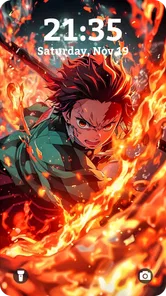
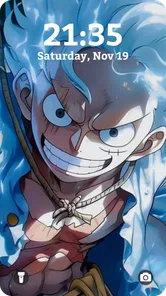
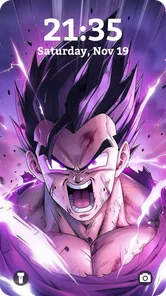
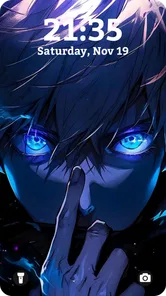
Analysis by Reviewed
I judge a wallpaper app less by how many images it promises than by how quickly I can find one that works with my screen, icons, and everyday habits. Anime Wallpaper HD & 4k Live makes a clear appeal to anime fans: it focuses on character and series artwork rather than trying to be a general-purpose wallpaper library. That focus is useful if I want my phone to reflect a particular interest, though it will matter less to someone who prefers landscapes, abstract designs, or a restrained home screen.
Choosing a wallpaper that works day to day
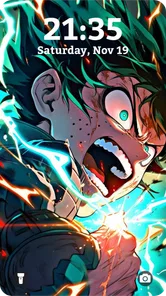
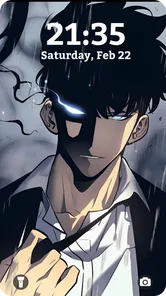
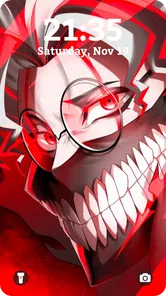
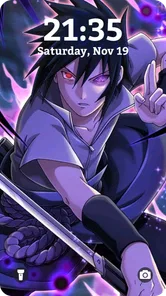
A striking image can look great in a preview and still be awkward as a background. I’d check whether the main subject remains visible behind app icons and whether the crop suits the shape of my display before settling on an image. The preview makes that decision easier, but it is still worth checking both the home screen and lock screen in practice; a composition that works in one place may feel crowded in the other.
There is also a practical difference between picking a wallpaper for a quick refresh and choosing one you’ll see dozens of times a day. For the latter, I’d favor artwork with a clear focal point and enough open space for icons. Busy action scenes can be exciting, but they may make a phone harder to scan at a glance. A quieter character portrait can be the better choice even if it is less dramatic.
A useful way to test an image before committing
I’d make the selection process a short screen-layout check, not just an art search. First, preview an image and notice where the face, bright effects, and high-contrast details land. Then check whether those areas compete with the clock, widgets, or the app icons I use most. A small adjustment in taste—choosing a composition with the character off-center, for instance—can make the screen feel more usable without giving up the anime style.
This is especially helpful when I’m choosing art for a phone I use in bright rooms or while moving around. Fine details and dark scenes may look dramatic in a preview but become harder to read at a glance. I’d favor clear silhouettes and balanced contrast for a daily background, saving elaborate scenes for occasional changes. It is a simple trade-off: the most impressive image is not always the most comfortable one to see all day.
An Explosion of Colors and Characters
The first thing you’ll notice when you open Anime Wallpaper HD & 4k Live is the sheer variety of wallpapers available. We’re talking about thousands of options, from classic series to the latest releases. Whether you’re a fan of the timeless adventures of Naruto or the intense battles in Attack on Titan, this app has got you covered. And it’s not just about quantity; the quality is top-notch too. The wallpapers are available in HD and 4k, which means they look absolutely stunning on any screen.
Easy Navigation
Now, I know what you’re thinking. With so many options, it must be a nightmare to find the perfect wallpaper, right? Wrong! The app’s user interface is incredibly intuitive. You can easily browse through various categories or search for your favorite anime characters. The app even offers a preview feature, so you can see how the wallpaper will look on your screen before making it your background.
More From Our News Desk

 Gmail
GmailGmail in a Busy Inbox: Who Benefits Most?
From first account to crowded workday, Gmail earns its place through dependable search and flexible sorting—but its best fit depends on how much inbox maintenance you can tolerate.

 Prime Video
Switching to Prime Video: What Changes in Your Viewing Routine
Prime Video can make a compelling second home for streaming, but switching means learning a different catalog, rental layer, and route from browsing to playback.

 Universal TV Remote Control
Universal TV Remote Control Works Best as a Reliable Backup
A phone remote earns its place through quick setup and reliable habits. Here is how to get more from Universal TV Remote Control—and where its limits show.

 Weather - By Xiaomi
Weather by Xiaomi Review: Clear at a Glance, Less Clear Up Close
Xiaomi’s weather app makes everyday forecasts quick to scan, but its calm surface can leave useful details and recovery paths harder to find than they should be.

 X
XX Under Pressure: Can It Recover When Posting Goes Wrong?
A resilience-focused review of X, examining setup, mistaken posts, interruptions, weak connections, and the gaps that matter when recovery needs to be dependable.

 Clash of Clans
Clash of Clans Is Won Between the Battles
Its raids are quick; its community is a long-term project of coordination, teaching, rivalry, and shared responsibility—with all the friction that entails.
Latest News



That search-and-preview combination is most useful when I have a specific idea rather than when I’m casually browsing. If I’m looking for one character, I can narrow my attention instead of scrolling through unrelated art, then use the preview to judge framing before committing. For an everyday refresh, I’d also take a moment to compare a few results: similar subjects can have very different levels of visual detail, and the one that looks best full-screen is not always the easiest to live with behind icons.
Customization Galore
One of the coolest features, in my opinion, is the customization aspect. Not only can you set static wallpapers, but the app also supports live wallpapers. Imagine having your favorite anime scenes come to life on your home screen! Plus, you can adjust the settings to fit your mood or theme of the day, making your device truly yours.
Static and live choices suit different routines. I’d start with a static image if I want a dependable background that stays visually quiet, and try a live option when I’m in the mood for a more animated look. Before making a live wallpaper my default, I’d consider whether motion will distract me during work or make the home screen feel busy. The useful compromise is to treat it as an occasional change rather than assuming animation is automatically better.
Making a live wallpaper a deliberate choice
Live motion can work best when the home screen has a clear purpose. If I mainly open my phone to check messages or a calendar, a visually active background can add friction rather than personality. I’d try it on a day when I have time to decide whether the movement feels pleasant or pulls my attention away from what I’m doing. If it proves too busy, switching back to a static design is a sensible preference, not a reason to abandon anime artwork altogether.
There’s also a useful distinction between choosing animation because I enjoy the scene and choosing it because it sounds like the more impressive option. A character image that already has a strong composition may be more satisfying as a still background. I’d use the live option when the motion genuinely adds to the artwork, and keep static images for screens where readability matters most.
Frequent Updates
If you’re worried about the app becoming stale, fear not! The developers are pretty active and roll out updates regularly, bringing fresh content to keep things exciting. Whether it's new wallpapers from a trending anime or seasonal themes, there’s always something new to look forward to.
For a realistic routine, I’d use the app when a new season or personal favorite puts a particular character back on my mind, then search and preview a handful of options rather than changing the wallpaper every day. That keeps the choice intentional and makes the library’s breadth more useful than simply having a large collection to scroll through. If you prefer a small, carefully curated set of backgrounds and rarely change them, that abundance may be more than you need.
Turning a quick refresh into a practical routine
Picture a familiar moment: I’m waiting for a coffee, notice that my current background feels stale, and have a minute to look for something tied to a series I’m watching. I’d search for a character or browse the relevant options, preview a few images, and choose one that leaves the time and icons easy to see. That is a more useful way to spend the app’s variety than endlessly scrolling without a clear idea of what I want.
I’d also treat wallpaper changes as a small reset rather than a daily chore. Keeping a favorite image in place for a while lets me find out whether the crop and contrast still work after the novelty wears off. If I change it often, I might prefer a striking design; if I keep one for weeks, visual calm and legibility matter more. That difference is worth considering before deciding what kind of image to search for.
How it compares with other wallpaper choices
Compared with a general wallpaper app, this one is the more natural fit when anime art is the point, not just one possible theme among many. A phone’s built-in wallpaper picker may be simpler for someone who only wants to use an image already saved on the device. Conversely, a broad wallpaper library may suit someone who regularly switches between anime, photography, and minimalist designs. I’d choose this app for focused anime browsing, but not if I wanted one place for every visual style.
The main trade-off is that a large selection asks you to make more choices. Searching by a favorite character helps, while browsing can be enjoyable when I’m open to discovering art but less efficient when I just want a quick background. High-resolution artwork is appealing on a sharp display, yet resolution alone cannot guarantee a good crop or readable icons. I’d use the preview as a practical check, not treat a quality label as a promise that every image will suit every phone.
When a simpler or broader option makes more sense
If I already have a folder of artwork that I love, the phone’s built-in picker may be all I need: it avoids adding another place to browse and keeps the decision centered on images I have chosen myself. That route is also sensible for someone who changes a background only occasionally and doesn’t need an anime-focused discovery experience. The convenience of a dedicated library matters most when I want to find new anime art, not when the right image is already on my device.
At the other end, people who treat wallpapers as a way to change their phone’s whole mood may prefer a general library that covers several visual styles. This app’s focus is its strength, but that same focus narrows its usefulness if I want a nature scene one day and a minimalist pattern the next. I wouldn’t install it expecting it to replace every wallpaper source; I’d consider it a specialist option for when anime is the look I’m actively after.
Who should install it—and what to expect
H2Studio2022 makes this free personalization app, and its 4.8 average from around 26,000 ratings suggests it has found an audience. It has passed a million installs, is rated for Everyone, and its current version is 2.31. The app is free to start, with optional in-app purchases listed from $4.99 to $9.49 per item. I’d keep that distinction in mind: browsing for a suitable wallpaper is the main reason to try it, while anyone considering a purchase should check what that particular item offers before paying.
The app is a strong match for anime fans who like to change their phone’s look and want artwork organized around that interest. It is less compelling if you dislike anime, want a very minimal interface, or prefer to use only images you already own. It runs on devices with OS version 7.1 or later, which gives older supported devices a route to try it, but I’d still judge the experience on the phone I actually use rather than assume every display will show each image the same way.
What to consider before paying or switching
I’d start by browsing and previewing before spending anything. The app is free to try, while optional purchases have a stated price range; that makes it sensible to decide first whether its everyday value comes from the available free selection or from a particular paid item. I wouldn’t assume a purchase is necessary just because it appears in the app, and I’d read the item details carefully so I know what I’m choosing.
Switching from another wallpaper source is low effort in one sense—the visible change is just a background—but there is still a small cost in time. I’d first find a few images that suit my screen, test one, and live with it long enough to judge whether I like the framing and style. If the app’s focused collection gives me results I actually want to keep, I can make it part of my routine. If I only find one usable image and then return to my own photos, the built-in picker may remain the simpler choice.
One practical question is whether it is worth trying on an older supported device. Since it works with OS version 7.1 or later, I’d consider it if the phone meets that requirement, while keeping expectations tied to the screen in hand: a high-resolution source cannot change the physical display or guarantee that every crop will look ideal. I’d preview before setting anything, particularly if the device has a different screen shape from the one I usually use.
Another decision is whether I want live art or a still image. I’d choose based on how I use the phone, not just on which option looks more novel in a preview. A static background is my safer choice for a calm, readable home screen; live wallpaper is for someone who enjoys motion enough to accept a busier appearance. That distinction makes it easier to answer the question without treating either format as universally better.
If I were switching from another wallpaper app, I wouldn’t replace my existing setup immediately. I’d first find a few images, preview them, and see whether the app’s anime-focused selection fits my taste; changing a background is easy, but changing habits is only worthwhile if the results feel better on the device. That small trial also helps answer the practical question of whether I prefer static art or live motion without committing to a permanent change.
In conclusion, if you’re an anime enthusiast looking to spruce up your device, Anime Wallpaper HD & 4k Live is definitely worth checking out. It’s like having a little piece of your favorite anime world right at your fingertips. So why wait? Dive into the colorful universe of anime wallpapers and let your device reflect your passion!
Anime Wallpaper HD & 4K Live Frequently Asked Questions
Can I preview a wallpaper before applying it to my screen?
Previewing a wallpaper before setting it can help you see how its colors and composition look on your device, especially when icons or the clock may cover part of the image. Anime Wallpaper HD & 4k Live focuses on anime backgrounds in HD and 4K, with static and live options. Browse the available choices and review a design before deciding whether it suits your home or lock screen.
Does the app include both static and live anime wallpapers?
Yes. Anime Wallpaper HD & 4k Live offers both static backgrounds and live wallpaper options, giving you a choice between a still image and a more dynamic look. The collection is aimed at anime fans and includes different characters and art styles. If you prefer a simple background, choose a static design; if you want movement, explore the live options and consider how they fit your personal setup.
Does Anime Wallpaper HD & 4k Live work on my device?
Check your device’s operating system before downloading. Anime Wallpaper HD & 4k Live requires Android 7.1 or later, so an older Android device may not be compatible. It is listed as an app in the Personalization category and is rated for Everyone. Confirm that your device meets the operating-system requirement and has enough available storage for the app and any wallpapers you choose to save.
What is Anime Wallpaper HD & 4k Live and what does it offer?
Anime Wallpaper HD & 4k Live is a mobile application designed for anime enthusiasts looking to personalize their devices with high-quality and dynamic anime wallpapers. The app offers a vast collection of HD and 4k resolution wallpapers, including both static and live options. Users can explore various categories, featuring their favorite anime series, characters, and art styles, ensuring a personalized and visually appealing home screen. Its short description is simply “Anime Wallpaper,” while its summary highlights thousands of high-quality anime backgrounds.
Is Anime Wallpaper HD & 4k Live free to use, or does it require a subscription?
The Anime Wallpaper HD & 4k Live app is free to download and use, offering a wide range of wallpapers at no cost. However, it may include in-app purchases or a premium subscription option that provides additional features, such as exclusive wallpapers, an ad-free experience, or early access to new content. Users can choose their preferred experience based on their needs and budget. In-app purchases are listed at $4.99 to $9.49 per item, so check any purchase details before confirming a transaction.
Pros
- Extensive library of high-quality wallpapers.
- Easy-to-navigate user interface.
- Regular updates with new content.
- Supports both HD and 4K resolutions.
- Customizable live wallpaper options.
Cons
- Contains in-app advertisements.
- Limited free content
- premium subscription needed.
- Occasional app crashes reported.
- No offline mode available.
- Requires internet connection for updates.











