AnExplorer Pro File Transfer
- 102.00
- 4.1
- Installs
- 50.00K
- Price
- $29.99

Screenshots
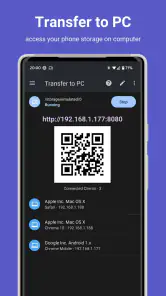
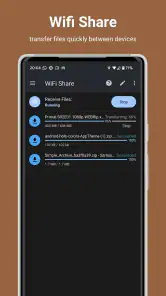
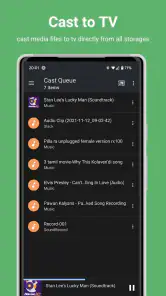
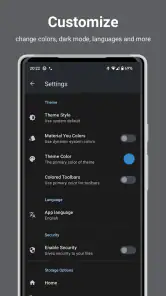
Analysis by Reviewed
I judge a file manager less by how many buttons it offers than by whether I can find a document, move it safely, and get on with my day. AnExplorer Pro File Transfer aims to bring those jobs together, and its broad device focus makes it interesting if your files don’t live on just one screen. I’d think of it as a hands-on tool for organizing and moving files, not a magic fix for every storage problem.
A practical routine for everyday files
My most useful approach with a file manager is to treat it as a small routine: find the file, check its name and location, then copy or move it only after I know where it is going. That matters when a phone has a mix of downloads, work documents, photos, and files received from other devices. AnExplorer is built for browsing and handling that kind of collection, so the value is less about one spectacular transfer and more about reducing little bits of friction.
A realistic example is preparing for a meeting: I locate a presentation and a few reference documents on my phone, check that I have the right versions, and transfer them to the device I’ll use to present. Keeping the source files together in a clearly named folder makes the next handoff easier too. I would still open the destination and verify the files arrived before deleting anything from the original location; that simple habit is more reliable than assuming a transfer worked just because I tapped a button.
Settings and habits that prevent avoidable mistakes
Before making file transfers part of a regular workflow, I’d spend a few minutes checking the app’s available settings and learning how its file actions behave. In particular, pay attention to the difference between copying and moving: copying preserves the original, while moving changes where it lives. If you are not sure which action you need, copy first, confirm the destination, and remove the old version later. That is slower by a moment, but it is a sensible safeguard for important work.
I also recommend using consistent folder names rather than relying on search alone. Search is handy when I remember a filename, but a clear folder structure helps when the name is vague or several versions look alike. For recurring tasks, I use the same destination each time and check that it is still the intended device or storage location before starting. These habits make a multi-purpose manager easier to trust without assuming that automation will sort everything out for me.
Small checks that make a repeatable workflow safer
For a folder I share often, I would keep a tidy “ready to send” copy rather than repeatedly selecting files from mixed downloads. That gives me a chance to remove drafts and confirm filenames before a transfer. I would also avoid treating a familiar destination as automatically correct: a device may not be available, or I may have switched to a different place since the last session. A quick check before sending prevents the common mistake of moving the right document to the wrong endpoint.
When a file has several versions, I find it useful to include a plain-language status in the filename, such as “final” or “review,” and then verify the modified copy before sharing. This is not a special app feature; it is a simple habit that makes browsing in any file manager more dependable. The trade-off is a little housekeeping up front, but it is usually less work than reopening a meeting or project to correct an outdated attachment.
More From Our News Desk

Clash of Clans Is Won Between the Battles

Android Auto Makes the Case for Quieter Car Software

MobiOffice: Transforming Mobile Productivity with Seamless Integration

EA SPORTS FC™ Mobile Soccer: Redefining Mobile Sports Gaming

How Microsoft OneDrive Became a Mobile Productivity Giant

How Google Translate Breaks Language Barriers Effortlessly
Where it fits among file managers
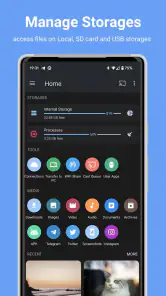
Compared with a basic file browser, AnExplorer’s appeal is its emphasis on handling files across more than one kind of device. That can be useful if you regularly move material between a phone and other screens or storage destinations. A simple built-in manager may be the better choice if you only need to browse local folders occasionally; it can feel more direct when cross-device work is not part of your day.
For transfers, the best option depends on the situation. A cable or a platform’s own sharing tool can be straightforward when both devices already work well together. A file manager becomes more valuable when you want to inspect, organize, and choose what to send rather than share a single item from the screen where you found it. I would not treat any one transfer method as universally fastest or most dependable: the receiving device, connection, and file size all affect the experience.
That distinction also helps answer whether this should replace a built-in manager. I would keep the built-in option for quick local checks if it already does that job well, and turn to AnExplorer when I need a broader file-handling routine. Likewise, a dedicated sharing feature can be a better fit for sending one photo to a nearby person, while a manager is more useful when I want to choose several items, check their locations, and keep the folder structure under control.
Who will get the most from it
AnExplorer is most compelling for someone who frequently moves files between devices and wants file browsing and transfer in one place. It may be less suitable if you rarely handle files manually, prefer a minimal interface, or expect a manager to organize everything automatically. I’d also separate “accessing a file” from “backing it up”: being able to reach a file through an app does not by itself give you a second safe copy. For anything irreplaceable, keep a deliberate backup routine.
It also suits people who are comfortable making a few deliberate decisions: where a file belongs, whether they are copying or moving it, and how to confirm the result. If you want a hands-off system that automatically sorts every download or keeps every device synchronized, this is not the expectation I would bring to a file manager. The strongest reason to choose it is control across a varied device routine, not a promise that file organization will happen without your attention.
AnExplorer Pro File Transfer: Your New Best Friend
Let’s dive right into why AnExplorer Pro File Transfer is earning its stripes as a must-have app for Android and iOS users. This app isn't just another file manager; it’s a comprehensive solution tailored to meet all your file transfer needs. From moving large files across devices to seamless cloud integration, AnExplorer Pro is like that trusty Swiss army knife you never knew you needed.
Effortless File Management
With AnExplorer Pro, managing your files becomes a breeze. The interface is clean and intuitive, making it super easy to navigate through your folders. You can quickly locate, copy, move, and delete files with just a few taps. Trust me, even if you’re not a tech wizard, you'll feel right at home using this app.
What sets AnExplorer Pro apart is its support for multiple file formats. Whether you're dealing with images, videos, documents, or audio files, this app has got you covered. Plus, the integrated search function is lightning-fast, ensuring that you find what you need in seconds.
For a large batch, I would first narrow the selection by folder and check the names before starting rather than treating search results as a ready-made transfer list. Similar filenames can make a quick bulk action risky, especially with drafts or duplicate exports. A small test transfer is a practical way to learn how a destination behaves before relying on it for a collection of work files.
Seamless File Transfer
One of the standout features of AnExplorer Pro is its ability to transfer files effortlessly between devices. You can easily share files via Wi-Fi, Bluetooth, or even through the cloud. Say goodbye to those pesky USB cables and hello to wireless freedom!
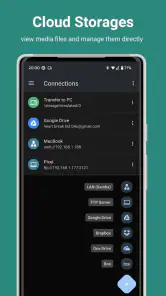
The app also offers support for multiple cloud storage services like Google Drive, Dropbox, and OneDrive. This means you can access your files from anywhere, at any time. It's like having your own personal assistant, organizing and transferring files while you sit back and relax.
In practice, I would choose the route based on the job rather than defaulting to wireless. A handful of small documents may be easy to send through a sharing option, while a folder that needs to remain organized is a better reason to work through a file manager. If the connection is unreliable or the destination is not where I expect it to be, I would pause and retry only after checking both ends, instead of assuming that another tap will resolve the issue.
Privacy and Security
In today’s digital age, privacy and security are paramount. Fortunately, AnExplorer Pro takes this seriously. The app provides robust security features to keep your files safe from prying eyes. With password protection and encryption options, you can rest easy knowing that your sensitive data is secure.
Additionally, the app doesn’t bombard you with ads, which is a refreshing change from many other file managers out there. This means you can focus on managing your files without unnecessary distractions.
Even with security tools, I would not use a file manager as a substitute for careful sharing. Before transferring a private document, check the destination and consider whether that device or storage location is appropriate for it. A password or encryption option can be useful when available, but it does not prevent sending a file to the wrong place or keeping an unnecessary copy. My rule is to secure sensitive material and then clean up extra copies deliberately.
Making the app fit a working day
A useful everyday pattern is to treat incoming files and outgoing files as separate stages. I would first review what has arrived, rename or sort what matters, and only then assemble the items needed for a transfer. This avoids turning a crowded downloads folder into a permanent workspace. When a task is complete, I can decide whether the source should remain, be moved into an archive, or be removed after verifying the destination.
This approach is especially helpful for a person who moves between a phone, a computer-like screen, and other devices during the week. Rather than trying to remember which device holds the newest copy, I can keep a predictable working folder and check it before each handoff. It is not automatic synchronization, and I would not pretend it is; the benefit is that the process stays visible and under my control.
Price, reach, and a grounded verdict
AnExplorer is a business app from DWorkS, with an average rating of 4.1 from around 1.5 thousand ratings and over 50 thousand installs. It costs $29.99 and is rated for Everyone. It has been available since December 4, 2011, so this is an established product rather than a newly launched experiment. I’d weigh that price against how often I actually move and sort files: occasional users may be better served by a basic manager, while someone who regularly works across devices may find a unified workflow more worthwhile.
The rating gives a useful sense of other users’ overall response, but it cannot tell me whether the app suits my particular devices or habits. Before paying, I’d make sure the workflows I care about are relevant to my setup and that I’m comfortable managing transfers myself. For a person who wants a simple local folder viewer, the added breadth may be unnecessary; for someone who handles files across screens and storage destinations, having one place to browse and act can be the more practical choice.
Because the price is a meaningful commitment for a tool many people use only occasionally, I would decide based on a repeated task rather than the possibility that I might need a transfer someday. If I regularly collect documents, sort them, and send them between different kinds of devices, the combined workflow is easier to justify. If my usual need is opening a local download or sharing a single image, a built-in manager or the platform’s standard sharing route is likely the more sensible starting point.
One practical question is whether the app will suit a particular mix of devices. I would check that the destinations I depend on match the way I plan to work, then try a low-stakes file before trusting the routine with important material. Another is whether it replaces backups: it does not change the basic rule that a file needs a separate copy in a place you can recover from. And if I only want automatic organization, I would look for a tool built around that specific goal rather than expecting manual file management to do it for me.
In conclusion, AnExplorer Pro File Transfer is more than just a file manager; it's a game-changer for anyone looking to simplify their digital life. Whether you’re a casual user or a seasoned pro, this app offers something for everyone. So, if you're tired of wrestling with disorganized files and clunky transfer processes, give AnExplorer Pro a try. You won’t be disappointed!
AnExplorer Pro File Transfer Frequently Asked Questions
Does AnExplorer Pro File Transfer work across different types of devices?
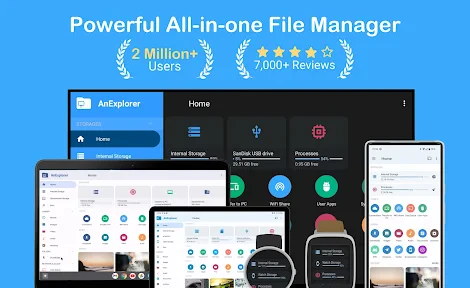
AnExplorer is presented as an all-in-one file manager for phones, TVs, watches, cars, XR and VR devices, and Chromebooks. That broad focus may make it useful if you manage files across more than one kind of device. The exact experience can vary by device, so check that the app supports the devices you plan to use before downloading.
What is AnExplorer Pro File Transfer and what features does it offer?
AnExplorer Pro File Transfer is a robust file management app designed for Android devices, providing users with a seamless way to manage files across their devices and cloud services. It offers features such as file transfer between devices, support for a wide range of file formats, cloud storage integration, and a user-friendly interface that simplifies file organization and access.
Is AnExplorer Pro File Transfer safe to use for transferring sensitive files?
Yes, AnExplorer Pro File Transfer prioritizes user security and privacy by implementing encryption during file transfers. This ensures that sensitive files are securely transmitted without unauthorized access. Additionally, the app does not store personal files on its servers, providing users with peace of mind regarding their data's safety.
Can AnExplorer Pro File Transfer handle large files and batch transfers?
Absolutely, AnExplorer Pro File Transfer is optimized to handle large files and batch transfers efficiently. It supports multi-threaded transfer processes, which speeds up the transfer of multiple files simultaneously. Users can easily manage and transfer large volumes of data without experiencing slowdowns or interruptions.
Does AnExplorer Pro File Transfer support cloud storage services?
Yes, AnExplorer Pro File Transfer integrates with popular cloud storage services such as Google Drive, Dropbox, and OneDrive. This integration allows users to easily access and manage their cloud-stored files directly from the app, facilitating seamless file synchronization and transfer between the device and the cloud.
Pros
- User-friendly interface for easy navigation.
- Supports multiple file formats.
- Fast file transfer speed.
- Secure file sharing with encryption.
- Offline access to files.
Cons
- Limited cloud service integration.
- Occasional app crashes.
- In-app purchases for advanced features.
- Ads in the free version.
- No dark mode option.
- Category
- Business
- Version
- Varies with device











