

America's Got Talent on NBC
- 3.40K
- 4.2
- Installs
- 1.00M
- Price
- Free
Screenshots

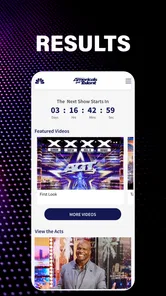

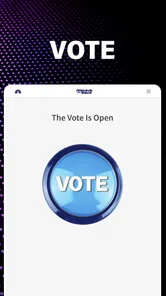
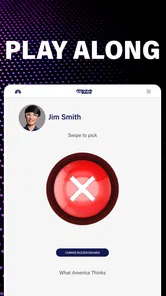
Analysis by Reviewed
I approached America’s Got Talent as a companion app for people who already enjoy the NBC talent competition, rather than as a complete entertainment service on its own. That distinction matters. The app is free, rated for Everyone, and built around the show’s current Season 21 presentation with Simon, Sofia, Mel B, Howie, and Terry. In everyday use, its value depends less on discovering a huge library and more on how conveniently it keeps the program close while you follow the judges, host, performers, and surrounding entertainment.
My overall impression is positive but specific: this is best for viewers who want an official AGT-focused experience on a compatible device, especially when they are watching the show and want related content in the same place. It is less convincing as a replacement for a broad streaming service, a general television guide, or a social platform where discussion and discovery are the main attractions.
What the app is really for
The app belongs to the entertainment category, and NBCUniversal Media, LLC is the developer behind it. It has reached more than a million installs, with an average rating of 4.2 from roughly twelve thousand ratings and about three thousand four hundred written reviews. Those figures suggest that many viewers find a practical reason to keep it around, although they should not be mistaken for a guarantee that every device or viewing routine will feel equally smooth.
Its strongest role is as a second screen. I can imagine opening it during an AGT evening to stay connected with the season, browse show-related material, or use it as a focused destination instead of searching through a large general-purpose service. That narrow purpose is also its clearest limitation: if I am not interested in America’s Got Talent, there is little here to justify keeping it installed.
The store summary positions the experience around Season 21 and the familiar on-screen team. That makes the app immediately understandable for returning fans. I do not have to work out whether it is a general NBC entertainment hub or an unrelated companion product. The identity is clear, which is useful when I want show-specific material without navigating through a crowded catalog.
How it fits into a normal viewing routine
A realistic use case would be a viewer arriving home shortly before the program begins. Instead of opening a browser, searching for the show, and sorting through unrelated results, that person can open this dedicated entertainment app and use it as the starting point for an AGT-focused session. During a break, the same viewer can check what the app offers around the season, then close it and return to the television without turning the evening into a complicated setup.
I also see value for casual viewers who miss the rhythm of a season. A dedicated app can act as a reminder to reconnect with the program, particularly when the user already follows the judges or host. However, I would not choose it as my only way to organize all television viewing. A broad streaming application is normally better for switching between several shows, while a television guide is better for schedules and channel planning.
More From Our News Desk

 Gmail
GmailGmail in a Busy Inbox: Who Benefits Most?
From first account to crowded workday, Gmail earns its place through dependable search and flexible sorting—but its best fit depends on how much inbox maintenance you can tolerate.

 Prime Video
Switching to Prime Video: What Changes in Your Viewing Routine
Prime Video can make a compelling second home for streaming, but switching means learning a different catalog, rental layer, and route from browsing to playback.

 Universal TV Remote Control
Universal TV Remote Control Works Best as a Reliable Backup
A phone remote earns its place through quick setup and reliable habits. Here is how to get more from Universal TV Remote Control—and where its limits show.

 Weather - By Xiaomi
Weather by Xiaomi Review: Clear at a Glance, Less Clear Up Close
Xiaomi’s weather app makes everyday forecasts quick to scan, but its calm surface can leave useful details and recovery paths harder to find than they should be.

 X
XX Under Pressure: Can It Recover When Posting Goes Wrong?
A resilience-focused review of X, examining setup, mistaken posts, interruptions, weak connections, and the gaps that matter when recovery needs to be dependable.

 Clash of Clans
Clash of Clans Is Won Between the Battles
Its raids are quick; its community is a long-term project of coordination, teaching, rivalry, and shared responsibility—with all the friction that entails.
Latest News



One useful habit is to treat the app as a companion rather than leaving it open continuously. That keeps its purpose clear and avoids expecting it to behave like a full-time media center. If I am watching AGT, it has a reason to be on my device; if I am looking for films, news, sports, or unrelated series, another entertainment service will probably be more efficient.
Trust begins with knowing what you are installing
For me, trust starts with a straightforward identity. The developer is named as NBCUniversal Media, LLC, the product is free, and the age classification is Everyone. Those details make the app easier to place: it is an official entertainment destination associated with the NBC show, not an anonymous fan-made utility or an unexplained download.
The release history also gives useful context. The app first appeared on July 8, 2015, while the current version is 1.11.4 and requires operating system version 10 or later. That combination tells me to check compatibility before installing, especially on an older phone or tablet. A long-standing app can be reassuring because it has had time to remain available, but an older product history also means I should not assume that every modern device experience will be identical.
I would make the compatibility check before planning to use it on a secondary device. If the phone meets the minimum operating-system requirement, installation should at least be technically appropriate; if it does not, forcing the issue is not worth the trouble. This is a small step, but it prevents a common disappointment: downloading an app for a particular viewing night and discovering that the device cannot run it properly.
The free price lowers the risk of trying it, but “free” does not automatically mean frictionless. I still pay attention to the screens shown during setup, the sign-in choices presented, and any requests that appear before I begin browsing. My approach is simple: I read each prompt, allow only what makes sense for the way I plan to use the app, and avoid treating every permission or account request as mandatory without understanding its purpose.
Controls and choices I would check first
The most important controls are the ones visible at installation and during first use. I look for whether the app lets me continue without creating an account, whether it clearly explains any account benefit, and whether notification choices are presented as optional rather than hidden inside an unrelated step. These are practical trust signals because they show how much control the viewer has before committing to a longer relationship with the app.
I also check the device’s own app settings after installation. If notifications are not useful to me, I prefer to switch them off at the operating-system level rather than letting reminders interrupt the day. This is especially sensible for a show companion: a person who watches only occasionally may want to open the app manually instead of receiving every available alert.
Another good practice is to review account settings, if an account is used, before spending time personalizing the experience. I want to know how to sign out, how to change contact details, and whether there is a clear route to remove saved information or close the account. I would not assume that uninstalling an app automatically handles every account-related choice. Keeping those actions separate in my mind makes the experience easier to manage.
When a service offers several ways to continue, I choose the least complicated option that still supports my goal. For a quick AGT update, that may mean browsing without an account if the app allows it. For a viewer who wants personalized access or a more persistent setup, an account may be worthwhile. The right decision depends on the benefit offered on screen, not on pressure to register before I know whether the app suits me.
Data-sensitive moments deserve attention
The moments that deserve the most care are not necessarily the dramatic parts of the show; they are the quiet prompts around them. Sign-in pages, notification requests, personalization screens, and any request to connect with another service are the places where I slow down. I read the wording and look for a visible choice to decline, postpone, or continue with fewer commitments.
I avoid entering information simply because a form is available. If I only want to browse AGT-related entertainment, I first ask whether the requested detail is genuinely needed for that task. This is not an accusation about the app’s practices; it is a sensible boundary for any entertainment product. The less information I volunteer without a clear reason, the easier it is to keep my use proportionate to what I want from the service.
I would also review the app’s privacy and account screens directly rather than relying on assumptions based on the NBC name. A recognizable developer helps establish context, but it does not replace reading the choices presented inside the product. I pay attention to whether explanations are understandable, whether controls are easy to find, and whether changing my mind later appears possible.
On a shared family device, I would be more deliberate. The Everyone rating makes the app broadly approachable, but shared devices still create practical concerns: another person may see notifications, saved account details, or recent activity. I would use the device’s normal lock and account controls, avoid leaving a personal session open, and sign out when the device is used by several people.
For younger viewers, I would keep the decision with the parent or guardian who manages the device. An age classification is useful context, but it does not remove the need to supervise account creation, notifications, or any links to outside services. The safest setup is the one where the adult knows which choices were made and can change them later.
Where user agency feels most important
I value an app more when it lets me decide how deeply to engage. With this one, I would separate three levels of use: occasional browsing, regular show companionship, and account-based personalization. Occasional browsing should remain lightweight. Regular viewers may accept more notifications or saved preferences. Personalization is worthwhile only when it saves time or improves discovery enough to justify the extra setup.
That approach prevents a common mistake: enabling everything during installation and trying to undo it later. I prefer starting with notifications off or limited, browsing first, and then enabling only the alerts that have a clear benefit. If the app becomes part of my weekly routine, I can add more access gradually. If it does not, I have avoided unnecessary clutter.
I would use the same principle for mobile data. A show companion is easy to open while away from home, but I would not assume that every media-heavy screen is ideal for a limited data plan. When possible, I would browse on Wi-Fi, keep an eye on the device’s data settings, and avoid leaving video or rich content running in the background. This is a practical trade-off, not a criticism of the app’s purpose.
Battery use is another reason to use it intentionally. I would open it for a specific task, finish browsing, and close it rather than keeping it active all evening without a reason. That workflow is particularly sensible on an older phone, where the minimum operating-system requirement may be met but battery performance may already be less generous.
What works well for AGT fans
The focused identity is the main strength. I do not have to sift through a general entertainment catalog to find the show’s world. The presence of Simon, Sofia, Mel B, Howie, and Terry in the current Season 21 framing gives returning fans an immediate point of recognition, and the app feels more purposeful when I approach it with that specific interest.
The free entry point also makes experimentation easy. I can install it, inspect the available experience, and decide whether it deserves a permanent place on my phone without committing money. That is useful for occasional viewers who want a direct way to reconnect with the program but do not want another paid subscription.
Its audience reach is broad as well. The Everyone rating makes it suitable for a general family entertainment context, while the straightforward show focus means I do not need specialist knowledge to understand the app’s purpose. I would still supervise younger users and review device-level controls, but the basic positioning is accessible.
There is also a psychological advantage to a dedicated companion: it reduces the distance between remembering a show and actually engaging with it. Instead of relying on a vague plan to search later, I have one recognizable place associated with AGT. That may sound minor, but convenience often determines whether a casual viewer follows through.
Where the alternatives are better
The app is not my first choice when I want a broad entertainment night. A general streaming service usually offers more variety in one interface, while a television provider’s application is more useful for live channel navigation, recording, and schedule management. A browser can be faster for one-off searches, and social networks are better for live conversation with other viewers.
That comparison clarifies the trade-off. This app may be more focused than a general service, but focus can feel restrictive if I want to move from AGT to another program without changing applications. It may also be less useful to someone who wants a complete archive, a universal watchlist, or one place to manage every subscription. I would choose it for proximity to the show, not for breadth.
I would also skip it if my device cannot meet the operating-system requirement, if I rarely watch talent competitions, or if I am trying to reduce the number of entertainment apps on my phone. In those situations, the usual television app or a browser may cover the occasional need with less maintenance. Installing a dedicated companion only makes sense when its focus matches a real habit.
Small workflow improvements that make a difference
My first tip is to install it before the viewing session rather than during a commercial break. That gives me time to inspect the opening screens, decide on notifications, and confirm that the device runs the current version. It also avoids turning a relaxed evening into troubleshooting.
My second tip is to separate discovery from commitment. I browse the app first, then decide whether an account, alerts, or personalization are useful. This two-step approach protects my attention and gives me a clearer sense of the product’s actual value before I share more information or adjust more settings.
My third tip is to use a dedicated viewing routine on shared devices. I check which profile or account is active, avoid leaving personal details visible, and sign out when appropriate. For a family that takes turns using one tablet, this simple habit is more valuable than assuming the app will automatically know who is holding the device.
My fourth tip is to revisit choices after a week or two. If notifications are ignored, I turn them off. If I never use personalization, I simplify the setup. If the app becomes genuinely useful during the season, I can keep the settings that save time. This makes the relationship with the app adjustable instead of permanent by default.
My cautious verdict
I would recommend this app to an America’s Got Talent viewer who wants a free, official, show-focused companion and is comfortable checking compatibility and privacy choices before settling in. Its clearest benefit is convenience: it gives the program a dedicated home on a compatible device, with the current season and on-screen team at the center.
I would not recommend it as a universal entertainment replacement. Viewers who mainly need live-TV controls, a broad catalog, cross-show recommendations, or active social discussion will likely be happier with a different type of service. The narrow focus is either the reason to install it or the reason to skip it.
My final advice is to start lightly. Install the current version on a device running at least operating system version 10, inspect the available choices, decline anything you do not need, and use the app during an actual AGT viewing routine. If it makes following the show easier without adding unwanted interruptions, it has earned its place. If it feels like another unnecessary account or notification source, uninstalling it and returning to your usual television or streaming setup is the sensible choice.
In short, this is a focused companion for AGT fans, not a complete entertainment ecosystem. Its trustworthiness in my experience comes from making the product’s identity clear and leaving the important decisions—notifications, accounts, shared-device use, and personal information—with the viewer. That is enough for a useful recommendation, provided I keep my expectations as focused as the app itself.
America's Got Talent on NBC Frequently Asked Questions
What devices and operating systems can run the America’s Got Talent on NBC app?
The America’s Got Talent app is an entertainment app from NBCUniversal Media, LLC, and its current version is 1.11.4. It requires iOS 10 or later, so check your device’s software version before downloading. If your device meets that requirement, you can install the app and explore its NBC and America’s Got Talent content.
What is America’s Got Talent on NBC?
America’s Got Talent on NBC is the official destination for following the popular talent competition, including show information, contestant details, videos, news, schedules, and other NBC content. Depending on your location and the version you access, it may also provide links to watch episodes or live broadcasts. Availability can vary by country, television provider, and streaming rights.
Can I watch full episodes of America’s Got Talent through the app or website?
The NBC experience may offer selected clips, previews, interviews, highlights, and, in some cases, full episodes or live television. Access to complete episodes usually depends on your region, NBC’s current streaming policy, and whether you have a participating TV provider. Some content may require signing in, while other videos can be viewed without an account.
Do I need an NBC account or TV provider login to use it?
You can generally browse basic information, read entertainment news, and watch certain promotional videos without signing in. However, premium video content, live streaming, or full episodes may require an NBCUniversal profile and verification through a supported cable, satellite, or streaming television provider. Requirements can change, so users should check the sign-in options available in their area.
Is America’s Got Talent on NBC available outside the United States?
Availability outside the United States is limited by licensing agreements and broadcasting rights. The official NBC service is primarily designed for viewers in the U.S., and some features may be blocked when accessed from another country. International viewers may need to use an authorized local broadcaster or streaming platform that has acquired the rights to America’s Got Talent.
Pros
- Official NBC content with clips
- auditions
- and memorable performances.
- Easy access to contestant updates and show-related entertainment.
- Covers a wide range of talents
- from music to comedy and magic.
- Useful companion for fans who follow the competition each season.
- Free content may be available without a full subscription in some regions.
Cons
- Video availability can vary depending on your location and broadcast rights.
- Some features may require a participating TV provider or NBC account.
- Advertising can interrupt videos and make browsing feel less seamless.
- The app may focus heavily on current episodes and offer limited older content.
- Performance and streaming quality depend on your device and internet connection.













