AMarkets: Finance & Trading
- 259.00
- 4.5
- Installs
- 1.00M
- Price
- Free

Screenshots
Analysis by Reviewed
I find trading apps easiest to judge in an ordinary household moment, not during a dramatic market swing. Imagine checking a watchlist while waiting for dinner, then putting the phone down when someone else needs the shared tablet. AMarkets: Trade & Invest is a personal finance tool, so I would treat it as something each adult uses within their own account—not as a household dashboard or a way to manage another person’s money.
Keep account use personal
On a shared device, I’d make the account boundary the first practical consideration. Financial apps can lead to consequential actions, so I wouldn’t leave an active session available for another household member to tap through. Each person should use their own login and handle their own verification and decisions. If you regularly pass a phone around, checking that you have signed out or secured access before handing it over is a sensible habit, regardless of how familiar the device feels.
That distinction matters for families, couples, or housemates who discuss markets together. It’s fine to compare notes or look at a chart side by side, but shared curiosity should not become shared credentials. I’d keep any real-money decisions with the person responsible for the account, and use conversation—not an unlocked trading screen—for coordination.
Useful for a deliberate routine, not constant checking
A practical way to use a trading app is to decide what you want to learn before opening it. For example, I might check a small watchlist during a planned break, review a chart, and then close the app rather than responding to every movement. That routine helps separate research from impulse. Notifications can be useful prompts, but I’d choose carefully how much market activity I want interrupting the day; alerts are reminders, not instructions to trade.
The demo account described in the app is especially relevant to this cautious approach. I’d use it to learn how the interface behaves and to rehearse a process—such as checking an instrument, reviewing its chart, and thinking through a possible decision—before putting money at risk. A simulated result can help with familiarity, but it cannot make live trading safe or guarantee that a strategy will work when real funds are involved.
Getting Started with AMarkets
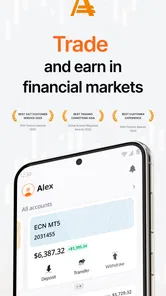
First things first, downloading the AMarkets: Trade & Invest app was a breeze. Available for both Android and iOS, it’s just a quick search away in your app store. Once installed, the app welcomes you with a sleek, modern interface that's user-friendly and not at all intimidating for newbies like me. Setting up an account is straightforward; you’ll just need to provide some basic information and verify your identity, which is standard for any financial platform.
Features That Stand Out
What really caught my attention were the array of features tailored to both beginners and advanced traders. The app offers a demo account, allowing you to practice trading without the risk of losing real money. This is a fantastic way to get familiar with the trading environment and test strategies before committing actual funds.
More From Our News Desk

Weather by Xiaomi Review: Clear at a Glance, Less Clear Up Close

X Under Pressure: Can It Recover When Posting Goes Wrong?

Clash of Clans Is Won Between the Battles

Android Auto Makes the Case for Quieter Car Software

MobiOffice: Transforming Mobile Productivity with Seamless Integration

EA SPORTS FC™ Mobile Soccer: Redefining Mobile Sports Gaming
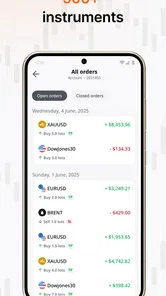
For those ready to dive into live trading, AMarkets provides access to a variety of financial instruments, including Forex, stocks, and commodities. The real-time charts and analytical tools are robust, giving you the data you need to make informed decisions. Plus, the app's push notifications keep you updated on market trends and any significant changes that might affect your trades.
User Experience and Design
The developers have clearly focused on creating a smooth user experience. Navigating through the app is intuitive, with everything you need just a few taps away. I particularly appreciated the educational resources available within the app. There are tutorials, articles, and webinars designed to enhance your trading skills and knowledge. It feels like you have a personal trading mentor right in your pocket!
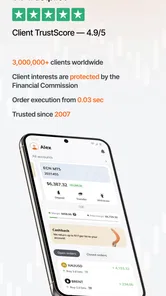
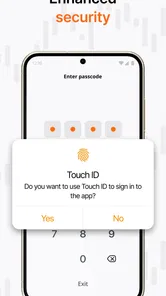
Moreover, the app's security measures are top-notch. With features like two-factor authentication and encrypted transactions, you can trade with peace of mind knowing your financial information is safe.
Choosing it over a general finance app
AMarkets is better suited to someone who wants to explore trading tools and market information in one place than to someone who only needs a basic household budget or a long-term portfolio overview. Compared with a general finance app, its trading focus may feel more direct, but it also brings a different kind of responsibility: charts and alerts can encourage frequent checking. I’d skip it if your goal is simply tracking bills, or if you prefer an investment service built around a slower, hands-off approach.
For a new user, I’d start by exploring the educational material and demo environment rather than treating access to live instruments as a reason to trade immediately. A helpful habit is to write down why you’re checking a particular market before opening its chart. It gives the tools a purpose and makes it easier to notice when browsing has turned into acting on a passing mood.
Age, trust, and household fit
The app is free to download, is rated for Everyone, and is developed by AMarkets LLC. That age label describes the app’s content rating; it should not be taken as a recommendation for children to trade or manage financial accounts. I’d keep trading decisions with an adult who understands the risks, and explain the difference between learning about markets and using real money if younger family members see the app on a shared device.
AMarkets has a 4.6 average from around 28,000 ratings and more than one million installs, which suggests it has found a substantial audience. Popularity can help a new user feel they are looking at an established app, but it doesn’t settle the more important question: whether its trading-oriented approach fits your needs and comfort with risk. The current version is 2.1.116, and it supports Android 7.0 and later.
Features That Stand Out
What really caught my attention were the array of features tailored to both beginners and advanced traders. The app offers a demo account, allowing you to practice trading without the risk of losing real money. This is a fantastic way to get familiar with the trading environment and test strategies before committing actual funds.
For those ready to dive into live trading, AMarkets provides access to a variety of financial instruments, including Forex, stocks, and commodities. The real-time charts and analytical tools are robust, giving you the data you need to make informed decisions. Plus, the app's push notifications keep you updated on market trends and any significant changes that might affect your trades.
User Experience and Design
The developers have clearly focused on creating a smooth user experience. Navigating through the app is intuitive, with everything you need just a few taps away. I particularly appreciated the educational resources available within the app. There are tutorials, articles, and webinars designed to enhance your trading skills and knowledge. It feels like you have a personal trading mentor right in your pocket!
Moreover, the app's security measures are top-notch. With features like two-factor authentication and encrypted transactions, you can trade with peace of mind knowing your financial information is safe.
Final Thoughts
In conclusion, AMarkets: Trade & Invest is a solid choice for anyone interested in trading. Whether you’re just starting out or you’re an experienced trader, this app offers a comprehensive suite of tools to help you succeed. The combination of a user-friendly interface, extensive educational resources, and robust security features makes it a standout in the crowded field of trading apps.
So, if you're looking to embark on your trading journey or want to enhance your investment strategy, give AMarkets a try. Who knows, it might just be the key to unlocking your financial potential!
A more useful way to compare options
When I compare a trading app with a broker’s desktop platform, a market-news reader, or a passive investing service, I look at the job I need done rather than assuming one tool should do everything. AMarkets brings instruments, charts, alerts, and learning material into a mobile trading setting. That can be handy when I want to move from reading about a market to inspecting it without switching apps. A dedicated news service may be better for broad reporting, while a budgeting app is the clearer choice for tracking household spending. A long-term investor who wants minimal interaction may be better served by a service designed around that routine.
One practical trade-off is that a compact phone screen makes it easy to check a chart quickly, but not always easy to evaluate a decision carefully. I’d use the mobile view for a brief review or to follow a market I already understand, then avoid treating a few taps as a substitute for research. If a decision depends on comparing several instruments or carefully reading information, I’d slow down and use a larger screen or another reliable source rather than rushing because the app is close at hand.
Turn a quick check into a repeatable process
For an ordinary weekday, I’d set a simple sequence: open the app with one question in mind, check the relevant chart or market information, note what I learned, and leave without making a trade unless I had already considered the decision. The useful part is not the ritual itself; it is the separation between looking and acting. A demo environment can help a beginner practise that sequence, including finding the right instrument and understanding where information appears, without confusing a practice outcome with proof of future success.
I’d also review notification choices after using the app for a while. If every market prompt pulls me away from work or family time, the alerts are doing more harm than good. Keeping only the reminders that support a plan can make the app feel like a tool I consult, rather than a stream that sets my attention. That matters especially on a device shared with others, where a visible notification may invite questions or reveal that the app is being used, even if no one else should access the account.
What to sort out before using real funds
A natural question for a first-time user is whether the demo is enough to begin trading. I see it as a way to learn the controls and test a routine, not as a substitute for understanding the risks of live markets. Before moving beyond practice, I’d make sure I can explain what I’m looking at, why I’m considering a trade, and what loss I could tolerate. If those answers are unclear, staying with educational material or stepping away is a better choice than treating account access as a deadline.
Another sensible question is whether installing the app commits someone to paying for it. The download is free, but that should not be confused with trading being cost-free or risk-free: live financial decisions can expose money to loss. I’d read the relevant account and instrument terms carefully before acting, and never assume that a free app means every service or transaction has no associated cost. This is one reason I’d treat the download as an opportunity to explore, not an invitation to deposit or trade immediately.
Shared devices need a clear household rule
In a family or shared flat, I’d agree on one plain rule: the account belongs to the individual using it, and nobody else operates it. That avoids awkward moments when someone is merely borrowing a tablet and lands on a financial screen. If a younger person is curious, I’d show market concepts or discuss a chart together while keeping account access and any decisions with the responsible adult. The app’s Everyone content label is not a substitute for that boundary, especially because trading itself involves adult financial judgement.
Coordination can still be useful without sharing a login. Two adults might agree to discuss a market at a convenient time, but each should check information and make decisions independently. I would not use a shared device as a substitute for clear communication, nor assume that one person’s watchlist or alerts represent the other person’s priorities. This distinction is particularly important when household budgets are shared: a conversation about money is appropriate, while an individual trading account remains the account holder’s responsibility.
Who will get the most from it
I can see AMarkets suiting an adult who wants a mobile entry point for exploring Forex, stocks, and commodities, and who is willing to learn before taking financial risks. Its combination of charts, market prompts, a demo account, and learning resources gives a curious user several ways to build familiarity. It is less suitable for someone who wants only personal budgeting, a calm long-term overview, or an app that removes the need to make active decisions.
My household verdict is therefore cautious rather than universal: it can be a useful personal trading companion, but I wouldn’t make it a shared family finance hub. Keep access individual, use practice tools for orientation, set boundaries around alerts, and make real-money choices away from the pressure of a quick phone check. If that approach fits how you handle risk, it is worth exploring; if you want passive investing or simple expense tracking, another kind of finance app will make more sense.
AMarkets: Finance & Trading Frequently Asked Questions
Can I use AMarkets: Trade & Invest on an iPhone or iPad?
AMarkets: Trade & Invest is an app focused on finance and trading. On Android, it requires version 7.0 or later. Before downloading on any device, check the app’s availability and compatibility in the relevant app store, since operating-system requirements and supported devices can differ. Make sure the app is the AMarkets LLC. product before installing.
What should I consider before placing a trade in AMarkets: Trade & Invest?
Trading involves financial decisions, so it is worth understanding the service and the possible costs before placing any trade. Take time to review the terms and pricing that apply to the trading activity you plan to use, and make sure you understand the risks of investing. The app’s free download does not mean that trading itself is cost-free or suitable for every user.
Is AMarkets: Trade & Invest free to download, and what devices can run it?
The app is free to download and is intended for users of all ages. It runs on Android devices with version 7.0 or later, so checking your device’s operating system before installing can help avoid compatibility issues. The download itself is separate from any costs that may arise from trading activity, which are worth reviewing before you use the service.
Who develops AMarkets: Trade & Invest, and how widely is it used?
AMarkets LLC. develops the app, which is listed in the business category and focuses on finance, investing, stocks, trading, and stock news. It has more than 1 million installs and an average rating of 4.6 from around 28,000 ratings. Those figures offer a quick sense of its reach, but your experience will depend on whether its features suit your needs.
What is AMarkets: Trade & Invest and how does it function?
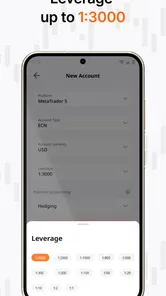
AMarkets: Trade & Invest is a comprehensive trading application designed to facilitate online trading and investment opportunities across various financial markets, including forex, stocks, and commodities. It offers a user-friendly interface with advanced tools and analytics to help users make informed trading decisions. The app supports multiple account types and provides access to real-time market data, enabling seamless execution of trades.
Pros
- User-friendly interface for easy navigation.
- Comprehensive educational resources available.
- Wide range of trading instruments offered.
- Real-time market data and analysis tools.
- Secure transactions with advanced encryption.
Cons
- Limited customer support options.
- Occasional app crashes reported.
- In-app ads can be intrusive.
- Requires stable internet connection.
- Some features require payment.











