All Video Downloader: Play MP4
- 15.00
- 4.2
- Installs
- 1.00M
- Price
- Free

Screenshots

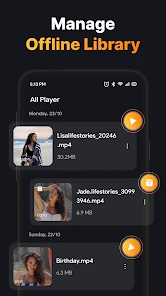
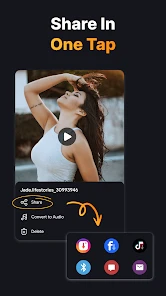
Analysis by Reviewed
Ever stumbled upon a super cool video online and wished you could download it instantly? Well, you're not alone! We've all been there. And guess what? The All Video Downloader: Play MP4 app is here to save the day. This nifty app is making waves in the world of video downloading, and let me tell you, it's worth checking out!
Seamless User Experience
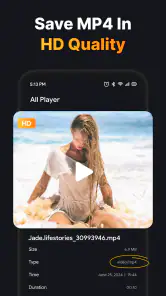
First off, let's talk about the user experience. The interface is as straightforward as it gets. You don’t need a PhD in tech to navigate through it. The design is clean, intuitive, and super user-friendly. Whether you’re a tech newbie or a seasoned pro, you’ll find it a breeze to use. Just pop in the link of the video you want, hit download, and voila! You've got yourself a high-quality MP4 ready to go. It's as simple as that.
Wide Range of Compatibility
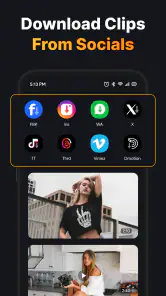
One of the standout features of All Video Downloader: Play MP4 is its compatibility. This app supports a wide array of video formats and websites. From social media platforms to video-sharing sites, it’s got you covered. No more fiddling around with multiple apps or converters. This one-stop-shop app handles it all like a champ!
What's more, the download speed is pretty impressive. You won’t be left twiddling your thumbs waiting for a video to download. Fast and efficient, just the way we like it!
Why You Need It
Let’s face it, sometimes streaming isn’t convenient, especially when you’re on the go or stuck somewhere with a spotty internet connection. Having your favorite videos saved offline can be a game-changer. Plus, it’s great for those moments when you want to re-watch something without burning through your data.
Also, if you’re into creating content, this app can be a nifty tool. Download clips, gather resources, and get your creative juices flowing without any hassle. It’s like having a little production studio right in your pocket.
Final Thoughts
So, here’s the deal: If you’re looking for a reliable, easy-to-use app to download videos, All Video Downloader: Play MP4 is a solid pick. It’s user-friendly, supports a multitude of formats, and works like a charm. Whether for entertainment or content creation, this app is a must-have in your digital toolkit. Give it a go, and you might just wonder how you ever lived without it!
More From Our News Desk

Weather by Xiaomi Review: Clear at a Glance, Less Clear Up Close

X Under Pressure: Can It Recover When Posting Goes Wrong?

Clash of Clans Is Won Between the Battles

Android Auto Makes the Case for Quieter Car Software

MobiOffice: Transforming Mobile Productivity with Seamless Integration

EA SPORTS FC™ Mobile Soccer: Redefining Mobile Sports Gaming
All Video Downloader: Play MP4 Frequently Asked Questions
What is All Video Downloader: Play MP4 and how does it work?
All Video Downloader: Play MP4 is an application designed to help users download videos from various platforms directly onto their devices. The app supports a wide range of video formats, including MP4, allowing for easy playback. Users simply need to copy and paste the video URL into the app, select their preferred format and quality, and then download the content for offline viewing.
Is All Video Downloader: Play MP4 free to use?
Yes, All Video Downloader: Play MP4 is free to download and use. However, it may offer in-app purchases or ads to support its development. Users can access basic downloading features at no cost, but there might be premium features available that enhance the user experience, such as faster download speeds or the ability to download multiple videos simultaneously.
Can I download videos from any website using All Video Downloader: Play MP4?
While All Video Downloader: Play MP4 supports many popular video-sharing platforms, it may not work with every website due to restrictions or updates from those sites. The app is frequently updated to ensure compatibility with the most popular platforms, but it's always a good idea to check the app's specifications or user reviews to confirm its current capabilities.
What are the device requirements for installing All Video Downloader: Play MP4?
To install All Video Downloader: Play MP4, users typically need a device running on Android or iOS with a recent operating system version to ensure compatibility and performance. A stable internet connection is also required to download videos. The app does not usually require a lot of storage, but sufficient space is necessary for storing downloaded videos.
Is it legal to download videos using All Video Downloader: Play MP4?
The legality of downloading videos with All Video Downloader: Play MP4 depends on the content and the platform's terms of service. While downloading for personal use might be allowed, distributing or using the content for commercial purposes could violate copyright laws. It's crucial for users to respect intellectual property rights and adhere to the legal guidelines provided by the content's source.
Pros
- Supports multiple video formats.
- High download speed.
- User-friendly interface.
- Allows background downloads.
- No registration required.
Cons
- Contains ads.
- No integrated video player.
- Limited editing features.
- No playlist download option.
- Occasional download errors.
- Category
- Video Players & Editors
- Version
- 1.30











