

All mobile Secret Codes
- 12.00
- 3.8
- Installs
- 500.00K
- Price
- Free

Screenshots
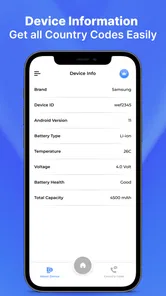
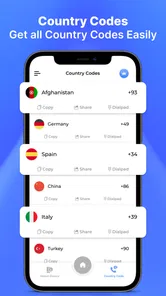
Analysis by Reviewed
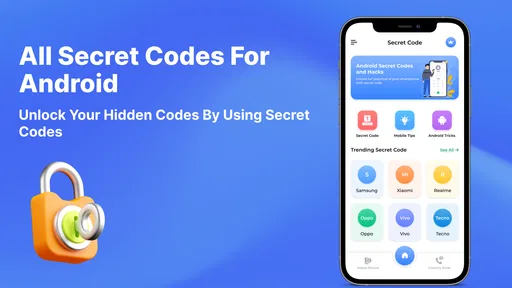
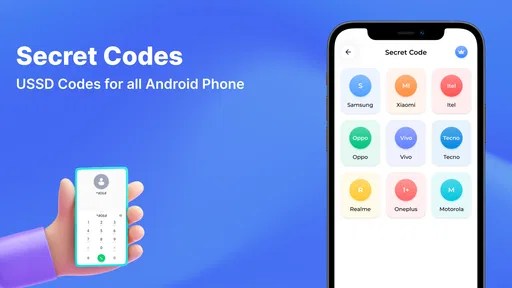
I can see the appeal of keeping Android service codes in one place, especially in a household where phones get passed around or someone is often asked to troubleshoot a relative’s device. All mobile Secret Codes, from Theoca Apps, is a free reference app in the Libraries & Demo category. Its purpose is practical rather than entertaining: help you find codes associated with Android phones without relying on a pile of bookmarks or half-remembered forum posts.
Useful when a shared phone needs attention
Imagine a family member’s phone is behaving strangely and they ask you to check a device detail or open a diagnostic screen. With a code reference at hand, you can look up a relevant entry instead of searching the web while they wait. That is the everyday situation where this app makes sense: it can shorten the hunt for a code, while leaving the actual decision to use it in your hands.
That distinction matters. Secret codes are not ordinary settings shortcuts, and an entry that works on one Android phone may be ignored or behave differently on another. I would treat the app as a reference shelf, not as a guarantee that every code applies to every handset. Before entering a code on someone else’s phone, I’d check the device model and make sure the owner understands what screen or action it may open.
The app’s focus is clear, but the short description alone does not tell a new user how codes are organized or how much explanation accompanies each one. So my practical advice is to approach it with a specific question in mind. Looking for a code to investigate a particular issue is a better starting point than entering entries at random to see what happens.
Keep the owner in control
On a shared device, the most useful boundary is simple: the person who owns or normally uses the phone should decide whether a code is entered. I would not use a reference app as a reason to explore another household member’s device without permission. Nor would I treat access to a code as authorization to change settings or inspect private information.
This is especially important when a phone is borrowed for a quick fix. Agree on the goal first, then stop once that goal is met. If the problem concerns a setting that Android already exposes through its regular menus, those menus are usually the clearer choice: they are easier to understand, less dependent on manufacturer-specific behavior, and simpler to reverse.
For a parent helping a teenager, or an adult helping an older relative, the app can be a shared reference during a conversation. It does not replace explaining what you are doing. I’d show the relevant entry, describe why it might help, and let the phone’s regular user approve the next step. That keeps troubleshooting collaborative rather than turning a technical shortcut into a surprise.
More From Our News Desk

 Gmail
GmailGmail in a Busy Inbox: Who Benefits Most?
From first account to crowded workday, Gmail earns its place through dependable search and flexible sorting—but its best fit depends on how much inbox maintenance you can tolerate.

 Prime Video
Switching to Prime Video: What Changes in Your Viewing Routine
Prime Video can make a compelling second home for streaming, but switching means learning a different catalog, rental layer, and route from browsing to playback.

 Universal TV Remote Control
Universal TV Remote Control Works Best as a Reliable Backup
A phone remote earns its place through quick setup and reliable habits. Here is how to get more from Universal TV Remote Control—and where its limits show.

 Weather - By Xiaomi
Weather by Xiaomi Review: Clear at a Glance, Less Clear Up Close
Xiaomi’s weather app makes everyday forecasts quick to scan, but its calm surface can leave useful details and recovery paths harder to find than they should be.

 X
XX Under Pressure: Can It Recover When Posting Goes Wrong?
A resilience-focused review of X, examining setup, mistaken posts, interruptions, weak connections, and the gaps that matter when recovery needs to be dependable.

 Clash of Clans
Clash of Clans Is Won Between the Battles
Its raids are quick; its community is a long-term project of coordination, teaching, rivalry, and shared responsibility—with all the friction that entails.
Latest News



A small workflow beats trial and error
One useful habit is to write down the phone model and the exact symptom before looking for a code. That gives you a way to judge whether an entry is relevant instead of trying several unrelated options. If a code opens a screen, note what appeared and leave without changing anything you do not understand. This simple record also makes it easier to explain the result to a repair technician or the device owner later.
A second trade-off is that a code reference is most valuable when the phone is already accessible and functioning well enough to consult it. If a handset cannot make calls, has no usable display, or is stuck during startup, an app on that same device may not help much. In those cases, another device, the manufacturer’s support material, or a repair service may be the more realistic route.
I would also avoid treating codes as a shortcut around normal troubleshooting. Restarting a phone, checking a visible setting, or describing the issue to the network provider can be safer first steps. The code app is better as a targeted reference once you know what you are trying to learn, rather than the first tool used for every phone complaint.
Coordination across a household
In a home with several Android phones, the challenge is not only finding an entry; it is remembering which handset was tested and what happened. I’d keep notes outside the app for anything worth repeating: the phone’s make and model, the date of the check, the code used, and the screen it opened. That avoids assuming that a result from one person’s phone will transfer to another person’s device.
This is a particularly useful distinction for families with a mix of older and newer phones. A code may be relevant to one device but unavailable on another, and a manufacturer can change how a diagnostic screen is reached. A shared reference can help everyone start from the same place, but it cannot make the phones identical. If the same problem appears on multiple devices, compare their settings and symptoms rather than assuming one code will solve all of them.
For household coordination, I’d assign one person to look up the code and the device owner to approve its use. That small division makes it less likely that someone will enter an unfamiliar sequence while trying to be helpful. It also keeps the task focused: one person researches, the other confirms the device and decides whether to proceed.
Age, trust, and sensible limits
The app is rated Everyone, which makes its audience broad, but an age rating is not a substitute for guidance. A younger user may understand how to find a code without knowing that device menus can expose technical information or lead to consequential actions. For a child using a family phone, I’d keep code searches supervised and make clear that finding an entry is not the same as having permission to run it.
There is a trust question here too. A phone often contains messages, accounts, photos, and saved sign-ins, even when it is used by more than one person. A code reference should not become a pretext for browsing someone else’s device. When troubleshooting requires looking at a screen that could reveal private details, ask first and let the owner remain present.
The app itself should be judged as a lookup aid, not as a family-management tool. Nothing about its basic purpose makes it a way to coordinate permissions, monitor children, or share account access. If your household needs those capabilities, choose a tool designed for that job. For occasional, consent-based technical help, a compact code reference is a much narrower and more appropriate fit.
What to expect from the app
All mobile Secret Codes has an average rating of 3.8 from around 1.2 thousand ratings, and it has passed half a million installs. Those figures suggest that many Android users have tried it, while the rating also leaves room for mixed experiences. I would not read popularity as proof that a particular code will work on your phone; compatibility depends on the device and the code’s purpose.
The app is free to install, with optional in-app purchases priced from $0.99 to $49.99 per item. That range is worth noticing before committing to any purchase. If your need is occasional, start with the free experience and decide whether it actually saves time before paying for anything. The app is intended for everyone, and version 1.31 is listed for Android 7.0 and newer, so it is aimed at a broad range of Android devices that meet that minimum.
Compared with searching the web, a dedicated code app can be convenient because the reference is gathered in one place. But web search has a strength this format may not: you can look for model-specific instructions and compare explanations from different sources. I’d use the app for a quick first lookup, then seek device-specific guidance if the code seems unfamiliar, the result is unexpected, or the action could affect how the phone works.
Who will find it worthwhile?
I’d recommend trying it if you often help people with Android phones, enjoy understanding device diagnostics, or want a central reference for occasional checks. It is also a reasonable fit for a technically curious user who is comfortable verifying a code before use and knows when to stop. The developer is Theoca Apps, and the app’s focused purpose makes it easier to understand why someone would keep it installed even if they only open it now and then.
I would skip it if you want a guided repair tool, automatic fault detection, or a guarantee that a code will work across every phone. It is not a substitute for manufacturer support, a clear settings menu, or a technician when a device has a serious fault. People who rarely troubleshoot Android phones may get more value from searching for the exact model and problem only when they need help.
My household verdict is cautiously positive: this is a handy reference for coordinated, consent-based Android troubleshooting, but it rewards careful use rather than experimentation. Keep the phone owner involved, verify that an entry fits the specific handset, and prefer ordinary settings or official help whenever they offer a clearer path. Used that way, All mobile Secret Codes can make a narrow but genuinely useful job less of a guessing game.
All mobile Secret Codes Frequently Asked Questions
What is All mobile Secret Codes, and what can it do?
All mobile Secret Codes is a reference app that collects codes associated with phone settings, diagnostics, and device information. Depending on your phone model and Android version, entering a supported code in the dialer may open a hidden menu or display details such as the device’s IMEI. The app provides codes and guidance; it does not unlock every feature or make every code work on every device.
Are the secret codes compatible with all Android phones?
No. Code availability and behavior can vary by manufacturer, model, carrier, region, and software version. A code listed in the app may do nothing, open a different screen, or be disabled on your phone. Some codes are intended for specific brands or older devices, and many are not applicable to iPhones. Check that a code matches your device and read its description before trying it.
Can using a secret code damage my phone or erase data?
Many codes only display information or open diagnostic menus, but some may change network, radio, or factory settings. The effects are not always obvious, and a reset-related option could erase data or alter settings. Do not enter unfamiliar codes just to experiment. Back up important data, avoid options you do not understand, and follow the app’s warnings; when in doubt, consult your phone manufacturer or carrier.
Is All mobile Secret Codes safe, and what should I check before installing it?
An app that lists codes does not necessarily need access to your contacts, messages, or files to explain them, though permissions can vary by version. Before installing, review its store listing, developer details, recent reviews, update date, privacy policy, and requested permissions. Download it only from a trusted app store, and avoid granting permissions that seem unrelated to its stated purpose.
Is All mobile Secret Codes free, and does it work on iPhone?
Whether the app is free, includes advertising, or offers in-app purchases can depend on the store listing and the version available in your region, so check those details before downloading. Secret dialer codes are primarily associated with particular Android devices and are not universally supported. On iPhone, many Android codes will not work; use Apple’s built-in settings and support resources for device information or diagnostics.
Pros
- Quickly provides access to useful Android device and network information codes.
- Code categories make it easier to find relevant diagnostic options.
- Can help users check device details without navigating multiple settings menus.
- Useful for identifying codes that may work with a particular phone model.
- Lightweight reference tool for users who frequently troubleshoot Android devices.
Cons
- Many codes vary by manufacturer
- model
- and Android version.
- Some codes may do nothing or behave differently on unsupported devices.
- Certain service codes can open advanced menus where settings are easy to change accidentally.
- The app may not clearly explain the risks or effects of every code.
- Primarily useful for Android; iOS devices do not support most Android service codes.










