

All HD Video Player-All Format
- 41.00
- 3.4
- Installs
- 1.00M
- Price
- Free

Screenshots
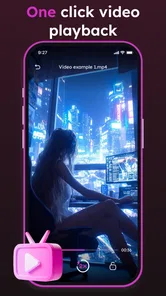
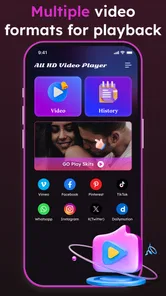
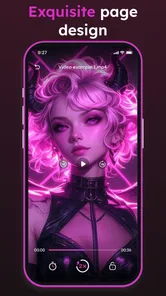
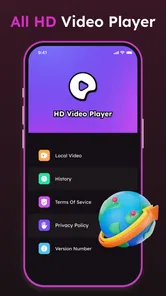
Analysis by Reviewed
When I first try a video player, I want one simple answer: can it open the files I already have without making me change my routine? All HD Video Player-All Format is aimed at that everyday need. It is a free Android video player from Zivaj.com, rated for Everyone, with over a million installs. I see it as a practical place to start with saved videos, rather than a substitute for streaming services or a carefully organized media library.
What to expect from playback
The app is built around watching videos stored on your phone. That makes it useful when someone sends you a clip, when you have saved a video for later, or when the default player does not give you the controls you want. The name makes a broad promise, but I would treat it as an invitation to test your own files, not as a guarantee that every unusual encoding will play perfectly.
Its focus is different from a streaming app: instead of browsing a catalog, you start with a video you already have. If you mostly watch subscription content online, your existing streaming apps will probably remain the better fit. If your need is simply to open local clips and adjust playback, this is the sort of player worth trying.
Getting started without unnecessary fuss
For a first-time user, I’d keep the first test simple: open a video already saved on your phone and check that the picture and sound behave as expected. That gives you a useful answer quickly, before you spend time adjusting anything. The release date is Jan 17, 2025, and the current version is 1.1.7; it supports Android 7.0 and later. Its average rating is 3.4 from around a thousand ratings, so I’d treat compatibility as something to verify with your own files rather than assume every video will work perfectly.
The first successful action should be an ordinary clip, not the most important or unusual file in your collection. That way, if the app behaves differently from your usual player, you can explore its controls without worrying that you have interrupted a film or lost your place. I also find it useful to try a short video with clear speech: it makes it easier to judge both the image and the sound before settling in for something longer.
Why This Video Player Stands Out
First off, let’s talk about its compatibility. This app doesn’t discriminate against formats. Whether it’s MP4, AVI, MKV, or even some obscure format you’ve never heard of, chances are it will play it without a hitch. It's like having a universal remote for all your videos. No more endless searches for codecs or weird plugins.
Interface and Usability
Now, I’m not one for flashy interfaces. I prefer something that lets me get straight to the point, and this app delivers just that. The interface is clean and intuitive, meaning you won’t have to spend half your night figuring out how to play a video. Everything is where you’d expect it to be, making navigation a breeze.
More From Our News Desk

 Instagram
Instagram’s Power Comes From Its Place in Your Phone
A close look at how Instagram turns Meta’s reach, recommendation systems and everyday camera habits into durable platform power—and what that costs users.

 Gmail
GmailGmail in a Busy Inbox: Who Benefits Most?
From first account to crowded workday, Gmail earns its place through dependable search and flexible sorting—but its best fit depends on how much inbox maintenance you can tolerate.

 Prime Video
Switching to Prime Video: What Changes in Your Viewing Routine
Prime Video can make a compelling second home for streaming, but switching means learning a different catalog, rental layer, and route from browsing to playback.

 Universal TV Remote Control
Universal TV Remote Control Works Best as a Reliable Backup
A phone remote earns its place through quick setup and reliable habits. Here is how to get more from Universal TV Remote Control—and where its limits show.

 Weather - By Xiaomi
Weather by Xiaomi Review: Clear at a Glance, Less Clear Up Close
Xiaomi’s weather app makes everyday forecasts quick to scan, but its calm surface can leave useful details and recovery paths harder to find than they should be.

 X
XX Under Pressure: Can It Recover When Posting Goes Wrong?
A resilience-focused review of X, examining setup, mistaken posts, interruptions, weak connections, and the gaps that matter when recovery needs to be dependable.
Latest News



One feature I genuinely appreciate is the gesture control. It makes adjusting volume and brightness feel like second nature. Just swipe your fingers around, and voila! The app responds instantly, making it feel all the more interactive.
A small practical tip: try those swipes while a video is playing somewhere comfortable, rather than testing them in the middle of a scene you care about. Once you know how the controls respond, they can be quicker than reaching for on-screen buttons, but accidental gestures can interrupt a first viewing if you are still learning them. I also like checking brightness before starting a long clip, since a comfortable screen setting matters more than a dramatic-looking picture when I’m watching in bed or during a commute.
Extra Features Worth Mentioning
Beyond just playing videos, this app comes packed with features that you didn’t know you needed until you have them. For instance, it supports subtitles, which is a lifesaver if you’re watching foreign films or shows. You can even customize the subtitles to match your preference, which is a neat touch.
Another standout feature is the floating video player. Imagine watching a video while simultaneously texting your friend without having to pause the video. It’s the kind of multitasking that today’s world demands, and this app delivers with aplomb.
Plus, if you’re someone who likes to tweak settings, the equalizer will be your best friend. Tailor the audio experience to your liking, and enjoy videos the way you want to hear them.
These extras suit different situations, so I wouldn’t turn them all on just because they are available. For subtitles, I’d first check whether the text is readable at the size and position you prefer; that matters more than elaborate styling during a film. The floating player is handy for a short clip or reference video while replying to a message, but it is less satisfying for a movie where a small window and divided attention defeat the point. The equalizer is worth a brief adjustment when dialogue sounds thin, though I’d avoid changing several audio settings at once: a simple before-and-after comparison makes it easier to tell whether the tweak helped.
A useful first-session routine
Once a basic clip plays, I’d spend a minute learning one control at a time. First, test the volume and brightness gestures; then, if you use subtitles, see how their appearance works with a short scene. This order helps you tell whether a problem comes from the video itself or from a setting you have just changed. It also means you can stop as soon as the player feels comfortable instead of turning setup into a project.
If you want to compare it fairly with the player already on your phone, use the same saved clip in both. Pay attention to the practical things: whether playback starts easily, whether dialogue is clear at your normal volume, and whether the controls feel natural in one hand. A familiar file is a better test than an unusual one because it gives you a stable point of comparison. You do not need to judge every tool before deciding whether the app fits your routine.
Making It Fit a Real Viewing Routine
Picture a familiar evening: someone sends you a video, you save it, and later you want to watch it while messaging about what happens in it. This player’s floating window can make that quick back-and-forth easier, while gesture controls let you make a fast volume adjustment without leaving playback. For a longer foreign-language film, subtitles are the more useful feature; I’d set them up before settling in, then leave the phone alone rather than multitasking through scenes that need attention.
That difference is where this app compares well with a basic preinstalled player: it offers playback-focused tools such as subtitle customization, a floating view, and an equalizer in one place. A streaming app is still the better choice when you want to browse a catalog and start watching online, while a desktop media library may suit someone who organizes a large collection across devices. This is most appealing if your immediate goal is opening files stored on your phone. It is less compelling if you mainly watch subscription content or expect a carefully managed library with extensive organization tools.
Who is likely to get the most from it
I’d recommend giving it a try if you regularly receive or save video files and would like more control than your basic phone player provides. The combination of gestures, subtitle options, a floating view, and audio adjustment is most useful to someone who moves between quick clips and occasional longer videos. It can also suit a first-time user who wants to test playback before deciding whether a more specialized player is necessary.
I would skip it if your main habit is watching films through streaming subscriptions, since a local-file player does not replace the catalog and account features those services provide. It may also be the wrong choice if you depend on unusually specific playback behavior or want detailed collection organization across multiple devices. For those priorities, a player designed around advanced library management or a trusted desktop setup is a more sensible place to look.
When a file causes confusion
The phrase “all format” can set expectations that no player should have to meet blindly: a file may still fail because of how it was created, damaged, or encoded. If one clip will not play, I’d try another known-good video first, then check whether the issue is limited to that file before blaming the whole app. That simple comparison saves time and helps separate a one-off problem from a playback issue you may encounter often.
There is another common mix-up worth avoiding: playback tools do not make every viewing situation better. Subtitles can help with a language barrier or unclear dialogue, but they are useful only if they are readable and correctly matched to what you are watching. A floating window is convenient for checking a short reference clip while messaging, yet it is not a great way to watch something that deserves your full attention. Choosing the right tool for the moment matters as much as having the tool available.
Where I’d Be Careful
The app is free, which makes it easy to test without committing money, but I would still judge it by the videos I actually watch. With 38 reviews and an average rating of 3.4, opinions are mixed enough that I would not recommend switching from a player you already trust solely on its broad format promise. It is a reasonable trial for someone who wants a simple Android option and appreciates playback controls; people who need flawless handling of specialized files, deep collection management, or an uninterrupted cinema-style setup may be happier with a different player suited to that priority.
For a fair decision, I’d keep the test focused: try one ordinary saved clip, then one file that has previously given your usual player trouble. If both work and the controls suit you, that is meaningful evidence for your own use. If the second file fails but everyday videos are fine, the app may still be useful as a convenient general player, just not as a universal fix. I would not install several players at once and change a number of settings before testing; that makes it harder to know which one actually helped.
Final Thoughts
All in all, All HD Video Player-All Format is like a Swiss army knife for video playback. It’s reliable, versatile, and packed with features that genuinely enhance your viewing experience. Whether you’re a casual viewer or a video aficionado, this app is bound to impress. It’s not just a video player; it’s an experience enhancer. If you’re on the hunt for a robust video player, look no further. This app has got you covered.
I’d say give it a whirl and see for yourself. You might just wonder how you ever managed without it.
All HD Video Player-All Format Frequently Asked Questions
What is All HD Video Player, and what does it do?
All HD Video Player is a video player app from Zivaj.com, intended for playing videos in multiple formats. Its focus is straightforward: open video files and watch them in HD playback. It is listed in the Video Players & Editors category, and its short description is “All HD Video Player.” If you want a dedicated app for viewing videos, this gives you a sense of its purpose before you download.
Is All HD Video Player compatible with my device?
Compatibility depends on your device’s operating system. The app requires Android 7.0 or later, so check your Android version before installing. All HD Video Player is predominantly designed for Android devices, and there is no official iOS version. If you use an Android device that meets the minimum requirement, you can consider downloading it through Google Play.
What video formats does All HD Video Player support?
All HD Video Player is designed to support a wide range of video formats, ensuring seamless playback for users. It accommodates popular formats such as MP4, AVI, MKV, FLV, and MOV, among others. This versatility makes it an ideal choice for users who have diverse video files and want a single player that can handle them all without requiring additional codecs.
Is All HD Video Player free to use?
Yes, All HD Video Player is available for free download and use. However, users should be aware that while the app is free, it may contain in-app advertisements. These ads help support the developers but can be removed by purchasing the premium version if available. This ensures an ad-free experience while supporting further development.
Does All HD Video Player support subtitles?
Absolutely, All HD Video Player supports subtitle files, allowing users to enhance their viewing experience. The app can read various subtitle formats, such as SRT, SUB, and SSA, among others. Users can easily load subtitle files, adjust synchronization, and even customize the appearance of subtitles to fit their preferences, ensuring a comprehensive viewing experience.
Pros
- Supports all video formats.
- User-friendly interface.
- Smooth playback experience.
- Subtitle support available.
- Minimal ads.
Cons
- No advanced audio settings.
- Limited customization options.
- Occasional lag on large files.
- No playlist feature.
- In-app purchases required.











