All Countries - World Map
- 84.00
- 4.3
- Installs
- 1.00M
- Price
- Free

Screenshots
Analysis by Reviewed
I often reach for a country reference when a name on the news, a travel conversation, or a map leaves me curious. All Countries - World Map is aimed at that kind of quick exploration: it brings a world map and country information together, so I can move from “Where is that?” to a useful first answer without opening a stack of separate references. It’s a casual learning tool rather than a substitute for a detailed atlas or a current travel guide.
A quick reference for everyday curiosity
The app suits students reviewing country locations, families looking for an easy geography prompt, and anyone who enjoys following international news. I can imagine using it during breakfast: someone mentions a country, I find it on the map, then check the short profile before the conversation moves on. That simple sequence is its strength. It makes a small burst of curiosity feel easy to follow through on.
It is also useful as a first stop when planning a trip. Seeing a country in relation to its neighbors can help me orient myself before I switch to a route planner or a more detailed travel source. I would not rely on a brief country entry for practical decisions such as border rules, transport, or current conditions; those call for specialized and up-to-date tools. The app works best as a geography companion, not as a complete travel assistant.
One useful way to make that quick lookup stick is to connect it to a question you already have. If a news story mentions a neighboring country or a regional organization, I’d locate the places involved together rather than reading one profile in isolation. That gives the map a job beyond confirming a name: it helps me build a rough mental picture of how places relate. I would still verify any important detail elsewhere, but the spatial connection is often what I was missing in the first place.
Readable exploration, with a few trade-offs
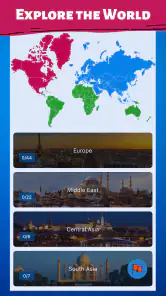
Map-based browsing is a natural fit for country learning because location and information stay connected. I can explore visually rather than start with a list of names, which is helpful when I’m trying to understand regional relationships. The country summaries make a useful starting point, though anyone needing depth for a school report or research project may want to compare them with a dedicated reference source. A compact overview is convenient, but it is not the same as a fully sourced article.
For a practical study session, I’d pick a region first, inspect neighboring countries, and then use the country details as prompts to remember capitals and languages. That turns browsing into a small self-guided exercise instead of passive scrolling. A parent or teacher could use the same approach to start a conversation, while letting a learner choose the next country to explore. It is a low-pressure way to build familiarity, though it should not be treated as a formal quiz or a replacement for class materials.
For revision, I’d also reverse the process: start from a fact I’m trying to remember, then find the country and its neighbors on the map. This makes it easier to notice when my memory of a region is vague, rather than simply recognizing a name after seeing it in a list. It is a small, self-made exercise, not a built-in assessment system, but it suits the app’s exploratory style. If I’m studying for a specific exam, I’d keep the syllabus or teacher’s materials open as the authority on what to learn.
More From Our News Desk

Weather by Xiaomi Review: Clear at a Glance, Less Clear Up Close

X Under Pressure: Can It Recover When Posting Goes Wrong?

Clash of Clans Is Won Between the Battles

Android Auto Makes the Case for Quieter Car Software

MobiOffice: Transforming Mobile Productivity with Seamless Integration

EA SPORTS FC™ Mobile Soccer: Redefining Mobile Sports Gaming
Who will get the most from it?
Hello World Games & Apps has made a free app in the Libraries & Demo category, and its broad appeal is reflected in its Everyone age rating. It has a 4.3 average from around 16,000 ratings and more than a million installs. The release dates to August 2017, and version 2.0.2.6 is listed for devices running Android 8.1 or later. Those details make it straightforward to judge whether it fits your device and expectations; optional in-app purchases range from $3.90 to $6.99 per item.
The app is a better match for curious beginners than for people who want a specialist geographic information system, offline atlas, or carefully cited research database. Compared with a general web search, its map-centered approach can make spatial context easier to grasp; compared with a full atlas, its concise country profiles are quicker but less suited to deep study. If you need precise, current reference material, I’d use it alongside a trusted source rather than treating one short entry as the final word.
For a child who wants to explore countries without turning the moment into a lesson, the map can give a parent an easy starting point: ask what lies beside a chosen place, then follow the child’s next question. For an adult checking a location mentioned in a podcast or article, the same visual route is less formal than opening a textbook. I’d skip it if my main need were extensive citations, careful historical depth, or a dependable reference while disconnected. Those needs call for a more specialized source, even if it takes longer to navigate.
Discover the World at Your Fingertips
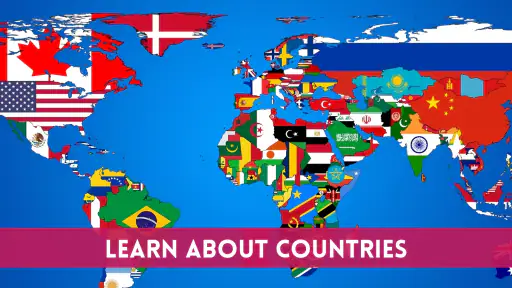
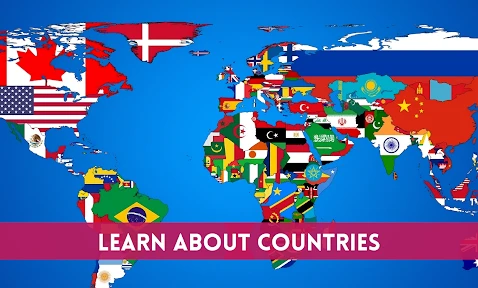
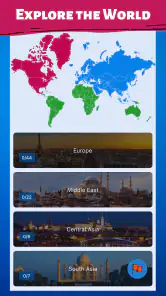
First things first, let’s talk about what makes the All Countries - World Map app stand out. This app is essentially a pocket-sized atlas, offering detailed maps of countries across the globe. Whether you’re brushing up on your geography for a quiz night or just satisfying your curiosity about a particular region, this app has got you covered.
Features that Make You Go "Wow!"
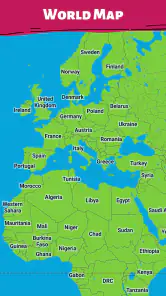
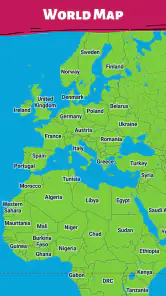
One of the coolest features of this app is its interactive map interface. You can zoom in and out with ease, and the level of detail is really impressive. I found myself getting lost (pun intended) in the map, zooming into tiny islands I’d never heard of before. Plus, there’s an option to view political maps, which is super handy for understanding international boundaries and territorial nuances.
Another neat feature is the information snippets about each country. Just tap on a country, and voila! You get a quick rundown of its capital city, population, official language, and more. It’s like having a mini encyclopedia in your pocket. I particularly enjoyed learning quirky facts about different countries, like how Greenland is technically part of the Kingdom of Denmark. Who knew?
The most satisfying use of these pieces together is a short, deliberate loop: zoom out to identify a region, zoom in to locate one country, tap for a profile, then return to the map and compare its position with nearby places. I find that more useful than hopping straight from one country page to another because the map keeps the location in view. If I’m checking a small island or a tightly packed border area, I take my time and avoid assuming that a quick glance settles every geographic question.
User Experience and Design
Because the experience centers on a visual map, comfort depends partly on your device and how you prefer to navigate. I find it easier to inspect a country when I can zoom in and pause, rather than scan a dense list of names. A larger screen can make neighboring borders and small islands easier to distinguish; on a compact phone, zooming may take extra attention. If fine map details are difficult for you to see, the short country text can still offer a useful entry point, but this is not a dedicated screen-reader or accessibility tool.
The app’s design is sleek and intuitive. The developers have done a fantastic job ensuring that even the most technologically-challenged folks can navigate through it without a hitch. The color scheme is pleasant, with each country distinctively marked, making it easy on the eyes. I also appreciated the quick load times and smooth transitions between different sections of the app.
In practice, I’d treat the map as the main navigation surface and the country text as a second way into the subject, rather than expecting either one to do everything. Someone comfortable with visual scanning may find the map quick to understand; someone who prefers reading a country list may find this approach less direct. That distinction matters when choosing it for a household or classroom: a tool that feels obvious to one person can be fiddly to another, especially when small places and borders are the focus.
Using it in different settings
For a shared activity, I’d put the map on a table and let one person choose a country while another guesses its neighbors or capital. This makes the app a conversation starter rather than just a solo browsing session, and the map gives everyone a common visual reference. If you’re using it to help a child learn, keeping the session focused on one region at a time can make the information less overwhelming than jumping across the globe at random.
There is a useful trade-off between visual discovery and convenience: the map invites wandering, but that same open-endedness can make it harder to follow a planned study list. I’d keep a separate short list of countries to review, then use the map to locate each one and inspect its surroundings. That small workflow gives the browsing more purpose without turning a casual app into a formal study system. Since the app has no offline mode, I’d also open it before relying on it somewhere with uncertain connectivity.
That connection requirement changes where I’d use it. At home, in a library, or during a connected break, it can be an easy way to settle a passing question; on a commute through patchy coverage, I would not make it my only reference. If I knew I’d be without internet, I’d prepare with a printed map or an offline reference instead. This is a practical point for parents and teachers too: it is worth checking access before planning a group activity around it, rather than discovering a connection problem midway through.
However, one thing I noticed is that it doesn’t have an offline mode. So, if you’re planning to use it on a flight or somewhere without internet, you might want to keep that in mind. But, as long as you’re connected, it works like a charm!
Where I’d draw the line
Map colors and compact profiles make browsing approachable, but a map is not equally comfortable for every person or every situation. Someone who relies on spoken navigation, needs strong text enlargement, or finds touch gestures difficult should test the app on their own device before making it a regular learning tool. In a noisy classroom or a bright outdoor setting, the visual map may also be less convenient than a printed reference or a text-first source. I appreciate the straightforward idea, but inclusive use depends on individual needs and the device in hand.
That is why I would try a real task before recommending it as someone’s primary geography aid: locate a familiar country, open its details, and see whether the map and text are comfortable to follow. The answer may depend on screen size, personal vision, touch precision, and how much visual clutter feels manageable. A larger display can help with orientation, but it cannot replace a format that suits a person’s access needs. For a group, pairing the app with a printed map or spoken discussion can let more people take part without making the app responsible for every part of the activity.
It is also worth separating casual learning from information that needs to be current or authoritative. Country profiles can help me get oriented, but a traveler should check official guidance for entry requirements and conditions, while a student should cite sources appropriate to an assignment. The app is useful for generating the next question—where is this place, what surrounds it, what should I look up next?—not for closing every question. That boundary keeps its convenience from being mistaken for comprehensiveness.
For readers choosing between this and a conventional atlas, I’d choose the app for quick, interactive orientation and the book for uninterrupted offline reading. A search engine is often faster for a single fact, while this map is more satisfying when I want to see where a country sits and continue exploring nearby places. Neither option does everything: the right pick depends on whether I value spatial context, depth, or access without a connection.
A grounded recommendation
In a nutshell, the All Countries - World Map app is a fantastic tool for anyone interested in geography or just looking to expand their knowledge about the world. It’s user-friendly, informative, and quite frankly, a lot of fun to explore. While it could benefit from an offline mode, the wealth of information and interactive features available make it a must-have app for curious minds.
So, go ahead and give it a whirl. Who knows? You might just discover your next travel destination or impress your friends with newfound geographical knowledge. Happy exploring!
Who should choose another reference?
If the goal is to produce a detailed report, settle a disputed boundary question, or make a travel decision with real consequences, I’d use a specialist source first and treat this app as a visual starting point. A dedicated atlas can offer a more deliberate offline reading experience, while a trusted reference or official travel source is a better fit for carefully documented and current information. The app’s strength is making country exploration approachable; its limits become more important when accuracy, sourcing, or dependable access is the main requirement.
For everyday curiosity, though, that modest role is exactly what makes it handy. I can check a location, compare it with its surroundings, and carry on with the conversation without turning a small question into a research session. I’d recommend it to someone who enjoys looking at the world as well as reading about it, provided they are comfortable using a map on their screen and have connectivity when they need it. For anyone needing a text-first, offline, or more deeply referenced tool, another option will be a better fit.
All Countries - World Map Frequently Asked Questions
Is All Countries - World Map appropriate for children and family use?
All Countries - World Map has an Everyone content rating, so it is presented as suitable for a broad audience. Its focus on exploring countries and learning about the world may make it an option for family or educational use. As with any app, parents can review its features and any in-app purchase prompts with younger users.
Who developed All Countries - World Map, and what is its main focus?
Hello World Games & Apps develops All Countries - World Map, an app centered on exploring countries and learning about them. Its store summary highlights AI-powered answers to questions about countries, making it aimed at users curious about the world. It is listed in a library and demonstration category, and its content rating is Everyone.
What is All Countries - World Map, and who makes it?
All Countries - World Map is a world-exploration app from Hello World Games & Apps. Its focus is helping users explore countries and learn about them, with the store summary highlighting AI-powered answers to questions about countries. It is listed in the Libraries & Demo category, and its content rating is Everyone, making it suitable for a broad audience.
Is All Countries - World Map free to download?
The app is free to download, so you can try its country-exploration features without paying upfront. It also offers optional in-app purchases, with listed prices ranging from $3.90 to $6.99 per item. These purchases are separate from the free download, so check the purchase details in the app before confirming anything.
What features does All Countries - World Map offer?
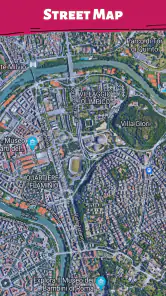
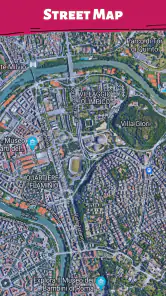
All Countries - World Map provides users with an interactive exploration of the globe, featuring detailed maps of every country. Users can learn about country capitals, population statistics, and geographical details. The app also offers various map views such as political, physical, and satellite, allowing users to explore the world in diverse ways.
Pros
- Comprehensive map coverage
- User-friendly interface design
- Offline access available
- Regular updates with new data
- Supports multiple languages
Cons
- High data consumption
- Limited features in free version
- Occasional slow loading times
- Requires frequent updates
- Not all regions detailed
- Category
- Libraries & Demo
- Version
- 2.0.2.6