AI Video Maker - Renderforest
- 465.00
- 4.0
- Installs
- 1.00M
- Price
- Free

Screenshots
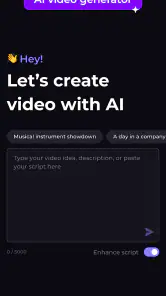
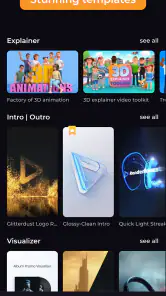
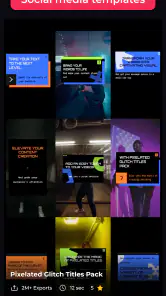
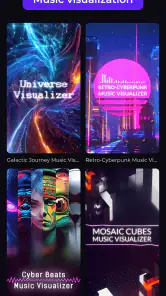
Analysis by Reviewed
I usually reach for a phone editor when I need a short video quickly, but the connection can matter as much as the editing tools. AI Video Maker - Renderforest is aimed at people who want to assemble and polish video without learning a full desktop editor. It sits in the video-editing category, is made by Renderforest, and is free to install, with optional in-app purchases. I’d think of it as a guided creative tool rather than a replacement for a professional editing workstation.
Where a steady connection matters
Templates, music, and AI-assisted creation are the kinds of tasks where a reliable connection can shape the experience. I’d start a project when I have dependable internet, especially if I’m exploring options or building a video around a particular look. That makes it easier to focus on choosing a direction instead of interrupting the creative process to troubleshoot loading or access.
For a practical workflow, I’d decide on the video’s purpose before opening the editor: a birthday greeting, a quick social post, or a simple intro each calls for a different pace and amount of text. A little planning helps keep template browsing from becoming the whole project. I’d also keep the original clips and any important wording ready, so the app’s guided approach can help with assembly rather than replace decisions I still need to make.
A fit for short, mobile-first projects
The app makes the most sense to me when the result needs to look composed but the creator doesn’t want to learn a complicated timeline. Someone making a personal greeting, a small-business announcement, or a basic animated opener may appreciate that trade-off. On a phone, quick edits are convenient, but reviewing text placement and timing on a small screen takes care; I’d preview the full piece before sharing rather than judge it from the editing view alone.
For example, if I wanted to make a short birthday clip between errands, I’d collect a few usable photos or clips first, choose a style that suits the occasion, and keep the message brief. I’d then check that the music doesn’t overpower the words and watch the result once from beginning to end. That final pass is a small step, but it can catch awkward pacing or text that disappears too quickly.
When another editor is the better choice
Compared with a conventional mobile editor built around a hands-on timeline, this app’s appeal is its guided, template-oriented route to a finished piece. That can save effort when a polished look matters more than precise control. The reverse is also true: if I need detailed shot-by-shot trimming, layered audio, or exact control over every transition, I’d choose an editor designed for manual timeline work. Templates give projects a coherent starting point, but they can also make different videos feel less individual unless I take time to adjust the wording, colors, and pacing.
I’d treat AI as a way to speed up creation, not as a guarantee that the first result is ready to publish. A useful habit is to make one change at a time after the initial assembly, then replay the relevant section. That makes it easier to spot whether a tweak improved the video or simply added decoration. People who want complete control, or who prefer editing without relying on connected services, should compare alternatives before committing to a workflow.
More From Our News Desk

Weather by Xiaomi Review: Clear at a Glance, Less Clear Up Close

X Under Pressure: Can It Recover When Posting Goes Wrong?

Clash of Clans Is Won Between the Battles

Android Auto Makes the Case for Quieter Car Software

MobiOffice: Transforming Mobile Productivity with Seamless Integration

EA SPORTS FC™ Mobile Soccer: Redefining Mobile Sports Gaming
Purchases, expectations, and version details
The app has an average rating of 4.0 from around 21,000 ratings, with more than 1 million installs. It is free to download, while optional purchases range from about $5.99 to $179.99 per item, so I’d check what a particular project actually needs before buying anything. The age rating is Everyone 10+, and version 5.2.0 requires Android 8.0 or later. Those details make it easier to judge whether the app suits your device and budget, but they don’t change the main practical question: does its guided style fit the kind of video you want to make?
Getting Started with Ease
The first thing you'll notice about AI Video Maker - Renderforest is its user-friendly interface. You don't need to be an expert to start creating. The app gently guides you through the process, making it feel less like a chore and more like a fun project. Once you sign up, you’re welcomed with an intuitive dashboard where all the magic happens.
Features that Stand Out
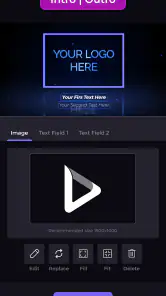
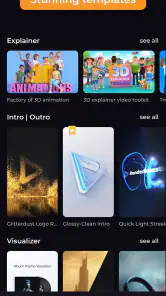
One of the most impressive aspects of this app is its AI-powered video editing capabilities. With just a few taps, you can transform raw footage into a polished masterpiece. The app offers a variety of templates that suit different themes and purposes, whether it’s a corporate video or a personal vlog.
Moreover, the customization options are endless. You can tweak colors, add music, and even insert text overlays to make your video truly yours. I was particularly impressed with the music library; it’s vast and diverse enough to find the perfect track for any mood or theme.
Seamless Integration and Export Options
Another noteworthy feature is the app's seamless integration with various platforms. Whether you want to share your video on social media or embed it in a presentation, it has got you covered. Exporting videos is a breeze, with several formats to choose from, ensuring your video looks great on any device.
My Personal Experience
Using this app was like having a personal video editor in my pocket. I created a birthday video for a friend, and the process was not only quick but also enjoyable. The end result was a professional-looking video that received rave reviews from everyone who saw it. The satisfaction of creating something beautiful and impactful was immense.
In conclusion, if you’re looking to dip your toes into video creation without a steep learning curve, AI Video Maker - Renderforest is definitely worth considering. It combines ease of use with powerful features, making video editing accessible to everyone. Whether you’re a budding YouTuber or someone who just wants to create memorable content, this app could be your go-to tool!
AI Video Maker - Renderforest Frequently Asked Questions
Does AI Video Maker - Renderforest require an internet connection?
AI Video Maker - Renderforest combines video editing with AI-assisted creation, so having an internet connection available is sensible when exploring its online creation features. If you plan to work while away from Wi-Fi, consider your mobile data and check how the app behaves with the tools you intend to use. You can still assess its editing and media options to see whether they suit your workflow.
Can I use AI Video Maker - Renderforest for both personal and promotional projects?
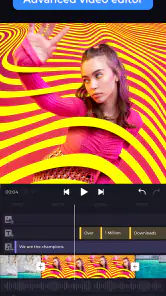
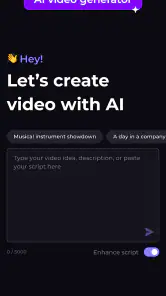
The app is aimed at a range of video-making needs, from personal projects to promotional content. Its tools include editing and cutting media, adding music, and creating AI videos, intros, outros, and animations. That mix can be useful when you want one app for different kinds of videos, though the best fit depends on the style and features you want for each project.
Will AI Video Maker - Renderforest work on my Android device?
On Android, AI Video Maker - Renderforest requires Android 8.0 or later. Check your device’s software version before downloading so you can avoid installing an app your phone or tablet cannot run. The app is also available on iOS, making it an option for users who prefer to create and edit videos on an Apple device.
Can I edit existing clips as well as create videos with AI Video Maker - Renderforest?
Yes. AI Video Maker - Renderforest is not limited to generating videos: it also lets you edit and cut media, add music, and create intros, outros, and animations. That makes it useful if you want to shape existing footage or combine editing with AI-assisted creation. You can explore these options to decide whether they fit the kind of project you have in mind.
What is AI Video Maker - Renderforest?
AI Video Maker - Renderforest is a versatile app that allows users to create professional-quality videos using AI technology. Whether you're making promotional content, tutorials, or personal videos, this app provides a wide range of templates and customization options to enhance your video creation process. It's designed for both beginners and experienced video creators. Renderforest develops the app, which sits in the video editing category and is intended to bring several creation tools together in one place.
Pros
- User-friendly interface for beginners
- Wide range of templates available
- High-quality video output
- Fast rendering times
- Supports multiple video formats
Cons
- Limited customization options
- Requires internet connection
- Subscription model may be pricey
- Occasional app crashes
- No offline editing capabilities
- Category
- Video Players & Editors
- Version
- 5.2.0











