AI Outfits: Try on Clothes
- 40.00
- 3.8
- Installs
- 1.00M
- Price
- Free

Screenshots
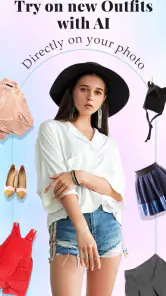
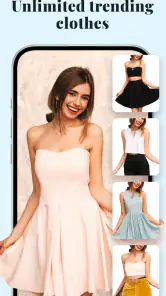
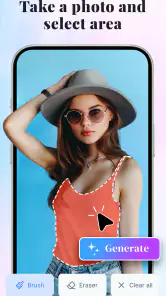
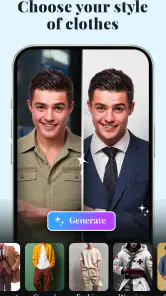
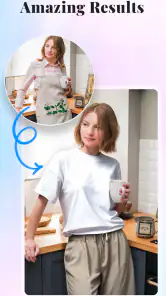
Analysis by Reviewed
When I judge a virtual outfit app, I look for one practical thing first: does it help me explore a look before I spend time changing clothes or going shopping? AI Outfits: Try on Clothes is aimed at that quick visual experiment. It belongs to the art and design category, and its focus is less on building a complete wardrobe plan than on seeing a style idea on a photo of yourself. That makes it most useful when you want inspiration, not a guarantee of how a real garment will fit.
Choose it for a visual decision, not a sizing answer
The key decision is how literally you expect to use a virtual try-on. I’d treat the generated result as a mood board: it can help you decide whether a silhouette or general look appeals to you, but a picture cannot settle questions such as fabric feel, exact sizing, or how a garment moves. If you need dependable fit guidance before ordering, a retailer’s detailed size information or an in-person try-on is the safer route.
For a low-pressure style check, though, the idea has real appeal. Say I’m getting ready for a dinner and considering a look I rarely wear. I can use a photo to explore the direction before pulling several alternatives from the closet. The useful outcome isn’t necessarily finding the perfect outfit; it may simply be realizing that I prefer a more relaxed style, or that a bolder choice is worth trying on for real.
Where the app can earn a place in your routine
AI Outfits: Try on Clothes is free to start, developed by AI Master Lab, and has a 3.8 average rating from around 6,200 ratings. More than a million installs suggest that virtual styling is an approachable idea for plenty of people, though I wouldn’t take popularity as proof that every generated image will suit every photo or expectation. The app is rated for Everyone, and its current version is 1.4.8.
I see the best fit for someone who enjoys visual experimentation: a student testing a new personal style, a casual shopper who wants a second opinion, or anyone who finds it easier to react to an image than to imagine an outfit from separate pieces. It can also make a useful conversation starter. Send a possible look to a friend and ask which direction feels more like you, rather than asking them to choose blindly from a clothing rack.
Make the comparison fair
A useful way to judge a look is to keep the photo, pose, and lighting consistent while you try different styles. That makes the differences easier to read: I can focus on whether the overall direction suits me instead of wondering whether a changed angle is responsible for the result. If I’m deciding between two broad ideas, I’d compare them in the same session and pause before treating either image as a shopping verdict.
For example, someone preparing for a job interview could use the app to compare a more formal direction with a relaxed one, then use the result to decide what to pull from their actual wardrobe. The app’s value there is narrowing the question, not proving that a particular jacket is appropriate or fits correctly. That distinction keeps the experiment useful without asking a generated image to do more than it can.
More From Our News Desk

Clash of Clans Is Won Between the Battles

Android Auto Makes the Case for Quieter Car Software

MobiOffice: Transforming Mobile Productivity with Seamless Integration

EA SPORTS FC™ Mobile Soccer: Redefining Mobile Sports Gaming

How Microsoft OneDrive Became a Mobile Productivity Giant

How Google Translate Breaks Language Barriers Effortlessly
What to expect from the experience
The basic flow is simple: use a selfie or upload a photo, then explore clothing looks on the resulting image. For a cleaner comparison, I’d start with one clear, well-lit photo and keep using it while testing different styles. Changing the photo and the outfit at once makes it harder to tell what caused the difference. I’d also save or note a favorite result before trying more options, so a promising idea doesn’t get lost in a long session.
Compared with browsing clothing catalogs, this kind of tool puts the visual question—“does this general look feel right on me?”—ahead of product research. Compared with a conventional photo editor, it is meant for outfit exploration rather than manually assembling a polished image. That focus is handy, but it also means I wouldn’t use it as a substitute for checking real garment details or making a final purchase decision.
Where a different option may fit better
If I already have a specific item in mind, a retailer’s product page is more useful for checking the actual garment, its listed measurements, and the available details. For a broad search for inspiration, fashion magazines, saved outfit pictures, or a friend’s opinion may give me more context about how a look works in everyday life. Those alternatives answer different questions, so I’d choose based on whether I’m exploring a style or evaluating something I might buy.
A manual photo editor is another route, but it asks for more effort and is better suited to someone who wants control over the finished image. This app makes more sense when I want a quick visual starting point and don’t need to fine-tune every detail. It is not the right choice for someone who wants a precise fit simulation, a complete wardrobe organizer, or a shopping tool centered on exact products.
Costs and reasons to choose another route
The app is listed as free, with optional in-app purchases ranging from $4.49 to $31.99 per item. I’d try the basic experience first and only consider paying if I had a clear reason to use a paid option; there’s little sense in buying more access before finding out whether the visual results are useful for my own photos. If you only need a one-time outfit opinion, asking a friend or trying clothes you already own may be simpler.
There is also a small practical trade-off in any photo-based workflow: the result depends on the image you start with. A cluttered background or an awkward pose can make it harder to judge the outfit, so take a moment to choose a straightforward picture rather than expecting the app to solve every presentation issue. And if your main goal is precise shopping advice, product listings, measurements, and returns matter more than a convincing-looking preview.
Keep expectations grounded
For a useful first test, I’d choose a photo where the outfit area is easy to see and avoid making several changes at once. That simple approach helps me decide whether I like the general style without confusing a change in pose or background with a change in clothing. If the result feels unconvincing, I’d try a clearer photo before deciding the whole idea is unhelpful; if it still doesn’t answer my question, I’d switch to a real garment or a more product-focused resource.
One trade-off is that a visually appealing result can tempt me to overvalue a style that may not work in practice. I’d use the image to identify a color mood, silhouette, or level of formality to test, then check those choices against clothes I can actually wear. This is especially useful when I’m curious about a look outside my usual habits: the app can lower the barrier to trying the idea, while a real fitting remains the final check.
What Exactly is AI Outfits All About?
So, here's the deal. AI Outfits: Try on Clothes is this super cool app that leverages artificial intelligence to help you try on different clothes virtually. I mean, how awesome is that? You get to see what suits you best without even stepping into a dressing room. It's like magic!
How Does It Work?
Alright, let's dive into the nitty-gritty. First things first, you download the app, which is available for both Android and iOS. After that, you snap a selfie or upload a photo of yourself, and boom! The app uses its AI wizardry to generate a digital avatar of you. Next, you browse through a wide range of clothes, from casual wear to fancy evening gowns, and see how they look on your virtual self. It's like playing dress-up, but for grown-ups!
Why I Love It
Let’s be real, shopping can be a chore. But with AI Outfits, it's actually fun. I mean, who doesn’t love trying on a gazillion outfits without the hassle of changing rooms and long queues? Plus, you can mix and match outfits, experiment with styles you've never dared to try before, and even get suggestions based on your preferences. It's like the app gets me!
Some Cool Features
One thing that deserves a shoutout is the app’s ability to personalize your fashion feed. It learns from your choices and suggests outfits that align with your style. Also, the option to share your outfits on social media is a neat touch. You can get instant feedback from friends or just flaunt your new look. And if you really like an outfit, the app provides links to purchase them directly. Talk about convenient!
Final Thoughts
If you’re someone who struggles with outfit choices or just loves experimenting with fashion, AI Outfits: Try on Clothes is definitely worth checking out. It’s user-friendly, fun, and above all, a huge time-saver. So, next time you're in a wardrobe rut, give it a whirl. Who knows, you might just discover a new style that you absolutely love. Happy styling!
My recommendation
I’d choose this app when curiosity and convenience matter more than exact fit: it gives you a quick way to explore looks without turning a style decision into a shopping trip. It is less suitable if you expect a reliable preview of a particular item’s cut, color, or sizing, or if you prefer to keep photos off styling tools. In those cases, trying on the actual clothes or using a retailer’s own product information is a better match.
Released on March 28, 2024, and requiring Android 9 or later, it sits in a useful middle ground between browsing outfit inspiration and editing images by hand. My advice is to approach it as a playful first pass, compare a few looks using the same photo, and make real-world decisions only after checking the clothes themselves. If that modest role is what you want, it’s an easy app to try; if you need certainty before buying, I’d skip the virtual preview and go straight to the garment details.
AI Outfits: Try on Clothes Frequently Asked Questions
What photo should I use for an AI outfit preview?
For a useful preview, choose a clear photo that shows your outfit area and body position without important parts being obscured. Good lighting and a straightforward pose make it easier to see the clothing effect. The app’s try-on process is based on an uploaded image, so starting with a photo that is easy to interpret can help you get a more satisfying result.
What is AI Outfits: Try on Clothes and how does it work?
AI Outfits: Try on Clothes is an innovative app that allows users to virtually try on different clothing items using advanced AI technology. By uploading your photo, the app superimposes various outfits onto your image, giving you a realistic preview of how each piece will look on you without the need to physically wear them.
Is AI Outfits: Try on Clothes free to use?
AI Outfits: Try on Clothes offers a free version with basic features, allowing users to explore and try on a limited selection of outfits. For access to a wider range of clothing options and premium features, users can opt for a subscription model, which provides enhanced functionalities and an ad-free experience. The app is free to download, with in-app purchases ranging from $4.49 to $31.99 per item.
Can I purchase clothes directly through the AI Outfits app?
While AI Outfits: Try on Clothes provides a seamless virtual try-on experience, it does not facilitate direct purchases within the app. The app may redirect you to retailers' websites where you can purchase desired items. This helps ensure a smooth purchasing process while allowing you to try before you buy.
What devices are compatible with AI Outfits: Try on Clothes?
AI Outfits: Try on Clothes is compatible with most modern iOS and Android devices. Users need to ensure their device meets the app’s minimum system requirements for optimal performance. This includes having updated operating systems and sufficient storage space to accommodate the app and its functionalities. On Android, the listed minimum operating-system requirement is version 9.
Pros
- Realistic outfit previews enhance shopping experience.
- Wide variety of clothing styles available.
- User-friendly interface for easy navigation.
- AI technology ensures accurate size recommendations.
- Regular updates with new clothing collections.
Cons
- Limited access to premium features without subscription.
- Occasional bugs in outfit rendering.
- Requires stable internet connection for optimal use.
- Some clothing brands not represented.
- In-app ads can be intrusive.
- Category
- Art & Design
- Version
- 1.4.8