Livensa: AI Video Maker
- 2.12K
- 4.1
- Installs
- 1.00M
- Price
- Free

Screenshots
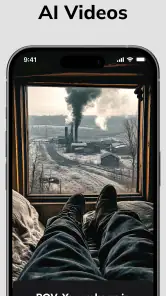
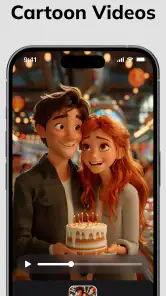
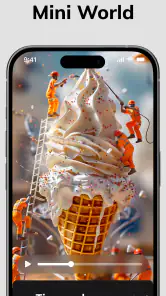
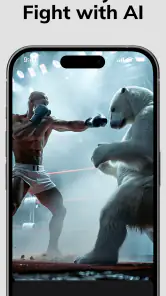
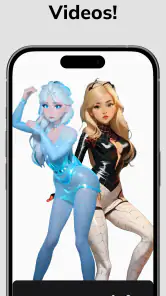
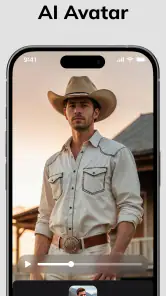
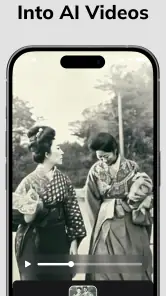
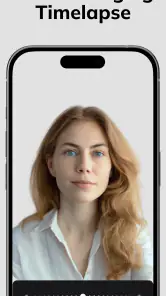
Analysis by Reviewed
I like the idea of turning a still image or a short clip into something more playful without first learning a full editing suite. Livensa: AI Video Maker is an art-and-design app from FERASET, built around AI effects for video creation. It’s free to install, rated for Everyone, and has a 4.1 average from around 169,000 ratings. I’d approach it as a quick creative tool rather than a replacement for a dedicated editor: the appeal is experimenting with visual transformations, not managing a complicated timeline.
Unleashing Creativity with Ease
Have you ever wished to add some magic to your videos without spending hours on editing software? Well, let me introduce you to the AI Effect Video Maker - Livensa. This app is like having a pocket-sized video wizard that can transform your ordinary clips into something extraordinary with just a few taps.
What to expect from the first session
For a first try, I’d keep the goal modest: choose one image or clip that already has a clear subject, test an effect, and judge whether the result suits the mood you want. AI transformations are most useful when you treat them as a creative starting point, not a guarantee that every source will become a polished video. A well-lit portrait or an uncluttered scene gives you an easier result to evaluate than a busy image with several competing subjects.
The app’s pitch includes text-to-video and image-to-video creation, with effects aimed at cartoon and anime-like looks. That makes it a natural fit for a playful profile post, a quick visual greeting, or a short concept preview. If you need precise cuts, carefully arranged captions, or a consistent brand style across many clips, a conventional editor with a timeline will usually give you more control.
Getting started and finding a useful result
You don’t need to plan a full project before opening Livensa. I’d start with a simple prompt or a single source image, then compare a couple of creative directions instead of trying to describe every detail at once. If a result feels off, simplify the idea and make the subject or action clearer. That small change can be more useful than adding extra descriptive words to a prompt that is already crowded.
One practical workflow is to make a draft for a specific occasion—a birthday message, for example—then watch it once without judging the effect itself. Check whether the person or object remains recognizable and whether the motion supports the message. If it doesn’t, try another source image with a clearer view of the subject. This keeps experimentation quick and avoids spending time polishing a concept that isn’t working.
Making a first attempt feel less uncertain
For a newcomer, the hardest part is often choosing what to make, not learning a complicated interface. I’d pick a source with one obvious focal point and write a prompt that describes a single action or mood. Think “a gentle wave” rather than a long scene description with several characters and events. This gives the transformation a clearer creative direction and makes it easier to tell whether the outcome is useful.
More From Our News Desk

Weather by Xiaomi Review: Clear at a Glance, Less Clear Up Close

X Under Pressure: Can It Recover When Posting Goes Wrong?

Clash of Clans Is Won Between the Battles

Android Auto Makes the Case for Quieter Car Software

MobiOffice: Transforming Mobile Productivity with Seamless Integration

EA SPORTS FC™ Mobile Soccer: Redefining Mobile Sports Gaming
It also helps to save the original image separately before experimenting. That gives you a clean point of comparison and lets you try a different style without worrying that you have lost the source. If you are making a greeting or a small social post, keep the first draft short in purpose: one image, one idea, one intended audience. Once you have a result worth keeping, you can decide whether another attempt would improve it.
Understanding the trade-offs
Livensa is a free app, though it offers in-app purchases ranging from $0.99 to $44.99 per item. I’d explore the basic experience before paying for anything, especially if you only need an occasional effect. The current version is 5.9.5, and the app has passed one million installs; those figures suggest a well-used product, but they don’t tell you whether a particular effect will match your taste or workflow.
AI-generated movement can also make small details look different from the original image, so check faces, hands, text, and other details that matter before sharing. This is a useful quality-control habit with any image-to-video tool, not a reason to avoid trying one. If the output is for a work presentation or a precise product demonstration, I’d use an editor that lets me control each edit and inspect the result frame by frame.
Features That Stand Out
Now, onto the fun stuff—features! Livensa is packed with a plethora of effects that can make your videos pop. From AI-driven filters that adjust to the mood of your video to animated stickers that add a dash of fun, the options are seemingly endless. One of the highlights is the app’s ability to intelligently apply effects that match the content of your video. Whether it’s a sunny day at the beach or a night out in the city, Livensa adjusts its filters to complement the scene perfectly.
Moreover, Livensa includes a selection of music tracks and sound effects to elevate your videos. You can sync beats to your visuals effortlessly, creating a cohesive and engaging viewing experience. The app also supports a variety of video formats, so compatibility is never an issue.
Choosing a project that suits the app
I’d recommend Livensa to someone who wants quick, expressive results and is happy to let AI make some visual decisions. It’s especially suited to casual creators who want to turn a personal photo into a more animated post without building a project from scratch. For a daily social update, a small visual surprise can be enough; for a multi-scene story, exact pacing and detailed sound mixing matter more, so a standard editor is the better next step.
A useful tip is to decide where the finished video will be used before creating it. A vertical social post, a message sent to friends, and a clip intended for a larger screen call for different framing and levels of detail. Keep the source image focused on the main subject, and review the finished clip at the size your audience will see it. That makes it easier to spot awkward motion or details that disappear when viewed small.
A realistic use is turning a favorite pet photo into a lighthearted animated message to share with family. I’d choose a picture where the animal’s face is visible and the background is not too busy, then try a style that suits the moment rather than chasing realism. If the animation alters a distinctive marking or makes the expression look strange, I’d switch images or keep the original photo. For a personal greeting, charm matters more than technical perfection; for a keepsake where likeness is essential, a still image may be the better choice.
The same approach works for a small creative prompt when you have a spare moment: turn a landscape photo into a moving visual for a group chat, or test an illustrated look for a personal post. Livensa is most appealing when the goal is to make one image feel fresh. It is less suited to a project that depends on several shots matching one another, because consistent characters, exact continuity, and carefully directed scene changes call for a more hands-on workflow.
Compared with a conventional video editor, Livensa shifts effort away from arranging clips and toward selecting a source and trying a transformation. That can be a welcome shortcut when you want a quick visual idea, but it also means less control over the details. Compared with a basic photo filter app, its draw is creating a moving result rather than simply changing color or contrast. I’d keep both kinds of tools in mind: use Livensa to explore a playful animation, and reach for a timeline editor when timing and precision are the point.
One million-plus installs and a 4.1 average make Livensa a familiar option in this corner of creative apps, while its Everyone age rating makes it broadly accessible. I’d still keep expectations practical: popularity doesn’t make an AI effect predictable, and a playful result may be more successful than a realistic one. If you’re looking for exact control rather than surprise, choose software designed for manual editing instead.
Performance & Reliability
When it comes to performance, Livensa runs like a well-oiled machine. I’ve tested it on both Android and iOS devices, and it performs admirably on both platforms. The app processes videos quickly without compromising on quality, which is a huge plus for those of us who are always on the go.
I encountered no crashes or bugs during my time with the app, which speaks volumes about its reliability. It’s refreshing to use an app that you can depend on to get the job done without any hiccups.
Questions worth considering before you begin
If you’re wondering whether you need video-editing experience, I’d say no for a simple first experiment. A clear source and a compact idea are enough to get started. The learning curve is less about mastering editing controls and more about deciding what source image gives an effect room to work. If you want to assemble a carefully timed sequence, though, you’ll likely want a separate editor alongside it.
If you’re deciding whether to spend money, I’d first work out how often you expect to use the app and whether the available effects fit your own taste. Since purchases are offered within a free app, there is no reason to treat buying as the first step. Try a small personal project, see if the result is something you would actually share, and only then consider whether a paid item is worthwhile for your use.
Another common question is whether the result will preserve every detail of a photo. I would not count on that: the point is to transform the source, and movement or stylization can change small features. That is fine for an expressive post, but it matters for portraits, product images, written signs, or anything where accuracy is important. Review the whole clip rather than judging it from a single appealing moment.
Livensa is available for Android, with a minimum OS requirement of 7.1, and it was released on June 23, 2023. The developer is FERASET. Those details make it easier to check whether it fits your device and to identify the app, but the best test is still a small, low-stakes creation before you build an important project around it.
Final Thoughts
In a world where creating captivating content is key, AI Effect Video Maker - Livensa is a game-changer. It simplifies the video editing process while offering a rich set of features that cater to both novice and experienced editors. If you’re looking to spice up your video content with minimal effort, this app is definitely worth a try.
So, what are you waiting for? Give Livensa a spin and let your creativity run wild!
Livensa: AI Video Maker Frequently Asked Questions
Can I turn a written prompt or a still image into a video with Livensa?
Livensa is presented as an AI text-to-video generator and an image-to-video tool, including options for cartoon and anime-style results. That makes it suited to experimenting with creative clips from either a written idea or an image, rather than relying only on conventional editing. The finished look will depend on the source material and the effects you choose.
Is Livensa intended for casual creative projects or professional video production?
Livensa focuses on AI-assisted effects and creative video making, so it may be a convenient choice for social clips, playful experiments, or visual ideas you want to explore quickly. It is not described as a full professional editing suite, so creators with detailed production needs may want to compare its workflow with tools built around precise, conventional editing controls.
Who develops Livensa, and what kind of app is it?
Livensa is an Art & Design app from FERASET, aimed at people who want to make creative video content with AI effects. It is listed for Everyone and is free to download, so it may appeal to casual creators as well as people who regularly experiment with visual styles. Before installing, check that your device meets the minimum operating-system requirement.
What is AI Effect Video Maker - Livensa and what does it do?
AI Effect Video Maker - Livensa is an innovative app designed to enhance your video editing experience by integrating artificial intelligence. This app enables users to apply a wide range of AI-powered effects to their videos, creating stunning and professional-looking content. Whether you're a novice or an expert, Livensa offers user-friendly tools to make your videos stand out with minimal effort.
Is AI Effect Video Maker - Livensa free to use, or are there any in-app purchases?
AI Effect Video Maker - Livensa offers a free version with basic features that allow users to explore the app and make simple edits. However, to access advanced AI effects and additional functionalities, users may need to make in-app purchases. These purchases unlock premium features, providing a more comprehensive editing experience. In-app purchase prices range from $0.99 to $44.99 per item, so review any purchase details before confirming.
Pros
- User-friendly interface
- High-quality video rendering
- Variety of AI effects
- Fast processing time
- Regular updates
Cons
- Limited free features
- Occasional bugs
- Requires stable internet
- High battery consumption
- Subscription required for full access
- Category
- Art & Design
- Version
- 5.9.5











