AI Drawing : Trace & Sketch
- 182.00
- 3.6
- Installs
- 5.00M
- Price
- Free
Screenshots
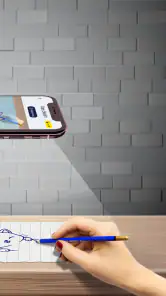
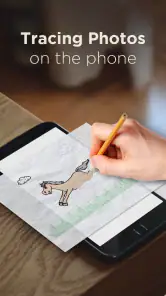
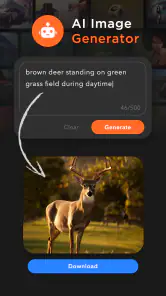
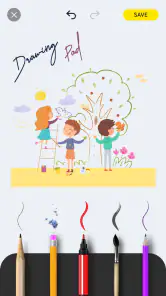

Analysis by Reviewed
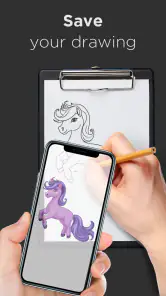
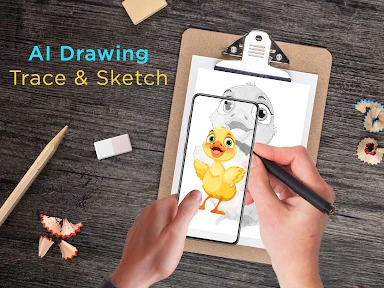
I like the appeal of an app that lets me get from “I’d like to draw that” to pencil on paper without a big setup. AI Drawing: Trace & Sketch is an art-and-design app built around tracing and sketching, and its mix of guided practice and drawing tools makes it an approachable place to start. The first sessions are the most immediately rewarding: choosing an image, following its outlines, and seeing a recognizable result can make drawing feel less intimidating.
Where tracing helps—and where it doesn’t
Tracing is useful practice, but it teaches a different skill from drawing an image from memory. I’d use it to notice how a subject’s outline is built, then try sketching the same subject freehand afterward. That small second step gives the guided exercise more lasting value: instead of only copying a contour, you begin to remember its shape. If your goal is to develop confident drawing skills, treat tracing as a starting point rather than a shortcut to mastery.
A practical use is a quiet break at home: pick a reference image, work through the lines, and save the result to compare with a later attempt. The app’s option to use your own image makes that exercise more personal. A photo of a familiar object can be less overwhelming than a complex scene, and it gives you a clear reason to revisit the app beyond browsing templates.
Is it worth keeping in your routine?
The longer-term question is whether the app still helps after the novelty of tracing fades. I think it can, if you give each session a small purpose: practice a particular outline, try a freehand version, or experiment with a different tool. If you only open it to scroll through choices, the early excitement may wear off quickly. It is better suited to short, low-pressure creative sessions than to a structured course in drawing.
Compared with a conventional sketching app, the tracing focus offers a gentler entry point because you begin with a visual guide. A blank canvas in a general drawing app gives you more freedom but also asks you to supply the subject and structure yourself. For someone who already sketches comfortably, that freedom may be preferable. For a beginner who wants a prompt and a path into the first few lines, guided tracing can feel more inviting.
Who will enjoy it—and who may not
I’d recommend it to curious beginners, casual doodlers, and anyone who wants to turn a personal image into a drawing exercise. It may also suit a parent and child looking for a simple creative activity, with an adult helping choose an easy image and keeping expectations relaxed. Someone who needs advanced control, a formal lesson plan, or a professional illustration workflow should look for a more specialized tool instead.
There are trade-offs to keep in mind. A traced image can look neat without showing how well you can draw independently, and detailed references may make the process frustrating rather than helpful. Start with a simple subject and focus on proportions before chasing perfectly smooth lines. For freehand practice, try a pencil tool first and use the eraser as part of the process; switching tools constantly can distract from learning to observe the shape.
You May Like

Clash of Clans Is Won Between the Battles

Android Auto Makes the Case for Quieter Car Software

MobiOffice: Transforming Mobile Productivity with Seamless Integration

EA SPORTS FC™ Mobile Soccer: Redefining Mobile Sports Gaming

How Microsoft OneDrive Became a Mobile Productivity Giant

How Google Translate Breaks Language Barriers Effortlessly
Unveiling Your Inner Artist
So, what’s the big deal about AI Drawing: Trace & Sketch? For starters, it's not just another drawing app. This is like having a personal art tutor in your pocket. The app uses AI technology to help you trace and sketch with precision, making it easier for even the least artistically inclined to produce some pretty impressive artwork.
Getting Started
Once you fire up the app, you’re greeted with a clean, user-friendly interface. The design is intuitive, making it easy to navigate through the various features. You start by selecting an image or a template to trace. I was pleasantly surprised by the variety of templates available. Whether you’re into landscapes, portraits, or abstract art, there’s something for everyone. The app also lets you upload your own images, which is perfect for those who want a more personalized experience.
The Magic of Tracing
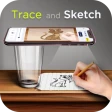
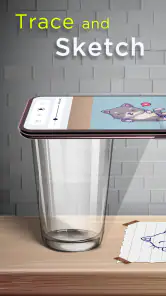
Tracing might sound like cheating, but trust me, it’s far from it. The app's tracing feature is where the magic happens. With its layer-by-layer guidance, you can follow along and watch your hand-drawn masterpiece come to life. The AI assistance ensures that your lines are smooth and accurate, giving you a professional touch. It’s like having a mini art class wherever you go.
Sketch Like a Pro
Once you're comfortable with tracing, you can move on to freehand sketching. The app provides various tools such as pencils, brushes, and erasers. Each tool is designed to mimic real-world art supplies, providing a realistic drawing experience. I spent hours experimenting with different tools and techniques, and I must say, the app does a fantastic job of simulating real sketching.
Sharing Your Creations
What’s the point of creating something beautiful if you can’t show it off? AI Drawing: Trace & Sketch makes it incredibly easy to share your artwork. With just a few taps, you can post your creations on social media or send them directly to friends and family. The app supports high-resolution exports, so your art always looks crisp and professional.
Practicalities and staying power
For the day-to-day decision, it helps to know the basics: The App Company INC makes this free app for everyone, with optional in-app purchases priced from $3.99 to $6.49 per item. It has a 3.6 average from 6.8K ratings, alongside 182 written reviews, and has passed 5 million installs. Version 4.9 is listed for Android 6.0 and up; it was released on August 17, 2023. Those figures suggest a sizeable audience, though popularity alone cannot tell you whether its drawing flow suits your hand or patience.
The free starting point makes it easier to test whether tracing fits your habits before deciding whether any paid item is worthwhile. I’d spend a few sessions with both a template and a personal image first, then judge the app by how much you actually want to return—not by how polished a first result looks. Its Everyone age rating makes it broadly approachable, but younger users may still benefit from an adult choosing an uncomplicated reference and helping them keep the activity enjoyable.
A routine that survives the first week
To make the app useful beyond an occasional novelty, I’d attach it to something you already do. For example, after dinner, choose one object in the room—a mug, a plant, or a pair of shoes—and spend a short session tracing its main shape. On another day, try drawing the same object without the guide. That turns a casual phone break into a small repeatable exercise, and it gives you a concrete way to notice progress without needing a formal lesson plan.
A second practical approach is to keep the reference consistent for a few attempts. Changing subjects every time is fun, but it makes it harder to tell whether you are improving at proportions or simply getting used to a new outline. Repeating one uncomplicated image can reveal where your hand tends to drift. Once the broad shape feels familiar, move to a different subject rather than adding detail for its own sake.
Making personal images easier to work with
Using a photo of your own can make practice more engaging, but personal references are not automatically easier. A busy picture may contain overlapping edges, shadows, and small details that compete for attention. I’d choose a clear image with one main subject and enough contrast to distinguish its outline. If a photo still feels crowded, decide in advance which part you want to draw and ignore the rest; that simple constraint can keep a session from turning into a frustrating attempt to copy everything.
This is also a useful way to make a drawing activity fit ordinary life. A child might choose a favorite toy, while an adult could use a household object as a quick warm-up before journaling or another creative hobby. The point is not to produce a perfect keepsake every time. A modest reference and a limited goal make it easier to finish, and finishing is often what makes someone willing to return.
What the guided approach asks of you
The guided start lowers the barrier to making marks, but it does not remove the need to pay attention. I find it most useful when I treat the displayed outline as a prompt rather than an answer key: look at the curves, notice where the shape changes direction, and try to understand why a line belongs there. If you focus only on keeping up with the guide, the drawing may be completed while the learning stays shallow.
There is a trade-off between neatness and control, too. A guided trace can make a result feel polished quickly, while freehand work gives you more room to choose what to emphasize and how to interpret the subject. If you care more about personal style than close copying, use tracing as a warm-up and then make a second version with deliberate changes. That helps keep the app from turning every exercise into the same kind of finished image.
When another kind of art app is better
For an absolute beginner who freezes at a blank page, this app’s tracing-first approach has a clear advantage over opening a general-purpose canvas and facing a row of unfamiliar controls. It offers a starting point and makes the first few minutes less demanding. But someone who already knows how they want to build an illustration may find that a dedicated drawing workspace is a better fit, especially when precise editing and a broader set of controls matter more than guided practice.
Likewise, if your main goal is to learn drawing fundamentals in a progressive sequence, a course or lesson-focused resource is a more direct choice. This app can support practice, but I wouldn’t mistake guided tracing for a complete curriculum. The best match is someone who wants an accessible prompt, a chance to experiment with sketching tools, and enough freedom to set their own small exercises.
Keeping the experience low-friction
One reason a creative app gets abandoned is that choosing what to do takes longer than doing it. I’d decide on a subject before opening the app, or keep a short mental list of easy objects to draw. That avoids spending the whole session browsing for inspiration. It also makes the app feel more like a handy practice space than a catalog you visit without a plan.
It helps to decide what counts as a completed session, too. For one drawing, that might mean capturing the outer contour; for another, it could mean trying a freehand version afterward. A small finish line matters because tracing can invite endless polishing, especially when the reference is detailed. Stopping once the exercise has served its purpose leaves room for the habit to feel enjoyable rather than like a test.
One useful way to avoid frustration is to separate the stages of a drawing. First focus on the outer shape; only after that, add smaller details. When a reference feels too busy, crop your attention to one object rather than trying to reproduce every feature. This is not a special tool claim; it is a simple way to make a tracing session feel manageable and turn it into observation practice instead of a race to finish.
Sharing can provide a satisfying endpoint, especially when you want to send a quick result to a friend. I would still keep a private comparison of attempts if your aim is improvement: a finished image is nice to show, while a sequence of sketches makes it easier to notice what you have learned. For someone who mainly wants layers, precise editing, or a broader illustration workspace, a full-featured art app is likely the better long-term home. This one is more appealing when a prompt and guided start matter more than deep control.
My long-term take
After the first burst of curiosity, the app’s value depends less on how impressive one trace looks and more on whether its guided start makes you willing to draw again. I think it earns a place on a casual creator’s phone when sessions stay purposeful: choose a manageable image, focus on one skill, and occasionally repeat the exercise without the guide. That gives the tracing feature a role in practice rather than making it the whole point.
I would not keep it as my only art tool if I wanted a serious illustration workflow, structured teaching, or detailed control over a finished piece. For those goals, a specialized alternative is a better investment of time. But for a beginner who wants a friendly nudge past the blank-page problem, or for someone looking for an easy creative pause, it has a practical niche. Its free entry makes trying that routine straightforward, while optional purchases are something I’d consider only after the app has become a regular part of my week.
In conclusion, AI Drawing: Trace & Sketch is a fantastic app for anyone looking to explore their artistic side. Whether you're a complete beginner or a seasoned artist, this app offers something for everyone. It's like having an art studio in your pocket, ready to unleash your creativity anytime, anywhere. So why not give it a try and see what masterpieces you can create?
AI Drawing : Trace & Sketch Frequently Asked Questions
Is AI Drawing: Trace & Sketch free to download, and what does it offer without paying?
AI Drawing: Trace & Sketch is free to download and focuses on learning to sketch, trace, paint, and create artwork. It offers a free version with basic features, while optional in-app purchases are available for users who want additional tools or resources. Check the purchase details in the app before confirming any transaction so you can decide whether the free features meet your needs.
Is AI Drawing: Trace & Sketch suitable for children?
The app has an Everyone content rating, making it suitable for a general audience. Its drawing and tracing focus may appeal to younger users as well as adults who want to practise creative skills. Parents can still take a moment to review the app together with a child, especially before making purchases or choosing images to use in a project.
Who develops AI Drawing: Trace & Sketch, and is it an established app?
AI Drawing: Trace & Sketch is developed by The App Company INC and is in the Art & Design category. It has more than five million installs and an average rating of 3.6 from around 6,800 ratings, giving prospective users a broad sense of its reach and reception. Individual experiences can vary, so consider whether its tracing and sketching approach suits your creative goals.
What is AI Drawing: Trace & Sketch and how does it work?
AI Drawing: Trace & Sketch is a creative application that utilizes artificial intelligence to assist users in tracing and sketching images. It provides a platform where you can upload an image, and the app will generate a sketch based on that image. This tool is perfect for artists looking to enhance their drawing skills or for hobbyists seeking an easy way to create sketches.
Is AI Drawing: Trace & Sketch user-friendly for beginners?
Yes, AI Drawing: Trace & Sketch is designed with beginners in mind. The interface is intuitive and straightforward, making it easy for users of all skill levels to navigate. The app provides step-by-step guidance and helpful tips to ensure a smooth creative process, so even those new to digital drawing can enjoy using it without feeling overwhelmed.
Pros
- Easy to use interface.
- Variety of sketch tools.
- Supports high-resolution images.
- Quick image import.
- Regular updates.
Cons
- Limited free features.
- Requires internet connection.
- Occasional app crashes.
- Ads in free version.
- No offline mode.
- Category
- Art & Design
- Version
- 4.9