

AI Cover&Music Maker · Bach AI
- 62.00
- 4.1
- Installs
- 100.00K
- Price
- Free
Screenshots
Analysis by Reviewed
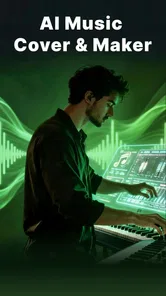
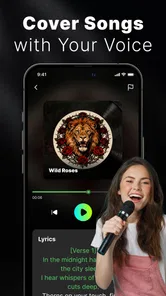
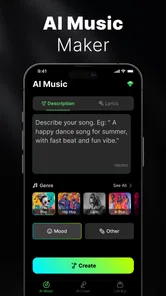
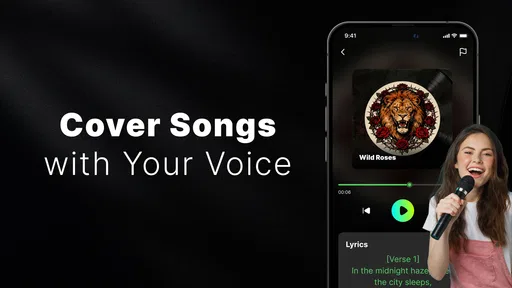
I tried AI Cover&Music Maker · Bach AI as a quick way to turn a musical idea into something I could actually hear, and my first impression was that it is aimed at experimentation rather than serious studio production. It sits in the Music & Audio category, comes from AI Chat Studio, and is free to install. The central appeal is simple: you can explore AI-generated covers using a voice you like or develop an idea into a piece of music without starting with instruments, recording equipment, or advanced production software.
That makes it interesting for curious listeners, casual creators, and anyone who wants to test a musical concept before investing time in a full arrangement. At the same time, I would not treat it as a replacement for a digital audio workstation, a vocal recording setup, or a professional cover-production service. The experience is more about getting a creative result quickly than controlling every musical detail.
How Bach AI feels in its current state
The app’s biggest strength is the low barrier to entry. I do not need to understand vocal synthesis, mixing, or arrangement theory to begin exploring the idea behind an AI cover. That matters because many music tools make the first step feel like work: choosing tracks, setting up instruments, managing layers, and learning unfamiliar controls. Bach AI is more attractive when I want to move from “what if this song sounded different?” to a listenable experiment with as little setup as possible.
The store presents it as an app for creating AI music covers and turning ideas into music, and that description matches the role it seems designed to fill. It is not trying to be a complete songwriting workstation. Instead, I see it as a sketchbook for sound. A useful result might be a new interpretation of a familiar song, a rough direction for a personal project, or a playful version to share with friends.
The free entry point also makes the app easy to test without committing immediately. However, free installation should not be confused with unlimited access to every possibility. The app includes purchases ranging from a few dollars to much higher amounts per item, so I would read each purchase screen carefully before confirming anything. For someone who only wants occasional experiments, the value depends heavily on how often they use it and what the available creation options require.
Its audience rating is Everyone, which makes the app broadly approachable from an age-rating perspective. That does not automatically make every generated result suitable for every situation, though. I would still use normal judgment when sharing AI-made covers publicly, especially where song rights, voice imitation, or platform rules may matter.
A practical first session
My preferred way to approach an app like this is to begin with a very specific goal instead of pressing through every option. For example, I might want to hear whether a reflective song works better with a warmer vocal character, or I might have a short lyrical idea and want to understand what kind of musical direction suits it. Starting with that question makes the result easier to judge.
More From Our News Desk

 Gmail
GmailGmail in a Busy Inbox: Who Benefits Most?
From first account to crowded workday, Gmail earns its place through dependable search and flexible sorting—but its best fit depends on how much inbox maintenance you can tolerate.

 Prime Video
Switching to Prime Video: What Changes in Your Viewing Routine
Prime Video can make a compelling second home for streaming, but switching means learning a different catalog, rental layer, and route from browsing to playback.

 Universal TV Remote Control
Universal TV Remote Control Works Best as a Reliable Backup
A phone remote earns its place through quick setup and reliable habits. Here is how to get more from Universal TV Remote Control—and where its limits show.

 Weather - By Xiaomi
Weather by Xiaomi Review: Clear at a Glance, Less Clear Up Close
Xiaomi’s weather app makes everyday forecasts quick to scan, but its calm surface can leave useful details and recovery paths harder to find than they should be.

 X
XX Under Pressure: Can It Recover When Posting Goes Wrong?
A resilience-focused review of X, examining setup, mistaken posts, interruptions, weak connections, and the gaps that matter when recovery needs to be dependable.

 Clash of Clans
Clash of Clans Is Won Between the Battles
Its raids are quick; its community is a long-term project of coordination, teaching, rivalry, and shared responsibility—with all the friction that entails.
Latest News



I also recommend keeping the first attempt deliberately simple. If the output is interesting, I can then try a different voice or musical direction and compare the two versions. This is more useful than changing several variables at once, because it helps me understand what actually improved the result. The app works best as an iterative tool: make a small experiment, listen critically, identify one weakness, and try again.
One non-obvious benefit is that this approach can expose arrangement problems before I spend time recording. A melody may seem strong when I imagine it silently, but an AI-generated version can reveal that the chorus lacks contrast or that the idea needs a clearer rhythm. I would not accept the output as a finished track, but I would use it as an audible draft that helps me make decisions.
What the current release tells me
The app is currently on version 1.1.4, while its release history begins on May 30, 2025. That places it in an early stage of its product life, and I think that context is important when deciding how much polish and predictability to expect. A young creative app can be exciting because its direction may develop quickly, but it can also feel less settled than a mature music platform with years of refinement behind it.
I would judge this version mainly by whether it helps me reach an interesting musical starting point, not by whether it offers the depth of established production software. The version number suggests an app that has already moved beyond its first public build, but it should still be approached as an evolving tool rather than a finished replacement for every part of a music workflow.
The public response is reasonably encouraging: it holds a 4.1 average from around 754 ratings, with roughly 62 written reviews. It has also passed 100K installs. Those figures suggest genuine early interest, but they do not tell me whether the app will suit my particular voice, genre, device, or expectations. I would treat them as a reason to try it, not as proof that every generated cover will sound convincing.
What I find most important in an early AI music app is whether the creative loop feels understandable. If I can tell why one attempt works better than another, I can learn how to use the tool. If results feel random and the controls do not explain their impact, the novelty wears off quickly. For Bach AI, the long-term question is whether it can turn its initial convenience into a workflow that rewards repeated use.
Where it helps existing users, and where it still falls short
I find the most useful way to judge Bach AI is to look beyond a first novelty session and ask whether it helps me make better choices with ideas I already have. Its quick musical sketches can give an existing user a fresh direction, but the gap between an intriguing result and a dependable workflow still matters. That distinction becomes especially important when several people share a device or trade creative ideas.
Useful workflows beyond casual play
I can imagine using the app in several practical situations. A songwriter might use it to test the emotional direction of a chorus before asking a vocalist to record it. A content creator might use a generated idea as a private reference while planning a video. A beginner might use it to compare different interpretations of the same musical concept and learn what changes the mood.
Another useful workflow is idea triage. I could have several unfinished concepts in my notes and use the app to decide which one deserves more attention. Instead of arranging every idea manually, I would create quick demonstrations and listen for the one with the clearest identity. That saves effort, even if I later rebuild the selected idea using conventional tools.
There is also value for people who do not consider themselves musicians. Someone planning a small personal project may have a lyric, a theme, or a vocal reference but no ability to play instruments. An AI music maker can provide a first sonic interpretation, which is often easier to react to than an abstract description. The result may not be release-ready, but it can make a vague idea concrete.
My strongest tip is to use generated covers as references rather than final assets. Listen for the broad qualities: tempo, mood, phrasing, vocal presence, and the relationship between sections. If one version gives you a useful direction, recreate the important parts in a tool where you have clearer control. This avoids confusing convenience with authorship or production quality.
The trade-off between speed and control
Compared with a traditional digital audio workstation, Bach AI should be faster for a first experiment and weaker for detailed editing. A workstation gives me control over timing, pitch, instrumentation, effects, arrangement, and mixing, but it also asks me to learn and manage all of those elements. Bach AI is more appealing when I want an immediate interpretation and less appealing when I need to correct a single note, reshape a phrase, or balance a finished mix precisely.
Compared with ordinary cover-recording apps, the difference is the emphasis on AI-based transformation rather than simply capturing my own performance. That can be useful if I do not have a suitable singer or want to explore a voice character that I cannot reproduce myself. The compromise is that I have less direct human control over expression. A real vocalist can respond to subtle emotional instructions, while an automated result may sound less personal or may interpret a phrase in a way I did not intend.
Compared with streaming services, this is not primarily a listening destination. Its value comes from making or reshaping musical material. I would not install it expecting a large catalog, editorial discovery, or the dependable playback experience of a dedicated music service. It belongs earlier in the creative process.
This distinction helps answer an important question: is it suitable for professional release work? I would say only as an early-stage aid unless the user independently verifies the output, rights, originality, and technical quality. Anyone needing precise vocal production, stems, detailed mastering, or guaranteed control should choose a more specialized solution. Bach AI can help generate direction, but it should not be the only tool in a serious production chain.
Everyday scenario: turning a rough idea into a test
Imagine I am walking home after thinking of a short melody. I record the idea in my phone, but the recording is too rough to show anyone and I am unsure whether it has enough character to develop. Later, I can use Bach AI to explore the concept as a more complete musical sketch. Hearing it with a voice and arrangement gives me something concrete to evaluate: perhaps the melody works, perhaps the words need fewer syllables, or perhaps the hook only becomes interesting at a different pace.
The important part is what happens after listening. I would write down the specific element that caught my attention instead of treating the whole generated track as precious. Maybe the vocal phrasing is useful, while the backing is not. Maybe the verse is forgettable but the chorus suggests a better structure. This selective approach turns AI output into a source of decisions rather than a substitute for them.
For sharing, I would keep expectations modest. A quick result can be fun in a private group chat or as a demonstration of an idea, but public posting deserves more care. I would check whether the source song, lyrics, or vocal identity creates restrictions, and I would avoid presenting an automated cover as if it were a conventional personal recording.
Remaining friction and reasons to skip it
The clearest limitation is the gap between a fast generated result and a polished musical production. AI can make an idea sound complete before it is actually good. That can be misleading for beginners, because a full arrangement may hide a weak melody or make a familiar song feel impressive simply through recognition. I would always listen again after the initial excitement fades.
There is also a practical cost question. Since the app is free to install but offers in-app purchases from $3.99 to $199.99 per item, heavy users need to understand what they are paying for and how frequently they might need it. The upper end is significant for a casual experimenter. If I only create music once in a while, a purchase can be difficult to justify unless it unlocks a capability I will genuinely use repeatedly.
I would skip the app if my main goal is detailed mixing, live performance, multitrack editing, or complete ownership of every production decision. I would also skip it if I am uncomfortable with AI-generated voices or if my project requires a clearly human, personally performed vocal identity. In those cases, recording myself or working with a vocalist is the better fit.
Another point is patience. AI results are not automatically aligned with the emotional intention behind a lyric. A sad text can receive a delivery that feels too bright, while an energetic idea can lose momentum through an unsuitable interpretation. I would expect to try variations and make judgments, not simply describe an idea once and receive a perfect song.
What I would watch as the app evolves
Because the app is still relatively new, I would watch whether future updates make the creative process more transparent and repeatable. The most valuable progress would be clearer control over the relationship between a source idea, the selected voice, and the resulting arrangement. Users need to understand how to move from an interesting accident to a deliberate result.
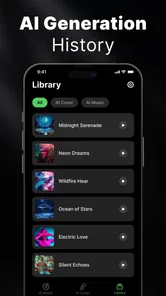
I would also pay attention to how well the app serves returning users. A first session can be entertaining, but long-term value requires a reason to come back: better iteration, easier comparison between attempts, more dependable handling of musical ideas, or a smoother path from sketch to export. I am separating those expectations from what the current version proves; they are the areas that will determine whether the app becomes a regular creative companion.
For existing users, the sensible approach is to keep personal copies of ideas they care about and avoid relying on one generated attempt as the definitive version. Creative apps change, and early-stage workflows can be revised. Saving notes about the prompt, source idea, or preferred variation makes it easier to rebuild a concept later if needed.
I would also watch how users understand the boundaries around covers and recognizable voices. The app’s creative premise naturally raises questions about permission, attribution, and responsible sharing. Those concerns do not make experimentation impossible, but they do mean that private exploration and public distribution should be treated differently.
My recommendation
After using it as an idea-generation tool, I think Bach AI is worth trying for listeners and beginner creators who want to hear musical possibilities without learning a full production system first. Its free starting point, accessible purpose, and focus on AI covers make it a convenient creative sketchpad. I especially like the idea of using it to compare directions, identify promising hooks, and decide which rough concepts deserve more work.
I would recommend it less strongly to experienced producers who already have a preferred workstation and need exact control. For them, the app may be useful for inspiration, but it is unlikely to replace the tools they use for arrangement, editing, recording, and finishing. The same applies to anyone seeking a guaranteed professional vocal performance or a straightforward path to commercial release.
In the end, I see AI Chat Studio’s app as a fast way to make an idea audible, not as a magic button for a finished song. If I keep that boundary in mind, the experience is more rewarding. I can enjoy the surprise of hearing a new interpretation while still making the important creative decisions myself. That balance is what makes the current release interesting: it lowers the effort needed to begin, while leaving plenty of room for judgment, revision, and traditional music tools afterward.
AI Cover&Music Maker · Bach AI Frequently Asked Questions
Is Bach AI available for Android, and which devices can run it?
Bach AI is an app in the Music & Audio category, and its minimum operating-system requirement is Android 7.0. Before downloading, check your device’s Android version and available storage, as music-generation tools may need room for the app and saved audio. The app is free to download, though some features may involve in-app purchases.
Who makes Bach AI, and is it suitable for younger users?
AI Chat Studio is the developer of Bach AI, an app for creating AI music covers and turning ideas into music. Its content rating is Everyone, making it suitable for a broad audience according to its age classification. As with any creative app, parents may still want to review its permissions and privacy practices before a child uploads recordings or other personal media.
What is AI Cover&Music Maker · Bach AI?
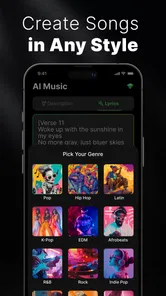
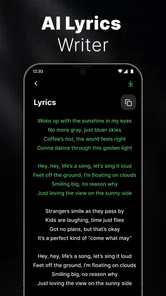
AI Cover&Music Maker · Bach AI is an artificial-intelligence music app designed to help users create vocal covers, music ideas, and customized audio content. Depending on the available tools, you can select a song or concept, choose a voice or musical style, and let the app process the result. It is aimed at both casual users who want to experiment and creators looking for quick drafts for social media or personal projects.
How do I create an AI cover with Bach AI?
After opening the app, you generally begin by selecting an available song, importing suitable audio, or choosing a music template. You may then pick an AI voice, adjust the style or other available settings, and start the generation process. Results can vary depending on the source material, internet connection, and selected options, so it is worth previewing the cover before saving or sharing it.
Is AI Cover&Music Maker · Bach AI free to use?
The app is free to download, but some features can require in-app purchases, credits, or a subscription. Advanced voice models, longer generations, higher-quality exports, and an ad-free experience are commonly placed behind paid options in AI music applications. Bach AI’s listed in-app purchases range from $3.99 to $199.99 per item, so check the price and terms shown in the app before confirming a purchase.
Pros
- Creates personalized AI song covers from selected tracks.
- Offers a quick way to experiment with different vocal styles.
- Useful for casual music-making and creative audio projects.
- Simple interface makes basic cover creation easy to start.
- Can provide inspiration for songwriting and arrangement ideas.
Cons
- Generated vocals may sound unnatural on complex melodies.
- Processing times can vary depending on the song and server load.
- Some features or exports may require a paid subscription.
- Results can differ significantly from the original singer’s style.
- Copyright rules may limit how generated covers can be shared.












