AI Avatar: AI Headshots, DP
- 97.00
- 3.2
- Installs
- 1.00M
- Price
- Free
Screenshots
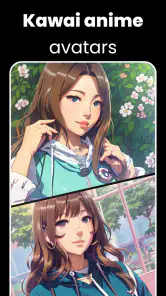
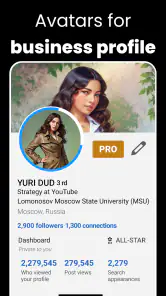
Analysis by Reviewed
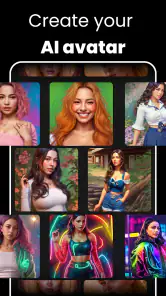
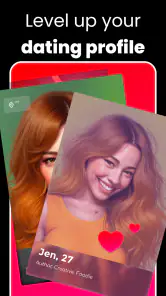
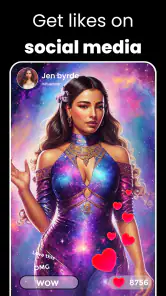
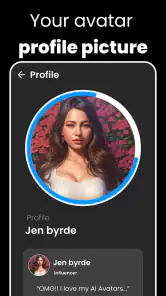
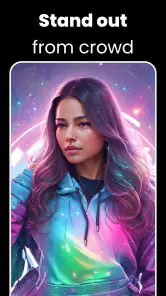
AI Avatar: AI Headshots, DP is the kind of art and design app I would try when I need a polished profile image but do not want to arrange a studio-style photo session. Its focus is straightforward: turn personal photos into AI-generated portraits for social profiles, dating accounts, messaging apps, or professional-looking display pictures. In my experience, the appeal is less about replacing a real photographer and more about making several presentable options quickly.
The app is free to install, which makes it easy to test before deciding whether it belongs in your regular creative toolkit. It is developed by Generative AI Magic Tools By Phot.AI, carries a Teen age rating, and has passed the one-million-install mark. Those details suggest that it is aimed at a broad audience rather than only at designers, although the average rating of 3.2 shows that the experience is not universally smooth.
What I would check before choosing an AI portrait app
My first decision criterion is the purpose of the image. If I need a playful avatar for a chat app, I can tolerate a little artistic exaggeration. If I am updating a work profile, I need the result to preserve my face, expression, proportions, and general appearance. An AI portrait tool can look attractive while still being a poor representation of the person it is supposed to show.
The second criterion is how much control I want. Traditional photo-editing apps usually let me adjust lighting, crop, color, sharpness, and background myself. A generative avatar app takes a more automated route. That saves time, but it also means I have to accept the model’s interpretation of my features. I would choose this app when speed and variety matter more than exact manual control.
I also pay attention to the starting photos. A useful workflow begins with several clear images that show the face from slightly different angles, with reasonably even lighting and minimal obstruction. Sunglasses, heavy shadows, extreme filters, or a face partly hidden by hair can make an AI result less dependable. This is one of the most practical lessons with apps in this category: the input often matters as much as the generation step.
There is another important question: do I need one dependable headshot or a collection of different looks? AI Avatar: AI Headshots, DP makes more sense for the second situation. Someone experimenting with profile pictures, social identities, or creative self-presentation may enjoy comparing generated styles. Someone who only wants a natural crop from an existing photograph may be better served by a conventional editor.
The app’s current version is 2.1.38.0 and it supports devices running Android 7.0 or later. That gives it a fairly accessible starting point for Android users with older compatible phones. I would still keep expectations realistic on less powerful hardware, because image generation can be more demanding than ordinary cropping or filter work.
More From Our News Desk

Clash of Clans Is Won Between the Battles

Android Auto Makes the Case for Quieter Car Software

MobiOffice: Transforming Mobile Productivity with Seamless Integration

EA SPORTS FC™ Mobile Soccer: Redefining Mobile Sports Gaming

How Microsoft OneDrive Became a Mobile Productivity Giant

How Google Translate Breaks Language Barriers Effortlessly
How I would prepare photos for better results
I would begin with a small, carefully selected set rather than uploading every selfie in my gallery. A front-facing image with a relaxed expression is useful for a natural result, while a second image with a slight turn can help represent the shape of the face more accurately. Consistency is valuable: if every source photo has a different hairstyle, angle, and lighting setup, the generated identity may drift between results.
I would also avoid judging the first output too quickly. The most attractive image is not always the most accurate one. I look closely at the eyes, teeth, ears, hairline, and jaw rather than only checking whether the background and clothing look impressive. These small details are where an AI portrait can stop looking like a refined version of me and start looking like a generic character.
A useful trick is to define the intended use before choosing a favorite. For a messaging profile, a close crop with a clear expression usually works better than a dramatic full-body composition. For a dating profile, I would favor an image that still resembles my everyday appearance. For a creative social account, I might accept a more stylized result, but I would label it mentally as an avatar rather than a realistic headshot.
Where the app is most convincing
The strongest part of this app is convenience. I do not need to learn layers, masks, curves, or background-selection tools before trying to create a new profile image. That makes it approachable for people who find standard design software intimidating. The app’s Art & Design placement also makes sense because the output is not simply a camera photo; it is a generated visual interpretation of one.
I find the concept especially useful when I need several profile options for different contexts. A single photograph can feel too repetitive across professional, social, and personal accounts. Creating alternate portraits gives me a way to refresh those spaces without organizing multiple photo sessions. The trade-off is that I have to choose carefully so the variations still feel like the same person.
Another strength is experimentation. Instead of spending time manually changing backgrounds, clothing impressions, or the overall mood of a portrait, I can compare generated directions and decide which one fits my purpose. This is helpful for someone building a personal brand, testing a new social identity, or simply trying to discover which visual style feels comfortable.
In an everyday scenario, I might be preparing a profile for a new online community after realizing that my existing photo is several years old. I could select a few recent, well-lit pictures, create a set of portrait options, and inspect them at the size where the profile image will actually appear. That last step matters because an image that looks detailed in a large preview may become indistinct once reduced to a small circle.
I would not treat the generated image as an automatic replacement for a real headshot. The app can help me explore possibilities, but a genuine photograph remains preferable when recognition, trust, or professional accuracy is central. For a résumé, business directory, medical profile, or identity-sensitive service, I would be cautious about presenting an AI-created portrait as though it were an ordinary photograph.
Small workflow choices that make a real difference
One non-obvious advantage of generating several options is that it reveals consistency problems. If the face changes noticeably from one result to another, that is a warning not to choose based only on style. I would compare the same features across images and select the one with the most stable identity, even if another version has a more fashionable background or pose.
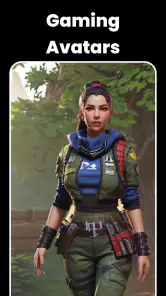
I would also keep a plain, low-drama option alongside the more creative ones. A highly stylized portrait may work for a gaming community or an informal social account, while a simpler image is easier for friends and colleagues to recognize. Having both types prevents me from forcing one generated look into every situation.
Another practical tip is to inspect the image at thumbnail size and at full size. Thumbnail viewing tests whether the face remains readable, while full-size viewing exposes odd edges, unnatural skin texture, distorted accessories, or details that become distracting when enlarged. This two-step check is more useful than judging the image only in the app’s preview.
I would avoid repeatedly regenerating images without a selection plan. It is easy to become attracted to novelty and lose sight of the original goal. Before starting, I would decide whether I am looking for realism, friendliness, creativity, or a professional tone. That simple constraint makes the results easier to compare and reduces the temptation to keep chasing an idealized version that may not represent me well.
Where another type of app may fit better
AI Avatar: AI Headshots, DP is not the best choice for every portrait problem. If I already have a strong photograph and only need to remove a distracting background, a dedicated background editor is likely more efficient. If the issue is lighting, a conventional retouching app gives me more predictable control. If I need a precise brand image with exact colors, typography, and layout, a design workspace is a better match than a portrait generator.
It may also be the wrong option for users who dislike the idea of their appearance being interpreted by an automated system. Even when the result looks attractive, it can introduce changes that the user did not request. A manual editor feels slower, but it gives me a clearer understanding of what has been changed and why.
People looking for a highly realistic professional headshot should compare the app with an actual photographer or a carefully edited camera image. The app can produce a convenient approximation, but convenience and authenticity are different goals. I would not use a generated portrait for an application or verification process where the image is expected to document my real appearance.
There is also a style limitation inherent in choosing an avatar-focused tool. The result is designed to be visually appealing and profile-friendly, not necessarily documentary. That distinction matters for users who want a natural photo with ordinary imperfections. In that case, a camera app and basic editing may produce something more honest and more recognizable.
Understanding the free starting point and in-app purchases
The app is free, but optional in-app purchases range from $2.99 to $149.99 per item. I would treat that range as a reason to explore the free experience carefully before spending anything. The right question is not whether a premium result looks attractive in isolation, but whether it is useful enough for the specific profile or project I have in mind.
My advice would be to decide on a spending limit before experimenting. Generative tools can encourage repeated attempts because each new result offers another possibility. That can turn a quick profile-image task into an open-ended process. I would first identify the type of portrait I need, keep only a small group of candidates, and then consider whether paying improves the outcome enough to justify it.
The cost of switching away is relatively low if I have not built a large personal library inside the app. I can return to ordinary photos, a manual editor, or another portrait workflow without changing how I present myself online. That makes the free installation useful as a trial rather than a commitment. I would not reorganize all my profile images around it until I had checked whether the generated likeness remains consistent.
Before using any generated image publicly, I would save the version I actually selected and review it outside the creation screen. This helps me judge whether it still looks right when used as a profile picture, not just as an impressive preview. I would also keep the original photos available so I can switch back quickly if an AI result begins to feel artificial or no longer matches my current appearance.
Who should try it, and who should skip it
I would recommend trying this app to casual social users, creators testing profile styles, and anyone who wants a quick way to explore AI-generated portraits without learning complex design software. It is also a reasonable experiment for people who need a refreshed display picture but do not have a recent photo they like. The free entry point makes that trial less intimidating.
I would be more cautious if I needed strict facial accuracy, detailed editing controls, or a portrait for a formal professional purpose. Users who want complete control over every pixel may become frustrated by the automated approach. The same is true for anyone who expects every generated image to preserve their appearance perfectly; the app is better viewed as a creative assistant than as a flawless camera substitute.
The Teen rating is worth keeping in mind for families and younger users. I would discuss the purpose of the images and the difference between an edited avatar and a real photograph, especially when the result is intended for public profiles. The app can be fun, but a polished image can also create unrealistic expectations about appearance if it becomes the only version someone shares.
My recommendation after weighing the trade-offs
My overall view is positive but measured. AI Avatar: AI Headshots, DP is appealing when I want fast visual experimentation, several profile possibilities, and an easier alternative to manual portrait design. It is less convincing as a replacement for an authentic headshot or a precise photo-editing workflow. The average rating of 3.2 reflects why I would approach it as a tool to test rather than an essential app for everyone.
I would install it if my immediate goal were to create a new social or dating profile image and I was comfortable comparing results critically. I would prepare good source photos, check the eyes and facial proportions, inspect images at thumbnail size, and keep a natural alternative ready. Those steps make the app more useful than simply accepting the first attractive output.
For Android users on version 7.0 or later, the free download offers a straightforward way to see whether AI-generated portraits suit their style. My final recommendation is to try it with a clear purpose and a firm spending limit. Choose it for quick avatar exploration, not for situations where an accurate, unedited representation of you is the priority.
AI Avatar: AI Headshots, DP Frequently Asked Questions
What devices and operating systems can run AI Avatar: AI Headshots, DP?
AI Avatar: AI Headshots, DP is an Art & Design app for creating AI portraits and profile pictures. On Android, it requires version 7.0 or later, so check your device’s operating system before downloading. The app is free to install, and its Teen age rating is worth considering when deciding whether it is suitable for younger users.
What is AI Avatar: AI Headshots, DP used for?
AI Avatar: AI Headshots, DP is designed to turn your selfies into polished AI-generated portraits, profile pictures, and avatar images. It can create different visual styles, from professional-looking headshots to artistic or social-media-oriented designs. The app is particularly useful for users who want a new display picture without arranging a photo shoot, although the final result depends heavily on the quality and variety of the photos you upload.
How do I create an AI headshot or avatar in the app?
After opening the app, you generally need to select or upload several clear selfies that show your face from different angles. The AI processes those images and generates a collection of portraits based on the chosen style or template. For the best results, use well-lit, high-resolution photos without sunglasses, heavy filters, hats, or other people in the frame. Processing time may vary depending on the selected package and server activity.
Is AI Avatar: AI Headshots, DP free to use?
The application may be available to download for free, but some of its most attractive styles, image packs, or export options can require in-app purchases or a subscription. Before confirming payment, carefully review the pricing page, trial terms, renewal conditions, and cancellation instructions. Free features may also be limited by credits, advertisements, watermarks, or the number of portraits you can generate.
How popular and well-reviewed is AI Avatar: AI Headshots, DP?
The app has more than one million installs and an average rating of 3.2 from around 9,900 ratings, with 97 written reviews. Those figures suggest that many people have tried it, while individual experiences can still vary. Read recent user feedback for practical impressions of the portrait results, ease of use, and purchase experience before deciding whether it meets your needs.
Pros
- Creates polished AI portraits suitable for profiles and social media.
- Offers multiple avatar styles
- outfits
- and background options.
- Simple interface makes generating images quick for most users.
- Can provide creative alternatives to traditional profile photos.
- Useful for experimenting with different personal branding looks.
Cons
- Results may sometimes look artificial or differ from your facial features.
- High-quality styles or extra image packs may require payment.
- Processing can take longer when servers are busy.
- Some generated portraits may contain odd details or visual artifacts.
- Uploading personal photos raises privacy and data-handling concerns.
- Category
- Art & Design
- Version
- 2.1.38.0