Aetna Health
- 7.61K
- 4.4
- Installs
- 1.00M
- Price
- Free

Screenshots

Analysis by Reviewed
Hey there, fellow app enthusiasts! Today, I’m diving into the world of health management with the Aetna Health app. Now, if you’re like me, juggling between work, family, and trying to stay healthy can be a handful. That’s where this app steps in to make life a tad easier.
Getting Started with Aetna Health
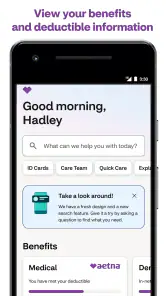
The first thing you’ll notice about the Aetna Health app is its user-friendly interface. Setting it up is a breeze. All you need is your Aetna member ID, and you’re good to go. The app’s design is sleek and intuitive, which means you don’t have to be a tech wizard to navigate through its features.
Features That Stand Out
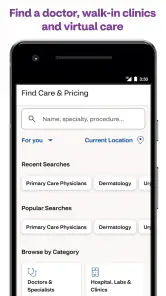
Once you’re in, the app offers a plethora of features. From checking your insurance coverage to finding doctors in your network, it’s all right at your fingertips. I personally love the “Cost Estimator” tool. It’s like having a financial advisor for your health expenses, helping you estimate costs for different services. This feature is a game-changer for anyone trying to budget their healthcare expenses.
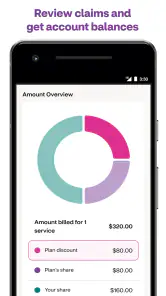
Another noteworthy feature is the ability to view and manage your claims. You can track the status of your claims and even see the details of what was covered. This transparency is something I appreciate, as it puts you in control of your healthcare journey.
Health and Wellness Anytime, Anywhere
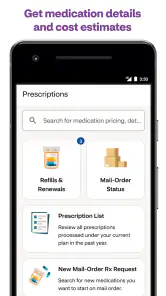
The app isn’t just about managing your insurance. It’s also a partner in your health and wellness journey. There’s a section dedicated to managing your prescriptions, which is incredibly handy. You can refill prescriptions with just a tap, and set reminders so you never miss a dose again.
For those who are fitness-focused, the app syncs with your health data, offering personalized insights and health tips. It’s like having a virtual health coach cheering you on!
Why You’ll Love It
What I find most appealing about the Aetna Health app is its all-in-one approach. Whether you’re tech-savvy or not, the app’s simplicity makes managing health tasks less daunting. Efficiency meets convenience here, and that’s a combination we all crave in our busy lives.
Plus, the peace of mind knowing you have access to all your health information, no matter where you are, is priceless. Waiting rooms and long calls with customer service are now things of the past. The app empowers you to take charge of your health decisions, and that’s a win in my book.
So, if you’re an Aetna member, don’t wait any longer. Download the Aetna Health app and start making your health management as seamless and stress-free as possible. Your future self will thank you!
Pros
- User-friendly interface.
- Comprehensive health tracking.
- Easy appointment scheduling.
- Seamless prescription management.
- 24/7 customer support.
Cons
- Limited provider network.
- App occasionally crashes.
- Some features require premium.
- Limited offline functionality.
- Slow response time in busy hours.

- Category
- Medical
- Version
- 7.45.0.192-prod