

3D Live Wallpapers - HD & 4K
- 1.06K
- 4.6
- Installs
- 10.00M
- Price
- Free

Screenshots
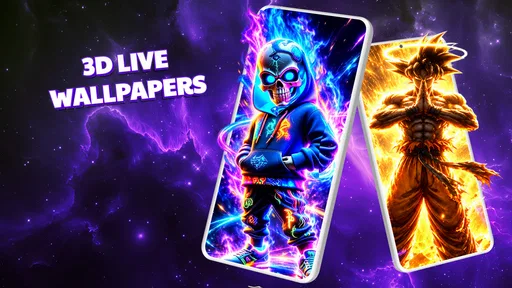







Analysis by Reviewed
I like a wallpaper app best when it makes my phone feel more personal without turning a simple choice into a chore. 3D Live Wallpapers - HD & 4K is aimed at that quick visual refresh: it offers animated backgrounds for people who want more movement and depth than a static image. Its focus is clear, but a live wallpaper also affects how a phone feels to use throughout the day, so visual appeal is only part of the decision. Readability, motion sensitivity, and the effort needed to find a comfortable background matter just as much.
Start with the screen you actually use
Before browsing, I find it useful to notice which screen I look at most and what I need to see there. If I use a home screen packed with shortcuts, widgets, and reminders, a wallpaper with open, quieter areas has a practical advantage over one filled edge to edge with detail. If I mainly glance at the lock screen, I can give appearance a little more weight. This simple distinction helps avoid choosing a striking design that becomes tiring in everyday use.
It also makes the decision easier for people who use their phones in different ways. Someone who checks a single calendar widget may want a background that keeps that area calm, while someone who opens apps from a mostly empty screen may have more room for a dramatic image. Rather than searching for a universally “best” wallpaper, I would match the visual density to the amount of information already on the screen.
Choosing a wallpaper without losing sight of the screen
I find it helpful to treat wallpaper choice as part of screen design, not just decoration. In this section, I look at how a moving background can coexist with the words, icons, and widgets I depend on, and why checking it in my real layout matters more than judging a preview. That sets up the next question: how the motion itself feels during repeated, everyday use.
A visual change, not a new home-screen system
This is a personalization app from SmoothX Studio, rather than a launcher or a full interface makeover. That distinction is useful: I would consider it when I want to change the atmosphere of my phone while keeping the icons, layout, and familiar habits I already rely on. The app is free to try, is rated for Everyone, and has a 4.6 average from around 168,000 ratings. It has passed 10 million installs, which suggests that animated backgrounds are a mainstream use case, though popularity alone does not tell me whether a particular effect will suit my eyes or device.
The central decision is less “Which wallpaper is the most dramatic?” and more “Which one leaves my screen easy to read?” A moving background can compete with app names, widgets, and notification badges, especially when it has bright highlights or busy details. I recommend judging a wallpaper with your actual home-screen icons in place, not just by how attractive its preview looks. If text blends into a scene, a calmer or darker design may be more practical than the most eye-catching option.
That small check is especially helpful for people who use larger text, rely on high-contrast icons, or keep several widgets visible. The app’s 3D presentation is the point, but depth and motion do not automatically improve usability. I would treat each wallpaper as a background layer that needs to work with the phone’s existing interface rather than as artwork to admire on its own.
More From Our News Desk

 Gmail
GmailGmail in a Busy Inbox: Who Benefits Most?
From first account to crowded workday, Gmail earns its place through dependable search and flexible sorting—but its best fit depends on how much inbox maintenance you can tolerate.

 Prime Video
Switching to Prime Video: What Changes in Your Viewing Routine
Prime Video can make a compelling second home for streaming, but switching means learning a different catalog, rental layer, and route from browsing to playback.

 Universal TV Remote Control
Universal TV Remote Control Works Best as a Reliable Backup
A phone remote earns its place through quick setup and reliable habits. Here is how to get more from Universal TV Remote Control—and where its limits show.

 Weather - By Xiaomi
Weather by Xiaomi Review: Clear at a Glance, Less Clear Up Close
Xiaomi’s weather app makes everyday forecasts quick to scan, but its calm surface can leave useful details and recovery paths harder to find than they should be.

 X
XX Under Pressure: Can It Recover When Posting Goes Wrong?
A resilience-focused review of X, examining setup, mistaken posts, interruptions, weak connections, and the gaps that matter when recovery needs to be dependable.

 Clash of Clans
Clash of Clans Is Won Between the Battles
Its raids are quick; its community is a long-term project of coordination, teaching, rivalry, and shared responsibility—with all the friction that entails.
Latest News



Make the choice around your routine
One useful workflow is to decide where the wallpaper will matter most before browsing. If you mostly glance at the lock screen to check the time, a visually rich scene may be fine there; if you spend hours on a crowded home screen, a less detailed design is likely the better fit. After choosing, check both screens in ordinary lighting and with your usual widgets. This catches a common mismatch: a background that looks balanced in a clean preview may become cluttered once your real shortcuts are overlaid.
For a realistic everyday example, imagine checking your phone on a commute. You may only have a moment to read a notification or find a transit app. A wallpaper with constant visual activity can make that glance feel busier, even if the animation is attractive when you have time to look at it. In that situation, I would choose a restrained scene and keep the important icons against the clearest area. The point is not to avoid animation altogether; it is to give your eyes a predictable place to land.
What the app is—and what it is not
Compared with ordinary wallpaper galleries, this app’s appeal is movement and a sense of depth rather than simply giving you a still image to crop. Compared with a launcher, it is a narrower change: you can refresh the look without asking yourself to relearn how the whole home screen works. That makes it a reasonable option for someone who wants a noticeable visual difference but prefers to keep their existing setup.
A static wallpaper is still the better alternative for anyone who wants the least visual motion, the simplest possible background, or a picture they can fine-tune as a still image. A launcher is better if the real goal is reorganizing icons and changing how the phone behaves. I would not install a live-wallpaper app expecting either of those broader jobs to be handled by animated backgrounds alone.
Motion, comfort, and access in everyday use
A live background can be visually appealing in one moment and distracting after many quick checks, so I would judge it across the situations in which I actually use my phone. I also consider how grip, attention, and sensory comfort shape that experience, rather than assuming the same effect works for everyone. From there, it becomes easier to identify the practical barriers that may make a still image the better choice.
Consider sensory comfort before spectacle
Animated effects are personal. Some people enjoy a subtle sense of movement; others find motion distracting, tiring, or uncomfortable. Since the app is specifically built around live backgrounds, I would approach it cautiously if moving imagery tends to bother you. Start by looking at a preview briefly, then consider how it feels when you return to the screen repeatedly over a day. A wallpaper that is enjoyable once may become irritating when it appears dozens of times.
This is also where sensory context matters. A bright, high-energy design may feel fine in a well-lit room but overly intense when you check your phone at night. I would test a chosen background at the times I actually use the device, rather than assuming one quick look tells the whole story. If it draws attention away from reading or makes the screen feel restless, switching to a calmer visual style—or to a static background—is a sensible choice, not a failure to use the app as intended.
Motion can also affect people differently depending on their focus needs. If you use your phone while listening to someone, following directions, or moving through a busy public place, a visually active screen may add one more thing competing for attention. For those situations, I would prioritize a background that stays visually quiet behind the interface. The practical test is whether you can find the icon or read the text you came for without first processing the artwork.
Reduce effort in the selection process
There is no need to turn wallpaper selection into a long session. I find it more useful to set a short list of priorities—readable icons, comfortable motion, and an overall mood—then stop when an option meets them. This avoids repeatedly comparing dramatic previews that may not work on the real screen. It is a small but helpful approach for anyone who gets tired of visual browsing or has limited patience for trial and error.
Motor access deserves the same practical attention. Choosing and applying a background involves interacting with the phone, so people who find repeated taps or precise gestures difficult may prefer to make the change when they have time and a comfortable grip. I would avoid experimenting while walking or carrying something; a wallpaper decision can wait until the phone is steady and the screen is easy to inspect. This advice does not depend on a special mode or control being available—it is simply a safer, lower-pressure way to evaluate a visual change.
For someone who shares a device with a family member, it can also help to ask the other person to use the screen briefly after the change. A wallpaper that feels personal to one user may make labels harder to distinguish for another. A quick check from the person who actually relies on those icons is more useful than judging the screen only from the owner’s perspective.
Device and purchase considerations
The current version is 1.9.8, and the app requires Android 8.0 or later. I would check that requirement before spending time browsing if I am setting up an older phone. The app is free, with optional in-app purchases ranging from $1.49 to $19.99 per item, so it is worth paying attention to any purchase prompt and deciding whether a particular option is worth the added cost for you. I would not assume that every visual choice requires payment, nor would I buy anything before deciding that the app’s style and motion are comfortable.
Live backgrounds are also a different trade-off from still images: the visual effect is the reason to choose them, but a person who values a quiet, low-distraction screen may not benefit from that movement. If your priority is dependable readability above all else, a plain background from your photo library may be a better fit. If you want a more expressive screen and are willing to select carefully, this app gives you a focused way to explore that kind of personalization.
Where the experience may fall short
The app’s narrow focus is both its strength and its limit. It is built around animated wallpaper, so it is not the right answer when the problem is small icons, an inconvenient layout, or a need to simplify the phone’s broader interface. Likewise, the 3D effect may be the feature that attracts one person and the reason another person decides not to keep using it. There is no single best visual choice for every screen, eyesight, sensory preference, or daily routine.
I would also avoid judging a wallpaper solely by resolution language or a polished preview. What matters in practice is whether it remains comfortable behind your own icons and whether its movement suits the way you use the phone. Try it in the context of your actual screen, and be ready to switch back if the animation makes reading feel harder. That modest amount of testing is more useful than choosing based on spectacle alone.
A personal verdict on inclusive use
I would recommend 3D Live Wallpapers - HD & 4K to someone who enjoys animated backgrounds, wants a visual refresh without replacing their launcher, and is happy to evaluate motion for themselves. Its broad audience and Everyone rating make it approachable as a general personalization app, but they do not mean every design will suit every person. The most thoughtful way to use it is to choose for comfort as well as appearance: check contrast behind your icons, consider when and where you look at your phone, and take sensory preferences seriously.
If you need a consistently still, uncluttered screen, or if motion makes everyday reading less comfortable, I would skip live wallpapers and use a static image instead. If you like a little movement and can find a background that leaves your interface clear, this app offers a straightforward way to make the phone feel more like yours. For me, its value comes not from choosing the most elaborate scene, but from finding one that adds character without getting in the way.
Who will get the most from it
I see the best fit as someone who already likes changing phone themes by swapping images, but wants more atmosphere than a still picture provides. It suits people who enjoy a visual accent on an otherwise familiar interface, and who are comfortable spending a few moments checking whether a candidate works with their own icons and widgets. It is less suitable for anyone who wants a single untouched background, a cleaner layout, or a screen that never moves.
One practical way to decide is to try a background during an ordinary day rather than during a dedicated browsing session. Notice whether you still find your common apps quickly, whether the animation catches your eye when you do not want it to, and whether the screen feels pleasant after repeated checks. If the answer is mixed, there is no need to force the choice: a static image can keep the same personal mood without the movement.
A small routine for a better result
When I change a live background, I would first take a quick mental note of the screen’s current readability, then apply a candidate and revisit the same icons and widgets. That makes comparison more reliable than judging from memory. I would also check the lock screen separately, since its clock and notifications occupy different areas from the home screen. A design that works behind one arrangement may not work equally well behind the other.
For a shared phone, the same check should include the person who uses it most, especially if they depend on particular labels or widgets. This is a simple accommodation rather than a technical setting: the goal is to make sure the visual refresh does not quietly add friction to someone else’s routine. If the wallpaper creates hesitation or makes a familiar shortcut harder to spot, changing it is the sensible outcome.
My inclusive recommendation
What I value here is the narrow, understandable purpose: a person can explore animated personalization without committing to a different launcher or rearranging how the phone works. That can be appealing when appearance matters but familiar controls matter too. The trade-off is equally clear: movement is central to the experience, so this is not an inclusive choice for every sensory preference or every situation.
I would give it a try if you want a livelier screen and can judge the result in your real routine, not just in a preview. I would choose a static wallpaper or a broader customization tool if your main need is less stimulation, stronger control over the whole interface, or a reliably plain backdrop. In the end, a good wallpaper should make the phone feel like yours while leaving its everyday information easy to reach.
3D Live Wallpapers - HD & 4K Frequently Asked Questions
What is 3D Live Wallpapers - HD & 4K?
3D Live Wallpapers - HD & 4K is a wallpaper app for customizing a compatible Android phone with animated backgrounds and high-resolution artwork. Depending on the version available in your region, its collection and tools may differ, so check the app listing and screenshots before installing. Live wallpapers can make the home screen feel more personal, though the animation is typically visible only on screens where your device supports live backgrounds.
How do I set a wallpaper from the app?
The usual process is to browse the available designs, open one to preview it, and use the app’s apply or set-wallpaper option. Android may then ask whether you want it on the home screen, the lock screen, or both; the choices vary by device and operating-system version. If the app cannot apply a design directly, you may need to select it through your phone’s wallpaper settings instead.
Will 3D live wallpapers affect battery life or performance?
Animated backgrounds can use more power and processing resources than a still image, particularly when effects keep running or the wallpaper is frequently visible. The actual impact depends on the wallpaper, screen technology, device, and system settings. If you notice faster battery drain, warmth, or stuttering, try a less animated design, reduce related effects if available, or switch to a static wallpaper.
Does the app work on iPhone and every Android phone?
Compatibility depends on the app’s current store availability, your operating-system version, and the wallpaper features supported by your device. Live wallpaper behavior is not identical across Android manufacturers, and iOS handles wallpaper customization differently, so the same tools may not be offered on both platforms. Before downloading, confirm that the store listing supports your phone and review its stated requirements.
Is 3D Live Wallpapers - HD & 4K free, and does it require permissions?
Pricing, advertisements, in-app purchases, and available wallpaper downloads can change between app versions and regions. Check the current Google Play or App Store listing for the exact cost and purchase details before installing. Also review the permissions requested during setup: a wallpaper app may need access to save or apply images, but you should consider whether each permission makes sense for the feature you want to use.
Pros
- Large selection of 3D
- HD
- and 4K wallpapers for different tastes.
- Live previews help you see how a wallpaper looks before applying it.
- Can give a compatible phone’s home screen a more dynamic look.
- Useful for finding wallpapers without browsing multiple sources.
- Wallpaper choices can make it easy to refresh your screen’s appearance.
Cons
- Live and high-resolution wallpapers may use more battery than static images.
- 4K files can take up considerable storage and mobile data to download.
- Some effects may not run smoothly on older or less powerful devices.
- Live wallpapers may be limited to the home screen on some devices.
- Wallpaper availability and features may depend on the app’s current catalog.











