СL Theme Line
- 0.00
- 0.0
- Installs
- 1.00K
- Price
- $1.99
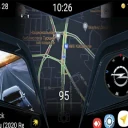
Screenshots
Analysis by Reviewed
When I’m deciding whether to install a visual add-on, I want to know what it changes, what it depends on, and how much control I keep. СL Theme Line is a paid Auto & Vehicles app by Apps LabDev, intended as a theme for Car Launcher rather than a standalone messaging or chat app. That distinction matters: its value depends on whether you already use Car Launcher and want to change the look of its interface. I would not choose it expecting a general phone-wide makeover or a new messaging experience.
Start with the launcher you already use
This is most relevant to someone who already spends time using Car Launcher in a vehicle and wants a different visual style there. A theme can make an interface feel more personal, but it is not a substitute for a launcher, navigation tool, or driving-safety feature. If you do not use Car Launcher, this purchase is unlikely to solve a problem you have.
Picture getting into your car for an ordinary commute and opening the launcher you already use. A theme is useful in that moment only if its appearance feels comfortable and legible in your setup. Before paying, I’d check that Car Launcher is installed and that you know how to switch themes within it. That small bit of preparation helps avoid mistaking a companion theme for an app that works by itself.
Judge the design in your real routine
The practical question is not just whether a theme looks appealing in a preview, but whether it suits the way you use the launcher. Think about where your eyes go first, how quickly you need to recognize familiar controls, and whether a new visual treatment makes those elements easier or harder for you to scan. I’d make one change at a time and use the launcher normally before deciding whether the theme works for my routine.
There is also a useful distinction between changing appearance and changing function. A theme is a styling choice; it should not be treated as a promise of new launcher capabilities. If your main goal is a different layout or extra tools, compare the launcher’s own options before buying a visual add-on. If your goal is simply a fresh look in the launcher you already rely on, a dedicated theme is a more focused choice than replacing the whole setup.
Trust starts with what you can inspect
For trust, I prefer to judge an app by choices I can actually see rather than assume anything about its data practices. Before installing, I’d review the permission prompts on my device and consider whether each one makes sense for a theme. I would also pay attention to any account or privacy controls presented during use, and avoid granting access that does not appear necessary for the task. Those checks are sensible for any paid customization app, especially one that sits alongside a launcher used in a car.
First Impressions
The first thing that strikes you about the Cute Line Theme is its charming and visually appealing design. When I first installed it, I was immediately drawn to the vibrant colors and cute character motifs that are scattered throughout the app. It felt like my chat screen had been sprinkled with a touch of magic, transforming it from mundane to absolutely charming.
More From Our News Desk

Clash of Clans Is Won Between the Battles

Android Auto Makes the Case for Quieter Car Software

MobiOffice: Transforming Mobile Productivity with Seamless Integration

EA SPORTS FC™ Mobile Soccer: Redefining Mobile Sports Gaming

How Microsoft OneDrive Became a Mobile Productivity Giant

How Google Translate Breaks Language Barriers Effortlessly
Setting it up was pretty straightforward. You only need a few taps, and voilà, your messaging app transforms into a cute, pastel paradise. The user interface is intuitive, and even if you’re not tech-savvy, you’ll find it easy to navigate through the customization options.
Features That Stand Out
One of the highlights of the Cute Line Theme is its extensive range of customizable options. You can choose from a variety of themes that include adorable animal motifs, colorful backgrounds, and more. Each theme is thoughtfully designed to bring a smile to your face every time you open your chat app.
Another feature I particularly enjoyed is the ability to change the appearance of chat bubbles and fonts. It’s the little touches that make your messaging app feel personal and uniquely yours. Plus, the themes are updated regularly, so there’s always something new to look forward to.
Why You’ll Love It
What sets the Cute Line Theme apart is its attention to detail and user-friendly interface. It’s not just about aesthetics; it’s about enhancing your overall chat experience. The app runs smoothly without any noticeable lag, which is crucial when you’re in the middle of a conversation.
Moreover, the developers have done a great job ensuring that the themes don’t interfere with the functionality of the messaging app. Everything works seamlessly, and the themes are just an overlay to make your chats more visually appealing.
Making a careful purchase decision
The price is $1.99, so I’d treat this as a small but deliberate purchase rather than an automatic download. Its focused purpose is a plus if you want a theme for Car Launcher, but it is a limitation if you expect broad customization across your phone. The app is rated for Everyone, has 1K+ installs, and its current version is 1.3. It was released on Apr 5, 2024, and supports Android 5.0 and up.
One question worth settling first is whether a theme can be applied without replacing your existing launcher setup. Since this app is described as a theme for Car Launcher, I’d keep the launcher itself in mind as part of the experience and check its theme-selection process before buying. Another practical consideration is reversibility: if you decide the look is not for you, make sure you know how to return to your previous theme through the launcher rather than assuming the add-on changes nothing else.
There is no universal best choice here. Compared with sticking to the launcher’s default appearance, this theme offers a more specific visual direction; compared with changing launchers, it is the narrower option and avoids making a wholesale interface choice. That narrow focus is exactly why I’d recommend it only to someone who already uses Car Launcher and likes this particular style. For anyone prioritizing functionality, a different launcher configuration is likely a better fit.
Where a theme fits—and where it doesn’t
For a driver who has already settled on Car Launcher, a companion theme can be a low-disruption way to change the cabin interface without rebuilding the whole home-screen arrangement. That is the strongest case for this purchase: you want a visual adjustment, not a new system to learn. It may also suit someone who keeps a phone mounted in the car and wants the launcher’s familiar controls to feel less generic. I would still judge the result from the mounted position and in ordinary lighting, rather than deciding from a small preview alone.
There is a practical trade-off between a theme and the usual alternatives. Leaving the existing design alone costs nothing and preserves familiarity. Changing settings within Car Launcher may be better if your real concern is layout or readability. Switching to another launcher makes sense if you want different tools or a more fundamental change, but that also means taking on a broader setup decision. A dedicated theme sits between those choices: narrower than a launcher replacement, but more specific than simply keeping the default look.
I would skip it if I were shopping for navigation, hands-free controls, or a safer driving workflow. A visual treatment does not solve those needs, and experimenting with appearance while driving would be a poor way to assess it. I’d make any changes while parked, then give myself time to confirm that the familiar launcher elements remain easy to identify before relying on the setup during a trip.
A low-risk way to try it
My preferred approach would be to note how the current Car Launcher screen is arranged before making a change, then apply the theme while the vehicle is stationary. I’d use the same routine I normally do—opening the launcher, checking the elements I recognize at a glance, and confirming that the general arrangement still makes sense to me. This is more useful than judging a theme by novelty alone, because a style that looks appealing can still be distracting or less readable in a particular car.
If the new appearance does not suit me, I’d look for the launcher’s own way to restore the previous theme before trying other adjustments. Keeping the change isolated makes it easier to tell whether the issue is the theme, the launcher’s configuration, or the way the screen looks in that environment. It also avoids making several visual changes at once and then having to guess which one caused the discomfort.
Before purchase, I’d also settle a few practical questions in sequence: do I use Car Launcher now; can I access its theme selection; and am I buying for appearance rather than missing functionality? Those checks answer the most important compatibility and expectation questions without assuming the add-on operates independently. The Everyone age rating and Android support from version 5.0 make the intended platform context clear, but I would still check the device’s own prompts and launcher behavior as part of setup.
Keep trust judgments grounded
A theme touches a familiar interface, so I think it is sensible to pause at permission requests rather than approve them automatically. I would consider each prompt in relation to the narrow job of changing the launcher’s appearance and use the device’s visible controls to make choices. If an account or privacy screen appears, I’d read it before proceeding. That is a practical way to keep agency in the process without making assumptions about what the app collects or how it handles information.
My overall recommendation is deliberately limited: СL Theme Line is worth considering for an existing Car Launcher user who likes its visual direction and is comfortable treating it as a paid styling add-on. It is not the right purchase for someone who wants a standalone app, a messaging makeover, or new driving functions. The most useful decision is to verify the launcher dependency, make any trial changes while parked, and keep the option to return to a familiar appearance in mind.
Final Thoughts
In conclusion, if you’re looking to add a touch of whimsy to your messaging app, the Cute Line Theme is definitely worth a try. It’s fun, easy to use, and adds a unique flair to your chats. Whether you’re a fan of cute aesthetics or just want to change things up a bit, this app has got you covered.
So, why not give it a go? Download the Cute Line Theme and let your chats shine with personality and charm!
СL Theme Line Frequently Asked Questions
What does the Everyone age rating mean for CL Theme Line?
CL Theme Line has an Everyone content rating, so it is categorized as suitable for a general audience. It is an Auto & Vehicles app whose stated purpose is to provide a theme for Car Launcher. If you are choosing it for a particular user, consider whether customizing the launcher fits their needs and how they use their device.
What is CL Theme Line and how does it enhance my messaging experience?
CL Theme Line is a customization app designed to enhance your messaging experience by offering a wide array of themes and designs for the Line messenger app. It allows users to personalize the look and feel of their chat interface, making interactions more visually appealing and aligning with personal aesthetic preferences.
Is CL Theme Line compatible with all versions of the Line app?
CL Theme Line is generally compatible with most recent versions of the Line app. However, for optimal performance, it's recommended to keep both your Line app and the CL Theme Line app updated to the latest versions. Compatibility may vary with older versions, so ensure your device supports the newest updates.
How can I install and apply themes using CL Theme Line?
Installing and applying themes with CL Theme Line is straightforward. First, download and install the app from the Google Play Store or Apple App Store. Once installed, browse through the available themes, select your preferred design, and follow the on-screen instructions to apply it to your Line messenger. The process is user-friendly and quick.
Are there any costs associated with using CL Theme Line?
CL Theme Line is priced at $1.99, so plan for that cost before downloading. Its stated purpose is to provide a theme for Car Launcher, making it a customization option rather than a general-purpose vehicle tool. Consider whether you use Car Launcher and want to change its appearance before deciding whether the purchase is worthwhile.
Pros
- Intuitive user interface
- Wide range of customization options
- Seamless integration with Line app
- Regular updates and new themes
- Lightweight and fast performance
Cons
- Limited free theme selection
- Occasional minor bugs
- Requires Line app to function
- Some themes need in-app purchases
- Limited support for older devices
- Category
- Auto & Vehicles
- Version
- 1.3