Word Search 2 - Hidden Words
- 1.24K
- 4.9
- Installs
- 1.00M
- Price
- Free
Screenshots

Analysis by Reviewed
I usually reach for a word search when I want something quiet that still gives my attention a small job to do. Word Search 2 - Hidden Words fits that in-between moment: it’s a word puzzle game by IsCool Entertainment, and its promise of a long run of levels makes it better suited to short, repeat visits than to a single quick novelty. I’d consider it when I want a low-pressure break, though it won’t suit someone looking for a story or a complex strategy game.
Unpacking the Game Experience
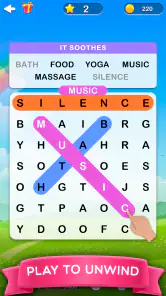
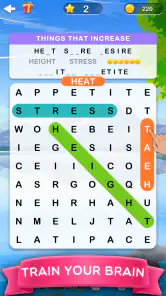
From the moment I launched Word Search 2 - Hidden Words, I was greeted by its vibrant and inviting interface. It’s simple, yet engaging, making it easy for anyone to jump right in. Whether you’re a seasoned word puzzle enthusiast or just someone looking to kill some time, this game strikes the perfect balance between challenge and fun.
Features that Stand Out
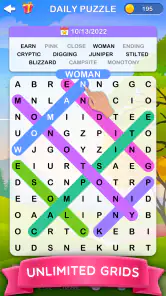
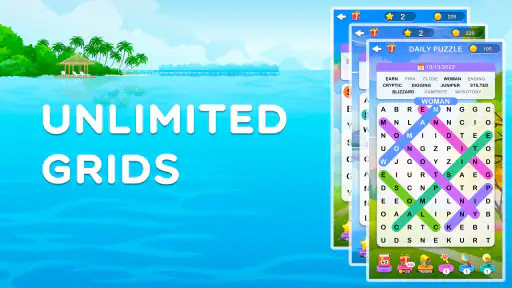
One of the first things I noticed was the variety of puzzles available. The game offers multiple categories and difficulty levels, ensuring that you never run out of new challenges to tackle. It’s like having an endless magazine of crosswords in your pocket, but without the ink stains.
The breadth of its level library is a practical strength: there are more than 4,200 stages to work through. That makes it appealing if you like a familiar puzzle format but want a reason to return, rather than a small set of boards you finish in one sitting. I’d use it in a queue or during a lunch break, stopping when I need to move on and picking it up again when I have another few minutes.
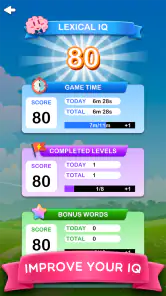
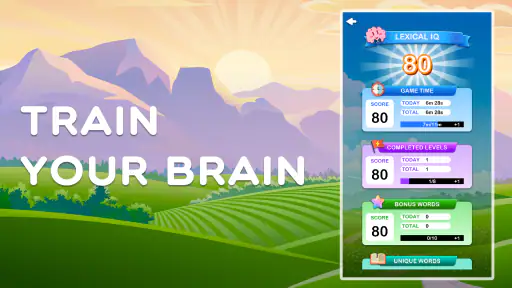
Another nifty feature is the game’s ability to track your progress. This is perfect for those who, like me, love seeing how much they’ve improved over time. Not to mention, the satisfying feeling of completing a particularly tough puzzle is only amplified when you see your stats reflecting your hard work.
Small Habits That Make Each Board Easier
A word-search grid rewards a slightly different kind of attention from a crossword. I find it more useful to settle on a scanning pattern before I begin: check rows from left to right, then reverse direction on the next row, and only then look vertically or diagonally. That small routine cuts down on aimless searching and makes it easier to notice a word that crosses my usual visual path. It is especially helpful when I’m playing in a noisy waiting room and keep losing my place.
I also try not to treat a missed word as a sign that I need to tap faster. A brief pause and a fresh scan often work better than repeatedly sweeping across the same area. If I’ve been staring at one section for too long, moving to another part of the board can reset my attention. This is a low-stakes puzzle, so the useful skill is patience, not speed; I’d choose a different game if I wanted reaction tests or time pressure to be the main event.
More From Our News Desk

Weather by Xiaomi Review: Clear at a Glance, Less Clear Up Close

X Under Pressure: Can It Recover When Posting Goes Wrong?

Clash of Clans Is Won Between the Battles

Android Auto Makes the Case for Quieter Car Software

MobiOffice: Transforming Mobile Productivity with Seamless Integration

EA SPORTS FC™ Mobile Soccer: Redefining Mobile Sports Gaming
The progress tracking can make a long sequence of boards feel more tangible, but I’d use it as a personal record rather than a measure of skill against other players. A streak or completed stage count tells me that I’ve returned and finished puzzles; it doesn’t necessarily show that the game has become more intellectually demanding. That distinction matters if you want a word game that steadily teaches vocabulary or tests knowledge. This one is more about visual recognition and sustained attention than learning definitions.
Keeping Progress Comfortable
For a calmer session, I’d treat each board as a small standalone task rather than trying to race through a long stretch of levels. That makes the game an easy fit for a commute or a quiet wind-down, provided you’re happy to focus on the screen. If a word isn’t jumping out, scanning in one direction at a time is less tiring than darting around the whole grid; it also helps me avoid overlooking a word simply because I’m searching too quickly.
The large level count offers staying power, but it doesn’t automatically mean every puzzle will feel fresh to every player. Word searches rely on spotting patterns, so anyone who prefers new mechanics, changing objectives, or a narrative may find the core activity repetitive. Compared with crosswords, this asks less of you in clues and general knowledge; compared with more action-focused mobile games, it has no need to demand quick reflexes. That simplicity is the point, but it is also a clear limit.
For an ordinary day, I can picture opening it while waiting for a takeaway order, completing a board, and putting my phone away when my name is called. It doesn’t require me to remember a plot or plan a run around a complicated system, which is exactly why it works in those small gaps. At home, I’d be more likely to choose a crossword if I wanted to sit down for a longer session and wrestle with clues. The better choice depends less on which format is universally superior and more on whether I want visual scanning or word knowledge at that moment.
It is also a screen-focused activity, so I wouldn’t recommend it as a way to pass time while walking, crossing a street, or doing anything that needs my eyes elsewhere. The short-board approach makes it easy to stop, but it doesn’t make divided attention safe or comfortable. I’d save it for a seat, a quiet room, or another situation where I can look at the grid without needing to monitor what’s happening around me.
The Social Aspect
Now, I’m not always one for competitive gaming, but the social elements in Word Search 2 add a delightful twist. You can connect with friends, compare scores, and even compete in real-time word search battles. Trust me, there’s nothing more exhilarating than beating your best buddy by finding that last hidden word just in the nick of time.
That competitive side is best for people who enjoy comparing results with friends, not for anyone who wants a purely solitary puzzle routine. If I were choosing a word game mainly for head-to-head play, I’d first ask whether its battle format is what I want; this title’s everyday appeal remains the straightforward search-and-find loop. Its average rating is 4.9 from around 44,000 ratings, and it has more than a million installs, suggesting that many players have found that basic loop worth returning to.
When I think about fairness, I separate the basic puzzle from the decision to spend. The game is free to download, and purchases are offered, but the purchase facts alone don’t tell me whether a particular item changes a competitive result or whether every battle uses identical conditions. I wouldn’t treat spending as a shortcut to winning, and I wouldn’t make a purchase on the assumption that it is needed to keep up. If competition is your main reason to install, try the ordinary puzzle experience first and decide whether the social format itself feels enjoyable.
For a friendly match, the most satisfying approach is to agree on the spirit of the contest before starting: play for fun, rather than treating one result as a serious measure of vocabulary or ability. A fast search can depend on visual focus and familiarity with the grid as much as word knowledge. Someone playing on a small screen or while distracted may have a different experience from a friend who can give the board their full attention. That is a practical reason to keep battles casual instead of reading too much into a win or loss.
Spending, Access, and Fit
The game is free to download, with optional in-app purchases priced from $1.49 to $129.99 per item. That range is worth noticing before playing: the free entry point is clear, but the upper end is substantial, so I’d avoid tapping through a purchase prompt casually and check the amount shown before confirming anything. I wouldn’t assume that paying is necessary to enjoy the puzzles, or that it changes competitive outcomes; those details aren’t established here. If you’re choosing it for a child, its Everyone age rating is reassuring, while purchase decisions still deserve the usual adult attention.
It was released on October 14, 2022, and version 1.18.0 requires Android 5.1 or later. Those details make it a plausible option for a compatible older Android device, though I’d still check the current store page on the device before installing. The game has 1.2K reviews, and its free price makes trying it a relatively low-commitment choice; the main question is whether you enjoy word searches enough to keep returning.
On spending, I’d take the displayed price of each item as the only reliable guide before confirming a purchase. The listed range runs from $1.49 to $129.99 per item, a wide enough spread that I would not tap through a purchase screen on autopilot. I’d also use the device’s purchase-confirmation settings if a child might play on the same device. The game’s Everyone rating describes its age suitability, but it doesn’t remove the need to supervise spending choices.
The version and Android requirement are useful compatibility checks, not a guarantee that every older phone will feel equally comfortable. A word grid is easier to scan when it appears clearly at a size that suits your eyes, so I’d try a board on the device I plan to use before making it my regular break-time game. If the screen feels cramped or I need to keep zooming mentally to distinguish letters, the format loses much of its relaxing appeal, even if the phone meets the minimum system requirement.
What to Expect Before You Settle In
A natural question is whether this is a good choice for someone who wants a word game but dislikes clue-heavy puzzles. I think it can be: the central task is finding words in a grid, so it asks for visual concentration rather than the same recall and deduction a crossword often needs. That also means it may not satisfy someone who wants to expand vocabulary through definitions or learn why a word fits. I’d pick it for a quick search, not as a substitute for a language-learning tool.
Another practical question is whether the level count guarantees variety for months of play. It gives the game a sizeable runway, but quantity alone cannot tell me how different each board will feel. Since the basic activity remains word searching, I’d expect the enjoyment to depend on how much I like that loop. If I start anticipating the same kind of scan every time, I’d switch to another puzzle style rather than push through levels just to raise a progress total.
Players who want a game they can enjoy without comparing themselves to anyone can simply focus on the boards and their own progress. Those who are drawn to the social competition should be comfortable with results being only one part of the appeal, not proof of superior vocabulary. I’d also avoid assuming that every feature or purchase works a particular way unless the game makes it clear on screen. A careful first session is enough to see whether the controls, board presentation, and optional spending prompts suit your preferences.
I would skip it if I needed a rich narrative, a constantly changing ruleset, or a game built around deep strategic choices. I’d also choose something else if my priority were guaranteed offline play or a specific accessibility feature; those are important needs, and I wouldn’t want to guess about them. For a player who simply wants a familiar word-search format on a phone, though, the uncomplicated premise is a strength. It is easiest to recommend to people who know they enjoy scanning letter grids and are content to make that the main activity.
Why It’s Worth Your Time
What truly makes this game shine is its accessibility and replayability. The developers have done an impressive job of keeping it fresh with regular updates and new content. Plus, the game runs smoothly without any annoying lags or crashes, which is always a plus in my book.
For me, the best use case is a short pause when I want to focus on something simple without starting a longer game. It’s less suited to a player who needs offline access, detailed accessibility options, or a particular purchase policy before deciding, since those specifics aren’t established here. I’d check those points in the store and on the device rather than guess. Overall, I’d recommend giving it a try if you like scanning grids and want a relaxed word puzzle; if you prefer clue-solving depth or constant variety in the rules, a crossword or a different puzzle style may suit you better.
To sum it up, Word Search 2 - Hidden Words is more than just a game; it’s a delightful escape that keeps your mind sharp and entertained. Whether you’re on a quick coffee break or lounging at home, this game is a fantastic companion. So, if you haven’t yet, give it a go. You might just find yourself hooked, like I did!
Word Search 2 - Hidden Words Frequently Asked Questions
What kind of game is Word Search 2 - Hidden Words?
Word Search 2 - Hidden Words is a word puzzle game built around finding hidden words in letter grids. It may appeal if you enjoy quiet, focused puzzles that are easy to pick up and play at your own pace. The game is free to download, and its content rating is Everyone, making it suitable for a broad audience.
Who developed Word Search 2 - Hidden Words, and what devices can run it?
Word Search 2 - Hidden Words is developed by IsCool Entertainment. On Android, it requires version 5.1 or later, so it is worth checking your device’s operating system before downloading. The game is rated Everyone, which indicates content intended for a broad audience. It is also available as a mobile word game for players who enjoy solving puzzles on the go.
How many puzzles can I play in Word Search 2 - Hidden Words?
Word Search 2 - Hidden Words offers over 4,200 levels, giving players a substantial collection of word-search puzzles to work through. It is a good fit if you enjoy having plenty of levels available and want a relaxing game to return to over time. The game is free to download, though optional in-app purchases are also available.
What is the main objective of Word Search 2 - Hidden Words?
Word Search 2 - Hidden Words is a puzzle game where the main objective is to find hidden words within a grid of letters. The game challenges players to identify words from a list by connecting adjacent letters in various directions, including horizontally, vertically, and diagonally. It's a fun and engaging way to test and improve your vocabulary and cognitive skills.
Is Word Search 2 - Hidden Words suitable for all age groups?
Yes, Word Search 2 - Hidden Words is designed to be family-friendly and suitable for all age groups. The game offers various difficulty levels, making it accessible to younger children as well as challenging for adults. It's a great way for families to enjoy quality time together while enhancing their language skills.
Pros
- Easy to navigate interface.
- Variety of word categories.
- Offline play available.
- Daily puzzles keep it fresh.
- Improves vocabulary skills.
Cons
- Ads can be intrusive.
- Limited free hints available.
- Some puzzles can be repetitive.
- Occasional app crashes.
- Premium version is costly.
- Category
- Word
- Version
- 1.18.0












