Spades Stars - Card Game
- 6.50K
- 4.8
- Installs
- 1.00M
- Price
- Free
Screenshots
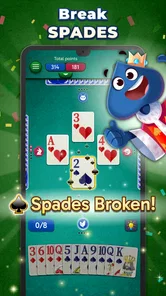
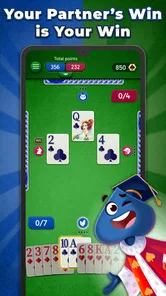
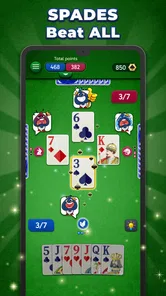
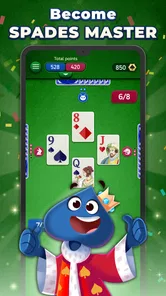
Analysis by Reviewed
Spades Stars - Card Game makes most sense when I treat it as a quick way to enjoy a familiar trick-taking game, rather than as a replacement for a table full of friends. Its appeal is the mix of approachable card play and the option to dip in for a short session. That balance works well for casual players, though anyone seeking a deeply customizable or strictly in-person style of Spades may prefer a different option.
The key question is whether you want a convenient place to play Spades or a broader card-game platform. I see this as the former with some social extras: the familiar bids and tricks remain the reason to stay, while the additional progression and community elements can make it easier to return. That focus is a strength, but it also means players who want a completely bare-bones table may find the surrounding features busier than they need.
Setting the Scene
Playvalve’s free card game is called Spades Stars, and it is available for Android and iOS. It is rated for Everyone, has a 4.8 average from around 88,000 ratings, and has passed over one million installs. It first appeared in January 2024; the current version is 1.8.0, and Android 7.0 or later is required. Those details make it easy to judge whether it fits your device and comfort level, while the free entry point lets you try the game before deciding whether its optional purchases suit you.
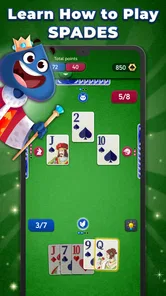
First things first, if you’ve never played Spades before, don’t sweat it. The game does a fab job of easing you in, with helpful tutorials that walk you through the basic rules and strategies. Spades Stars - Card Game is available on both Android and iOS, meaning you can enjoy it whether you’re lounging on the couch or waiting for your coffee order.
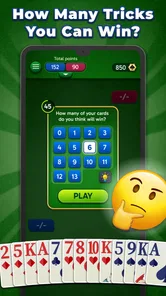
For someone new to trick-taking, I’d give the tutorial my full attention rather than tapping through it just to reach a match. Spades asks you to think about how many tricks you expect to win, not only which card looks strongest in the moment. Understanding that link between a bid and the round’s outcome makes the rest of the game feel more legible. If you already know the rules, you can move on quickly; if you don’t, a little patience at the start can save several confusing rounds later.
The Gameplay Experience
What really got me hooked was the smooth gameplay. You know how some apps can be a bit clunky? Not this one. The interface is super user-friendly, with vibrant graphics that make every card pop. It’s like the designers had a meeting and decided, "Let’s make this as easy as pie for everyone!" And they totally delivered.
One of the coolest features is the multiplayer mode. You can either play with friends or go solo against the AI. Trust me, the AI is no pushover, so it’s a great way to hone your skills. Plus, the game is pretty fast-paced, so it keeps you on your toes, ensuring you’re always engaged.
More From Our News Desk

Weather by Xiaomi Review: Clear at a Glance, Less Clear Up Close

X Under Pressure: Can It Recover When Posting Goes Wrong?

Clash of Clans Is Won Between the Battles

Android Auto Makes the Case for Quieter Car Software

MobiOffice: Transforming Mobile Productivity with Seamless Integration

EA SPORTS FC™ Mobile Soccer: Redefining Mobile Sports Gaming
That pace is particularly useful when I want a defined break instead of a game that absorbs the whole evening. A round can fit into a pause between errands or while I’m waiting for someone, and the quick rhythm makes it easy to decide whether I have time to start another. The trade-off is that I would not open it when I’m looking for a slow, reflective card session; the short-turn feel may encourage quicker choices than a careful player wants.
Learning to Read the Table
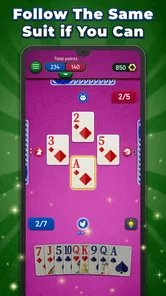
The useful skill here is not just knowing when to play a high card; it is keeping track of what has already gone. I find it helpful to notice which suits opponents have spent and whether the tricks taken match the bids. That turns a casual round into practice for real Spades, without needing a partner beside me. If you are new, focus on one clue at a time rather than trying to remember every card. A short session is enough to learn whether you enjoy that mental bookkeeping.
For a practical routine, I would use the tutorial to get comfortable with the rules, then play against the AI when I have only a few minutes and don’t want to coordinate with anyone. Multiplayer is the better choice when I want the uncertainty of human decisions or a shared match with friends. The distinction matters: an AI opponent is convenient for practice, while playing with people is where the social and competitive feel comes through.
One useful habit is to treat each round as a small review of your own decisions. Before the next hand, I’d ask whether my bid reflected the cards I held or whether I was simply hoping for a lucky run. Afterward, compare the result with that expectation, rather than judging the play only by whether the team won. This keeps practice focused and makes the AI mode worthwhile even when I’m not playing with friends.
Levels and Rewards
Now, let’s talk about the leveling system. As you play, you earn stars and rewards that help you climb the ranks. It’s like having a built-in motivator that keeps pushing you to get better. And who doesn’t love unlocking new levels, right? There are also daily challenges and special events that offer extra incentives to log in and play.
That progression can make returning feel worthwhile, but I would treat rewards as a bonus rather than the reason to play. If you prefer a plain, uninterrupted card table, rank climbing and recurring challenges may feel like extra noise. The game includes in-app purchases ranging from $0.99 to $99.99 per item, so I’d check each purchase carefully and decide in advance whether I want to spend. The free version is the sensible place to start; the reward loop does not need to become a shopping prompt.
A practical way to keep the reward track in perspective is to decide what you want from a session before opening the game. If the goal is to learn, play enough hands to notice a pattern in your bids; if the goal is simply a quick diversion, there is no need to chase every challenge. That distinction matters because daily prompts can turn an easygoing card break into a routine of checking in. I would use them when they add a fun target, not as a reason to play when I would rather stop.
Social Interaction
Spades Stars isn’t just about playing cards; it’s also a social platform. You can chat with other players, send and receive gifts, and even join clubs. It adds a nice layer of camaraderie, making the whole experience feel more communal and less like you’re playing against faceless opponents.
Also, the app’s community is pretty welcoming, so if you’re a newbie, you’ll likely find people willing to help you out. It’s like a family of card enthusiasts that’s always ready to welcome new members.
If you are deciding whether to use the social side, I’d separate “playing with people” from “being active in a community.” Multiplayer suits someone who wants human decisions to make a match less predictable. Chat, gifts, and clubs are extras for players who enjoy a more connected setting, not requirements for learning the card game. Someone who prefers quiet play can stay with the AI, while anyone uncomfortable with player interaction should choose a simpler solo-focused alternative instead.
A realistic use for this side of the game is a quiet evening when friends are in different places: instead of arranging a physical deck and table, you can use the multiplayer option to share a card game, then return to solo play when nobody is available. Still, I would not choose it if my main goal were private, face-to-face conversation; a phone game can add a common activity, but it does not replace the atmosphere of playing around one table. And if you dislike chat or community features, the solo AI option is a more comfortable fit.
Who Will Enjoy It—and Who May Not
I’d recommend this to people who already enjoy Spades, newcomers willing to learn its bidding and trick-taking rhythm, and anyone who wants a portable card game with both solo and social options. Compared with a basic offline card app, the multiplayer and community elements give this one more of a shared-game feel. Compared with meeting friends for a physical game, though, it is less personal and depends on everyone being comfortable playing on a screen.
The choice between this and a standard deck depends on what you value in the moment. A physical game is better when everyone is together and wants the conversation, table presence, and flexibility of playing face to face. A basic solo card app can be a better fit when you want nothing beyond a quiet hand of cards. This game occupies the middle ground: it brings solo practice and social play into one place, so its extra layers are useful if you will actually use both.
It may not be the right choice if you want a stripped-back card table without progression, rewards, or social interaction, or if you are looking for a different card-game style rather than Spades. The game’s fast pace is convenient for brief breaks, but it can also make a thoughtful bidding decision feel rushed if you prefer to take your time. I’d try a few rounds before deciding whether that tempo suits you.
For a household deciding whether it suits more than one kind of player, I’d start by asking what each person wants from Spades. A learner may value the tutorial and solo practice, while a regular player may care more about the changing decisions in multiplayer. If the main attraction is a calm, private game with no community or progression around it, those same strengths may not matter. It is better to choose based on the card play you want than to assume the extra modes will suit everyone.
Final Thoughts
To wrap it up, Spades Stars - Card Game really delivers on all fronts. Whether you’re a seasoned card player or a newbie looking to kill some time, this app has something for everyone. It’s a great mix of strategy, competition, and fun, all wrapped up in a neat little package. So, if you’re on the hunt for a new game to spice up your routine, give this one a try. You might just find yourself saying, "Just one more game!" over and over again.
My verdict is positive, with one clear caveat: the best reason to install it is that you want to play Spades, not simply collect rewards or browse a gaming community. I’d start free, learn the flow against the AI, and move to multiplayer when I want company. That gives the game room to prove its strengths without making the optional spending or social layer the center of the experience.
In short, I’d choose it for flexible access to Spades: a learner can build confidence at their own pace, and an experienced player can switch to human opponents when company is available. I would look elsewhere if I wanted a highly configurable ruleset, an entirely distraction-free card table, or the feel of a real deck shared across a table. For the right player, though, the mix of practice, quick matches, and optional social play makes it an easy recommendation to try.
Spades Stars - Card Game Frequently Asked Questions
Who develops Spades Stars - Card Game?
Spades Stars - Card Game is developed by Playvalve, and it focuses on the familiar card game of Spades. If you are choosing among card apps, the developer name can help you identify the game you mean when searching the app store. Its straightforward premise may suit players looking for a digital way to enjoy Spades rather than a broader collection of card games.
What kind of game is Spades Stars - Card Game?
Spades Stars - Card Game is a card game centered on the classic game of Spades. Its store summary presents it as an easy and fun option that can be played offline with friends, while the game also includes online multiplayer features. That combination makes it worth considering whether you mainly want casual card play or opportunities to compete with other players.
Is Spades Stars - Card Game free to download?
Yes. Spades Stars - Card Game is free to download, so you can try the classic card game without paying upfront. It also offers optional in-app purchases, with prices ranging from $0.99 to $99.99 per item. If you prefer not to spend, you can avoid those purchases; they are separate from the download price.
What age group is Spades Stars - Card Game suitable for?
Spades Stars - Card Game has an Everyone content rating, making it suitable for a broad audience. It is a card game built around the familiar rules and play of Spades, so it may appeal to people who enjoy taking turns, planning bids, and playing hands with others. Parents can still review the game themselves to decide whether it suits their household.
What is Spades Stars - Card Game?
Spades Stars - Card Game is an engaging online multiplayer card game that allows players to enjoy the classic game of Spades with friends or compete against players worldwide. The game features exciting tournaments, customizable avatars, and a ranking system that enhances the competitive spirit. It's available for both Android and iOS devices. Playvalve develops the game, which is listed in the card-game category.
Pros
- Smooth
- intuitive interface enhancing gameplay
- Multiplayer mode for global competition
- Regular updates with new features
- Low data consumption
- ideal for mobile
- Customizable avatars and themes
Cons
- In-app purchases can be expensive
- Occasional server connectivity issues
- Ads can be intrusive at times
- Limited offline play options
- Some features locked behind paywalls