Quiz Blitz: Test Brain Game
- 683.00
- 4.8
- Installs
- 1.00M
- Price
- Free
Screenshots
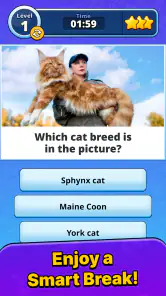





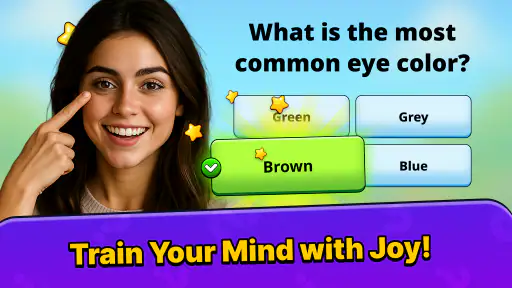
Analysis by Reviewed
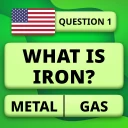
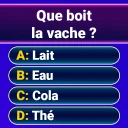
I tend to reach for a trivia game when I have a few spare minutes, not when I want another app to manage. Quiz Blitz: Test Brain Game is aimed at that quick-session habit: it is a free trivia game from Quiz & Trivia Games by Mno Go Apps, with an Everyone age rating. Its appeal is easy to understand, but a useful question game still has to earn a place on your phone by being clear, enjoyable, and easy to return to. My main advice is to treat it as a casual mental warm-up rather than a serious study tool.
Choose the right moment for a quick quiz
I find this kind of game works best when I can give a question a few seconds of attention without needing to monitor something else. A quiet pause before an appointment is a better test than opening it while juggling messages or trying to hurry through a queue. That small choice makes the experience fairer: you are judging the quiz, not your ability to concentrate amid interruptions.
It can also be a low-pressure way to share a phone with a friend or family member. I would take turns answering and compare the reasoning behind a guess, rather than turning the result into a competition about who is cleverer. The useful trade-off is that a shared screen makes the game social without requiring a separate activity, but it is not ideal if people want different topics or a more involved group game.
Where a quick quiz can get frustrating
Trivia feels effortless when a question is clear and the answer options make sense. It becomes irritating when you are unsure whether you misunderstood the wording, missed a detail, or simply lack the relevant knowledge. That distinction matters in a short-session game: a confusing question can sour an otherwise pleasant break faster than it would during a longer, more involved game.
I would approach each round with curiosity rather than treating every result as a measure of intelligence. A question game can give you a satisfying nudge to recall facts, but one correct or incorrect answer is not a meaningful IQ assessment. The daily-challenge framing may be motivating for someone who likes a small routine; it is less appealing if you expect a formal cognitive test or a carefully structured learning course.
Another common source of friction with mobile trivia is expectation. The title suggests a brain-testing experience, while the actual enjoyment of trivia usually depends on whether the questions suit your interests and knowledge. If you mainly enjoy a narrow subject, a broad quiz can feel uneven. I would give it a try if you like switching topics, but choose a specialist quiz instead if you want deep coverage of one area.
The game is free to download, but it includes in-app purchases ranging from $0.59 to $129.99 per item. That is worth keeping in mind before handing your phone to a child or tapping through purchase prompts quickly. The free entry point makes it easy to try, but I would check any purchase screen carefully and use the device’s purchase controls if you want to prevent accidental spending.
More From Our News Desk

Weather by Xiaomi Review: Clear at a Glance, Less Clear Up Close

X Under Pressure: Can It Recover When Posting Goes Wrong?

Clash of Clans Is Won Between the Battles

Android Auto Makes the Case for Quieter Car Software

MobiOffice: Transforming Mobile Productivity with Seamless Integration

EA SPORTS FC™ Mobile Soccer: Redefining Mobile Sports Gaming
Check the basics before blaming a question
Before starting, make sure the phone has enough battery and that you have a moment when you can focus. That sounds obvious, but trivia is a poor fit for a divided-attention situation: answering while crossing a street, listening for your stop, or switching between work messages makes it harder to tell whether a question was challenging or whether you simply missed it.
Quiz Blitz is listed for Android devices running version 6.0 or later. If you are installing it on an older device, check the operating-system version first; compatibility trouble is different from a problem with a quiz itself. The current version is 2.8.035, so if an installation or launch issue persists, checking for an available update through the relevant app store is a sensible first step.
I also recommend trying the game once when you have a stable connection, especially if the first launch or a screen transition seems slow. This is general troubleshooting, not a claim that every part of the game requires internet access. Close and reopen the app if it appears stuck, then try again. If the problem is limited to a particular question, note what happened and continue rather than repeatedly restarting and losing the chance to judge the overall experience.
For a smoother first session, keep the goal modest: play long enough to see whether the question style suits you, then decide whether you want to return. This is more useful than trying to infer the whole game from one unusual question. If you are setting it up for someone else, let them handle a few questions themselves; watching another person play can hide whether the wording and pace work for them.
How I would recover a session that goes off track
If a round feels unexpectedly difficult, I would first separate the issue into three possibilities: the subject is unfamiliar, the wording is unclear, or I am distracted. Take a moment to reread the question before choosing. If it still does not make sense, move on when the game allows you to do so rather than turning one confusing prompt into a verdict on the entire app.
A practical way to get more from casual trivia is to keep a tiny mental note of what you missed. You do not need a spreadsheet or a study plan. If a question exposes a gap you genuinely want to fill, look it up later from a reliable source; if it is just an obscure fact you do not care about, let it go. That turns a short game into a useful prompt for curiosity without pretending that the app is a complete educational resource.
If the game closes or stops responding, avoid repeatedly tapping the same control. Give the screen a moment, then close and relaunch the app. If the trouble returns, check whether the device has available storage and whether other apps are also behaving poorly. These basic checks can help distinguish a one-off interruption from a wider phone issue, without assuming a particular cause.
For interruptions, choose sessions that fit the moment rather than forcing a long run. A waiting room or a quiet break is a better setting than a commute where you need to watch your surroundings. If a notification pulls you away, return when you can pay attention; trivia rewards careful reading, and a hurried guess is not a useful test of whether the game is enjoyable.
When the phone or the moment is the real problem
Not every missed answer means the game has malfunctioned. A small screen, glare, low volume, or a busy environment can make any question harder to follow. Try changing your position or brightness and give yourself a quieter moment before deciding that the interface is at fault. If text is difficult to read, a larger-screen device may be a better fit than trying to play while squinting at a phone.
Likewise, a slow launch can come from the device rather than the quiz content. Restarting the phone, closing other demanding apps, and checking for an update are reasonable general steps. If other apps are also freezing, focus on the device first. If the issue happens only in Quiz Blitz, note when it occurs and use the app store’s support route rather than guessing at a fix or repeatedly reinstalling without a reason.
Your mood and energy matter too. When you are tired, even familiar questions can feel harder, while a quick correct answer can seem more impressive than it really is. I would not use a daily score to compare yourself with friends or draw conclusions about your memory. The healthier use is simple: enjoy the challenge when it is fun, and stop when it starts to feel like a chore.
Who will enjoy it, and what it does not replace
The strongest audience is people who like bite-sized questions, enjoy a varied trivia session, and want something more mentally engaging than endlessly scrolling. It can suit a short solo break, a quiet wait, or a low-pressure turn-taking moment with someone nearby, provided everyone is comfortable reading and answering on the same device. The game’s Everyone rating makes it broadly accessible by age classification, though adults should still consider the in-app purchase range when a child will be using the phone.
Compared with a crossword or word puzzle, trivia asks you to retrieve facts rather than work through clues and letter patterns. Compared with a dedicated learning app, it is better approached as entertainment with a brain-teaser flavor, not a curriculum. A quiz app focused on one topic may be a better alternative for someone who wants depth, while a puzzle game may suit a player who prefers logic problems over general knowledge.
The game has an average rating of 4.8 from around 72,000 ratings, and it has passed 1 million installs. Those figures suggest that many people have found it worth trying, but they cannot tell you whether its questions match your tastes. I would use them as a reason to consider it, not as a guarantee that every session will land for you.
It is also worth being realistic about what a free game can offer. If you are looking for a fully guided course, detailed explanations after every answer, or a dependable way to train a specific skill, choose an app built around that purpose. If you simply want a quick prompt to think, guess, and learn the occasional fact, this style of trivia is a more natural match.
My practical verdict
I would recommend Quiz Blitz to a friend who likes casual question games and wants an easy option for short breaks. Its free download lowers the barrier to trying it, and the straightforward trivia premise does not demand a big time commitment. I would set expectations carefully: it is a game for light mental engagement, not a substitute for studying or a formal IQ measure.
For the best first impression, try a short session when you are not rushed, pay attention to whether the questions feel enjoyable rather than merely difficult, and check purchase prompts before confirming anything. If the game seems stuck, start with ordinary steps such as reopening it and checking the device and app update status. If it is the question style itself that does not click, no troubleshooting will change that; a subject-specific quiz or a logic puzzle will probably serve you better.
The current release is version 2.8.035, and the game is free with optional in-app purchases. Overall, I see it as a simple choice for people who want trivia on hand without turning leisure into homework. Quiz Blitz is worth trying if variety and brief challenges sound fun to you, but I would skip it if you need deep instruction, a narrow subject focus, or a guaranteed fit with your personal interests.
A useful way to decide after the first try
Rather than judging it by how many answers you get right, I would ask three simpler questions after a first session: did the wording feel readable, did the mix of questions keep me curious, and did I want to continue once the immediate break was over? If the answer is yes to most of those, it has probably found its role as a casual time-filler. If not, there is little value in forcing a daily habit just because the game presents itself as a challenge.
That test also helps separate personal preference from a technical issue. A game can open smoothly and still not suit you; conversely, one slow launch does not tell you much about the quiz itself. I would make one calm attempt after the basic setup checks, then decide whether the experience is worth revisiting instead of spending a long time trying to make a casual game fit a routine it does not naturally support.
Quiz Blitz: Test Brain Game Frequently Asked Questions
What is Quiz Blitz: Test Brain Game?
Quiz Blitz: Test Brain Game is a quiz-style puzzle app built around answering questions and testing your general knowledge. It may suit players who enjoy quick challenges, trivia, and brain-training activities. The exact question categories, game modes, and progression features can vary by version, so check the app’s current store listing and in-game menus before downloading if you are looking for a particular subject or style of play.
Is Quiz Blitz: Test Brain Game free to download and play?
The app may be available to download without an upfront charge, but free-to-download games can include advertising, optional in-app purchases, or other paid features. Availability and pricing can also differ by platform or region. Review the Google Play or Apple App Store listing for the latest details, and check the purchase and advertising information before installing if you prefer an uninterrupted experience or want to avoid accidental spending.
Does Quiz Blitz: Test Brain Game work offline?
Offline access depends on how the current version handles questions, progress, advertisements, and account features. Some quiz games allow basic play without a connection, while others need internet access to load content, save progress, or use certain modes. The store listing may clarify connection requirements, but the most reliable check is to open the game after installation and see which features remain available when your device is offline.
Is Quiz Blitz: Test Brain Game suitable for children?
A quiz game can be appropriate for a range of ages, but suitability depends on its question content, advertising, social features, and purchase options. Before letting a child play, review the age rating and content disclosures on the relevant app store, then check the game’s settings for parental controls or spending restrictions. Keep in mind that ratings and available safeguards may differ between Android and iOS.
What should I check before downloading Quiz Blitz: Test Brain Game?
Before installing, confirm that the app is compatible with your device and operating system, and review its latest rating, update history, privacy information, and permissions in the official store. Check whether it contains ads or in-app purchases, and consider whether an internet connection is required. These details can change as the app is updated, so use the current listing rather than relying on older descriptions or reviews.
Pros
- Quick quiz rounds make it easy to play during short breaks.
- A mix of question topics keeps each session varied.
- Simple controls let new players get started quickly.
- Timed questions add excitement and encourage fast thinking.
- Replay-friendly rounds make it easy to try for a better score.
Cons
- The timer may feel stressful if you prefer a relaxed pace.
- Some questions may be too easy or familiar for trivia fans.
- Repeated questions can make longer play sessions feel less fresh.
- A wrong answer can end a run before you have warmed up.
- Progress may depend more on quick responses than deep knowledge.
- Category
- Trivia
- Version
- 2.8.035