Fanatical Basketball
- 17.71K
- 4.4
- Installs
- 10.00M
- Price
- Free

Screenshots
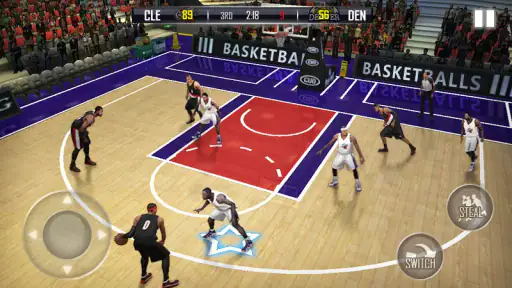
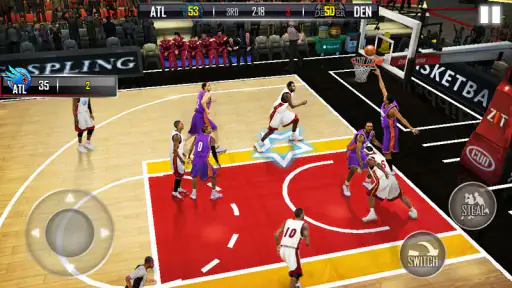
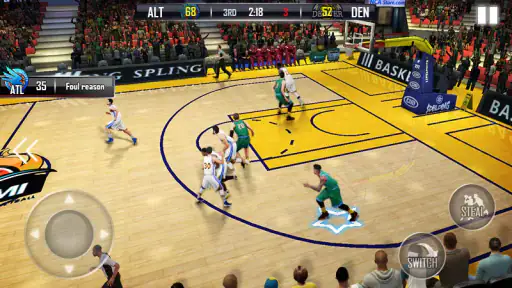
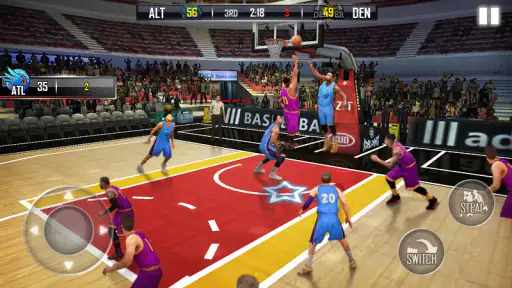
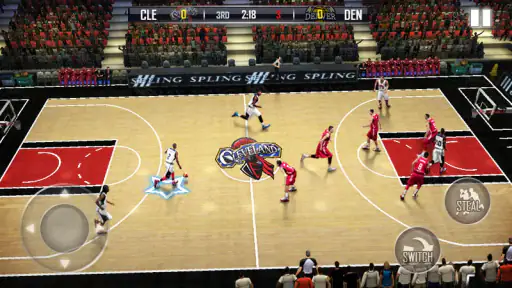
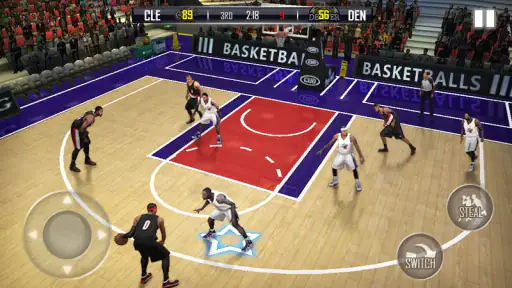
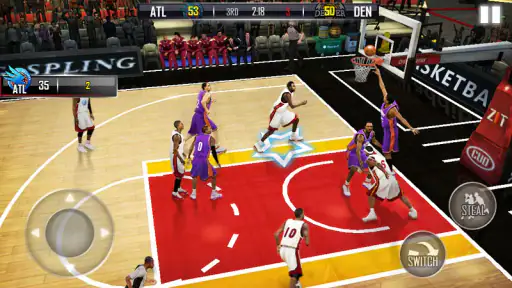
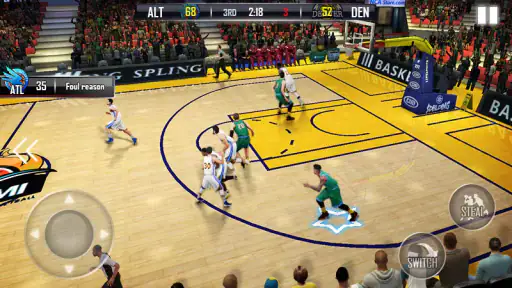
Analysis by Reviewed
I picked up Fanatical Basketball expecting a quick sports game for short breaks, and that is still where it makes the most sense to me. It puts a playable basketball experience on an Android device without asking for a purchase at the start, and the 3D presentation gives ordinary matches more energy than a basic arcade shooter. I would not treat it as a full replacement for a console basketball simulation, but I can see why this Sports game has attracted a large audience.
What I like most is the immediate feel. You can get into a game, make a few decisions, and enjoy the rhythm of attacking and defending without first learning a huge rulebook. That makes it suitable for a spare ten minutes on a shared tablet or phone. At the same time, the free-to-play structure and the touch controls mean it is not equally comfortable for every player. My experience was best when I approached it as an accessible basketball game rather than a perfectly realistic recreation of the sport.
How it fits into a shared household
The easiest way to understand this game is to imagine a family device that moves between people during the day. One person may want a quick match after school, another may use the same phone during a break, and someone else may simply try it because the game is already installed. The low entry cost helps in that situation: Fanatical Basketball is free to start, so nobody has to decide whether the household should buy a game before trying it.
That convenience comes with a practical boundary. A shared device is not the same thing as a shared game identity. I would avoid assuming that progress, purchases, or preferences will automatically be separated just because different people use the same phone. If several players want distinct experiences, the safest approach is to agree in advance who is using the device and who is allowed to change anything inside the game or the store account.
This matters especially when a younger player is involved. The game carries an Everyone content rating, which makes its general presentation approachable for a broad audience, but an age label does not remove the need for household rules around spending or screen time. I would let a child play it casually, while keeping purchases under an adult’s control and making it clear that a free download can still contain optional paid items.
For a household, the strongest use case is casual rotation rather than a serious shared league. Passing the phone around for a few quick matches can be fun, but I would not build a long-term family competition around unconfirmed assumptions about separate profiles, synchronized progress, or local multiplayer. The game works best when everyone understands that the device and its current game state belong to the person using it at that moment.
Getting started without creating confusion
The initial setup is simple in spirit: install the game, open it, and begin exploring the basketball experience. I found that the first useful step was not immediately chasing every available option, but spending a little time learning how the touch controls respond. Basketball games can feel awkward when a player taps too quickly or expects console-style precision from a phone screen.
More From Our News Desk

Weather by Xiaomi Review: Clear at a Glance, Less Clear Up Close

X Under Pressure: Can It Recover When Posting Goes Wrong?

Clash of Clans Is Won Between the Battles

Android Auto Makes the Case for Quieter Car Software

MobiOffice: Transforming Mobile Productivity with Seamless Integration

EA SPORTS FC™ Mobile Soccer: Redefining Mobile Sports Gaming
On a shared device, I would establish a small routine. The first player should finish any introductory steps before handing the phone over, and the next player should check which screen is open before starting a match. This sounds obvious, but it prevents accidental changes and avoids the common household argument where one person believes another has altered their progress.
There is also a sensible distinction between trying the game and committing money to it. The listed in-app purchase range runs from small optional items to much larger single-item purchases, so I would not let a child browse the payment flow unsupervised. The game can be sampled without paying, and that gives the household time to decide whether the controls and pace are actually enjoyable before considering anything extra.
My practical advice is to treat the first session as a test of fit. Does the player enjoy the camera and movement? Can they understand what the buttons do? Does the game feel comfortable on the particular screen being used? A game that feels responsive on a large tablet may feel cramped on a smaller phone, and that difference is more important than the attractive screenshots many sports games use to make their first impression.
Keeping progress and purchases on clear boundaries
I would be especially careful with account boundaries. The developer is CanaryDroid, and the game is currently listed as version 1.0.17, but neither of those details should be mistaken for a promise that every household arrangement will behave identically. Device settings, store accounts, and any sign-in steps can affect how purchases or progress are handled. Before sharing the game widely, I would check which account is active on the device and who has permission to approve a transaction.
This is one of the less obvious trade-offs of a free sports game. The download feels communal because everyone can try it, but payment responsibility is personal. If one person is allowed to buy something, I would make that rule explicit rather than relying on a child to understand the difference between an in-game button and a final purchase confirmation.
I also recommend taking a screenshot or making a simple note of the current player’s progress before another household member begins experimenting. That is not a glamorous tip, but it is useful on a device where people share access. It creates a basic reference point if someone changes a setting or moves further through the game than expected.
Players who want a completely isolated experience for every member of the family may prefer a game with clearly documented profile switching or a platform designed around separate user accounts. Fanatical Basketball is a better fit when the household can coordinate informally and accept that the device is the main shared space.
Playing together when the game is not a formal family activity
Coordination does not have to mean everyone playing at the same time. In my experience, the game can work as a conversation starter: one person plays while another suggests a move, comments on a missed opportunity, or takes the next turn. This is a relaxed way to use it with a sibling or friend, particularly when the goal is entertainment rather than proving who is the better basketball player.
The important thing is to agree on the handover point. A natural break after a match is better than passing the phone in the middle of an active play. It keeps the session understandable and reduces the chance that the next player will press something without knowing the current situation. For younger players, an adult can also use the end of a match as a reminder that the session is finished, instead of trying to interrupt during an exciting attack.
I would not promise a coordinated household tournament unless the available play options specifically support the format you want. The safer expectation is alternating individual sessions and discussing the results. That may sound less impressive than a dedicated multiplayer game, but it is honest and often works better on a single phone.
Another useful approach is to give each player a personal challenge that does not depend on purchases. One person can focus on learning the controls, another can try to improve decision-making, and a younger player can simply enjoy making shots. This keeps the game from becoming a contest between someone who has played longer and someone who is still figuring out the interface.
What the sports experience feels like in daily use
The 3D presentation is the main reason this feels more substantial than a throwaway basketball toy. The court and player movement give a match a stronger sense of occasion, while the sports theme makes it easy to understand what you are supposed to do. I enjoyed the visual energy, though I also found that presentation can raise expectations. If you are looking for the depth and exact control of a premium console simulation, the mobile format will feel lighter.
Touch controls are the real dividing line. They make the game accessible because you do not need a physical controller, but they also require patience. On a small screen, a thumb can cover part of the action, and quick decisions may not always translate into the exact movement you intended. I found it better to use deliberate inputs and learn the timing than to tap repeatedly in frustration.
That learning curve is actually useful for a shared household. A new player can start with simple goals, while a more experienced player can concentrate on cleaner timing and better choices. The game is not only about reflexes; it also rewards paying attention to what is happening before making the next input. That gives it more staying power than a basketball game built entirely around pressing one button.
Still, I would keep sessions reasonably short if the device is shared. The game is easy to revisit, but a long turn can make other people wait and can turn a casual activity into a dispute. A match-based routine, with each person taking a defined turn, feels more enjoyable than leaving the game open indefinitely.
Age, trust, and the free-to-play question
The Everyone rating is reassuring for the game’s broad audience, and I did not approach it as an adult-only sports title. However, parents should separate content suitability from purchasing freedom. Optional payments can be a bigger household issue than the on-court action, especially when a child sees an attractive upgrade or wants to progress faster.
I would explain three rules before handing over the device: play only during the agreed time, ask before opening any purchase screen, and stop at the end of the current match. These are simple boundaries, but they fit the way this game is likely to be used. They also avoid pretending that an age rating is a substitute for supervision.
Trust works both ways. Adults should not change a child’s progress without asking, and children should not assume that a shared phone means every setting is theirs to modify. If the game becomes a regular part of household life, a short conversation about turns and spending will do more good than a complicated set of rules nobody remembers.
The game’s audience size suggests that it is not an obscure experiment. It has an average rating of 4.4 from around 331 thousand ratings, with more than 10 million installs, which tells me that many players find the basic idea appealing. I would use that popularity as a reason to try it, not as proof that every player will enjoy the controls or the payment model.
Where it stands beside other basketball choices
Compared with a very simple arcade basketball app, Fanatical Basketball offers a more immersive 3D feel and a stronger sense of playing an actual match. That makes it the better choice when you want the sport to look and feel like more than a score-chasing mini-game. The trade-off is that the controls ask more from you, and the free-to-play structure deserves more attention.
Compared with a deep basketball simulation, it is easier to approach but less likely to satisfy someone who wants detailed tactics, exact team management, or a long career built around realism. I would choose this game for quick mobile sessions and choose a more specialized alternative when authenticity and depth matter more than convenience.
It also occupies a useful middle ground for younger players. A tiny arcade game may become repetitive quickly, while a full simulation can be overwhelming. Here, the 3D court and recognizable basketball structure provide enough context to make each session feel meaningful without requiring the player to study a manual first.
The price is another reason it works as a trial. It is free, so a household can test it without making the same commitment required by a premium title. But free does not mean frictionless: optional purchases can change how comfortable the game feels for families that want strict control over spending. For that reason, I would recommend trying the unpaid experience first and judging whether it already provides enough enjoyment.
Who should install it, and who should skip it
I would recommend it to someone who wants a basketball game for Android, enjoys a 3D presentation, and prefers short sessions over a demanding long-form simulation. It is also a sensible choice for a shared household that can manage turns and purchases with a little common sense. A casual player can start quickly, while a more patient player can spend time improving their touch accuracy.
I would be more cautious if your main requirement is a completely private profile for every family member. I would also look elsewhere if you dislike in-app purchases on principle, want a controller-first experience, or expect the tactical depth of a console basketball game. Those are not small preferences; they go directly to the way this title is designed to be played.
Device age may matter as well. The minimum operating system is Android 5.0, which gives it a broad compatibility range, but compatibility alone does not guarantee that every older phone will feel equally comfortable. Screen size, touch response, and general performance can influence the experience. If the game feels crowded or sluggish on a shared device, that is a practical reason to use a different platform or a less visually demanding basketball option.
For iPhone and iPad users, I would check the relevant store page before assuming that every detail matches the Android release. The version and system requirements mentioned here describe the Android listing, so the sensible habit is to confirm compatibility on the device you actually plan to use.
My household verdict after living with it
Fanatical Basketball succeeds when I treat it as an accessible, visually lively mobile sports game rather than a definitive basketball simulator. Its free entry, broad age rating, and straightforward appeal make it easy to share informally. The 3D presentation gives short sessions enough character, and the touch controls offer room to improve once you stop rushing every input.
Its limitations are just as important. Shared-device play needs clear boundaries, optional purchases need adult attention, and the game should not be chosen by someone demanding deep simulation or perfect controller precision. Those are manageable issues, but ignoring them can create more frustration than the basketball itself.
After considering the way a family or group of friends might use it, I would install it for casual turns, a quick break, or a younger player who wants a recognizable sports game without a large upfront cost. I would keep spending permissions clear, hand the device over after matches, and let each player decide whether the controls feel natural. My recommendation is positive for relaxed mobile basketball, provided the household treats the game as a shared activity with agreed limits rather than an entirely separate account experience for everyone.
Fanatical Basketball Frequently Asked Questions
How much storage space should I leave for Fanatical Basketball?
Before downloading Fanatical Basketball, check the available storage on your phone or tablet and compare it with the requirement displayed in your official app store. Leave some extra room for installation and future updates, rather than filling the device completely. Keeping adequate space available can also help avoid interruptions while installing or updating the game.
Can I play Fanatical Basketball with one hand, or does it need precise controls?
Fanatical Basketball is an arcade-oriented basketball game built around actions such as shooting and dribbling, so it may appeal to players who prefer direct, accessible controls over a complex simulation. The feel of the controls can vary with screen size and personal preference. If precise movement matters to you, try a short session first and see whether the on-screen controls suit your play style.
Does Fanatical Basketball receive updates?
The game has a current version, and updates may be offered through the official app store. Keeping it updated can provide the version intended for your device and may be necessary for continued access to some features. Before installing or updating, check the store page for the version available to you, and make sure your device has enough free storage and a stable connection.
Is Fanatical Basketball available for Android and iOS?
Fanatical Basketball is a basketball game for mobile devices, but compatibility can depend on the platform and the store version available in your region. Before downloading, search for the game in your device’s official app store and check that the publisher is CanaryDroid. The Android version requires Android 5.0 or later; also make sure your device meets the requirements shown on its store page.
What is Fanatical Basketball, and what can I do in the game?
Fanatical Basketball is a fast-paced basketball game focused on quick matches, shooting, dribbling, and competitive play. After installing it, players can generally build or control a team, participate in matches, improve their athletes, and unlock additional content through progression. The experience is designed for users who want arcade-style basketball rather than a highly complex simulation, although the exact modes and features may vary by version and device.
Pros
- Fast-paced matches are easy to start and finish in a few minutes.
- Simple controls make the game accessible to casual players.
- Different basketball challenges add variety beyond standard matches.
- Bright visuals and energetic sound effects keep games engaging.
- Works well for quick offline play when you have limited time.
Cons
- Gameplay can become repetitive after extended sessions.
- Limited strategic depth may disappoint experienced basketball fans.
- Some features may require progress or purchases to unlock.
- On-screen controls can feel imprecise during crowded plays.
- Ads may interrupt the experience
- depending on the version.
- Category
- Sports
- Version
- 1.0.17