Chess Master: Board Game
- 1.30K
- 4.8
- Installs
- 10.00M
- Price
- Free

Screenshots

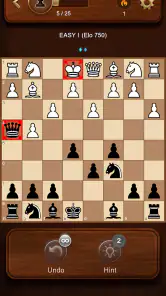
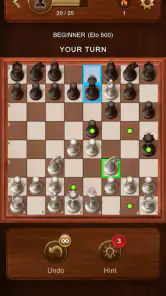
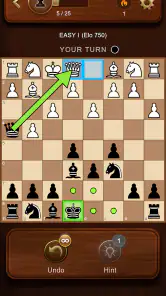
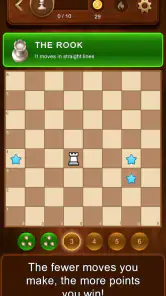


Analysis by Reviewed
I like chess apps most when they make it easy to sit down for one quick game, then give me a reason to think about the position afterward. Chess Master: Board Game aims to serve both habits: it is a board game for casual play, but its learning and review tools also make it appealing if you want to get better over time. I’d consider it especially approachable for someone returning to chess after a long break, or for a beginner who wants practice without needing to arrange an in-person game.
Where it fits among chess apps
Chess Master: Board Game is made by One Way Street Entertainment and is free to play. Its appeal is the combination of play against the computer, online competition, and study material in one place. Compared with a physical board, it is more convenient for spare moments and can offer guided practice; compared with a chess-focused website or a dedicated training tool, the app’s all-in-one approach may feel less specialized. If your main goal is deep analysis or structured tournament preparation, I’d compare its tools with a dedicated chess study service before making it your only resource.
That distinction matters in ordinary use. A newcomer can use the tutorials and puzzles to learn basic ideas, play a game against the AI, then look back at the result. A more experienced player may find the same loop useful for casual practice, but should treat automated guidance as a prompt to investigate rather than a substitute for understanding why a move works. The most valuable habit is to pause on a mistake and work out what you overlooked before starting another game.
A practical routine for improving
For a short session, I’d choose one focused goal instead of trying to fix everything at once. For example, after a game, review the point where your position started to feel uncomfortable and ask whether you missed a threat, traded too early, or left a piece undefended. Then try a puzzle or tutorial that relates to that weakness. This makes the learning tools feel more connected to your own play, rather than like a separate pile of exercises.
There is also a useful trade-off between playing the AI and seeking a human opponent. A computer game is handy when you have a few uninterrupted minutes and want a predictable way to practice; multiplayer is better when you want the pressure of another person making their own choices. If you are fitting chess around work or study, I’d use solo play for quick sessions and choose an online game only when you can give it proper attention. That helps avoid starting a match at a moment when you may have to leave midway through.
The game has a 4.8 average from around 172,000 ratings, and it has passed 10 million installs. Those figures suggest broad appeal, but they do not tell me whether every player will enjoy its particular balance of casual play and learning. It is rated for Everyone, and its current version is 10.66. For anyone checking device compatibility, the minimum Android requirement is 5.1.
First Impressions and Features
Upon launching Chess Master: Board Game, I was instantly greeted with a sleek and user-friendly interface. The app’s designers have done a stellar job of making chess feel both accessible and sophisticated. Whether you’re a complete beginner or a seasoned grandmaster, the app offers a range of features to suit your level.
More From Our News Desk

Weather by Xiaomi Review: Clear at a Glance, Less Clear Up Close

X Under Pressure: Can It Recover When Posting Goes Wrong?

Clash of Clans Is Won Between the Battles

Android Auto Makes the Case for Quieter Car Software

MobiOffice: Transforming Mobile Productivity with Seamless Integration

EA SPORTS FC™ Mobile Soccer: Redefining Mobile Sports Gaming
One of the standout features is the adaptive AI, which adjusts its difficulty based on your playing style. I found this particularly cool because, let’s face it, nobody enjoys a game that’s either too easy or impossibly hard. The AI here strikes a nice balance, keeping the game challenging yet fun. And if you’re like me, enjoying a bit of competition, you’ll love the multiplayer mode where you can challenge friends or random opponents from around the globe. It’s like having a mini chess tournament in your pocket!
Customization and Learning Tools
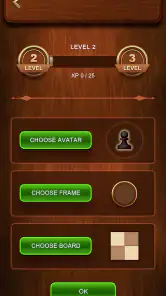
What really sets this app apart is its extensive customization options. You can switch up your board and pieces from a variety of beautiful designs, which adds a personal touch to each game. Plus, the app includes an impressive library of tutorials and puzzles designed to sharpen your skills. I spent hours exploring these resources, and they’ve definitely helped me up my game.
Another fantastic feature is the detailed game analysis tool. After each match, you can review your moves and see where you went right or wrong. It’s like having a personal chess coach giving you tips on how to improve. For anyone serious about improving their chess skills, this is an invaluable resource.
User Experience and Accessibility
Where Chess Master: Board Game shines is in its accessibility. The app runs smoothly on both Android and iOS, ensuring a seamless experience regardless of your device. The developers have clearly prioritized user experience, ensuring that the app is not only functional but also enjoyable to use.
Even the notifications are well thought out, keeping you informed of challenges and game updates without being intrusive. It’s those little details that make you appreciate the thought and care that’s gone into creating this app.
One minor gripe might be the occasional in-app purchase prompts, but hey, a developer’s gotta eat, right? Plus, the core functionality is available for free, which means you can enjoy most of what the app offers without spending a dime.
What to expect over time
The game was released on June 2, 2023, and version 10.66 is the current release. That gives existing players a useful point of reference when checking whether their app is up to date, but a version number alone does not tell me which parts have changed or how those changes affect a particular device. I’d judge an update by practical things: whether the app still opens reliably, whether a familiar board setup remains comfortable, and whether my usual route from a game to its review still feels clear.
If you already play regularly, the biggest benefit is having several chess activities close together: a quick computer match, an online challenge, and a chance to revisit your decisions. The possible downside is that a bundle of options can make it tempting to jump from one game to the next without reflecting. I’d keep a simple note of one recurring mistake—such as overlooking a direct threat—and check for it in later games. That small routine can make the analysis more useful than simply browsing a move-by-move recap.
Who will enjoy it, and who may prefer something else
I’d recommend trying it if you want chess to fit into everyday gaps: a quiet break between tasks, a few minutes at home, or a relaxed game with a friend. It also suits learners who appreciate visual variety and want puzzles and tutorials alongside matches. If you are playing with a child, the Everyone age rating is reassuring as a basic content guide, though I’d still help a beginner choose a comfortable difficulty and explain that losing is part of learning.
It may be the wrong pick if you need a highly controlled training plan, detailed opening preparation, or a no-distraction environment for serious study. In those cases, a physical board, a specialist lesson resource, or a dedicated analysis platform may serve you better. Online play also depends on having the time and attention for a live opponent; when you are likely to be interrupted, a solo game is the less stressful choice.
One everyday scenario shows the difference: after dinner, you have a short window before heading out. A quick AI game lets you practice without committing to another person’s schedule. If you spot a blunder, the review tool gives you a chance to examine it before the next match. When you have a longer, uninterrupted stretch, multiplayer can make the same app feel more social. I’d treat those as two different uses, rather than expecting every session to be both training and competition.
Before settling into a routine, I’d try a few board and piece designs, then keep the combination that makes pieces easiest to distinguish at a glance. That is more than decoration: clear visual contrast can make it simpler to scan a busy position, especially when you are learning. I’d also avoid changing several things at once while practicing, so you can tell whether a new layout actually helps or merely feels novel.
Choosing a session that suits your attention
A useful question before opening the app is whether I want to play, study, or simply keep my chess habit alive. Those goals need different kinds of attention. When I only have a brief pause, a puzzle can be a better fit than beginning a full match; when I have enough time to concentrate, a game followed by a targeted review is more rewarding. This small choice reduces the chance that I’ll rush through a match and learn little from it.
For a beginner, I’d make the first sessions deliberately narrow: learn how the pieces move, then practice spotting checks and undefended pieces before worrying about sophisticated plans. The tutorials and puzzles can provide a starting point, while the AI gives a low-pressure place to try those ideas. If an exercise feels confusing, I’d replay the position slowly instead of guessing repeatedly. That turns a wrong answer into a question about the board rather than a reason to feel stuck.
Making multiplayer work in real life
People often wonder whether online chess is as convenient as a solo game. It is convenient when you can stay with the match, but it asks more of your schedule because another person is involved. I’d avoid starting one while commuting, waiting for a short appointment, or juggling messages. A computer opponent is the safer choice in those situations because I can keep the session simple and avoid leaving someone else waiting.
For a friend who is new to chess, I’d agree on a relaxed game rather than turning the first match into a test. The app’s board choices can make the experience feel personal, but clarity should come first: choose a design where the pieces stand out and avoid switching styles between moves or games while learning. If the goal is conversation and fun, a physical board may still be nicer; if arranging a board is inconvenient, the phone version is an easy way to get started.
How to read the learning feedback
Game analysis is most useful when I treat it as a clue, not a verdict. A suggested correction can point me toward a tactical possibility, but I still need to ask what my opponent threatened and what would happen after the proposed move. I’d replay the critical position and compare a couple of plausible choices. This takes longer than glancing at a summary, yet it helps build judgment that can transfer to a different game.
One practical way to keep the review manageable is to focus on the first turning point rather than inspecting every move equally. If I lost a piece early, I can study that moment and identify whether I missed a capture, overlooked a pin, or moved a defender away. If the game stayed even until the end, I can instead look at the final sequence and see whether I rushed. This makes a built-in review feel like a small lesson instead of an endless analysis session.
What I would watch in later versions
Because version 10.66 is the current release, existing players have a concrete version to compare against when checking their installation. I would not assume that a higher version number automatically means a particular improvement. What matters to me is whether the parts I rely on—starting a game, finding a useful exercise, and reviewing a result—remain easy to reach as the app evolves. If those routines change, I’d take a moment to learn the new path rather than blaming myself for missing a familiar control.
For someone choosing the game now, I’d also pay attention to whether the blend of play and instruction matches their expectations. A broad chess app can be a convenient home base, but convenience is not the same as depth in every area. If you later find yourself preparing for competitive events or wanting a carefully sequenced curriculum, that is a sensible point to add a specialist resource rather than expecting one app to cover every need.
In conclusion, Chess Master: Board Game is a brilliant app for anyone looking to dive into the world of chess, improve their skills, or simply enjoy a challenging game against friends or the AI. Whether you’re on a quick coffee break or have an entire afternoon to spare, this app provides entertainment and opportunities to learn. I’d give it a try if you want a convenient chess companion, while keeping a specialist tool in mind if your ambitions call for more structured study.
Chess Master: Board Game Frequently Asked Questions
Does Chess Master: Board Game work on my Android device?
Chess Master: Board Game requires Android 5.1 or later, so checking your device’s operating system before downloading is a sensible first step. It is a free board game from One Way Street Entertainment, with an Everyone content rating. The game’s current version is 10.66, and its store description is simply “Chess Master.”
Is Chess Master: Board Game suitable for children and families?
The game has an Everyone content rating, so it is presented as suitable for a general audience. Chess is a strategy game that can be enjoyed across age groups, and the app is centered on playing and learning chess. Parents may still want to review the game’s available settings and play options themselves to decide whether they fit their child’s preferences.
How much storage space does Chess Master: Board Game need?
Before installing any game, it is worth checking that your device has enough free storage and that the download can complete comfortably. Chess Master: Board Game is a board game from One Way Street Entertainment, but its storage needs can vary as the app is installed or updated. If space is limited, reviewing the app’s device storage information before downloading can help you plan.
Does Chess Master: Board Game receive updates?
Chess Master: Board Game has a current version, so it is sensible to check the app’s store page occasionally for newer releases. Keeping a game up to date can provide access to its latest available build and help ensure compatibility with your device. If you prefer not to update automatically, your device’s app-store settings generally let you manage when updates are installed.
Can I download Chess Master: Board Game for free?
Yes. Chess Master: Board Game is free to download, so you can try it without paying an upfront purchase price. The game is published by One Way Street Entertainment and is categorized as a board game. Before installing, it is still a good idea to review the app’s current store page and your device settings so you know what to expect during installation and use.
Pros
- Offers a variety of difficulty levels.
- Engaging tutorials for beginners.
- Supports multiplayer online mode.
- Track your game statistics.
- Visually appealing interface.
Cons
- Requires internet for online play.
- Ads in free version can be intrusive.
- Limited features without premium.
- Occasional app crashes.
- No offline multiplayer option.
- Category
- Board
- Version
- 10.66











