Brain Test All-Star: IQ Boost
- 1.30K
- 4.8
- Installs
- 10.00M
- Price
- Free

Screenshots
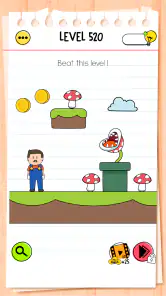
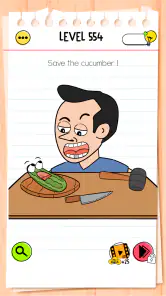
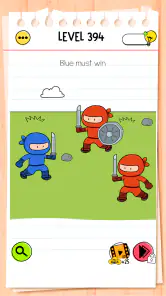
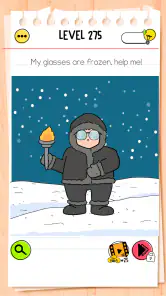
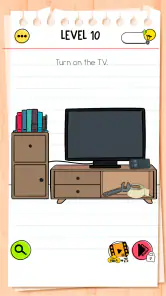
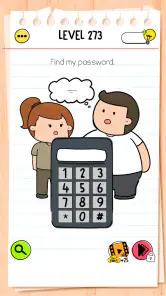
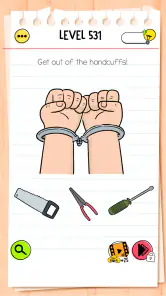
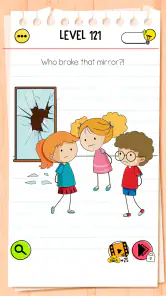
Analysis by Reviewed
I like brain games best when they make a short break feel more engaging without demanding a long setup, and Brain Test All-Star: IQ Boost fits that kind of session well. It’s a trivia game from Unico Studio built around playful, tricky puzzles. I’d reach for it when I have a few spare minutes and want a challenge that asks me to question my first instinct rather than simply recall facts.
A simple rhythm for solving puzzles
My most useful habit is to read each prompt twice before tapping. Some challenges invite a literal answer, while others reward looking at the wording or the screen in a less obvious way. When I get stuck, I pause and inspect what is actually presented instead of repeatedly choosing the same answer. That small reset is more helpful than rushing, especially when a puzzle seems designed to catch an assumption.
It works particularly well in short bursts: waiting for a ride, taking a quiet lunch break, or sharing a puzzle with someone nearby. In a typical commute, I might try a few challenges, then put the phone away when my stop arrives. The format is easy to dip into, though I wouldn’t choose it as a substitute for a deep strategy game or a structured course in logic.
Keeping a session comfortable
For a low-friction routine, I’d play when I can give a puzzle my attention rather than while juggling a conversation or crossing a busy street. The challenges are short enough to fit spare moments, but the trick in one can be easy to miss if I’m only half-looking. A useful boundary is to stop after a small handful of attempts or when I notice myself tapping out of impatience. That keeps the game in the role I enjoy most: a quick mental detour, not another task I feel obliged to finish.
If I’m playing with someone else, I try to agree that each person gets a moment to explain what they noticed before anyone touches the screen. That simple rule changes the pace: instead of turning every riddle into a race, we compare interpretations. It is especially handy with children old enough to enjoy the game’s Everyone 10+ rating, because the conversation can be about how a clue misled us, not who was fastest. I’d still tailor the session to the child’s patience and reading comfort.
Bringing Puzzles to a New Level
So, what makes Brain Test All-Star: IQ Boost stand out in the crowded world of puzzle apps? First off, the variety of puzzles is mind-boggling. Each challenge is designed to make you think outside the box, with riddles that will have you scratching your head and laughing all at once. The app takes a playful approach to problem-solving, often requiring you to use logic in unexpected ways.
The Gameplay Experience
Let’s talk about the gameplay. It’s smooth, intuitive, and incredibly addictive. The interface is user-friendly, making it easy to navigate through different levels and challenges. One of the things I love about this app is how it gradually ramps up the difficulty. You start with simpler puzzles to get your brain warmed up, and before you know it, you’re tackling complex challenges that really test your cognitive abilities.
More From Our News Desk

Weather by Xiaomi Review: Clear at a Glance, Less Clear Up Close

X Under Pressure: Can It Recover When Posting Goes Wrong?

Clash of Clans Is Won Between the Battles

Android Auto Makes the Case for Quieter Car Software

MobiOffice: Transforming Mobile Productivity with Seamless Integration

EA SPORTS FC™ Mobile Soccer: Redefining Mobile Sports Gaming
And oh, the humor! The developers have sprinkled a generous dose of humor throughout the game, which makes solving even the toughest puzzles a fun experience. It's not just about finding the right answer but enjoying the process of getting there.
Settings worth checking before you settle in
I’d take a moment to check the settings that are actually available on my device and adjust the sound for the place I’m playing. I don’t assume there are special shortcuts or hidden controls; the dependable time-saver is a repeatable approach to each screen. At home, sound can suit the playful tone, while a quiet public space is a good reason to keep the phone unobtrusive. If I’m sharing the screen, I also make sure both people can see the prompt clearly before discussing it.
Another practical choice is deciding in advance how I’ll handle a puzzle that stalls me. I first reread the exact wording, then look over the visible details again, and only then try a different interpretation. If that still doesn’t work, I pause instead of treating a hint or purchase as the automatic next step. The game is free to download, but in-app purchases range from $0.99 to $14.99 per item; I’d check what an option does and whether I want it before spending.
Making the most of a session
A useful way to play is to treat a difficult level as a quick observation exercise: list what you know, check whether the wording hides a clue, and try a different interpretation before committing. If you’re solving with a friend or child, take turns explaining your reasoning rather than racing to tap first. That makes the surprise answer more satisfying and turns a solo time-killer into a small shared activity.
Compared with conventional trivia apps, which often test stored knowledge, this game leans more on lateral thinking and interpreting a playful prompt. That distinction is its appeal, but also its limit: if you want factual quizzes, competitive score-chasing, or lengthy logic grids, another kind of puzzle game will suit you better. I also wouldn’t treat a good run as a measure of intelligence; the fun is in exploring how each riddle is framed.
Faster patterns without rushing
Once I’ve played for a while, the biggest efficiency gain is not memorizing answers; it’s remembering to test assumptions. I check whether a prompt is asking me to use every word literally, whether a detail on the screen might matter, and whether I’m overlooking a simple alternative because I’m expecting a conventional quiz answer. Those checks are useful across different riddles without pretending that one trick solves them all.
I also try to separate observation from action. First I describe what I see, then I decide what to tap or try. When I’m stuck, I change just one interpretation at a time rather than making several random moves and losing track of what I learned. That approach is especially helpful when playing with another person: we can discuss a specific clue instead of both guessing at once. It makes the solution feel more satisfying, though it won’t remove the occasional moment when the intended twist simply doesn’t occur to me.
Visuals and Sound
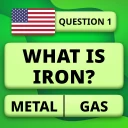
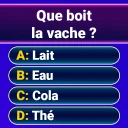
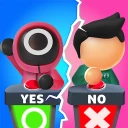
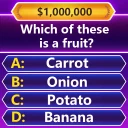
Visually, the app is a treat. It features vibrant graphics that are both charming and engaging. The animations are smooth, adding a layer of polish that enhances the overall experience. The sound design complements the visuals perfectly, with catchy tunes and sound effects that add to the game’s playful vibe.
The app also does a fantastic job of keeping things fresh. With regular updates introducing new puzzles and features, there’s always something new to look forward to. It’s this continuous evolution that keeps players coming back for more.
When another kind of puzzle is better
The format has a particular trade-off: an unexpected answer can produce a satisfying “I should have noticed that” moment, but it can also feel arbitrary when I can’t see the connection. If you prefer rules that are explained clearly before each challenge, a traditional logic puzzle may be a more comfortable choice. If you want to compete on general knowledge, a standard quiz app is a closer fit; if you want a sustained campaign with tactical decisions, a strategy game will give you more to plan around.
I’d also skip it when I want a structured brain-training routine with a measured progression, or when I’m looking for a game that rewards long, uninterrupted sessions. Brain Test All-Star is better as a playful series of individual problems than as a formal lesson. Its light tone does not make every puzzle effortless, and it won’t suit someone who dislikes misdirection. Knowing that upfront helps set the right expectation: enjoy the reasoning and the surprise, rather than expecting a test with a single consistent rulebook.
Settings, patience, and trade-offs
Before settling into longer sessions, I’d check the game’s available settings and decide whether sound suits the moment: playful effects can add charm at home but are less welcome in a quiet waiting room. I also recommend stopping when a puzzle turns frustrating instead of tapping randomly. A brief break often helps you return with a fresh interpretation, while blind guessing can make the solution feel less earned.
The game is free to download, with optional in-app purchases priced from under a dollar to just under fifteen dollars per item. I’d start without spending and only consider a purchase if I understand what it offers and know I’ll use it. The game is rated Everyone 10+, so it may be a better fit for older children and adults than for very young kids; puzzles can require patience even when the tone is light.
A realistic place in the day
Picture a short wait before an appointment: I open the game, read a challenge carefully, and try to solve it without turning the wait into a frantic tapping session. If someone beside me is interested, I can show them the prompt and ask what they notice first. If they aren’t, I can play alone and stop when my name is called. That flexible, stop-and-start use is more convincing to me than imagining it as the centerpiece of a long evening.
For families, the best use is often collaborative rather than competitive. An adult can read a prompt aloud, let a child explain their idea, and offer another look at the screen if they’re stuck, without immediately giving away the answer. Because the game is rated Everyone 10+, I wouldn’t assume it is equally suitable for every younger child; reading ability, patience, and comfort with trick questions matter more than simply liking colorful games.
Who will enjoy this kind of challenge?
Brain Test All-Star has a 4.8 average from around 422,000 ratings and has been installed over 10 million times. Those figures point to a broad audience, but the right fit still depends on what you want from a game. I’d recommend it to people who enjoy playful misdirection, quick solo puzzles, or talking through a riddle with family. If you prefer calm, predictable rules or dislike being surprised by an unexpected interpretation, its trickier moments may feel more annoying than clever.
It was released on August 3, 2024, and version 1.2.7 supports Android 6.0 and later. That makes it an option for many Android devices, while the short-session style is especially convenient on a phone. I’d choose a dedicated brain-training app instead if I wanted a planned routine with measurable exercises; this is first and foremost a lighthearted puzzle game, not a clinical or academic tool.
What I’d want to know before installing
Is it a knowledge quiz? Not in the usual sense: I’d expect more emphasis on interpreting a playful challenge than recalling dates, facts, or trivia from a subject area. Is it suitable for quick play? Yes, that is where I find the format most natural, provided I can pay attention to the screen and wording. Can it work as a shared activity? It can, especially when players take turns explaining what they notice rather than competing to tap first.
Should I pay to get started? I’d begin with the free download and decide later whether any optional purchase is worthwhile for me. Is it the right choice for everyone who likes puzzles? No. Someone who wants strict logic, a calm predictable structure, or a planned cognitive-training program may be happier elsewhere. I’d also keep expectations grounded: solving these riddles can be entertaining, but I wouldn’t use performance in a casual game as evidence of intelligence or as a substitute for learning.
Why You Should Try It
In a nutshell, Brain Test All-Star: IQ Boost is more than just a puzzle app. It’s a comprehensive workout for your brain, wrapped in a package of humor and charm. Whether you’re looking to kill time or genuinely want to boost your cognitive skills, this app is up to the task. It’s perfect for all ages, whether you’re a puzzle enthusiast or just looking for a bit of fun on your commute.
So, go ahead and give it a try! Dive into the world of mind-bending puzzles and see how high you can score. Trust me, your brain will thank you for it!
My verdict after considering its limits
I’d recommend giving it a try if you want an accessible trivia game that rewards curiosity, careful reading, and a willingness to question the obvious. Its strongest use is a short, social or solo break; its weakest fit is a player who wants transparent rules, serious competition, or a structured training plan. I’d play at my own pace, avoid random tapping, and treat each puzzle as a small exercise in looking again. That is where its playful design works best—and where I think it earns a place on a phone.
Brain Test All-Star: IQ Boost Frequently Asked Questions
How much storage space does Brain Test All-Star: IQ Boost need?
Before downloading, it is sensible to check that your device has enough free space for the game and any future updates. The amount needed can vary between devices and change as the game is updated, so check the download page on your device for the current size. Keeping some extra space available can also help avoid problems during installation.
Can I play Brain Test All-Star: IQ Boost in short sessions?
Yes, its puzzle-based format suits players who want to tackle a challenge when they have a spare moment. You can think through a puzzle, put the game aside, and return when you are ready for another. The experience centers on individual brain teasers rather than requiring you to set aside a long block of time, which makes it a flexible option for casual play.
What kind of puzzles can I expect in Brain Test All-Star: IQ Boost?
Brain Test All-Star: IQ Boost is a trivia game built around a huge collection of tricky puzzles and brain games. It is aimed at players who enjoy pausing to think through a challenge rather than simply following a familiar pattern. If you like testing different ideas and approaching questions creatively, its puzzle-focused format may appeal to you.
What is Brain Test All-Star: IQ Boost?
Brain Test All-Star: IQ Boost is an engaging puzzle game designed to challenge and improve your cognitive skills. It features a variety of brain teasers, riddles, and logic puzzles that are meant to test your IQ and provide a fun and stimulating mental workout. The game is available on both Android and iOS platforms, making it accessible to a wide range of users. It is developed by Unico Studio and returns with a huge collection of tricky puzzles and brain games.
Is Brain Test All-Star: IQ Boost free to play?
Yes, Brain Test All-Star: IQ Boost is free to download and play. However, the game offers in-app purchases that can enhance the gaming experience. These purchases might include hints, additional levels, or tools to help solve more challenging puzzles. While the game is enjoyable without spending money, these extras can provide a more enriched experience for avid players. Optional purchases range from $0.99 to $14.99 per item, so it is worth keeping that in mind if you prefer not to spend while playing.
Pros
- Engaging and challenging puzzles.
- Variety of puzzle types keeps it fresh.
- Free to play with optional purchases.
- Suitable for all age groups.
- Offline mode available.
Cons
- Ads can be intrusive at times.
- In-app purchases can be pricey.
- Some puzzles may be too easy.
- Limited hints without purchase.
- Graphics are fairly basic.
- Category
- Trivia
- Version
- 1.2.7