

YTV Player Pro
- 896.00
- 4.1
- Installs
- 50.00M
- Price
- Free

Screenshots
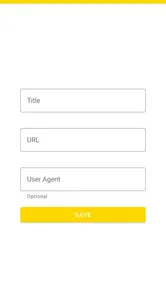
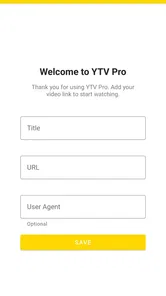

Analysis by Reviewed
I tend to reach for a dedicated player when a video is shared as a link rather than sitting neatly inside a streaming service. That is the niche YTV Player Pro is meant to fill: it is an Android video-player app from Prod ADP, aimed at playing video links. For someone who regularly receives links in messages or keeps a short list of clips to watch later, that focus may be more useful than another all-purpose media library.
Where a link player fits into an everyday routine
The app makes the most sense when you already know what you want to watch. A colleague sends a training clip, a relative shares a family video, or you have a useful cooking demonstration saved in a message: the task is to open that link and watch, not to search a large catalogue. That narrow purpose is a real convenience when the source is outside the services you normally use.
It can also suit people who move between several kinds of material. I might keep a lecture link for later, open a short news clip someone sent, then return to a how-to video while working through a practical task. Keeping those links in a notes app or a conversation gives me a simple record of where each one came from. It is not as polished as a dedicated collection with folders and discovery tools, but it avoids forcing occasional links into a streaming account that was not built for them.
A helpful habit is to keep the original message or note alongside any link I expect to need again. If the clip is important, I would test it before the moment I need it, rather than assume that saving the URL makes the video permanently available. This is especially useful for a study session or a presentation: checking beforehand can reveal a source-side issue while there is still time to find another copy or ask the sender for a working link.
What to expect from speed and playback
The word “fast” can mean several different things here. The app can open promptly, but the wait before a video begins also depends on whether the link is valid, how quickly its source responds, and the quality of the connection. I would judge the experience by the whole chain rather than blame the player whenever a clip takes time to load.
For an everyday test, I would try one link on a reliable Wi-Fi connection and another on mobile data, then see whether the difference follows the network. If only one particular link struggles, that points me toward the source rather than a general performance problem. This simple comparison is more useful than repeatedly tapping play without changing anything, since it helps narrow down where the delay might come from.
When I am choosing a video for a short break, a link that starts reliably matters more than theoretical peak speed. For longer material, I would give the clip a moment to settle before putting the phone away or relying on it in a noisy setting. If playback pauses, checking the connection and reopening the link is a sensible first step; repeated retries are unlikely to solve a source that has gone unavailable.
More From Our News Desk

 Gmail
GmailGmail in a Busy Inbox: Who Benefits Most?
From first account to crowded workday, Gmail earns its place through dependable search and flexible sorting—but its best fit depends on how much inbox maintenance you can tolerate.

 Prime Video
Switching to Prime Video: What Changes in Your Viewing Routine
Prime Video can make a compelling second home for streaming, but switching means learning a different catalog, rental layer, and route from browsing to playback.

 Universal TV Remote Control
Universal TV Remote Control Works Best as a Reliable Backup
A phone remote earns its place through quick setup and reliable habits. Here is how to get more from Universal TV Remote Control—and where its limits show.

 Weather - By Xiaomi
Weather by Xiaomi Review: Clear at a Glance, Less Clear Up Close
Xiaomi’s weather app makes everyday forecasts quick to scan, but its calm surface can leave useful details and recovery paths harder to find than they should be.

 X
XX Under Pressure: Can It Recover When Posting Goes Wrong?
A resilience-focused review of X, examining setup, mistaken posts, interruptions, weak connections, and the gaps that matter when recovery needs to be dependable.

 Clash of Clans
Clash of Clans Is Won Between the Battles
Its raids are quick; its community is a long-term project of coordination, teaching, rivalry, and shared responsibility—with all the friction that entails.
Latest News



Heavy-use moments and sensible workarounds
Video playback puts more demand on a phone than simply opening a link, particularly when I watch for a long stretch or keep other demanding apps active. I would avoid assuming that a clean interface means negligible battery or memory use. If the device feels warm or playback becomes less comfortable during a long session, taking a break and closing apps I do not need are practical steps, though they cannot repair a weak connection or an unavailable video.
For a recipe, exercise demonstration, or repair guide, I would set up the link before starting the task. That means checking that it opens, positioning the phone where I can see it, and making sure the connection is dependable. The useful point is not that the player changes the video itself; it is that a little preparation can prevent a frustrating interruption when my hands are busy.
For a commute, I would be more cautious. A mobile connection can vary along the route, and a link-based player should not be treated as a substitute for offline viewing. If I know I will lose coverage or need predictable playback, I would choose a service that explicitly offers downloads or prepare another option before leaving. This is one of the clearest trade-offs of relying on a link: convenience at the moment of opening does not guarantee access later.
Choosing it over familiar alternatives
Compared with a major streaming service, YTV Player Pro has a narrower job. Subscription apps tend to make it easier to browse, search, receive recommendations, and keep viewing tied to an account. Those are meaningful advantages when most of my watching happens inside one service. A link player is more appealing when I already have a direct video address and do not want to search for the same material elsewhere.
A general media player may be a better fit for someone organizing a large collection of local files or looking for broad library-management tools. I would not choose this app on the assumption that a link-focused workflow will replace those features. Instead, I see it as a handy companion for occasional videos that arrive from outside my usual media apps, with the source link itself remaining the thing I need to keep track of.
That distinction also helps answer whether it is for everyone. If my routine is mostly watching shows through familiar services, their apps are likely simpler. If I often receive standalone links and want a dedicated place to open them, this is a more natural fit. People who need guaranteed offline access, a carefully organized personal archive, or extensive discovery features should look elsewhere for those specific needs rather than expect a link player to cover every part of their viewing life.
What Makes YTV Player Pro Stand Out?
First off, the YTV Player Pro is all about simplicity and performance. The app's user interface is refreshingly straightforward, which means you won't need a degree in tech wizardry to navigate it. Once you fire up the app, you’re greeted with a clean and organized layout, which is a relief for those of us who want to jump straight into our video content without any hassle.
Fast starts depend on the link
The key practical question is not just how quickly a player opens, but how quickly a particular link becomes watchable. With a link-focused app, the source, your connection, and the device all shape that experience. I would treat quick playback as a reasonable expectation when a link is reachable and the connection is steady, not as a guarantee that every video will start instantly.
A useful everyday routine is to open a link while you have a moment, check that it actually plays, and save the link somewhere you can find it again if you need to stop. That small check matters if you are relying on a clip for a commute or a break: a link that needs attention is better discovered before you settle in than after you have put your headphones on.
Features That Catch the Eye
One of the first things I noticed about YTV Player Pro is its versatility. Whether you're streaming your favorite TV shows, movies, or educational content, this app supports a wide array of video formats. Plus, the streaming quality is top-notch, ensuring that you get a crisp and clear viewing experience every time.
Another feature worth mentioning is the app's ability to integrate seamlessly with various video platforms. This means you can easily import your playlists and watch them without any interruptions. The app also allows you to customize playback settings, so if you're picky about your video quality or subtitle preferences, YTV Player Pro has got you covered.
For a less obvious use, I would keep a few useful links in a notes app or message thread rather than trying to turn the player into a full catalogue. That makes it easier to return to a lecture segment, a recipe clip, or a reference video without mixing it up with content from subscription services. The trade-off is that a link player is only as dependable as the links you bring to it; it does not replace the curated libraries and discovery tools of major streaming platforms.
Heavy use, stability, and recovery
Let’s talk about the user experience. From my time using the app, it’s evident that it’s designed with the user in mind. The controls are intuitive, allowing you to pause, rewind, or fast-forward with just a tap. And let's not forget the app's fast loading times, which means you spend less time waiting and more time enjoying your content.
Performance-wise, YTV Player Pro is a beast. I didn't encounter any lag or buffering issues, even when streaming high-definition videos. This reliability is crucial, especially when you're in the middle of a thrilling movie scene or an engaging documentary.
For longer viewing sessions, I would keep the phone on a stable connection and avoid treating uninterrupted playback as something the app can control by itself. If a stream stops, first check whether the link still works and whether the connection has dropped; retrying the same link can help distinguish a temporary interruption from a source problem. I also would not assume that a player is light on battery or memory simply because it is straightforward to use: extended video playback naturally asks more of a phone than opening a link does.
On a typical day, this makes sense when a friend sends a video link during lunch and I want to open it directly rather than hunt through several apps. It is also handy for revisiting a saved instructional clip while cooking or studying. For live viewing on an unreliable mobile connection, though, I would prefer a service with its own offline options or a more predictable delivery path.
Device fit and who should choose it
The app is free, carries an Everyone age rating, and has a 4.1 average from around 168,000 ratings, with over 10 million installs. Its current version is 14.0, and it runs on Android 6.0 or later. That makes compatibility worth checking before installing, especially if you use an older phone or tablet. If your device struggles with video generally, lowering other demands on it—closing unused apps and using a reliable network—may make viewing more comfortable, but cannot fix a broken or unsupported source link.
I see it as a better fit for people who already have video links and want a straightforward way to play them. If you mainly watch content through services with polished search, recommendations, downloads, and account-based watch histories, their own apps are likely the more convenient choice. YTV Player Pro is not a substitute for those libraries; its appeal is the narrower job of opening links without making you build a full media setup.
Final Thoughts
In conclusion, YTV Player Pro delivers on its promise of providing an excellent video streaming experience. Whether you're a casual viewer or a video aficionado, this app caters to all your streaming needs with finesse. It's user-friendly, efficient, and packed with features that enhance your viewing pleasure.
So, if you haven't tried it yet, I highly recommend giving YTV Player Pro a whirl. It might just change the way you consume video content. Happy streaming!
YTV Player Pro Frequently Asked Questions
What should I check before installing YTV Player Pro on my Android device?
Before downloading, check that your device runs Android 6.0 or later, which is the minimum operating-system requirement for YTV Player Pro. It is a video player app designed around playing video links, so consider whether that matches what you need. The app is rated for Everyone, though parents may still want to decide whether its use is suitable for their household.
Who develops YTV Player Pro, and what kind of app is it?
YTV Player Pro is developed by Prod ADP and belongs to the video players and editors category. Its short store description is simply “YTV Player Pro,” while its summary presents it as an application for playing video links. That focus is useful to keep in mind before installing: it is intended for video playback rather than general-purpose editing.
Is YTV Player Pro free to download, and what should I know about its pricing?
YTV Player Pro is listed as a free app, so you can download it without paying an upfront price. The published answer below previously described possible paid features, but the app’s stated price is free. Before downloading, check the app page for any current in-app purchase details and review the terms shown on your device.
What is YTV Player Pro and how does it differ from other video players?
YTV Player Pro is a video player app in the Video Players & Editors category, developed by Prod ADP. Its store summary describes it as an application for playing video links, which makes link playback its central focus. It is listed as free, rated for Everyone, and has an average rating of around 4.1 from around 168,000 ratings.
Does YTV Player Pro support all video formats?
YTV Player Pro supports a wide range of video formats, including popular ones like MP4, AVI, MKV, and MOV. This extensive compatibility ensures that users can play virtually any video file without the need for additional codecs or converters. However, for the best experience, it's always recommended to check the app’s official documentation for a comprehensive list of supported formats.
Pros
- User-friendly interface
- Supports multiple video formats
- Offline video playback
- Customizable video settings
- Regular updates
Cons
- Contains ads
- Limited free features
- No Chromecast support
- Occasional crashes
- Subscription needed for premium features











