YI IoT
- 11.59K
- 2.8
- Installs
- 10.00M
- Price
- Free

Screenshots
Analysis by Reviewed
I’d treat YI IoT as a phone-based window onto a compatible YI camera, not as a general video app. Its usefulness comes down to whether I can reach a live view when I need one, and that makes the camera’s connection, my phone’s connection, and the way I use the app part of the same experience. When they cooperate, a quick remote check is convenient; when they don’t, even a simple task can become a test of patience.
When a live connection matters
A network-dependent camera app is most valuable in short, purposeful moments: checking a room, looking in on a pet, or seeing whether a familiar space appears as expected. I wouldn’t open it expecting a seamless conversation every time. Video and audio have to travel between devices, so delays or interruptions can make the difference between a reassuring glance and an inconclusive one.
That changes how I’d use it for anything urgent. I’d make a quick visual check part of a broader routine rather than treating a phone feed as proof that everything is fine. If a person, animal, or property needs immediate attention, I’d keep another way to check on them. Remote viewing is helpful, but it shouldn’t become the only link in a time-critical plan.
How the connection shapes everyday use
For a practical example, imagine leaving home and wanting to check whether a pet is settled. You open the app, try the live view, and can use the camera’s audio feature to speak if needed. That can be handy, but I wouldn’t treat it as a guaranteed instant conversation: a weak connection can make video or audio slow, choppy, or frustrating. I’d check the view before relying on it for anything time-sensitive.
Where it fits among camera apps
Unlike a general video player, this is a companion for remote camera viewing, so its value comes from checking a specific place rather than browsing or editing clips. If you already use compatible YI cameras, having their view on your phone can be more direct than relying on a separate screen. If you don’t own a compatible camera, though, the app’s purpose is much narrower than that of a broad video app, and it may not be useful to install just to explore.
Its category is video players and editors, but I’d judge it by the camera experience rather than by editing tools. The store summary describes real-time video and audio, which makes network quality central to the experience. Before depending on remote access, I’d test the camera from the places where I’m likely to use the app, such as a workplace or while travelling. A smooth connection at home doesn’t guarantee the same result on another network.
Getting Started with YI IoT
First off, setting up YI IoT is a breeze. You don’t need to be a tech wizard to get things rolling. Just download the app, pair it with your YI cameras, and voila! You're ready to go. The intuitive interface ensures that even your grandma can navigate through it without hiccups. It’s all about making life simpler, right?
More From Our News Desk

Weather by Xiaomi Review: Clear at a Glance, Less Clear Up Close

X Under Pressure: Can It Recover When Posting Goes Wrong?

Clash of Clans Is Won Between the Battles

Android Auto Makes the Case for Quieter Car Software

MobiOffice: Transforming Mobile Productivity with Seamless Integration

EA SPORTS FC™ Mobile Soccer: Redefining Mobile Sports Gaming
Using it across everyday settings
For a person who already has a compatible camera, the main question is less “Can I open an app?” and more “Can I reach the view from the places I actually go?” I’d try it at home first, then repeat the same check on the usual mobile connection. Doing that before relying on it helps separate a camera or setup issue from a location-specific network problem.
A realistic routine might be checking the entryway after arriving at work, then closing the stream once I’ve seen what I needed. If the view is slow, I’d avoid repeatedly reopening it without a reason; that can burn time without making the connection better. For someone who only wants occasional reassurance, a brief check is more useful than keeping a live feed open throughout the day.
What to check before relying on a live view
Remote viewing can fail at the least convenient moment, so I’d make a small routine of checking the camera while still at home and again after reaching a usual destination. If the feed won’t load, first consider whether the phone has a usable connection, then try again rather than assuming the camera has stopped working. For a situation where you need a dependable, immediate response, a camera app should be a supporting check, not the only way you know someone or something is safe.
It also helps to decide what you actually need to see. A quick live check is different from reviewing a past event, and the app’s usefulness depends on the camera setup and the options available to your account. I’d confirm the recording and storage arrangements before counting on footage being there later. If you only need occasional visual checks, keeping the workflow simple may matter more than adding extra recording options.
Useful features—and what to verify
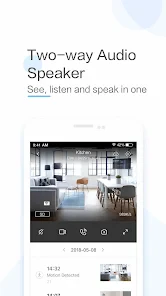
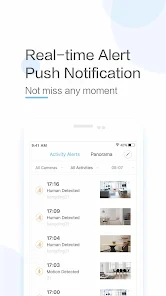
Let’s dive into some of the features that make this app a must-have for security enthusiasts. Real-time streaming? Check. Motion detection alerts? Double-check. And let's not forget the two-way audio, which lets you communicate through the camera. Imagine telling your dog to get off the couch while you're stuck in traffic – priceless!
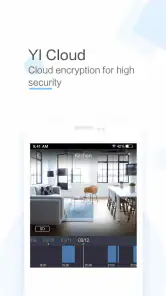
Another cool feature is the cloud storage option. Forget about the hassle of SD cards; with cloud storage, you can access your footage anytime, anywhere. Plus, the app lets you set up schedules for your recordings, meaning you can tailor your surveillance to fit your lifestyle.
I’d still distinguish between seeing a camera’s live view and having a recording available later. Those are different jobs, and a person who needs evidence of a past event should check their particular camera and account settings rather than assume a live-view app automatically covers that need. Before paying for any storage-related option, I’d work out what I need to retain, how often I expect to look back, and whether the available arrangement fits that purpose.
Mobile habits and data trade-offs
Because live video and audio travel over a network, I’d avoid leaving a stream running when I only need a brief check. Opening the view when there’s a reason to look, then closing it once I’m done, is a sensible habit on mobile data and helps avoid unnecessary screen time. At home on Wi-Fi, the same habit makes it easier to notice when the app is being used rather than leaving it open in the background.
Cloud storage may suit someone who wants recordings available away from the camera, while a person who prefers to manage footage locally should carefully check which storage choices their camera and account support. Those approaches involve different convenience and privacy trade-offs. I wouldn’t assume that choosing an app alone settles where every recording is kept or how long it remains available; check the settings that apply to your own setup.
What happens when a connection falters
If a feed stalls, I’d resist the temptation to conclude immediately that the camera is broken. First I’d check whether the phone can load other things on the same connection, then close and reopen the view and give it another try. If the problem happens only away from home, that points to a different practical obstacle than a failure that also occurs when both devices are on the usual home network.
That simple comparison is useful because it gives you a clearer picture before changing settings or buying anything. I’d also test audio separately from video: a visible picture does not necessarily tell me whether speaking through the camera is clear enough to be useful. The sensible expectation is a convenient remote check when the connection allows it, not a guaranteed substitute for being physically present.
Performance and Usability
Performance-wise, YI IoT shines like a star. The streaming quality is top-notch, with minimal lag, ensuring you see everything in crystal-clear resolution. Usability is another feather in its cap; the app's layout is straightforward, and the functionalities are easy to access. You don’t have to fumble around to find what you need – everything is just a tap away.
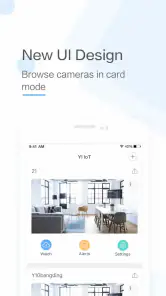
Moreover, the app supports multiple camera views, so if you’ve got more than one YI camera, you can watch them simultaneously. This feature is especially useful for those who want to keep an eye on different spots without constantly switching views.
Several views can make a quick scan more efficient, but I’d consider whether I really need them open together. If the goal is simply to check one room, viewing one camera at a time may be clearer and easier to interpret. For multiple locations, a brief sweep is a practical use of the multi-view option; it is less useful if each feed needs close attention or if the network struggles with simultaneous viewing.
Who should choose it, and who should look elsewhere
I can see it working well for someone who already has YI cameras and wants a phone-based way to check several locations. Multiple views are useful for a quick sweep of different rooms, while two-way audio has a different purpose: speaking through a camera rather than simply watching. If you’re comparing it with a general-purpose camera or video app, make sure the camera compatibility and the controls you need matter more to you than a wider range of unrelated video tools.
I’d look elsewhere if you need a camera-independent service, or if you need remote viewing to work reliably regardless of network conditions. The app’s average rating is 2.8 from around 114,000 ratings, a signal that I’d take seriously rather than dismiss. It’s free to download, but in-app purchases range from $0.49 to $479.99 per item, so I’d review the purchase options carefully before choosing paid services. The Everyone content rating and support for Android 7.0 or later make the basic audience broad, but they don’t remove the need to check that your devices and camera setup suit your needs.
Compared with a camera system’s dedicated screen, a phone app is easier to carry and can be handy when you’re away from home, but it depends on having a usable connection and a compatible setup. Compared with a general video player, it is far more specialized: there is no reason to choose it for watching ordinary entertainment clips. If you are still choosing a camera rather than already owning one, I’d compare the camera ecosystem and the controls you need before deciding that this companion app is the right fit.
The app is free to install, while the range of in-app purchase prices makes it worth checking what a paid option actually provides for your setup. I wouldn’t treat a high maximum price as a reason to buy or as a description of what every user will pay. Start by deciding whether live viewing alone meets your need, then inspect the options shown for your own account before committing to a service.
Privacy and sensible camera habits
In the age where data security is paramount, YI IoT doesn’t disappoint. The app employs end-to-end encryption to ensure your footage remains private. You can rest easy knowing that your data is safeguarded against unauthorized access.
For my own peace of mind, I’d use a strong account password, keep access limited to people who need it, and review camera placement before enabling remote viewing. A camera pointed at a shared or private space deserves more thought than one facing an entryway. Those simple checks are useful regardless of how convenient live access feels, especially when more than one person can view the feed.
I’d also make the camera’s purpose clear to anyone who shares the space, and check who has access if the household changes. A useful view can become intrusive when its angle captures more than intended. These choices are not a substitute for checking account and device settings, but they help keep convenience in balance with the privacy of the people around the camera.
My connectivity verdict
The app has passed 10 million installs and has been available since May 9, 2018; its current version is 4.9.7_20251203. Those figures show it has a substantial audience and an established history, but they don’t guarantee that a particular camera and network will deliver the experience you want. I’d treat a short trial with your actual setup as the deciding test: check a live view, try the audio, and make sure the camera views you care about are easy to reach.
As an app from Kami HK, it is aimed at a particular job rather than at broad video playback or editing. That focus is its strength for existing YI camera owners and its main limitation for everyone else. I’d install it when I had a compatible camera and a clear reason to check that camera remotely, not simply because I wanted another video app on my phone.
In conclusion, if you're on the lookout for a reliable and user-friendly surveillance app, YI IoT is definitely worth considering. It brings a plethora of features to the table and does so with finesse. Whether you’re a tech-savvy user or someone who doesn’t want to deal with complicated setups, this app caters to all. So why not give it a shot and see for yourself?
YI IoT Frequently Asked Questions
Is YI IoT free to download, and are there paid features?
YI IoT is free to download, but some optional purchases are available within the app. The listed purchase options range from $0.49 to $479.99 per item, so costs can vary depending on what you choose. You can install the app without paying upfront; check the purchase details in the app before selecting any paid service or feature.
Do I need a YI camera to use YI IoT?
YI IoT is intended to connect users with family through real-time video and audio, and the app is designed to work with compatible YI cameras. If you do not have a camera to connect, the app’s central purpose may not be relevant to you. Before downloading, consider whether you have a compatible device and want to access its video and audio features through your phone.
Who develops YI IoT, and what is its age rating?
YI IoT is developed by Kami HK and is rated Everyone, making its content rating suitable for a general audience. It is a video player and editing app focused on connecting users through real-time video and audio. If you are choosing an app for family use, its Everyone rating may be useful context, while the features you need will depend on your camera and intended use.
What devices and operating systems can run YI IoT?
YI IoT is a mobile app in the Video Players & Editors category, developed by Kami HK. It is available for Android devices running version 7.0 or later. The app is free to download, though optional in-app purchases are available. Before installing, check that your phone’s operating system meets the minimum requirement and that you have a compatible YI camera to connect.
Who is YI IoT intended for, and what should I know before downloading it?
YI IoT is intended for people who want to connect with family through real-time video and audio, using a compatible YI camera. It is rated for Everyone and is free to download. The app has more than 10 million installs, alongside a 2.8 average rating from around 114,000 ratings, so it may be useful to consider the range of user experiences before deciding whether it suits your needs.
Pros
- User-friendly interface simplifies navigation.
- High-quality video streaming with minimal lag.
- Supports multiple camera feeds simultaneously.
- Offers customizable motion detection alerts.
- Cloud storage integration for easy access.
Cons
- Requires stable internet connection to function.
- Limited compatibility with older devices.
- Subscription needed for premium features.
- Occasional glitches in mobile app version.
- Cloud storage can be expensive over time.
- Category
- Video Players & Editors
- Version
- 4.9.7_20251203











