

XNX Video Downloader Pro
- 0.00
- 0.0
- Installs
- 10.00K
- Price
- Free

Screenshots


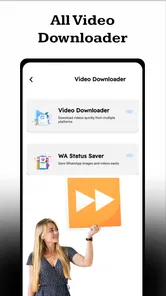
Analysis by Reviewed
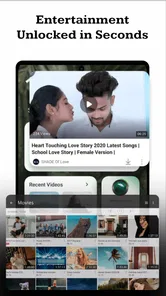
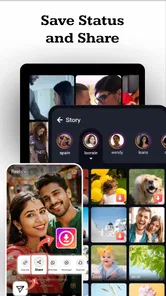
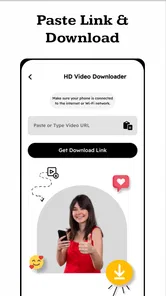
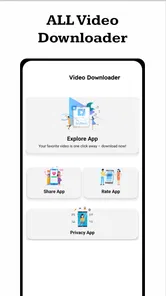
I spent time with XNX Video Downloader Pro as a video player and editing utility, and my first impression is that its appeal is easy to understand: it is free to use, aimed at saving reels, stories, and short clips for offline viewing. That makes it relevant for people who regularly lose access to a clip when their connection drops, or who prefer watching short videos later instead of streaming them repeatedly.
The important point is that this is a focused downloader rather than a full social network, editing suite, or media library. I would look at it as a practical tool that sits between the apps where videos are discovered and the phone storage where they may be kept for later. Its developer is TULSI ENTERPRISE 970, and the app is listed for Everyone, which gives it a broad audience. Still, the useful question is not simply whether it is free. The real question is whether a lightweight downloader fits the way you handle short-form video.
How the free access affects its value
There is no purchase price attached to the app, so the financial barrier is low. That matters for occasional users who only need to save a clip now and then and do not want to commit to a paid video tool. It also makes experimentation less risky: you can see whether the workflow suits you before deciding whether it deserves a permanent place on your phone.
I would not confuse free access with unlimited value. A downloader earns its place through convenience, reliability, and the amount of effort it removes from a task. If saving one short clip requires too many steps, the absence of a price does not make the experience good. In practice, the best way to judge it is to test it with the kinds of reels or stories you actually watch, rather than assuming that every source will behave identically.
The app is currently listed as version 1.0, so I would approach it as an early release rather than a mature, feature-heavy platform. That does not automatically make it a poor choice, but it does affect expectations. I would keep my first trial modest, avoid moving important personal archives immediately, and check that saved files appear where I expect them to appear before relying on the app for a trip, presentation, or long period without internet access.
It supports devices running Android 7.0 or later, which gives it a reasonably wide compatibility range for Android users. The listing shows over 10K installs, suggesting that it has already attracted a starting audience, although that figure should not be treated as proof that every device or video source will work smoothly. The app’s release date is August 15, 2026, so its early position is especially relevant when weighing free access against polish and long-term confidence.
What the app is useful for in daily life
The clearest use case is preparation. Imagine that I am commuting through areas with unreliable reception and want a few short cooking demonstrations, workout clips, or travel reminders ready beforehand. A downloader can turn that from a last-minute search into a simple routine: find the clips while connected, save the ones I genuinely need, and watch them later without repeatedly loading the original feed.
More From Our News Desk

 Gmail
GmailGmail in a Busy Inbox: Who Benefits Most?
From first account to crowded workday, Gmail earns its place through dependable search and flexible sorting—but its best fit depends on how much inbox maintenance you can tolerate.

 Prime Video
Switching to Prime Video: What Changes in Your Viewing Routine
Prime Video can make a compelling second home for streaming, but switching means learning a different catalog, rental layer, and route from browsing to playback.

 Universal TV Remote Control
Universal TV Remote Control Works Best as a Reliable Backup
A phone remote earns its place through quick setup and reliable habits. Here is how to get more from Universal TV Remote Control—and where its limits show.

 Weather - By Xiaomi
Weather by Xiaomi Review: Clear at a Glance, Less Clear Up Close
Xiaomi’s weather app makes everyday forecasts quick to scan, but its calm surface can leave useful details and recovery paths harder to find than they should be.

 X
XX Under Pressure: Can It Recover When Posting Goes Wrong?
A resilience-focused review of X, examining setup, mistaken posts, interruptions, weak connections, and the gaps that matter when recovery needs to be dependable.

 Clash of Clans
Clash of Clans Is Won Between the Battles
Its raids are quick; its community is a long-term project of coordination, teaching, rivalry, and shared responsibility—with all the friction that entails.
Latest News



Another useful situation is reference. Short videos often contain a quick instruction that is difficult to find again among an endless stream of posts. Keeping a local copy can make sense when I want to revisit a pronunciation example, a repair step, a recipe technique, or a brief explanation. The value comes less from collecting everything and more from saving a small set of clips with a clear purpose.
I also see a benefit for people who share a phone with family members or help relatives who are not comfortable navigating social feeds. Saving a few appropriate clips in advance may make them easier to watch. Since the content rating is Everyone, the app itself is positioned for a general audience, but that does not mean every downloaded video is suitable for every viewer. I would still review the content before passing a device to a child or another family member.
There is a practical distinction between offline viewing and ownership. Saving a file to a device may make it available when the connection is unavailable, but it does not automatically give anyone permission to repost, edit, or distribute it. I would use the app for personal access to material I am allowed to keep, and I would respect the creator’s rights when handling anything downloaded from a social platform.
A workflow that avoids a messy downloads folder
One of my strongest recommendations is to decide what a saved clip is for before downloading it. If I save every interesting short video, the phone quickly becomes a pile of unnamed files that is harder to use than the original feed. A better routine is to create a small purpose-based queue: clips for a journey, clips for a project, or clips I want to study later.
After saving, I would immediately review the file and remove anything that is incomplete, duplicated, or no longer useful. This is a small habit, but it is more important with a downloader than with a normal streaming app because offline files can quietly consume storage. The app’s promise is convenience; disciplined organization is what turns that convenience into lasting value.
I would also test the process with a nonessential clip first. That lets me confirm that the result plays correctly, that the file is easy to locate, and that the original audio and picture are present as expected. This is a more reliable approach than downloading a large batch and discovering later that the files do not fit the way I planned to use them.
For short clips, naming and timing matter more than people expect. If I am saving several videos for a class or a weekend away, I would keep a simple note describing why each one matters. That prevents the common problem of opening a file weeks later and having no idea why it was saved. The app can help with access, but it cannot replace a sensible personal filing system.
Where it compares well with usual alternatives
The usual alternative is to stay inside the original social app and stream everything whenever it is needed. That approach keeps content connected to its source and avoids creating local files, but it depends on connectivity and on the clip remaining available in the same form. A dedicated downloader is more attractive when I know I will be offline or when repeated streaming would be inconvenient.
Another alternative is a broader video editor. Editors are better when the goal is trimming, adding captions, combining clips, or preparing a finished project. I would choose one of those tools if editing is central to my task. XNX Video Downloader Pro makes more sense when the first problem is simply getting a short video available for offline access, not turning it into a polished production.
There is also a difference between a downloader and a cloud-based bookmarking service. Bookmarks preserve a path back to online content, while a local download is useful when the connection is weak or the original post is difficult to locate. On the other hand, bookmarks are often cleaner for long-term organization because they do not fill local storage. My choice would depend on whether dependable offline playback or tidy online reference matters more.
I would be cautious about replacing a well-established media manager with this app if I already have a carefully organized library. A dedicated media manager may offer stronger sorting, playback controls, or backup habits. The free price makes this app worth trying as a companion, but not necessarily worth rebuilding an entire video workflow around from the first day.
The tradeoffs I noticed before relying on it
The biggest tradeoff is the gap between a simple promise and the variety of real-world video sources. Reels, stories, and short clips may differ in how they are presented, how long they remain available, and how they handle access. I would not assume that one successful download guarantees the same result for every clip. Testing the exact source I care about is essential.
Version 1.0 also makes restraint sensible. Early apps can be perfectly useful for a narrow task while still needing refinement around edge cases. I would avoid treating it as the only copy of anything important. If a clip matters for work, study, or a planned journey, I would verify playback before leaving home and keep an alternative source or note when possible.
Storage is another hidden cost, even though the app itself is free. Short videos may seem small individually, but repeated downloads add up, especially when the same clip is saved more than once or when files are kept after their purpose has ended. My practical rule would be to review the download folder whenever I finish a trip or project and delete material I no longer need.
Privacy and content rights deserve equal attention. I would not download private material, restricted content, or anything whose creator clearly does not permit redistribution. I would also be careful when sharing a saved file outside the original context, because offline convenience can make it easy to forget where a video came from. The app can be useful without being used carelessly.
There is a further tradeoff between speed and control. A narrow tool can be easier to understand than a large editor, but it may not satisfy someone who wants detailed file management, conversion options, or creative controls. If I needed to prepare clips for professional publishing, I would choose a tool designed for that job instead of expecting a downloader to cover every stage.
Who is most likely to get real value
I think the best audience is the casual Android user who watches many short videos and wants a straightforward way to prepare a few for offline use. It is especially suitable for commuters, travelers, students reviewing brief demonstrations, and anyone who regularly deals with inconsistent mobile reception. For these people, the free entry point matters because the app can solve an occasional problem without adding another subscription.
It may also suit someone with an older Android phone that still meets the minimum operating-system requirement. Compatibility with Android 7.0 or later gives users of older devices a reason to consider it, although I would still judge the experience on the individual phone rather than on the operating-system requirement alone. Storage space, playback behavior, and the way that device handles saved files can affect the result.
I would skip it if my main need is serious editing. Someone producing social campaigns, assembling long videos, correcting sound, or managing a professional archive will likely be better served by a full editor or media-management system. I would also skip it if I only want to bookmark videos and rarely watch anything offline; in that case, local downloads may create unnecessary clutter.
Parents and educators should make their own content decisions rather than relying only on the Everyone label. That label describes the app’s audience classification, not every video a person might choose to save through it. For shared devices, I would keep the workflow supervised and make sure saved clips are appropriate for the intended viewer.
People who need guaranteed preservation should be cautious too. A free downloader can be convenient, but convenience is not the same as backup. For important material, I would maintain a second copy in a properly organized location and record the source or purpose of the file. That approach protects against accidental deletion and keeps the collection understandable later.
My recommendation after weighing the free value
My verdict is positive but deliberately limited: I would recommend trying XNX Video Downloader Pro if your specific goal is saving short-form videos for personal offline viewing and you use Android 7.0 or newer. The lack of a purchase price makes the experiment easy, and the focus on reels, stories, and short clips is clearer than the broader promise of a general video editor.
I would not recommend installing it with the expectation that it will replace a complete media library, a professional editing application, or a dependable backup system. Its value is strongest when the task is small and immediate: prepare a handful of useful clips, confirm they play, watch them later, and clean up afterward. That focused workflow is where a free tool can genuinely save time.
Before depending on it, I would run a short personal test: save one ordinary clip, check its playback, locate the resulting file, and confirm that the process fits my storage and organization habits. If that trial feels smooth, the app can become a handy offline companion. If it creates uncertainty or unnecessary clutter, the usual streaming, bookmarking, or full media-management alternatives will be a better choice despite offering a different kind of convenience.
For me, the deciding factor is not the install count or the fact that it is free. It is whether the app removes friction from a real offline-video routine without encouraging careless collecting. Used selectively, it has a sensible place in the Android video toolkit. Used as a substitute for every other video service, it is likely to disappoint. Try it for a defined offline need, keep your expectations practical, and let the result of that small test decide whether it stays on your phone.
XNX Video Downloader Pro Frequently Asked Questions
Does XNX Video Downloader Pro work on my Android device?
XNX Video Downloader Pro is an Android app with a minimum operating-system requirement of Android 7.0. Check your device’s Android version before downloading, and make sure you have enough storage for the app and any videos you plan to save. The app is listed as free and has an Everyone age rating.
Who makes XNX Video Downloader Pro, and what is its current version?
XNX Video Downloader Pro is developed by TULSI ENTERPRISE 970. Its current version is 1.0, and it is listed in the Video Players & Editors category. Checking the version and developer name when choosing a download source can help you avoid confusing it with similarly named apps or unofficial copies.
What is XNX Video Downloader Pro and what does it do?
XNX Video Downloader Pro is presented as a tool for downloading video content to an Android device for offline viewing. Its usefulness depends on the websites and services it supports, since many platforms restrict downloads or protect videos with copyright and technical safeguards. Before installing it, check the app’s current description, supported formats, permissions, and whether it is available through a trustworthy official source.
Is XNX Video Downloader Pro safe to install and use?
Safety depends heavily on where the application is obtained and which version is installed. If it is not distributed through Google Play or another reputable store, users should be especially cautious about modified APK files, excessive permissions, intrusive advertising, and possible malware. Review recent user feedback, scan the installation file with a trusted security tool, and avoid entering passwords or payment information inside an unverified app.
Can XNX Video Downloader Pro download videos from YouTube, social networks, or streaming services?
Compatibility can vary by platform and may change whenever a website updates its technology. Some services prohibit downloading except through their own official offline feature, while protected or subscription-based videos may not work at all. Users should consult the application’s current supported-site list and respect each platform’s terms of service, copyright rules, and content-owner permissions before saving any video.
Pros
- Downloads videos for offline viewing in multiple resolutions.
- Simple interface makes saving videos quick for new users.
- Supports background downloads while using other apps.
- Built-in file management helps organize saved videos.
- Useful for users with limited or unreliable internet access.
Cons
- Availability and features may vary between Android and iOS versions.
- Downloading copyrighted content may violate platform rules or local laws.
- Large files can quickly consume device storage space.
- Download speeds depend heavily on the source and connection.
- The app may request permissions that privacy-conscious users dislike.











