xBrowser - Video Downloader
- 222.00
- 4.3
- Installs
- 5.00M
- Price
- Free

Screenshots





Analysis by Reviewed
Ever stumbled upon an awesome video online and couldn't figure out how to save it for offline viewing? Well, that's where xBrowser - Video Downloader steps in to save the day! I’ve had the chance to dive deep into this app, and let me tell you, it’s like having a digital Swiss Army knife for video downloads. Let’s unpack what makes this app a must-have for video enthusiasts.
Seamless Integration and User-Friendly Interface
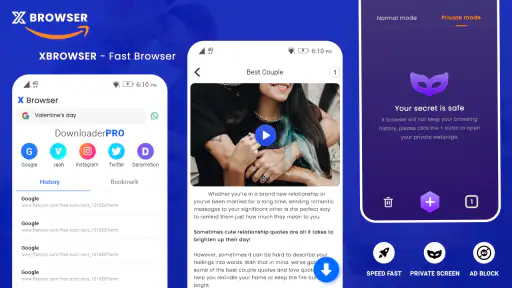
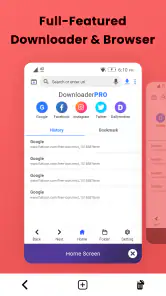
The moment you launch xBrowser - Video Downloader, you’ll notice its sleek and intuitive interface. It doesn’t bombard you with unnecessary features or ads, which is a huge relief. The app is designed to blend seamlessly with your browsing experience, making it super easy to download videos from a variety of websites.
How It Works
Using the app is as simple as pie. While browsing, if you come across a video you like, the app automatically detects it and provides a download option. Just hit the button, and voilà, the video is saved to your device. It's quick, efficient, and reduces the hassle of copying and pasting URLs into separate downloader apps.
One of the standout features is its compatibility with multiple video formats. Whether it's MP4, FLV, or AVI, you’re covered. This versatility ensures that no matter where your video originates, xBrowser can handle it.
Speed and Performance
Nobody likes waiting forever for a video to download, right? This app doesn’t disappoint. The download speeds are impressive, courtesy of its smart downloading technology that optimizes speed based on your network. Plus, you can download multiple videos simultaneously without any noticeable dip in performance. It's like having a turbocharged downloader right in your pocket!
Privacy and Security
I know what you’re thinking — downloading videos online can sometimes be a bit sketchy in terms of privacy. xBrowser - Video Downloader has you covered with its secure downloading protocols. It ensures your data remains private and doesn’t store any of your personal information, which is a huge win in my book.
Moreover, the app doesn’t require any unnecessary permissions, so you can rest easy knowing that your privacy isn’t being compromised. It’s refreshing to see an app that respects its users in this digital age.
Final Thoughts
All in all, xBrowser - Video Downloader is a fantastic app for anyone looking to easily and securely download videos from the web. With its straightforward interface, robust performance, and respect for user privacy, it’s a standout choice in the sea of video downloader apps. So next time you find a video that you just can’t live without, give this app a whirl — it’s bound to impress!
Pros
- Fast video downloads
- Supports multiple formats
- User-friendly interface
- Background downloading
- No intrusive ads
Cons
- Limited free features
- Occasional crashes
- No built-in video player
- Requires stable internet
- Limited language support

- Category
- Video Players & Editors
- Version
- 1.1.5