

X Sexy Video Downloader
- 13.74K
- 4.4
- Installs
- 50.00M
- Price
- Free

Screenshots
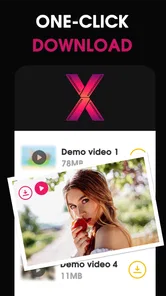
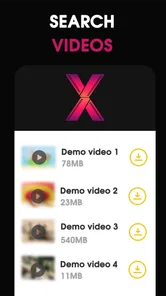
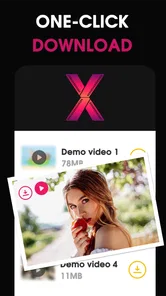
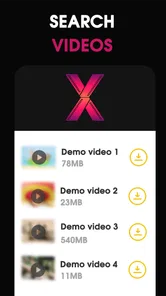
Analysis by Reviewed
I tend to judge a video-downloading app by one practical question: does it make saving a clip from a website feel less fiddly than switching between a browser and separate tools? X Sexy Video Downloader is built around that task, pairing web browsing with video playback and downloading. That combination is its main appeal: when a clip is available to save, you can handle the discovery and playback in the same app rather than treating each step as a separate job.
Keeping browsing and saving together
In the usual video-player category, many apps focus on playing files already on your device, while browser-based tools are primarily for viewing pages. This app sits between those approaches. Its browser-oriented design is useful when you encounter a video while exploring a website and want a route from watching to saving without first copying details into an unrelated app. I would think of it as a focused utility, not a replacement for a full media library or a general-purpose streaming service.
That distinction also sets expectations. A downloader cannot make every video on every site available to save: websites control how their media is served, and some may not offer a compatible download path. If a page does not present a usable option, repeatedly trying different taps is unlikely to help. I’d simply watch it in the browser or use the site’s own offline feature if it offers one.
A sensible everyday workflow
A realistic use is spotting a useful tutorial while browsing, then saving it for a commute or a place where connectivity is unreliable. I’d first check that the site permits downloading and that I have enough storage, then use the app’s browser and playback flow to see whether the clip can be saved. Afterward, I’d try opening the saved file before leaving Wi-Fi; that quick check can catch an incomplete download while there is still time to retry.
For a collection of clips, a little organization helps more than rushing through saves. I’d keep track of where each file came from and use clear filenames if the app makes that possible, so the saved videos remain easy to identify later. I would also avoid treating a successful download as permission to repost someone else’s work. Saving for personal, lawful viewing is a different matter from redistributing it.
Where it fits—and where it doesn’t
If you mainly want to watch videos that are already on your phone, a conventional video player is likely the simpler choice. If you want a broad browser for everyday web use, a mainstream browser may be a better fit. This app makes more sense for someone who specifically wants browsing, playback, and possible saving in one place, and who is comfortable with the fact that site compatibility can vary.
I would also be cautious about expecting every clip to download or assuming that one workflow will work identically across different websites. A practical tip is to test the app with a permitted, nonessential video before relying on it for travel or a deadline. That gives you a chance to learn how its browser handles the sites you use and whether the saved result works for your needs.
More From Our News Desk

 Gmail
GmailGmail in a Busy Inbox: Who Benefits Most?
From first account to crowded workday, Gmail earns its place through dependable search and flexible sorting—but its best fit depends on how much inbox maintenance you can tolerate.

 Prime Video
Switching to Prime Video: What Changes in Your Viewing Routine
Prime Video can make a compelling second home for streaming, but switching means learning a different catalog, rental layer, and route from browsing to playback.

 Universal TV Remote Control
Universal TV Remote Control Works Best as a Reliable Backup
A phone remote earns its place through quick setup and reliable habits. Here is how to get more from Universal TV Remote Control—and where its limits show.

 Weather - By Xiaomi
Weather by Xiaomi Review: Clear at a Glance, Less Clear Up Close
Xiaomi’s weather app makes everyday forecasts quick to scan, but its calm surface can leave useful details and recovery paths harder to find than they should be.

 X
XX Under Pressure: Can It Recover When Posting Goes Wrong?
A resilience-focused review of X, examining setup, mistaken posts, interruptions, weak connections, and the gaps that matter when recovery needs to be dependable.

 Clash of Clans
Clash of Clans Is Won Between the Battles
Its raids are quick; its community is a long-term project of coordination, teaching, rivalry, and shared responsibility—with all the friction that entails.
Latest News



What is X Sexy Video Downloader?
The X Sexy Video Downloader is designed to cater to those of us who want to download videos from a variety of sites with ease. Its user-friendly interface promises to make the process as simple as pie, and boy, does it deliver!
Easy Navigation and Features
Upon opening the app, the first thing that struck me was how intuitive it is. The layout is clean and straightforward, with everything you need right at your fingertips. There’s no fumbling around trying to figure out where things are. You get to paste the video URL, hit download, and voila!
One feature I particularly liked was the ability to download in different resolutions. Whether you’re conserving data or going for the best quality, this function has got you covered. Not to mention, it supports a plethora of sites, so you’re not limited to just one or two platforms.
Performance and Speed
Now, let’s talk performance. Nobody likes waiting around for downloads, right? With X Sexy Video Downloader, the download speed is pretty impressive. I tried it on both Wi-Fi and mobile data, and it was consistently fast. This is a huge plus if you're in a hurry or just plain impatient like me!
In day-to-day use, I’d reserve mobile data for short clips I genuinely need offline and leave longer saves for Wi-Fi. That is not just about speed: a larger file can use more data and storage, so choosing a lower resolution when it is offered may be the more sensible trade-off for a small phone screen. For a big display, or footage where fine detail matters, I’d favor quality instead.
Is It Safe?
Safety is always a concern when it comes to downloading apps that interact with media files. I did a bit of digging, and it seems that this app doesn't come bundled with any shady extras. It’s always wise to have antivirus software handy, but in my experience, the app itself seemed clean and safe to use.
I’d still use ordinary care with any browser that handles downloaded media: stick to websites you trust, avoid unexpected prompts, and review what you are saving before opening unfamiliar files. The app is free, is rated for Everyone, and comes from Video Studio Browser Apps. Those details make it approachable, but they do not remove the need to respect a site’s rules or think about privacy when browsing.
Who is likely to get the most from it?
For someone who often finds clips on websites and wants a straightforward way to try saving them, the app’s combined browser-and-downloader approach is the strongest reason to install it. It is less compelling if you rarely save videos, prefer a dedicated desktop workflow, or need guaranteed access to every clip. The useful question is not whether it can download anything you encounter, but whether the sites you actually visit work well with its approach.
It has an average rating of 4.4 from around 479,000 ratings and has been installed over 50 million times, which suggests many people have tried it. I would treat those figures as context rather than a promise that every website will behave the same way. The app is free, and its current version is 1.47, with Android 5.0 as the minimum requirement.
For a more deliberate test, I’d choose one familiar site and one short clip that I have permission to save, then follow the same steps I expect to use later. That reveals a useful distinction: whether the browser can play a page is not necessarily the same as whether its video can be downloaded. If the save option appears only on some pages, that is a compatibility limit to plan around, not a reason to assume the whole app is broken.
Small checks that prevent frustrating saves
Before starting a batch, I’d check available storage and decide what the videos are for. A short reference clip may be perfectly watchable at a lower resolution, while a tutorial with small on-screen text can become harder to follow if the image is reduced too much. When several quality options are available, I’d match the choice to the viewing situation instead of always selecting the largest file.
I’d also confirm that a saved clip opens and plays before deleting anything or relying on it offline. A file that has finished downloading may still not be the one I meant to keep, and a quick playback check is easier at home than after leaving a reliable connection. For videos that matter, keeping a simple note of the source and subject can make later sorting much easier than relying on memory.
How it compares with familiar alternatives
Compared with a standard player, the advantage here is the route from a website to a possible saved copy; a player is usually better when the video is already stored locally and you simply want to watch it. Compared with a regular browser, this app is more purpose-built for media discovery and saving, but I would not choose it as my only browser if I needed a broad set of everyday browsing tools. The best choice depends on whether saving web video is a frequent enough task to justify a separate utility.
There is also a practical alternative worth considering: if the service hosting a video provides its own offline viewing option, I’d use that when it suits my needs. That can keep the viewing process within the service and avoid managing another file. A downloader is more appealing when I want a clip available as a file for later playback, provided the site allows it and the app can access it.
Questions I’d settle before relying on it
Would I expect it to save every video? No. The website’s delivery method matters, so I’d treat each site as a separate test rather than assume broad compatibility from one successful download. Can I use it without paying? Yes, the app is free. Is it suitable for every age? Its content rating is Everyone, though I’d still pay attention to the material encountered on websites and use sensible browsing habits.
Would I install it on an older Android device? The minimum requirement is Android 5.0, so I’d check the device’s system version before trying. Does a high number of users mean my preferred site will work? Not necessarily; broad adoption is useful context, but it cannot guarantee a particular page will expose a downloadable video. These are the points I’d weigh before making it part of a routine rather than judging it from a single successful save.
Who should keep it in their toolkit?
I’d recommend trying it if you often browse for clips that you are allowed to save, value having browsing and downloading together, and are willing to check the result rather than assume every source behaves alike. It can be especially handy for a person who collects a few educational or reference videos for viewing away from a connection. The developer is Video Studio Browser Apps, and the app sits in the video player and editing space, although its most distinctive use is this browser-to-download workflow.
I’d skip it if your main need is a polished library for existing media, if you rarely download anything, or if your must-have sources block downloads. In those cases, a regular player, your preferred browser, or an official offline mode is likely to be less hassle. The app’s best quality is focus, and that focus only pays off when the task it targets is one you actually do.
In conclusion, if you’re on the hunt for an efficient, user-friendly video downloader, the X Sexy Video Downloader might just be your app soulmate. It’s got the speed, the versatility, and the simplicity that makes the whole downloading process a breeze. So why not give it a shot and see how it fits into your digital life? Happy downloading!
X Sexy Video Downloader Frequently Asked Questions
What permissions should I review before installing X Sexy Video Downloader?
Before installing X Sexy Video Downloader, take a moment to review the permissions requested during setup and decide whether they make sense for an app used to browse, play, and save videos. Grant only the access you are comfortable with, and revisit your device’s permission settings if your preferences change. Thoughtful permission choices are a useful part of managing any app.
Can I browse websites and play videos directly in X Sexy Video Downloader?
The app is described as a video browser and downloader for playing videos from websites, so browsing and playback are central to its purpose. This may suit users who prefer to explore video pages and watch content within one app rather than switching between separate tools. As with any browser, the experience can depend on the website and the video itself.
What should I know about the app’s age rating and online content?
X Sexy Video Downloader is listed with an Everyone content rating, and its short description is “X Sexy Video.” Since the app is associated with browsing and playing videos from websites, users and parents should still consider the content they may encounter online. An age rating does not replace supervision or a review of the websites accessed through the app.
Can I use X Sexy Video Downloader on my device?
X Sexy Video Downloader is an app in the Video Players & Editors category, with a minimum operating-system requirement of version 5.0. Check that your device meets this requirement before downloading. The app is intended for playing and downloading videos through a browser, so its main appeal is combining video browsing with playback and saving for later viewing.
What should I consider before downloading videos with the app?
Before saving a video, make sure you have permission to download and keep it, and follow the rules of the website hosting it. Respect creators’ rights and avoid sharing private or sensitive material without consent. It is also sensible to consider how much storage space a video may use and whether you want it available offline before starting a download.
Pros
- Fast download speed
- Supports multiple formats
- Easy-to-use interface
- No ads
- Free to use
Cons
- Limited to certain websites
- Privacy concerns
- No offline viewing
- Frequent updates needed
- Might breach terms of service











