Worcester Telegram & Gazette
- 77.00
- 2.7
- Installs
- 10.00K
- Price
- Free

Screenshots


Analysis by Reviewed
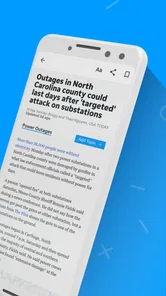
I approached Worcester Telegram & Gazette as a straightforward way to keep up with news connected to Worcester while still having access to broader stories. It belongs to the News & Magazines category, is free to install, and is published by USA TODAY Co. The app’s focus is easy to understand: local and national reporting, photography, and video gathered into a mobile reading experience.
My first impression was that this is best viewed as a regional news companion rather than a general-purpose replacement for every news source on a phone. If Worcester-area coverage is important to you, the local identity gives it a clear reason to exist. If you only want a broad national news feed, other apps may feel more immediately complete. The useful question is not whether it can show news, but whether its Worcester focus matches the way you actually follow current events.
Getting from installation to a useful first read
I start this section with a practical aim: get from installing the app to one worthwhile Worcester-area story without letting the mix of local and national coverage become a distraction. A useful first read is less about exploring every screen than learning which kind of coverage you came for and how to find it again. Once that small routine is clear, it becomes easier to judge whether the app belongs in your regular news check.
What to expect from the app
The app combines local reporting with national coverage, so I would expect to move between stories that affect the Worcester community and larger developments that provide context. That combination is more practical than a purely local feed when I want one place to check the day’s main headlines, but it can also make the experience feel less focused if I am looking for only one subject.
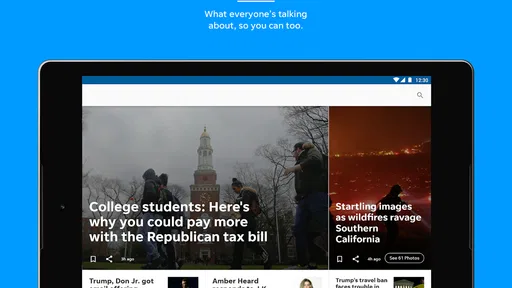
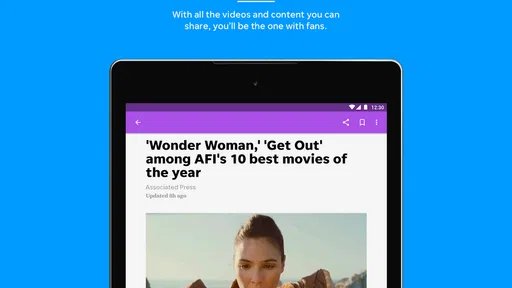
Photography and video are an important part of the presentation. A local story can be easier to understand when I can see the setting, people, or event instead of reading a short text-only update. At the same time, visual content is not automatically a reason to use the app every day. Readers who prefer quiet, fast scanning may value the written headlines more than the richer media.
The app is free, with optional purchases listed from $19.99 to $69.99 per item. I would keep that in mind before treating the free installation as the complete cost of regular use. The sensible approach is to install it, explore the available reading experience, and pay attention to any purchase prompt before confirming anything.
Its age rating is Everyone, which makes the app suitable for a broad audience in terms of content classification. That does not mean every story will be comfortable or light; news naturally covers serious subjects. It simply makes the application approachable for households where several people may want a local news source.
More From Our News Desk

Weather by Xiaomi Review: Clear at a Glance, Less Clear Up Close

X Under Pressure: Can It Recover When Posting Goes Wrong?

Clash of Clans Is Won Between the Battles

Android Auto Makes the Case for Quieter Car Software

MobiOffice: Transforming Mobile Productivity with Seamless Integration

EA SPORTS FC™ Mobile Soccer: Redefining Mobile Sports Gaming
The first setup: keep the beginning simple
For a first-time user, I recommend opening the app with one clear goal instead of trying to understand every section immediately. Decide whether you want to check local headlines, watch a news video, or browse national stories. That small decision makes the first session less confusing because you can judge the app by a real task rather than by its menus.
After installation, I would spend a few minutes identifying how local and national material are separated. This is one of the most important orientation steps. A person who wants Worcester coverage should not have to guess whether a headline belongs to the local newsroom or is simply part of a wider national stream. Once that distinction becomes familiar, later visits should require less searching.
I would also look for the reading path that feels most natural: scanning headlines first, opening one article at a time, or using photographs and video as the entry point. That choice matters because a news application can feel slow when I approach it in the wrong way. If I am commuting or checking updates between tasks, headline scanning is likely more useful than opening every visual element.
The current version is 8.10.3, and the listed minimum operating system is Android 8.0. That makes compatibility an early practical check for anyone using an older Android phone. If the device meets that requirement, the next decision is not technical; it is whether the app’s local emphasis fits the user’s routine.
The first successful action: find one story that matters
My definition of a successful first session is simple: find one story I genuinely care about and understand how to return to the surrounding coverage. For a Worcester resident, that might be a local event, a community issue, or a developing regional story. For someone with family or work ties to the area, the same process can provide useful context even when that person lives elsewhere.
I would begin with the local headlines, open a story with a clear connection to daily life, and then use the nearby coverage to see whether the app offers a wider view of the subject. This is a better test than reading a random national headline because it checks the app’s distinctive value. If the local material feels relevant and easy to reach, the installation has already earned a place in the news routine.
There is a small but useful habit here: do not judge the application only by the first headline visible after opening it. News changes, and the first screen may not match your interests at that moment. Give the local section a deliberate look, then compare it with the national material. That two-step check reveals whether the balance works for you.
When a story includes video or strong photography, I would use it selectively rather than opening everything automatically. Visual reporting can add meaning to an event, but it may not be the fastest way to catch up. A practical workflow is to scan text headlines first, choose one or two important stories, and then use the richer media only where it adds something that words alone do not.
Where the experience can become confusing
The main potential confusion is the relationship between free access and in-app purchases. Because the app is free to install but lists purchases between $19.99 and $69.99 per item, I would not assume that every part of the reading experience follows the same access model. Before committing to a purchase, read the wording on the screen carefully and decide whether the value matches how often you expect to use the app.
This is especially important for occasional readers. Someone who checks Worcester news once every few weeks may not benefit from paying for an option designed for more regular use. A daily reader, on the other hand, may consider the cost differently if the local reporting becomes part of a morning routine. The right choice depends on frequency, not on the presence of a purchase button alone.
Another possible friction point is the app’s average rating of 2.7 from 266 ratings, alongside 77 written reviews. I would treat that as a reason to test the application personally rather than dismissing it immediately or assuming it will work perfectly for everyone. Ratings can reflect different devices, expectations, access experiences, or frustrations, while a short hands-on trial shows whether the core reading flow suits you.
The install count is over 10 thousand, which suggests a modest audience compared with the biggest national news platforms. That is not automatically a weakness. A regional publication does not need a huge global audience to be useful to people who care about Worcester. It does mean I would choose this app for its specific coverage, not because it has the scale or social momentum of a major national aggregator.
How it compares with familiar news alternatives
Compared with a national news application, Worcester Telegram & Gazette has a clearer local purpose. A large national app may be better for rapidly scanning many publishers, comparing international headlines, or following a wide range of topics. This app makes more sense when the question is, “What is happening around Worcester, and how does it connect with the wider news?”
Compared with a browser, the app offers a more direct starting point for readers who want the publication’s coverage without first searching for it. The trade-off is flexibility. A browser makes it easy to compare multiple outlets, search unrelated subjects, and move between sources. I would use the app when I want a focused visit and a browser when I want to investigate a story across several publications.
Compared with social media, the app should be a calmer place to begin checking news because the material is organized around the publication rather than a constantly changing stream of personal posts. Social platforms can surface eyewitness material quickly, but they also mix reporting with commentary and unrelated distractions. For a first understanding of a local story, I prefer starting with the dedicated news source and using other channels only for broader context.
Compared with a national newspaper app, the strongest difference is relevance rather than breadth. A national service may provide deeper coverage of federal politics, international events, or specialized subjects. This application is more appealing when local consequences matter to me. I would not install it expecting it to replace every other source; I would pair it with a broader outlet if I regularly follow news beyond the Worcester area.
Practical routines that make the app more useful
One effective routine is a two-minute local check followed by a deeper read only when a headline affects my plans, neighborhood, work, or family. This avoids turning every visit into an endless scroll. The app’s local and national mix makes that workflow particularly sensible: I can first identify the nearby stories that deserve attention, then use national coverage when I need wider context.
A second useful approach is to treat video as confirmation or atmosphere rather than as the default format. If I am in a hurry, text is usually the quickest way to understand the basic event. If the story concerns a public gathering, visible damage, a local place, or a person whose comments matter, the visual material may offer details that a short article cannot convey. Choosing media intentionally saves time and makes the richer presentation more meaningful.
A third insight concerns purchase decisions. I would not evaluate the optional purchases during an unusually interesting news cycle. A compelling story can make any news service seem essential for a moment. Instead, I would use the free portion across several ordinary visits, note how often I return, and then decide whether a paid option solves a real need. That is a more reliable test of value than reacting to one headline.
For people outside Worcester, the app can still have a practical role. Someone with relatives in the area, a property there, or professional responsibilities connected to the region may want local awareness without following a full national news cycle. In that situation, the app’s geographic focus is an advantage. The user should simply accept that it is a supplement to broader news, not a complete picture of the world.
Who should install it, and who should skip it?
I would recommend trying it if you live in Worcester or nearby, regularly need local updates, or want a publication centered on the area rather than a generic national feed. It is also worth considering if photography and video help you understand local stories. The free installation lowers the barrier to testing the reading experience before deciding whether it belongs in your routine.
I would be more cautious if your main goal is international news, financial reporting, technology coverage, or a single highly specialized subject. A broad national aggregator will probably be more efficient for that purpose. I would also skip it if I dislike paying for news content and do not want to evaluate optional purchases, since the listed in-app items make the access model something to examine rather than ignore.
People using older Android devices should check the operating-system requirement before planning around the app. Those with compatible phones can focus on usability, but anyone below Android 8.0 should not assume the current version will be available. This is a small detail, yet checking it first prevents a frustrating installation attempt.
My next step after the first visit
After finding one meaningful local story, I would return at a different time of day and see whether the app remains useful when I am not actively searching for a particular subject. That second visit answers a more important question: does the application support a repeatable habit, or was the first success a one-off?
If the local headlines consistently help me understand what is happening around Worcester, I would keep the app as a focused regional source and use a broader news service alongside it. If I mostly skip the local material and open only national stories, I would probably choose a general news app instead. The best setup is the one that reduces unnecessary searching without pretending to cover every need.
Overall, I see Worcester Telegram & Gazette as a specialized news app with a clear audience. Its combination of local reporting, national context, photography, and video gives Worcester-focused readers a practical starting point, while its modest rating and optional purchase range are good reasons to explore carefully. Its real strength is relevance for local readers, not universal coverage. I would install it for that reason, test the first few visits deliberately, and keep it only if the local perspective becomes genuinely useful in everyday life.
Worcester Telegram & Gazette Frequently Asked Questions
What devices and operating systems can run the Worcester Telegram & Gazette app?
The Worcester Telegram & Gazette app is a mobile news app for Android and iOS users. Its minimum operating-system requirement is version 8.0, so check your device’s software version before downloading. Keeping your device and the app up to date can also help with compatibility and performance. The app is published by USA TODAY Co. and is intended for a general audience.
What is the Worcester Telegram & Gazette app?
The Worcester Telegram & Gazette app is a digital news platform focused on Worcester and the surrounding Central Massachusetts communities. It provides access to local reporting, breaking news, politics, sports, business, entertainment, opinion, and regional updates. After installing it, readers can browse the latest headlines, open full articles, and stay informed through a mobile-friendly experience designed for on-the-go reading.
Is the Worcester Telegram & Gazette app free to download and use?
The app is free to download, allowing users to explore headlines and access some content without immediately subscribing. However, in-app purchases range from $19.99 to $69.99 per item, and full access to articles or certain premium features may require a paid digital subscription. Before subscribing, review the purchase options and terms shown in the app so you understand the available access and costs.
Does the app require a subscription to read all articles?
A subscription may be necessary to read the complete library of Worcester Telegram & Gazette journalism. Non-subscribers can typically view selected stories or limited content, while subscribers receive broader access to local reporting and other digital benefits. The exact limits can change over time, so users should review the subscription options displayed in the app before assuming that every article is available for free.
What kind of news and features can users find in the app?
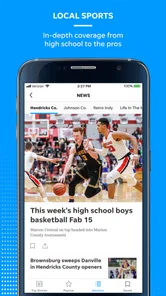
The app is primarily designed for readers who want dependable local coverage, including Worcester-area news, community developments, high school and professional sports, weather-related updates, business stories, investigations, and cultural coverage. Its store summary highlights local and national news, spectacular photography, and rich video content. Depending on the version available on your device, it may also include breaking-news alerts, saved articles, photo galleries, videos, and personalized notifications for topics that matter most to you.
Pros
- Local reporting focused on Worcester and surrounding communities.
- Covers breaking news
- politics
- sports
- business
- and local events.
- Digital access is convenient on phones and tablets.
- Useful source for regional obituaries and community announcements.
- Subscription options may include access to the newspaper’s broader archive.
Cons
- Many articles may require a paid subscription or have limited free access.
- Some content can feel repetitive during major ongoing local stories.
- App experience may depend on a stable internet connection.
- Advertising and subscription prompts can affect reading flow.
- Coverage is primarily regional
- with limited national news depth.













