Detroit Free Press: Freep
- 1.03K
- 3.0
- Installs
- 100.00K
- Price
- Free

Screenshots

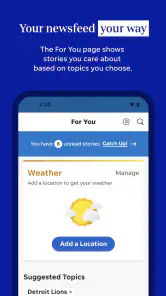




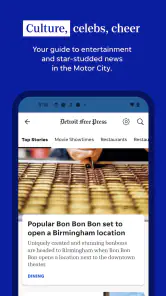
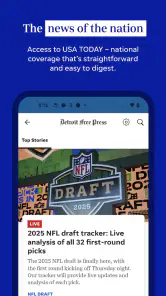
Analysis by Reviewed
I came away from Detroit Free Press: Freep with the feeling that it is most useful when I treat it as a focused local-news companion rather than as my only source for everything happening in the world. It is a free News & Magazines app from USA TODAY Co. built around Detroit Free Press coverage, with access to news, the eNewspaper, entertainment, and local sports. That combination makes sense for readers who want Detroit reporting in one place, but the experience also depends heavily on how I set it up and how I expect it to behave.
The app has been available since September 14, 2010, and its current version is 8.10.3. It supports Android 8.0 and newer, carries an Everyone 10+ content rating, and has passed the 100K+ install mark. The average rating is 3.0 from around 2.5K ratings, with about 1K written reviews, so the public response is mixed rather than universally enthusiastic. I think that is a fair warning: the journalism can be useful, but the app is not completely friction-free for every reader.
Getting past the first points of friction
I find the first few minutes are best spent figuring out which kind of reading I actually want, rather than tapping around until the app feels familiar. I’d check the news feed and the eNewspaper separately, then note which one suits my routine; that small distinction makes later visits more purposeful. From there, the next question is how to handle access choices without confusing them with everyday app friction.
Why the first launch can feel less simple than expected
My first piece of advice is to separate three things that are easy to confuse: downloading the app, reading available news, and accessing the full newspaper experience. The store presentation puts breaking news and the eNewspaper together, but those are not necessarily the same kind of reading session. A person who only wants quick headlines may move through the app comfortably, while someone expecting a complete newspaper layout may need to spend more time understanding the available access and reading path.
This matters because a disappointing first session does not always mean the application is broken. Sometimes the problem is simply an expectation mismatch. I would begin by opening a few different areas instead of judging the whole product from the first screen. Check a general news story, look for local sports, and then inspect the eNewspaper area separately. That quick tour tells me whether I am looking at the right section for the type of reading I want.
The app is free to install, but it includes in-app purchases ranging from $1.99 to $69.99 per item. I would therefore avoid assuming that every part of the experience is covered just because the download costs nothing. If a screen presents an access or purchase choice, read the wording carefully before continuing. This is especially important for readers who only want occasional headlines and do not need a broader newspaper arrangement.
What I would check before blaming the app
When an article does not appear, my first checks are ordinary but worthwhile. I confirm that the phone has a working connection, try moving between sections, and give the screen a moment to refresh before repeatedly tapping the same control. News apps can look stuck when a page is still loading, when a connection changes from mobile data to Wi-Fi, or when a particular story is temporarily unavailable.
More From Our News Desk

Weather by Xiaomi Review: Clear at a Glance, Less Clear Up Close

X Under Pressure: Can It Recover When Posting Goes Wrong?

Clash of Clans Is Won Between the Battles

Android Auto Makes the Case for Quieter Car Software

MobiOffice: Transforming Mobile Productivity with Seamless Integration

EA SPORTS FC™ Mobile Soccer: Redefining Mobile Sports Gaming
I also make sure the device meets the basic software requirement. The minimum operating system is Android 8.0, so an older phone below that level is not a good candidate for this release. On a supported device, I would close and reopen the app once, then check whether other apps can reach the internet. That simple comparison helps distinguish a local connection problem from an issue limited to Freep.
Another useful setup check is storage. I would leave enough free space for the operating system and the app to work normally, especially if I plan to use newspaper-style content or keep the application installed for regular reading. I would not immediately clear all app data, though. That can remove saved choices and force me through setup again. A restart and a fresh launch are safer first steps.
Choosing a reading routine that fits the app
I found the service easier to judge after deciding what I wanted from it. For a quick morning check, I would open the main news area, scan the local headlines, and then move directly to sports or entertainment if one of those is my priority. For a longer session, I would use the eNewspaper as a separate destination rather than expecting the headline feed to feel like a printed edition.
That distinction is one of the less obvious practical trade-offs. A stream of articles is better for following developments as they appear, while an eNewspaper format is more suitable when I want the feeling of browsing a complete issue. Neither approach is automatically better. The right choice depends on whether I am looking for speed or context, and switching between them deliberately prevents the interface from feeling disorganized.
I would also avoid opening the app for the first time during an important news moment and expecting everything to be instantly familiar. Set aside a few minutes to identify the sections I actually use. Once I know where local reporting, sports, entertainment, and the newspaper view are located, later visits become more purposeful and I spend less time wandering through the interface.
Recovering when a story or section does not load
If a page refuses to load, I use a short recovery sequence rather than repeatedly pressing buttons. First, I return to the previous screen and open another section. If that works, I try the original story again. Next, I close the app completely and relaunch it. Finally, I test the connection with another application. This sequence is useful because it reveals whether the failure is limited to one article, one part of the app, or the phone’s network connection.
When several sections fail at once, I would check for a pending app update and restart the device. The installed release is 8.10.3, but the important point is to use the newest version offered for the device rather than assuming an older installation will behave identically. Updating can also be helpful after an operating-system change, although I would not promise that every problem disappears after an update.
If the app opens but behaves strangely, I would try Android’s standard app settings to stop it and reopen it. Clearing the cache can be a reasonable next step when temporary files appear to be causing trouble, but I would treat clearing storage as a last resort because it may remove local settings. I would only reinstall after noting any access details I may need, since reinstalling is more disruptive than restarting.
Handling the difference between news access and account access
A reader may reasonably ask whether installing the app is enough to read everything. My answer is to look at each screen’s access language instead of relying on the download label. The application itself is free, yet paid items are available. That means the installation and the full range of reading options should be considered separate decisions.
If I only want occasional Detroit headlines, I would start with the freely available areas and see whether they meet my needs. If I regularly depend on the eNewspaper or want a fuller newspaper-reading routine, I would review the purchase screen carefully and decide whether the value matches my habits. I would not enter payment information simply to solve a loading problem; first establish that the content is actually restricted rather than failing to appear.
This is also where the mixed average rating becomes useful context. A 3.0 average suggests that some readers find the experience worthwhile while others encounter enough inconvenience to rate it lower. I would interpret that as a reason to test the app on my own device and with my own reading pattern, not as proof that it is unusable.
When the app is not the real source of the problem
News delivery depends on more than the application package. A weak connection, an overloaded device, outdated system software, or an interruption in a particular content service can all look like an app failure. If other online services are also slow, I would fix the network first. If only one article is affected while other sections work, I would avoid making broad conclusions about the entire app.
Notifications are another area where expectations can cause confusion. I would check the phone’s notification settings and the app’s own available choices before assuming alerts are broken. Battery-saving settings can also affect background activity on some Android devices. I would review those settings carefully rather than disabling every battery safeguard, especially if timely alerts are not essential to my routine.
Screen size can change the experience too. On a compact phone, newspaper-style pages may require more scrolling or zooming than a reader expects. On a larger display, the eNewspaper may feel more natural. That is not necessarily a defect in the application; it is a trade-off between portability and comfortable page browsing. I would decide whether I prefer quick article reading or a larger screen before paying for a broader reading arrangement.
There is also a difference between a content preference and a technical complaint. If I want national coverage from many regions, a broad news aggregator may suit me better. If I want Detroit-focused reporting, local sports, entertainment, and a newspaper-style option connected to the Free Press, this app has a clearer purpose. Comparing it with a general aggregator on headline volume alone would miss its local focus.
Who will get the most from Freep
I think this app is strongest for Detroit-area readers who want a familiar local publication available on a phone. It is particularly practical for someone who checks local news in the morning, follows regional sports, and occasionally wants to browse an eNewspaper rather than reading isolated headlines. Having those interests together gives the app a reason to stay installed.
It can also suit former Detroit residents who still want local coverage while living elsewhere. In that case, the value is not convenience during a commute but maintaining a connection to local reporting and sports. The app’s focus is more useful than a generic national feed when the reader cares about what is happening in one specific community.
I would be more cautious recommending it to someone who wants a completely free, all-purpose news replacement. The in-app purchase range means that a user should inspect access choices, and the 3.0 average indicates that the overall experience may not satisfy people who demand a perfectly smooth interface. Readers who dislike switching between article feeds and newspaper views may also prefer a simpler single-format news app.
How it compares with the usual alternatives
Compared with a general news aggregator, Freep offers a more concentrated local identity. An aggregator may be better for comparing many publishers, scanning international headlines, or building a broad personalized feed. I would choose the Detroit Free Press app when local relevance matters more than maximum variety.
Compared with reading the publication in a mobile browser, the dedicated app may feel more direct for repeated visits because it keeps the newspaper’s content in a purpose-built space. The browser can still be the better fallback when the app is misbehaving, when I do not want another installed application, or when I am using a device where the app experience feels cramped. Keeping that alternative in mind is useful; an app should be a convenience, not a requirement.
Compared with a print newspaper, the app is easier to carry and better suited to checking developing stories, while the eNewspaper can preserve some of the structure of an edition. The trade-off is that digital access may involve account or purchase decisions, and reading on a phone is not identical to handling a physical paper. I would choose based on reading habits rather than assuming one format replaces the other perfectly.
Small habits that make daily use easier
I recommend starting each session with one clear goal. If I want breaking news, I stay in the article flow. If I want local sports, I go there directly instead of scanning unrelated headlines. If I want a complete edition, I open the eNewspaper and accept that the session may involve more browsing. This simple habit reduces the feeling that the app is trying to serve too many purposes at once.
I also keep a browser as a backup for urgent reading. If a story is slow to open, I test the connection and try again rather than repeatedly reinstalling the app. When the problem persists across several sections, I move to standard troubleshooting: restart, update, check storage, and only then consider clearing temporary data. These steps protect my settings and save time.
For anyone considering paid access, I would first use the app long enough to identify how often I return to the eNewspaper and whether local coverage is central to my routine. The available purchase prices span from $1.99 to $69.99 per item, so the decision deserves more thought than a casual tap. I would read the terms shown at the point of purchase and choose only if the format and frequency genuinely fit my needs.
My practical verdict
After looking at both the useful parts and the awkward moments, I see Detroit Free Press: Freep as a targeted local-news app with a sensible mix of breaking coverage, entertainment, sports, and newspaper reading. Its strongest reason to exist is not that it replaces every other news source; it is that it gives Detroit-focused readers a dedicated place to check the subjects they care about.
The setup is manageable, but I would approach it with realistic expectations. Confirm the Android requirement, test the main sections, distinguish free installation from paid access, and use basic recovery steps before deciding that a problem is permanent. If a connection or device issue is affecting other apps, fixing that first is more productive than blaming Freep.
My recommendation is therefore conditional but positive: choose Freep if Detroit coverage is a regular part of your day and you value having both quick stories and an eNewspaper option. I would skip it in favor of a broader aggregator if I wanted worldwide variety, or a browser if I only read local news once in a while. For the right reader, the app is worth testing; just give the setup and access choices the attention they deserve before forming a final opinion.
Detroit Free Press: Freep Frequently Asked Questions
Who publishes Detroit Free Press: Freep, and which devices can run it?
Detroit Free Press: Freep is a news and magazines app published by USA TODAY Co. It is available for Android and iOS, so readers can use it on compatible phones or tablets. The Android version requires Android 8.0 or later. Before downloading, check that your device’s operating system meets the requirement and that you are selecting the official Freep app.
What is Detroit Free Press: Freep?
Detroit Free Press: Freep is the official mobile app for the Detroit Free Press, providing access to local news, breaking stories, sports coverage, politics, entertainment, business, and opinion articles. During testing, the app felt designed for readers who want Detroit-focused journalism in one place, with a mix of free content and articles or features that may require a subscription.
Is Detroit Free Press: Freep free to download and use?
The app is generally free to download on supported Android and iOS devices, but downloading it does not necessarily provide unlimited access to every article. Some stories, premium features, or the full digital newspaper experience may be restricted to subscribers. Availability, subscription prices, and access limits can change, so users should review the current terms shown in the app before subscribing.
What kind of news and features are available in the Freep app?
The app focuses strongly on Detroit and Michigan news, including local reporting, crime, government, schools, business, sports, and community developments. It may also include national stories, opinion pieces, photo galleries, videos, newsletters, alerts, and digital edition content. The exact selection can vary, but the main strength is its regional coverage and regularly updated local reporting.
Does Detroit Free Press: Freep require an account or subscription?
You can typically install the app and browse some content without immediately creating a paid account, although account registration may be needed for personalized features, saved articles, newsletters, or syncing access across devices. A subscription may be required for unlimited reading or premium content. Before entering payment details, check renewal conditions, billing frequency, and cancellation instructions.
Pros
- Clear local coverage of Detroit news
- politics
- sports
- and community events.
- Strong reporting from journalists familiar with Michigan and regional issues.
- Personalized news alerts help you follow developing local stories quickly.
- Useful mix of articles
- opinion pieces
- photos
- and multimedia content.
- Digital access supports reading on the go through a clean mobile interface.
Cons
- Many premium stories require a paid subscription to read in full.
- Advertising can interrupt browsing and make some screens feel cluttered.
- Some content may load slowly on weaker mobile connections.
- The app focuses heavily on Detroit and may feel limited for nonlocal readers.
- Frequent notifications can become distracting unless carefully customized.
- Category
- News & Magazines
- Version
- 8.10.3













