WolframAlpha Classic
- 3.87K
- 4.4
- Installs
- 1.00M
- Price
- $2.99

Screenshots
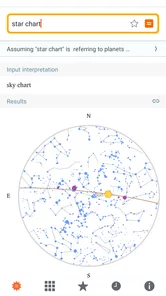
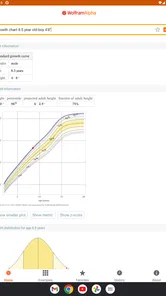
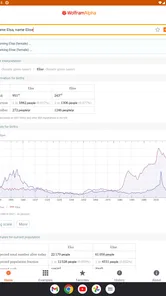
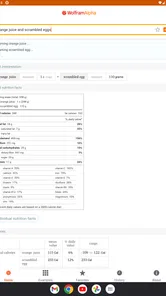
Analysis by Reviewed
I reach for WolframAlpha Classic when I need more than a quick fact or a bare numerical answer. It is a paid Books & Reference app from Wolfram Group LLC, and its appeal is the way it handles questions that benefit from computation: you can enter a problem in ordinary language or mathematical notation and get a result shaped around the subject. That makes it useful on a phone when a laptop is nowhere nearby, though it works best when I treat its answers as a starting point for understanding rather than a substitute for judgment.
Where it fits in a student’s day
A realistic use is checking a calculus exercise between classes. I can enter an expression, compare the result with my own work, and use a step-by-step explanation to find where my reasoning diverged. That is more valuable than copying an answer, but it does require a clear input: an ambiguous or incomplete query can produce a response that does not match the problem I meant to ask. I recommend checking the interpretation before relying on the result.
The same habit helps outside homework. If I am comparing units, looking up a scientific relationship, or trying to make sense of a compact data question, a computational answer can save time. For broad background reading, though, a conventional reference site or a textbook may explain context more naturally. This app’s strength is working through structured questions, not replacing every kind of research.
Current state and product history
The app has been available since October 5, 2010, and its current version is 1.4.27.20251112575. Those facts show a long-running product with a maintained version, but they do not by themselves tell me what changed between releases. I would not assume that a particular screen, tool, or workflow is new just from the version number; the practical test is whether the app handles the kinds of queries I actually use.
It has a 4.4 average from around 41,000 ratings and more than a million installs, which suggests it has found a substantial audience. I see that as useful context, not a promise that every answer will suit every course or specialist task. Its Teen age rating is also worth knowing for families choosing reference tools, while the $2.99 price makes the decision straightforward: consider whether you will use its computational approach often enough to justify paying rather than relying on free browser searches.
What Makes WolframAlpha Classic Stand Out?
First off, the sheer breadth of knowledge that WolframAlpha Classic covers is mind-blowing. From solving complex calculus problems to providing comprehensive data on pretty much anything you can think of—science, history, geography, you name it! It's like having a library with a super-intelligent librarian at your fingertips.
What really caught my attention is its ability to not just spit out answers, but to show step-by-step solutions. This is a lifesaver for students, teachers, or anyone who's curious about understanding the "how" and "why" behind an answer. It's like having a personal tutor who never gets tired of explaining things over and over!
More From Our News Desk

Weather by Xiaomi Review: Clear at a Glance, Less Clear Up Close

X Under Pressure: Can It Recover When Posting Goes Wrong?

Clash of Clans Is Won Between the Battles

Android Auto Makes the Case for Quieter Car Software

MobiOffice: Transforming Mobile Productivity with Seamless Integration

EA SPORTS FC™ Mobile Soccer: Redefining Mobile Sports Gaming
Features That Will Blow Your Mind
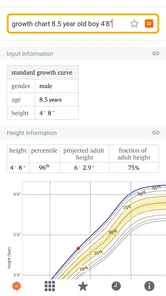
The app is packed with features that can cater to a wide array of needs. Whether you're into mathematics, science, or just curious about trivia, there's something here for everyone. The computational power is remarkable. For instance, if you're into physics, you can input any formula or problem, and the app will break it down for you. And if you're someone who loves data and statistics, the app gives you beautifully organized visualizations that make data analysis a breeze.
Plus, the interface is clean and user-friendly. I mean, no one wants to wrestle with a complicated app when they're trying to learn or solve problems, right? With the app, everything feels intuitive. You simply type in your query, and voila! Answers start pouring in.
Making queries more useful
One practical way to get better results is to begin with a small, testable question and then add detail. For example, if I am working through a formula, I first check that the expression is read as intended before asking for a more involved calculation. This simple two-step workflow helps separate an input mistake from a misunderstanding of the mathematics. It also keeps me from treating a polished result as proof that I framed the question correctly.
For learning, I use the answer as a checkpoint: I compare the method with my notes, then try a similar problem without assistance. That turns a quick lookup into practice. For a report or a decision where sources and explanation matter, I still go back to course materials or specialist references; a computed response is not automatically a complete citation or an account of every assumption behind a result.
A Few Tips for New Users
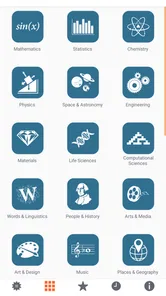
Now, if you're new to this app, here's a little tip: start with simple queries to get the hang of it. Once you're comfortable, you can dive into the more complex stuff. And don't forget to explore the different categories. You'd be surprised at the kind of information you can dig up!
Another thing to keep in mind is to make sure you're connected to the internet. The app needs to access its vast database online to fetch the latest and most accurate information. So, make sure your Wi-Fi or data connection is stable for a seamless experience.
Making it part of a real workflow
I get the most from the app when I use it in short passes rather than turning it into the center of a whole study session. If I am revising on a bus, for example, I can check a derivative I have already attempted, inspect whether the input matches my intended expression, and note the step where my approach went off track. Later, I can return to the textbook for the lesson behind that step. That division of labor keeps the app useful without pretending a phone-sized answer can replace a full explanation.
For a practical science task, I might use it to check a relationship or compare quantities expressed in different units before writing them into my notes. The useful move is to preserve the original values and units alongside the result. That makes it easier to spot a mistaken conversion and prevents a number from becoming detached from what it describes. When a result will be used in a lab report or shared with someone else, I would still show the working and cite the sources required by the assignment.
There is also a small but important learning benefit in changing one input at a time. After checking a base problem, I can alter a value or a condition and see whether the outcome changes in the direction I expect. That is a quick way to test intuition, not proof that I understand the whole topic. If the result surprises me, I treat the surprise as a prompt to investigate rather than as a reason to accept the app’s output automatically.
Who should choose it—and who might not
I would recommend it most to students who want to check their working, teachers who need a quick computational example, and curious readers who often ask questions that involve quantities or formal relationships. It is less compelling if you mainly want long-form articles, a curated reading list, or a simple calculator for everyday arithmetic. In those cases, a textbook, general search engine, or built-in calculator may be quicker and more comfortable.
The key trade-off is depth versus conversational guidance. A normal web search can be better when I need several human-written perspectives or current reporting; a dedicated calculator can be simpler for a one-off sum. This app sits between those options, offering computation across subjects, but it still asks me to phrase the question carefully and think about what the result means.
I would also think about the kind of learner you are. If seeing an answer quickly helps you identify what to ask next, the app can be a strong companion. If you tend to copy a displayed result and move on, its speed may work against you: the better experience comes from attempting the problem first and using the output to check a particular uncertainty. Someone who needs a structured course, graded practice, or a teacher’s feedback should look for a learning platform designed around those needs rather than expecting a reference app to provide them.
For a family choosing a general-purpose reference tool, the Teen rating is a useful detail, but it does not settle whether the app suits a particular child’s learning habits. I would sit with a younger student at first and show how to enter a precise question, check the result, and return to the lesson material. The point is not to make every answer a supervised event; it is to establish that computation helps with reasoning only when the student stays involved.
How it compares with familiar alternatives
Compared with a web search, the main difference is what happens after I submit a question. Search is better at pointing me toward articles, discussions, and sources with different viewpoints. WolframAlpha is more appealing when I want a calculated or structured response rather than a list of pages to sift through. For a question such as “why does this method work?”, I usually want an explanation from a teacher or textbook; for checking a defined expression, a computational answer can get me to the useful part faster.
A standard calculator wins for quick arithmetic because it is immediate and uncomplicated. There is little reason to open a broader reference app just to add a few numbers. The advantage here appears when the question has mathematical structure or connects to another subject, so the response can do more than evaluate a basic operation. That wider reach is valuable, but it makes careful wording more important than it is in a simple calculator.
It is also different from an encyclopedia or a conventional reference book. Those are often better when I need a narrative account, background, or a trail of sources to follow. The app’s computational style is strongest when a question can be expressed clearly and the answer can be checked. I would use the two together rather than choose one as a universal replacement for the other: computation can tell me what follows from an input, while a book can explain why the topic matters and where its assumptions come from.
What to keep in mind over time
For existing users, the current version is the clearest point of reference when checking compatibility or deciding whether to update. The minimum operating system is 8.1, so I would check that an older device meets that requirement before paying. Beyond that, I judge the app by whether it continues to fit my own routine: reliable access, understandable query results, and explanations that help me learn rather than merely finish a task.
Its online dependence is the most important everyday limitation. If I am studying somewhere with an unreliable connection, I would not make it my only study aid; keeping notes, examples, or a textbook available gives me a fallback. I would also verify consequential results independently, especially when a small input detail can change the answer. Those precautions do not erase the convenience, but they set realistic expectations.
Existing users do not need to infer a major redesign or a new capability from the version number alone. I would check the app against the tasks I already rely on: can I enter the types of questions I need, interpret the response, and use it comfortably on my device? That is a more useful personal measure than assuming every release changes the experience in a dramatic way. The version and operating-system requirement are practical compatibility details; the value comes from whether the underlying workflow continues to serve your work.
What I would watch for in future use is not novelty for its own sake, but whether the explanations remain useful for the subjects I study and whether I can reach the relevant answer without fighting the input. A computational tool is only as helpful as the match between a question and its interpretation. If my course introduces unfamiliar notation, I would test it on a simple example before depending on it for a difficult assignment. That small check can prevent a frustrating mismatch later.
Another sensible habit is to separate stable mathematical work from information that may change over time. A calculation can be checked against its assumptions, while a factual or current question may need confirmation from an up-to-date source. I would not treat one interface as a guarantee that every type of answer has the same context or freshness. Knowing which kind of question I am asking helps me decide when the app is enough and when I need a second reference.
Overall, I see this as a focused reference tool for people who regularly need computation alongside information. Its paid price is reasonable to consider if that combination saves you time, while occasional users may be perfectly well served by free alternatives. If you enjoy asking precise questions and checking how an answer is reached, it can earn a place in your study or work routine; if you want a guided course or a broad, source-led explanation, I would choose a different tool.
WolframAlpha Classic Frequently Asked Questions
Can WolframAlpha Classic help me check calculations and explore topics beyond schoolwork?
Yes. WolframAlpha Classic is designed for calculations and factual questions, so it can be useful both for checking a result and for exploring a subject. Its tools cover areas such as mathematics, physics, chemistry, finance, engineering, and data analysis. The experience is most useful when you treat its output as a starting point: review the result in context and make sure it answers the question you actually have.
Is WolframAlpha Classic intended for beginners, or is it mainly for advanced users?
The app can serve different levels of users, from someone looking up a straightforward fact to students and professionals working through more involved problems. Its computational features are especially valuable when a question requires more than a simple lookup, though complex queries may take practice to phrase clearly. If you are new to it, start with a specific calculation or factual question and build from there.
What age group is WolframAlpha Classic suitable for?
WolframAlpha Classic has a Teen content rating, which can help families assess whether it is suitable for a younger user. Its focus is on calculations, factual questions, and academic subjects, rather than entertainment. Parents may still want to consider the individual user's needs and how the app will be used, particularly if it is intended as a study aid or a resource for independent research.
Is WolframAlpha Classic a good fit for students who want help with homework?
WolframAlpha Classic is aimed at people who want to calculate, explore factual questions, and work through academic problems. Its mathematical tools can help with equations, graphs, and related topics, while its wider subject coverage may be useful for studying beyond math. It is best treated as a problem-solving reference: students should check the reasoning and use its results to support their learning rather than simply copy answers.
What does WolframAlpha Classic cost, and is it a one-time purchase?
WolframAlpha Classic costs $2.99 to download. That makes it a paid app rather than a free install, so it is worth considering how often you expect to use its computational and reference features before purchasing. The app is published by Wolfram Group LLC, and its Teen content rating is relevant for families deciding whether it is appropriate for a younger user.
Pros
- Comprehensive computational engine
- Broad range of scientific queries
- User-friendly interface
- Detailed step-by-step solutions
- Accurate data analysis
Cons
- Requires internet connection
- Limited offline capabilities
- Subscription for full features
- Complex for casual users
- Occasional slow processing











