WNEP The News Station
- 1.67K
- 4.4
- Installs
- 100.00K
- Price
- Free

Screenshots
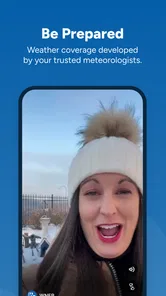
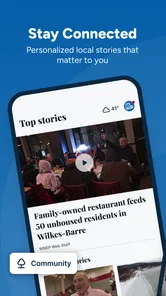
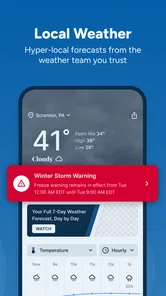
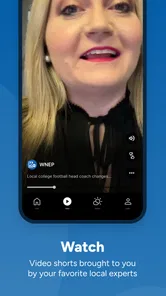

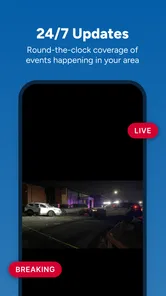
Analysis by Reviewed
Local news apps are easy to install and surprisingly hard to keep useful. The first few days can feel essential, especially when weather changes quickly or a major story is unfolding nearby. The real test comes later: does the app remain convenient enough to open regularly, or does it become another icon I forget? After spending time with WNEP The News Station, I see it as a focused companion for people who want news and weather from the WNEP team without sorting through a broad national feed.
WNEP is a free news and magazines app from TEGNA, with a Teen content rating. It has been available since January 16, 2013, and its current version is 50.23.2, so this is not a brand-new experiment trying to win attention through novelty. Its purpose is straightforward: keep local reporting and weather close at hand. That narrow purpose is also its main strength and its main limitation.
What feels useful during the first week
My first impression was that the app makes the most sense when I treat it as a local check-in tool rather than a complete replacement for every source of information. I can open it when I want to know what is happening around the WNEP coverage area, scan the latest headlines, and move on. That is a better fit for short visits than for long reading sessions.
The weather side gives the app an especially practical role. A local forecast is more helpful when I am deciding whether to leave early, carry rain gear, change outdoor plans, or check conditions before a commute. National weather services can show broad patterns, but a local news station often frames weather in a way that feels more connected to nearby roads, communities, and daily routines.
The app’s store summary describes breaking news and weather, and that pairing is important. News alone can become something I read only when I have spare time. Weather creates a recurring reason to return. On a busy morning, I may not want a long article, but I do want a quick sense of what is developing and whether the forecast affects my plans.
One useful habit is to open the app at natural decision points instead of trying to follow every update. I would check it before leaving home, during a lunch break when a local story is developing, and again before evening plans if severe weather is a concern. This keeps the app from turning into a constant interruption while still taking advantage of its local focus.
There is also a difference between using a local station app and relying only on a social feed. Social platforms can surface a story quickly, but the surrounding context may be inconsistent, duplicated, or mixed with speculation. A station-centered app gives me a more deliberate place to begin. I still would not treat any single app as the only source for a serious emergency, but WNEP is a sensible first stop for local developments.
More From Our News Desk

Weather by Xiaomi Review: Clear at a Glance, Less Clear Up Close

X Under Pressure: Can It Recover When Posting Goes Wrong?

Clash of Clans Is Won Between the Battles

Android Auto Makes the Case for Quieter Car Software

MobiOffice: Transforming Mobile Productivity with Seamless Integration

EA SPORTS FC™ Mobile Soccer: Redefining Mobile Sports Gaming
The first-week appeal comes from reduced searching. Instead of visiting several pages to find a local headline, a forecast, and a developing story, I can begin in one familiar place. That convenience is modest, but it is exactly the kind of modest convenience that can become part of a routine when the coverage matches where I live and what I care about.
Who benefits most from the local focus
This app is best suited to people who already follow WNEP or live in the area it serves. If local school, road, weather, public safety, and community stories matter to you, the focused coverage is more useful than a generic national news reader. It can also suit someone who wants a station-branded source without paying for a subscription, since the app is free.
It is less compelling for a reader who wants a broad international briefing, deep specialist reporting, or a carefully organized collection of many publishers. A general news aggregator will usually offer more variety. A dedicated weather app may provide more detailed forecasting tools. WNEP makes the strongest case when local relevance matters more than breadth.
The Teen rating is worth keeping in mind for households. It signals that the app is intended for older children and adults rather than very young users. Local breaking news can naturally include difficult subjects, so I would not hand it to a child without considering how that child handles news coverage and whether an adult should help explain what appears.
A realistic weekday use case
Imagine a weekday morning with a long drive ahead. I would open WNEP before breakfast, glance at the major local headlines, and check the weather before choosing what to wear or whether to adjust the route. If a storm or traffic-related story is developing, I would return later rather than repeatedly refreshing throughout the morning.
That workflow highlights a useful trade-off. The app can help me make decisions, but it does not eliminate the need for judgment. A forecast can change, and a breaking story can develop after I look. For travel, health, or emergency decisions, I would cross-check important information with official local alerts or other authoritative sources. The app is a convenient news window, not a substitute for every official channel.
Does it keep earning space after the novelty fades?
I find an app earns its place over time when it answers a recurring question without demanding constant attention. In this section, I look at how WNEP’s local news and weather fit into ordinary routines, and where that focused approach starts to feel too narrow. That distinction helps clarify whether it belongs in a daily check-in or is better kept for occasional local updates.
Month-to-month value depends on routine
After the first week, the question becomes whether the local angle continues to justify a place on my phone. In my experience, the answer depends less on how often I read long articles and more on whether I have a recurring need for nearby updates. Weather gives the app a dependable reason to remain relevant, while breaking news adds value when something significant happens.
That value is uneven by design. On a quiet day, there may be little reason to spend much time inside. I consider that a positive if I want a quick utility rather than an endless content stream. The app does not need to entertain me for an hour to be useful. A short visit that answers a practical question can be enough.
For families, commuters, and people who plan outdoor activities, the combination of local reporting and weather can become a small daily checkpoint. I would not describe it as a complete information diet, though. Month to month, I would pair it with another source for national and international events, especially if I want analysis beyond the local angle.
The app has an average rating of 4.4 from around 6K ratings, with roughly 1.7K written reviews. Those figures suggest that many users find the basic experience worthwhile, but they do not tell me whether the app will fit every location, reading preference, or phone setup. Ratings are useful as a signal of general satisfaction, not as a promise that every update or story will suit me.
Its reach is also meaningful: WNEP has more than 100K installs. That gives me confidence that the app has an established audience rather than being an abandoned side project. Still, an installed user is not necessarily an active daily reader. The more important test is whether the station’s coverage is relevant to my own routine.
How it compares with the usual alternatives
Compared with a national news app, WNEP is narrower but more geographically useful. A national service may be better for politics, business, culture, and international events, yet it can bury local developments beneath a large volume of headlines. WNEP reverses that priority. I open it when proximity matters.
Compared with a social network, the app offers a calmer starting point for local information. Social feeds are often faster at exposing me to rumors, eyewitness posts, and varied reactions, but that variety can make it harder to distinguish confirmed reporting from noise. WNEP is not a replacement for community discussion, but it is a better first check when I want a station’s coverage rather than an algorithmic stream.
Compared with a dedicated weather app, its appeal is context. A weather specialist may be the better choice for detailed maps, long-range planning, or advanced forecast views. WNEP is more attractive when I want the forecast alongside local headlines and do not want separate apps for every small check.
Compared with visiting the station’s website in a browser, an app can feel more natural for repeated mobile use. I can keep it available as a familiar destination instead of opening a browser and searching each time. The trade-off is that an app occupies storage and may compete for attention with other news tools, so the convenience has to be real rather than assumed.
Maintenance is light, but attention is the real cost
The app itself is not difficult to maintain in the way a large productivity tool might be. I do not need to build a complicated setup before I can use it. The ongoing maintenance is mostly behavioral: deciding when to check it, which alerts or updates deserve attention, and when to stop reading.
That last part matters. Breaking-news apps can encourage a habit of checking without a clear purpose. If I open WNEP every few minutes, I may spend more time monitoring uncertainty than gaining useful information. I prefer a deliberate routine: check when I need a local update, read the relevant story, and close the app when the question is answered.
Another practical tip is to separate “information I need now” from “stories I may read later.” When weather affects a trip, I focus on the forecast and immediate local developments. When I have more time, I browse broader coverage. This prevents the app from becoming a source of background distraction during work or family time.
Because the current version is 50.23.2 and the minimum operating system is 7.1, the app is positioned to work across a wide range of Android devices. That broad compatibility can be helpful for people who keep an older phone, although the experience may still vary with screen size, performance, and the way each device handles notifications or background activity.
I also recommend reviewing the app’s notification behavior after installing it. Breaking updates can be valuable when they concern a nearby event, but too many interruptions can quickly make me mute an app entirely. A restrained notification habit is better than allowing every alert through and eventually ignoring all of them.
Where fatigue can set in
The biggest source of fatigue is repetition. Local news naturally revisits developing stories, weather systems, and updates that change gradually. That is useful when I need the latest information, but it can feel repetitive when I am casually browsing with no specific question in mind.
Another possible frustration is limited scope. If I want a single feed covering local, national, international, technology, science, and entertainment news, WNEP will not be the most efficient choice. I would need another app or website, which means the simplicity of a focused station app comes with a requirement to maintain a second source.
There is also a difference between a quick headline check and deep reading. A local station app can help me discover what matters nearby, but I may prefer a newspaper, magazine, or specialist publication when I want long-form investigation, extensive background, or an issue explained from several angles. WNEP works best at the front edge of my news routine, not necessarily at the end of it.
People outside the station’s coverage area should think carefully before installing it. The app’s value is tied to local relevance, so someone living far away may find the central purpose less useful even if the interface and general news format are appealing. This is not a universal news reader; it is a regional tool.
I would also skip it if I already have a local source that gives me everything I need and I am trying to reduce app clutter. Adding another news app only makes sense when WNEP provides a noticeably better local check, a more convenient weather routine, or coverage I cannot get as easily elsewhere.
My long-term verdict
WNEP earns lasting space on my phone when I use it as a compact local habit rather than an all-purpose news replacement. Its free access removes the biggest barrier to trying it, and the established history, current maintenance, and audience size make it feel like a practical service rather than a temporary novelty. The 4.4 average also supports the impression that its core approach works for many readers.
What keeps it useful is not endless content. It is the repeated combination of nearby headlines and weather checks. I can imagine keeping it installed for months if I live in the coverage area and want a dependable first look at what may affect my day. The app does not need to win every category; it only needs to be convenient and relevant when local information matters.
My recommendation is therefore specific. Install it if WNEP covers your community and you want a free, focused way to check local news and weather. Build a simple routine, manage notifications so they remain meaningful, and use official sources for urgent instructions. Choose a broader news app instead if your priority is national or international variety, and choose a specialist weather tool if detailed forecasting is your main concern.
The lasting value is in its local usefulness, not in constant browsing. Once that expectation is clear, the app becomes easier to judge fairly. It is a practical regional companion for quick decisions and developing stories, with enough recurring value to stay installed for the right user, but not enough breadth to replace every other source of information.
WNEP The News Station Frequently Asked Questions
Is WNEP The News Station available for both Android and iOS?
WNEP The News Station is a mobile news app for people who want local updates on a phone or tablet. Before downloading, check that your device’s operating system is compatible with the app version offered in its store. The app is free, and its focus is WNEP news and information for viewers in northeastern and central Pennsylvania.
What is WNEP The News Station?
WNEP The News Station is the official news app for WNEP-TV, serving viewers in northeastern and central Pennsylvania. It provides access to local breaking news, weather updates, traffic information, sports coverage, investigative reports, and video stories. The app is designed for users who want quick access to regional headlines and live updates from their mobile device.
What type of news and content can I find in the WNEP app?
The app covers a broad selection of local and regional topics, including breaking news, community events, politics, crime, health, education, entertainment, and high school or professional sports. It also includes weather forecasts, radar information, severe-weather alerts, photo galleries, and video reports. Available sections and stories may vary depending on your location and current events.
Does WNEP The News Station provide weather alerts and live radar?
Yes, weather is one of the app’s main features. Users can check current conditions, hourly forecasts, extended forecasts, radar imagery, and severe-weather information for locations in the WNEP viewing area. The app may also send notifications about significant weather events. For the most useful alerts, enable notifications and allow the app to access your preferred location.
Can I watch live news or video reports through the app?
WNEP The News Station includes video content such as recorded news reports, weather updates, interviews, and special coverage. Depending on programming rights, location, and the station’s current schedule, the app may also offer live newscasts or live event streams. Video availability can change, and streaming generally requires a stable internet connection or mobile data service.
Pros
- Fast access to breaking news from northeastern Pennsylvania.
- Local weather forecasts
- alerts
- and radar are easy to find.
- Live video coverage helps users follow major developing stories.
- Push notifications can keep you informed about urgent local events.
- Covers community news that national news apps often overlook.
Cons
- Some stories may include frequent advertisements or sponsored content.
- Push alerts can feel excessive unless notification settings are adjusted.
- Video playback may use significant mobile data on cellular networks.
- Coverage is highly regional and less useful outside the WNEP viewing area.
- App performance and loading times may vary with a weak connection.













