Houston News from KHOU 11
- 2.08K
- 4.5
- Installs
- 100.00K
- Price
- Free

Screenshots



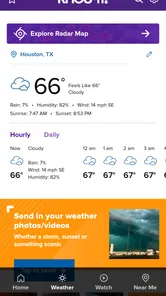
Analysis by Reviewed
Houston News from KHOU 11 is the kind of local news app I open when I want to know what is happening around Houston without sorting through a national feed first. It comes from TEGNA and focuses on nearby reporting, weather information, and live video. That narrow focus is its biggest strength: instead of trying to be everything for everyone, it puts the Houston area at the center of the experience.
I found it most useful during busy mornings, changing weather, and unfolding local events. It is free, rated for Everyone, and has built a solid audience with over 100 thousand installs. The app holds a 4.5 average from around 7 thousand ratings, which fits my impression that it is a dependable local-news companion rather than a flashy all-purpose media platform.
Getting past the first points of friction
The first thing I would tell a new user is not to judge the app too quickly if the opening experience feels slower or less complete than expected. A news app depends on several moving parts: the phone’s connection, the availability of current newsroom material, video delivery, and weather information. If one of those is delayed, the screen can appear empty or outdated even when the app itself is working normally.
I usually begin by giving the main feed a moment to load over a stable connection. Switching between mobile data and Wi-Fi can help identify whether the problem is local to the network. If text appears but video does not, I treat that as a separate issue rather than assuming the whole application has failed. News pages and live video do not always recover in exactly the same way.
Another common sticking point is expecting a local app to behave like a national news reader. Houston News from KHOU 11 is designed around the Houston area, so its value comes from regional relevance. Someone looking for broad international coverage, a large collection of opinion columns, or a single feed covering many cities may find the experience too focused. I see that as a deliberate trade-off, not a defect.
The app is also not the best choice for someone who wants every story from several competing outlets in one place. A general news aggregator may offer more variety and easier cross-checking. This app makes more sense when the question is, “What is happening here?” rather than, “What is the entire world discussing?”
What I check before blaming the app
When the app seems stuck, I first check whether other apps can reach the internet. If they cannot, restarting the connection or moving to a stronger signal is more useful than repeatedly reopening the news app. I also check whether the phone has enough free space for ordinary app operation and whether the operating system meets the app’s stated minimum of Android 7.1 or a compatible supported environment.
More From Our News Desk

Weather by Xiaomi Review: Clear at a Glance, Less Clear Up Close

X Under Pressure: Can It Recover When Posting Goes Wrong?

Clash of Clans Is Won Between the Battles

Android Auto Makes the Case for Quieter Car Software

MobiOffice: Transforming Mobile Productivity with Seamless Integration

EA SPORTS FC™ Mobile Soccer: Redefining Mobile Sports Gaming
I avoid making several changes at once. If I clear data, reinstall, change networks, and alter system settings together, I lose the ability to tell what solved the problem. A calmer sequence works better: close the app, reopen it, test the connection, and then try again later if the issue affects only live material.
For video, I pay attention to whether the problem happens with every item or only one live segment. A single interrupted stream can be a temporary delivery problem, while a complete lack of loading across the app points toward connectivity, device compatibility, or a broader service interruption. That distinction saves time.
It is also worth checking that the app is the current version available for the device. The version shown for this release is 50.21.0. Keeping an app current can remove known bugs, but I would not assume an update will fix a weak signal or a phone that is already struggling with other tasks.
A setup routine that keeps the experience simple
My preferred setup is intentionally modest. I install the app, open it on a reliable connection, and spend a few minutes learning how the main news areas, weather information, and video content are arranged. I do not try to customize everything immediately. First I want to know whether the app’s rhythm suits me: quick headline checks, deeper story reading, or occasional live viewing.
I also decide how I will use it before relying on it. If I want a quick morning scan, I look for the most recent local stories and weather details. If I am following a developing event, I return to the same coverage rather than assuming every refresh will present information in the same order. This small habit makes the app feel less confusing when the feed changes during the day.
Because it is a local news tool, location context matters to me. I read the Houston-focused material as regional coverage, not as a replacement for official emergency instructions. During severe weather or another urgent situation, I would use the app as one source of updates while also checking relevant official alerts and local authorities. That is a sensible limitation for any news application.
The age rating of Everyone makes it approachable for households, but that does not mean every news story will be comfortable for every reader. Local reporting can involve accidents, crime, storms, or other difficult subjects. I would use normal judgment when handing the phone to a child, especially during breaking news.
Recovering a broken reading or viewing session
When a story refuses to open, I go back to the main feed and try another item. This simple test tells me whether the problem is tied to one piece of content or to the whole app. If other stories load, I continue with them and return to the original article later. That is more productive than repeatedly tapping the same stalled page.
If the feed looks old, I refresh once and then wait rather than performing constant refreshes. Repeated requests can make a poor connection feel worse. I also close other apps that are actively using the network, particularly when I am trying to watch live video on mobile data.
For a video interruption, I restart playback after checking the connection. If the stream still does not resume, I switch temporarily to written coverage. This is one of the most useful habits with a live-news app: do not let a video problem prevent you from getting the information that may already be available as text.
Restarting the phone is a reasonable next step when the app behaves strangely after extended use. If that does not help, reinstalling can be considered, but I treat it as a later measure because it takes more time and may remove local app state. I would only use it after confirming that the problem is specific to this app and not affecting other services.
There is a practical difference between an app crash and a missing update. A crash that happens every time I open the same area deserves troubleshooting. A story that changes or disappears from a live feed may simply reflect the newsroom’s changing coverage. News is not a static catalog, so I do not expect every item to remain in the same place all day.
When the phone or network is the real problem
Some frustrations have little to do with Houston News from KHOU 11. Weak indoor reception, crowded public Wi-Fi, restrictive network settings, and aggressive battery management can all interfere with loading or video playback. If the app works normally on one connection but not another, I focus on the connection first.
Older devices can also make a modern news experience feel uneven. Even though the minimum operating-system requirement is Android 7.1, meeting that requirement does not guarantee identical performance on every phone. Limited memory, an aging battery, or many background processes may cause slow transitions and reloads.
Storage is another quiet factor. A phone that is nearly full may behave unpredictably across several apps, not just this one. I prefer to free some space and restart the device before concluding that the news app is unreliable.
Live video is especially sensitive to conditions outside the app. A text article may load over a modest connection while a live stream pauses or drops quality. In that situation, I would not use video smoothness as the only measure of the app’s quality. The written reporting may still be perfectly useful.
Notifications, if used on a particular device, should also be treated as a convenience rather than the sole way to receive urgent information. Phone settings, quiet modes, battery controls, and network conditions can affect when an alert appears. For emergencies, I rely on official alert systems as well as local journalism.
How it fits into my everyday news routine
A realistic use case is a Houston commuter checking the app before leaving home. I would scan local headlines, look at the weather information, and open a relevant story if conditions might affect the route. Later, during a developing event, I might return for live video while keeping written coverage available if the stream is slow.
Another useful routine is checking the app after work rather than leaving a national news feed running all day. The local focus helps me avoid spending time on stories that have little connection to my immediate surroundings. For residents, that focus can be more practical than a broad reader that buries regional reporting under national headlines.
People who have recently moved to Houston may also appreciate the concentration of local context. I would not expect one app to teach me everything about the area, but it can help establish a habit of checking nearby developments instead of relying only on national coverage.
For travelers, the value is more temporary. Someone visiting the Houston area during unsettled weather or a major local event may find the regional coverage useful. Once the trip is over, a broader app may become more convenient if local Houston news is no longer a priority.
Where it beats alternatives, and where it does not
Compared with a national news aggregator, this app feels more direct for Houston-specific updates. I spend less time filtering out unrelated cities and more time seeing information relevant to the area. That is the main reason I would recommend it to a Houston resident who wants a focused local source.
Compared with visiting a news website in a browser, the app is more convenient for repeated checks and live viewing. The trade-off is that a browser makes it easier to compare several publishers quickly or move between unrelated topics. If I am researching a complicated story, I prefer the flexibility of multiple sources.
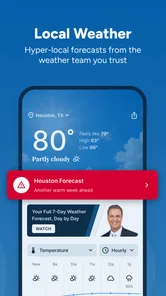
Compared with a weather-only application, this app has a broader purpose. Its weather material sits alongside local reporting and video, so it is useful when I want context around conditions rather than just a forecast screen. A dedicated weather app may still be better for detailed forecasting tools or frequent weather-specific checks.
Compared with social media, the app offers a calmer starting point for local information. Social feeds can surface eyewitness material quickly, but they also require more judgment about accuracy and relevance. I would use social platforms for additional perspectives, not as my only source during a fast-moving local event.
Who should install it
I think Houston residents are the clearest audience, especially people who prefer local reporting over a crowded national feed. It is also a sensible option for anyone who wants news and weather in the same local destination, with live video available when coverage is being delivered that way.
The free price removes the main financial barrier, and the Everyone rating makes it easy to consider for general household use. TEGNA’s long-running presence in this app category is reflected in its release history, which goes back to December 17, 2010. The current version is 50.21.0, so the product has had plenty of time to evolve beyond a basic headline reader.
I would skip it if I mainly want international news, financial markets, deep technology coverage, or a customizable multi-city dashboard. I would also skip it if I dislike local video or rarely read regional stories. Installing a focused app only makes sense when its focus matches the way I actually consume news.
My practical verdict
After using Houston News from KHOU 11 as a local news and weather companion, I see it as a focused tool with a clear purpose. Its best moments are quick Houston updates, regional weather checks, and live coverage when a local story is developing. The main friction comes from the realities of news delivery: network quality, video reliability, changing feeds, and device performance.
My strongest recommendation is to use it as a local starting point, not as your only source for urgent decisions. Keep official alerts available, use written stories when video struggles, and test your connection before assuming the app is broken. Those habits make the experience more dependable.
For a Houston reader who wants nearby information without wading through a national aggregator, I would recommend giving it a try. For someone seeking a complete, worldwide news service, another option will fit better. Its value is not endless breadth; it is the convenience of keeping Houston close to the center of the daily news routine.
Houston News from KHOU 11 Frequently Asked Questions
Is Houston News from KHOU 11 available for my phone?
Houston News from KHOU 11 is available for Android and iOS devices, and the app requires iOS 7.1 or later. Before downloading, check that your phone’s operating system meets that requirement and that the app is available through your device’s app store. Keeping your operating system and apps up to date can also help with compatibility and normal performance.
Who develops Houston News from KHOU 11?
The app is developed by TEGNA and focuses on news from the Houston area. It brings local reporting together with live video and weather, making it a fit for readers who want regional updates on a mobile device. Its focus is local rather than general national coverage, so the content is most relevant to people interested in Houston and nearby communities.
Is Houston News from KHOU 11 free to download?
Yes. Houston News from KHOU 11 is free to download, and it is rated for Everyone. The app belongs to the News & Magazines category and has a 4.5 average from around 7,100 ratings. As with other news apps, using mobile data to watch video or browse away from Wi-Fi may affect your data allowance, so a Wi-Fi connection can be useful for heavier use.
What is Houston News from KHOU 11?
Houston News from KHOU 11 is a local news app focused on the Houston, Texas area. It provides access to breaking news, live updates, weather forecasts, traffic information, sports coverage, investigative reports, and video stories from the KHOU 11 newsroom. The app is designed for users who want local reporting in one convenient mobile location.
What type of news and content can I find in the KHOU 11 app?
The app covers a broad range of Houston and Southeast Texas topics, including local headlines, crime, politics, education, health, business, entertainment, sports, and community stories. Users can also find weather alerts, traffic updates, live newscasts, news clips, and special reports. Available content may change depending on current events and newsroom priorities.
Pros
- Covers Houston-area breaking news and local events in one place.
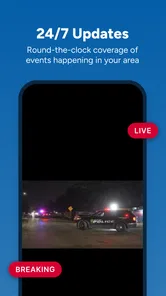
- Includes live newscasts for real-time coverage during major stories.
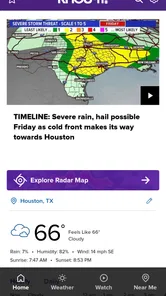
- Weather forecasts feature radar
- alerts
- and hurricane-related updates.
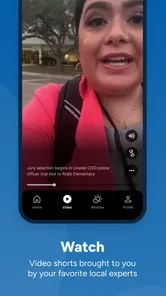
- Video reports make local stories quick and easy to follow.
- Push notifications can keep users informed about urgent developments.
Cons
- Frequent breaking-news alerts may feel excessive without notification adjustments.
- Some content may focus heavily on the Houston metropolitan area.
- Video playback can use significant mobile data when streamed over cellular.
- Advertising may interrupt browsing and reduce the reading experience.
- Certain features may depend on a stable internet connection.













