Warm Wishes: Greetings & Cards
- 38.00
- 4.5
- Installs
- 50.00K
- Price
- Free

Screenshots

Analysis by Reviewed
I found Warm Wishes: Greetings & Cards most useful when I wanted to send something kind quickly but did not want my message to feel careless. It is a free lifestyle app from good space. Sprüche & Bilder zum Verschicken built around shareable cards for birthdays, affection, bedtime greetings, and other everyday moments. My overall view is positive: it is a convenient visual shortcut for people who regularly send greetings, although it is not a replacement for a personal message or a full design editor.
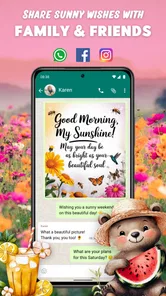
The app’s central idea is simple. Instead of opening a blank chat and trying to think of the right words, I can choose a ready-made card that already matches the mood, then share it with someone. That makes it especially handy during busy mornings, family occasions, or those small moments when I want to show that I am thinking of somebody without composing a long note.
How Warm Wishes works in everyday use
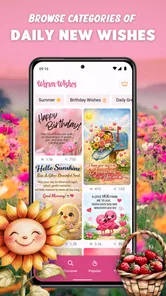
What makes this app approachable is that it focuses on a very narrow task and does not ask me to learn a complicated creative workflow. I can browse through greeting material, look for a suitable occasion, and decide whether the card feels right before sending it. The experience is closer to choosing a digital greeting card than building a design from scratch.
That distinction matters. Many people do not need layers, fonts, image editing tools, or a large collection of templates. They need a pleasant image with a short sentiment that can be passed along in a few taps. Warm Wishes understands that use case and keeps its purpose visible instead of turning a simple greeting into a design project.
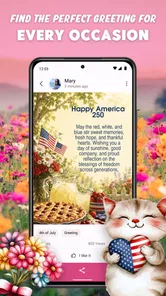
I can imagine using it on a weekday morning when I remember a relative’s birthday while getting ready for work. Rather than searching through old photos or writing something rushed, I can select a birthday-themed card, check whether its tone suits the relationship, and share it in the conversation where I normally keep in touch. The time saved is not dramatic, but the reduced mental effort is the real benefit.
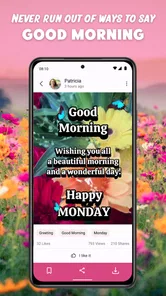
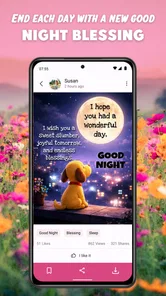
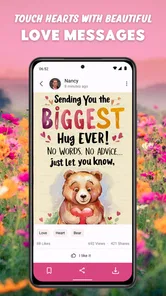
The same approach works for good night greetings and affectionate messages. A short visual card can feel warmer than a plain “good night” text, particularly when the recipient enjoys images and decorative messages. In my experience, the app is strongest when I treat it as a prompt for connection, not as the entire conversation.
Where the card format is genuinely useful
The ready-to-share format is helpful for people who communicate with several groups at once. A family member may appreciate a birthday card, a partner may prefer a loving message, and a friend may respond better to something light and cheerful. Having different types of greetings in one place reduces the need to search separately for each occasion.
More From Our News Desk

Weather by Xiaomi Review: Clear at a Glance, Less Clear Up Close

X Under Pressure: Can It Recover When Posting Goes Wrong?

Clash of Clans Is Won Between the Battles

Android Auto Makes the Case for Quieter Car Software

MobiOffice: Transforming Mobile Productivity with Seamless Integration

EA SPORTS FC™ Mobile Soccer: Redefining Mobile Sports Gaming
There is also a practical advantage for users who are not confident writing emotional messages. Some people know what they feel but struggle to express it. A well-chosen card gives them a starting point. I would still add a personal sentence when possible, because the card alone can seem generic, but it can remove the awkwardness of beginning from nothing.
Another useful habit is to choose the recipient before choosing the image. When I first look at a large collection of greetings, it is easy to pick something attractive that does not quite fit the person. Thinking about the relationship and the moment first leads to better results: a gentle bedtime card for a close relative, a more playful birthday message for a friend, or a romantic design for a partner.
This is one of the app’s less obvious strengths. It is not only a source of pictures; it can help me decide what kind of gesture I want to make. That makes it more useful than randomly downloading attractive images from a general image search.
Presentation versus personal expression
The visual card is the main attraction, but it is also where I notice the app’s biggest creative limitation. A prepared greeting has a polished, finished appearance, yet it may not reflect the exact way I speak. If I want to mention a private joke, a shared memory, or a very specific situation, a fixed card cannot do that as naturally as my own words.
For that reason, I would usually send a card together with a short custom note. Something as simple as “I hope your day starts beautifully” can make a prepared image feel more personal. This two-part workflow is better than relying on the card alone, and it takes only a few extra seconds.
People who enjoy making their own collages or carefully matching colors may find the experience too restricted. The appeal here is convenience, not control. A dedicated design app will be the better choice when I need to adjust typography, add several photos, create a business-style announcement, or produce a greeting that looks unmistakably personal.
What the current release tells me
Warm Wishes: Greetings & Cards is currently at version 5.15.7 and supports devices running Android 7.1 or later. That gives it a broad practical reach for people using older compatible phones, although the experience will naturally depend on the device’s screen, storage, and general performance.
The app is free to install, which makes it easy to try without committing money first. It also includes optional in-app purchases ranging from around two dollars to nearly forty dollars per item. I would pay attention during use before confirming anything, especially if I only want occasional greetings and do not need premium material.
That pricing range suggests that the free experience and optional purchases should be considered separately. A casual user may be satisfied without spending, while someone who sends cards frequently may be tempted by additional content. My advice is to decide in advance how often you will use the app and whether extra designs genuinely improve your messages rather than buying simply because a card looks attractive in the moment.
The meaningful weakness: convenience can become repetition
My main reservation is not about the basic idea; it is about the risk that repeated use can make messages feel interchangeable. If I send a prepared card for every birthday, celebration, and evening greeting, recipients may eventually notice that the gesture follows the same pattern. The app helps me avoid forgetting people, but it cannot create the relationship for me.
I would therefore use it as part of a rotation. On important occasions, I might select a card and add a longer personal message. On ordinary days, I could send a simple greeting without an image. For close friends, a photograph or voice note may carry more meaning than a polished card. This balance keeps the app useful without allowing it to replace genuine communication.
Another point to consider is tone. A card that looks warm to me may feel too sentimental to somebody else. Before sharing, I would read the wording carefully and consider whether the recipient likes decorative greetings. This small check prevents a common mistake: choosing the most visually appealing card rather than the most appropriate one.
The app is also less suitable when timing and accuracy matter. If I am sending an important announcement, an invitation with specific details, or a message that must be clearly understood, I would prefer a direct text or a purpose-built tool. A greeting card is excellent for atmosphere, but it is not the right format for detailed information.
Who will get the most from it?
I think Warm Wishes is a good fit for people who enjoy sending frequent digital greetings and want a faster alternative to searching manually for images. It should also suit users who feel that a plain text message looks too bare but who do not want to learn graphic design. Older family members, busy relatives, and anyone who likes visual communication are natural candidates.
It can be particularly helpful for maintaining small routines. A weekly good night message, a birthday reminder, or a quick note of affection can be easier to keep up when the visual part is already prepared. The important thing is to use the card as a doorway into contact, not as proof that the task is finished.
I would be more cautious recommending it to people who want complete customization, dislike prewritten sentiments, or rarely send greeting images. If I only need a card once or twice a year, the app may not become part of my regular routine. In that case, writing directly in a messaging app or creating one personal image may be more satisfying.
It is also not my first choice for professional communication. The app belongs in personal conversations, where warmth and informality are welcome. For work announcements, customer messages, or branded material, a more controlled editor would offer better consistency and clearer ownership of the final design.
How it compares with ordinary alternatives
The most obvious alternative is searching the web or browsing social media for an image. That can provide more variety, but it also takes longer and makes it harder to judge whether the wording, quality, and mood are appropriate. Warm Wishes offers a more focused path: I am already looking in a place designed for greetings rather than sorting through unrelated results.
Another alternative is using a general design app. That gives me much more freedom, including the ability to add names, photos, and custom text. The trade-off is time. If I want a unique birthday card for one person, a design tool may be worthwhile. If I want to send several friendly greetings without starting a project each time, Warm Wishes is more efficient.
Messaging apps themselves are often enough. A personal sentence, emoji, photo, or voice message may feel more authentic than any prepared card. I see Warm Wishes as complementary rather than superior. It adds a visual layer for moments when a normal message feels too plain, but it should not make me abandon the direct communication that usually carries the most emotional weight.
The app’s average rating is 4.5 from around one hundred thirty ratings, with several dozen written reviews, and it has passed fifty thousand installs. Those figures suggest that it has found a real audience, though I would still judge it by my own habits. A popular greeting app is only valuable if its style matches the people I actually message.
Small habits that improve the experience
My first tip is to pause before sharing and ask one question: would I send this exact wording to this exact person? That check is more useful than simply choosing the prettiest image. It encourages a better match between the card and the relationship.
My second tip is to add context outside the card. Mention why I thought of the recipient, refer to the day ahead, or include a tiny personal detail. This turns a prepared greeting into a message with a human reason behind it. It also reduces the feeling that the same card could have been sent to anyone.
My third tip is to reserve the strongest cards for meaningful occasions instead of using them for every routine exchange. Scarcity gives the gesture more impact. A special birthday design feels more special when ordinary good mornings are handled with simpler words.
Finally, I would review any purchase prompt carefully. Since the app is free but offers optional items from around two dollars up to nearly forty dollars, casual use does not require the same spending approach as frequent use. Trying the free material first is the sensible route, then deciding whether additional content solves a real need.
My verdict for personal greetings
Warm Wishes: Greetings & Cards succeeds because it solves a small, familiar problem well: finding a friendly visual message when I want to reach out but do not have the time or confidence to create one. Its focus on birthdays, affection, bedtime wishes, and similar moments makes it easy to understand, and the free entry point lowers the barrier to trying it.
It is not a substitute for thoughtful writing, a photo editor, or a professional design platform. Its prepared format can feel repetitive, and users who demand full control may outgrow it quickly. Still, those limitations are easier to accept when I use the app for what it does best: adding warmth and visual personality to quick personal messages.
For me, the recommendation is clear but specific. If you regularly send greetings to family and friends, want a simple way to make short messages feel more special, and are comfortable adding your own words, this lifestyle app is worth trying. If you prefer completely original designs or rarely share greeting cards, your normal messaging app may be the better fit. The best result comes from treating each card as a helpful beginning, then letting the personal part of the message come from you.
With an Everyone age rating and a release date of March 24, 2026, it is positioned as an accessible option for a broad audience. I would recommend it most strongly to people who value consistency in staying in touch but do not want the process to become complicated. Its real strength is not replacing personal affection; it is making the first step toward expressing it easier.
Warm Wishes: Greetings & Cards Frequently Asked Questions
What occasions and greeting themes can I find in Warm Wishes: Greetings & Cards?
Warm Wishes: Greetings & Cards brings together greetings for occasions and everyday moments, including birthday wishes, love messages, good night greetings, and more. That range makes it useful both when you need a card for a celebration and when you simply want to send someone a kind message. Browse the available designs to find one that suits the recipient and the tone you have in mind.
Is Warm Wishes: Greetings & Cards suitable for all ages?
The app is marked as suitable for everyone, so its stated content rating does not limit it to a particular age group. Its focus is on greeting cards and messages that people can share, rather than a specialized tool for one audience. As with any app, parents may still want to look through its content and consider the device settings that are appropriate for younger users.
What is Warm Wishes: Greetings & Cards used for?
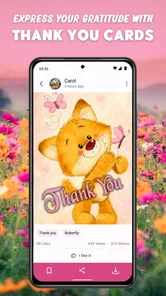
Warm Wishes: Greetings & Cards is designed to help users create and send personalized greetings for birthdays, anniversaries, holidays, thank-you messages, congratulations, and other special occasions. After exploring the app, its main appeal is the convenience of having ready-made card designs, warm messages, and shareable greetings in one place, making it easier to send something thoughtful when you are short on time or creative ideas.
Does Warm Wishes: Greetings & Cards offer customizable cards and messages?
Yes, the app generally focuses on giving users the ability to personalize greeting cards before sharing them. Depending on the selected design, you may be able to edit the message, add a recipient’s name, choose from different layouts, or include your own wording. It is worth checking each template individually, because customization options can vary between cards and some designs may be more flexible than others.
Can I share greetings from the app through WhatsApp, email, or social media?
Warm Wishes: Greetings & Cards is intended for easy digital sharing, so completed greetings can typically be sent through messaging apps, email, or supported social networks using your device’s standard sharing menu. In practice, the available destinations depend on the applications installed on your phone and the permissions granted. You should also preview the final card before sending it to confirm that the text and image appear correctly.
Pros
- Large collection of seasonal greetings for birthdays
- holidays
- and special occasions.
- Simple interface makes finding and sharing cards quick for most users.
- Supports personalized messages so cards feel less generic.
- Convenient sharing options for messaging apps and social networks.
- Useful reminder feature can help you remember important dates and events.
Cons
- Many attractive designs and features may require in-app purchases.
- Some cards can feel repetitive if you use the app frequently.
- Ad-supported screens may interrupt browsing and card creation.
- Personalization options may be limited on certain templates.
- The app may require internet access to load some cards and content.












