Voice GPS & Driving Directions
- 2.21K
- 4.3
- Installs
- 5.00M
- Price
- Free

Screenshots
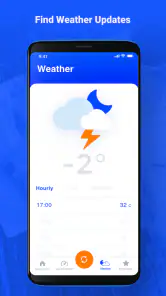
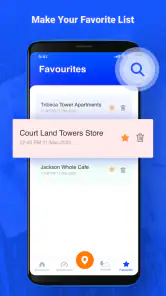
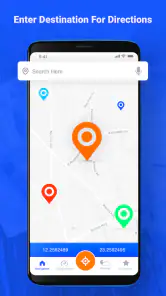
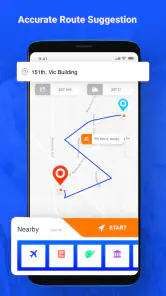
Analysis by Reviewed
When I try a new navigation app, I want one simple thing first: a dependable way to get from where I am to somewhere I know. Voice GPS & Driving Directions is a free maps and navigation app from Delta Raza Studio, built around spoken driving directions. It has a 4.3 average from around 14,000 ratings, and more than 5 million installs, so it has found an audience among drivers looking for a straightforward GPS tool. I’d approach it as a practical option to test on a familiar route before relying on it for an important trip.
Getting Started
First things first, downloading and setting up the Voice GPS & Driving Directions app is as easy as pie. It’s available on both Android and iOS, so no one’s left behind. Once installed, you’re greeted with a clean and intuitive interface. No frills, just straight to the point. I found myself navigating through the menus without a hitch, which is always a plus in my book.
What to Expect from Voice-Led Driving
The app’s core appeal is easy to understand: it is aimed at drivers who want spoken guidance while following a route. That can make a familiar commute less fiddly, since I can listen for the next turn instead of repeatedly checking a map. I would still treat it as a navigation aid rather than an autopilot. Road signs, temporary closures, and local conditions matter, and the driver remains responsible for choosing a safe response.
The app has been available since January 30, 2019, and its current version is 3.4.6. It is free to install, carries an Everyone age rating, and offers optional in-app purchases priced from $1.99 to $19.99 per item. Those purchases are worth keeping in mind if you prefer a no-cost setup: I’d look at what is offered in the app before committing to anything, and make sure the basic route guidance meets your needs first. The Android minimum is version 6.0, a useful compatibility detail for anyone using an older phone.
Navigation Features
The app is packed with features that you’d expect from a top-notch GPS app. You get real-time traffic updates, which are a lifesaver, especially during rush hours. The voice-guided navigation is clear and precise, making sure you never miss a turn. What I loved the most is the lane guidance feature. It’s like having a co-pilot telling you exactly which lane to stick to. And trust me, that’s a game-changer when you’re driving through complex intersections.
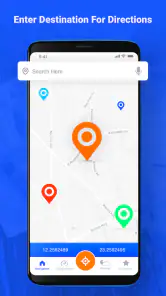
For a first trip, I’d choose a familiar destination rather than testing it while already late or navigating an unfamiliar interchange. Enter the destination while parked, check that the route looks sensible, and start the guidance before pulling away. This small routine lets you learn how the spoken prompts fit your driving style without having to study the screen on the move. If a turn is missed, the useful test is whether the route adjusts calmly; I wouldn’t make a sudden lane change just to follow a new instruction.
Making the First Trip Useful
Voice directions are most helpful when the phone can stay out of your hands and your attention stays on the road. I’d set the device in a secure, visible position before moving, keep the volume at a level I can hear over ordinary cabin noise, and avoid trying to operate menus at an intersection. A passenger can handle a destination change if plans shift. These are simple habits, but they matter more than extra features when you’re learning any navigation app.
More From Our News Desk

Clash of Clans Is Won Between the Battles

Android Auto Makes the Case for Quieter Car Software

MobiOffice: Transforming Mobile Productivity with Seamless Integration

EA SPORTS FC™ Mobile Soccer: Redefining Mobile Sports Gaming

How Microsoft OneDrive Became a Mobile Productivity Giant

How Google Translate Breaks Language Barriers Effortlessly
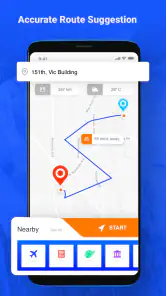
A realistic first success might be a routine drive to a supermarket or a friend’s home: pick a destination you recognize, follow the prompts, and see whether the arrival point makes sense. That also gives you a chance to notice whether the suggested route matches your preferences. If you know a road is regularly slow or awkward, don’t assume a displayed route will always be the one you would choose; compare the options available to you before setting off and use your own judgment.
Preparing for a Real Journey
For a weekday errand, I would use a known destination and pay attention to how the app handles the final approach. Reaching the right street is not always the same as reaching the useful entrance, especially at a large shopping area or a building with several access roads. I’d check the destination before leaving and avoid making a last-second turn based only on a spoken prompt. If the endpoint seems wrong, stopping safely to review it is better than improvising through a crowded car park.
For a longer drive, my practical tip is to separate route preparation from route following. Before departure, confirm the destination and consider whether the journey crosses areas where mobile coverage may be unreliable. Then start navigation while parked and leave the phone alone unless you can pull over safely. This reduces the chance of mixing up a destination search with the job of driving, and it gives you a moment to catch an obviously unsuitable route before you are committed to it.
Additional Perks
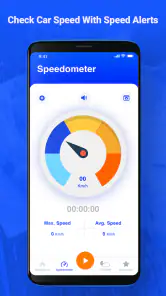
Besides the stellar navigation features, the app offers a few extra perks that make it stand out. There’s an option to download maps for offline use, which is super handy when you’re traveling through areas with spotty network coverage. Plus, it includes a speedometer feature, which is pretty neat if you want to keep an eye on your speed without glancing down at your dashboard constantly.
Offline maps are worth preparing before you leave coverage, rather than treating them as an emergency fix after the signal drops. I’d save the area I expect to travel through and make sure the map is available before setting out; a route that crosses beyond the saved area may still need a connection. That trade-off is especially relevant on a long drive through rural stretches. The speedometer can be a useful secondary reference, but I’d continue to treat the car’s instruments as the primary source for checking speed.
Who Will Get the Most from It
I think this app is best suited to someone who has a clear destination and wants driving directions without turning the trip into a bigger planning project. A new driver might appreciate spoken prompts as an additional reminder, while a regular commuter could find them convenient on a route that changes with traffic. A person borrowing a car can also use the basic idea of voice-led guidance without needing to know every road in the area in advance.
It is less compelling for someone who begins with questions such as where to eat, which attraction is worth a detour, or how to combine several stops into a carefully planned day. Those tasks call for stronger place discovery and itinerary tools than I would expect from a driving-focused option. If those are the main reasons you open a map app, your existing general-purpose service may be a more comfortable fit.
Where It Fits in a Driver’s Routine
For an everyday commute, I’d use the app to hear upcoming turns without repeatedly glancing at a map. On a weekend trip, the offline-map option can be useful if coverage is patchy, provided I prepare the relevant area first. Someone who mainly wants spoken guidance and a few practical driving tools may find that combination appealing. Someone who depends on detailed local transit planning, extensive place research, or a familiar ecosystem of saved locations may be happier with a broader mapping service they already use.
That is the main comparison I’d make with common alternatives: Voice GPS focuses on getting drivers along a route with voice guidance, while larger general-purpose map apps can be more convenient when the task starts with exploring businesses, comparing destinations, or switching between travel modes. Neither approach is automatically better. If I already have a route and want spoken prompts, this app’s focus is sensible; if I’m still deciding where to go or need a wider set of map-based planning tools, I’d reach for the service that handles those tasks best for me.
User Experience
One of the aspects where Voice GPS & Driving Directions shines is its user experience. The app runs smoothly without any noticeable lags. I didn’t encounter any crashes during my testing, which is always a good sign. The voice commands are responsive, and the app recalibrates quickly if you happen to stray off the suggested path.
For a newcomer, the main thing to check is whether the spoken prompts are easy to hear in your own car and whether the route guidance feels clear on the roads you use. A quiet residential street is a different test from a busy multi-lane junction, so I’d build confidence gradually. If the voice is hard to make out or you find yourself distracted by the screen, pause somewhere safe and adjust your setup instead of trying to fix it while driving.
The app is free to install and is rated for Everyone; optional in-app purchases range from $1.99 to $19.99 per item. It was released on January 30, 2019, and its current version is 3.4.6, with Android 6.0 as the minimum operating-system requirement. Those details make it accessible to many Android users, though I’d still check that the version available for my device behaves well before making it my only navigation option. Its 2.2 thousand reviews also give prospective users a sizeable set of opinions to browse alongside their own trial.
Another thing I noticed is how light the app is on battery usage. For those long drives, this is crucial as you don’t want your phone dying on you while trying to find your way. It’s optimally designed to save power, which is a huge relief.
Questions I’d Consider Before Relying on It
Can it be useful without a steady connection? The offline-map option makes preparation worthwhile, but I would not assume that every part of a trip is covered just because one area has been saved. I’d download the places I expect to travel through while connected and test the setup before leaving. If the route changes substantially or extends beyond the prepared area, I’d be ready to use another source of directions.
Should it replace a general map app? For a straightforward drive, it may be enough; for researching places, comparing businesses, or moving between transport modes, a broader mapping service is likely more convenient. Does voice guidance mean I can ignore the display entirely? Not quite. Spoken prompts can reduce screen checks, but an occasional safe glance at the map may help clarify a complex junction. I’d never handle the phone while moving just to resolve uncertainty.
When I’d Choose Something Else
I wouldn’t make this my first choice for every journey. If I need to research a destination in depth, compare many places, plan a multi-stop day, or rely on a specific local mapping feature, I’d use an alternative that clearly supports that workflow. Likewise, if I’m heading somewhere remote, I’d prepare the offline map in advance and keep a backup plan rather than assuming navigation will solve every connectivity problem. The app’s driving focus is useful, but it doesn’t replace checking a route before a complicated trip.
There is also a practical learning curve even with a simple interface: you still need to enter the right destination, confirm that the route is plausible, and make sure the phone’s audio works in your vehicle. Voice guidance reduces the need to look at the display, but it does not remove the need for safe attention or common sense. I’d treat its directions as assistance, not as permission to ignore road signs, closures, or changing conditions.
Final Thoughts
In a nutshell, Voice GPS & Driving Directions is a solid choice for anyone in need of a reliable navigation app. It’s packed with features that make your driving experience smoother and more efficient. Whether you’re commuting to work or embarking on a road trip, this app is like having a trusty co-pilot by your side. Give it a whirl, and you might just wonder how you ever got by without it!
My recommendation is to begin with a short, familiar drive, then try a less familiar route once you know how the voice prompts and map presentation work for you. That gives you a fair test without putting pressure on a first outing. If you want voice-led car navigation, offline map preparation, and a speed display in one place, it is worth a try; if your needs center on broader trip planning or place discovery, another mapping app may suit you better. For an app with a Everyone age rating, a free starting point, and optional purchases, that low-commitment trial is a sensible way to decide.
Voice GPS & Driving Directions Frequently Asked Questions
Can I use Voice GPS & Driving Directions without creating an account?
Voice GPS & Driving Directions is intended for maps, driving directions, and GPS navigation, with voice guidance as its short description suggests. Before downloading, consider whether you are comfortable granting the location access needed for navigation. Check the app’s permission prompts during setup and choose the options that suit your preferences; location access is central to getting directions based on where you are.
Does Voice GPS & Driving Directions work on iPhone and Android?
Voice GPS & Driving Directions is an app in the Maps & Navigation category. Its compatibility requirements specify Android 6.0 or later, so Android users should check their operating system before installing. If you use an iPhone, check the app’s availability and requirements in the relevant app store before downloading, since device compatibility can differ between platforms.
Is Voice GPS & Driving Directions free to download, and are there in-app purchases?
Voice GPS & Driving Directions is free to download, so you can try its navigation features without paying upfront. The app also offers in-app purchases, with items ranging from $1.99 to $19.99. If you are deciding whether it suits your needs, check the purchase details shown in the app before buying, since optional paid items may affect the overall experience.
Who develops Voice GPS & Driving Directions, and is it suitable for general use?
Voice GPS & Driving Directions is developed by Delta Raza Studio and is listed for an Everyone audience. It is a Maps & Navigation app for people looking for voice-led directions and GPS navigation. Its store description presents it as an app for maps, driving directions, and GPS navigation, making it relevant for everyday route planning as well as trips where spoken guidance is useful.
What features does Voice GPS & Driving Directions offer?
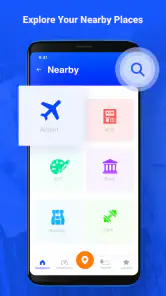
Voice GPS & Driving Directions provides a comprehensive suite of features designed to enhance your navigation experience. It offers real-time GPS navigation, voice-guided directions, live traffic updates, and various map views. Users can set multiple waypoints for longer journeys, explore alternative routes, and even find points of interest along the way, such as gas stations, restaurants, and landmarks.
Pros
- Accurate turn-by-turn navigation.
- Real-time traffic updates.
- Multiple route options.
- User-friendly interface.
- Voice guidance supports multiple languages.
Cons
- Requires constant internet connection.
- High battery consumption.
- Occasional ads may interrupt.
- Limited offline maps.
- Voice commands can be repetitive.

- Category
- Maps & Navigation
- Version
- 3.4.6