

Voice GPS, Directions & Maps
- 795.00
- 4.0
- Installs
- 1.00M
- Price
- Free

Screenshots
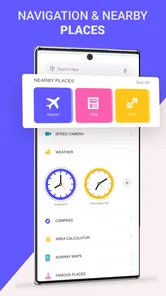
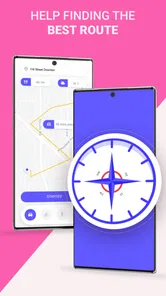

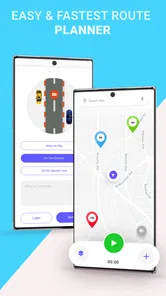

Analysis by Reviewed
Voice GPS, Directions & Maps is the kind of navigation app I would keep as a practical backup rather than treat as my only travel tool. Its central appeal is simple: it combines GPS maps, driving directions, and spoken guidance in a free app that runs on older Android devices. In my experience, that straightforward focus makes it easy to approach, especially when I need to get moving quickly and do not want to spend time learning a complicated interface.
At the same time, simplicity comes with a trade-off. This is not the navigation choice I would automatically recommend for every long journey, unfamiliar city, or situation where I need a large ecosystem of transport, business, and traffic information. I see it as a useful road companion for everyday driving, short trips, and users who value voice instructions over a crowded screen. The app is developed by Delta Raza Studio, is free to install, and is suitable for everyone.
What using Voice GPS feels like on an ordinary drive
The most convincing part of the experience is the basic workflow. I can open the app, use the map to orient myself, enter a destination, and follow spoken directions while keeping my attention on the road. That matters more than it may sound. A navigation app can have an impressive collection of extras, but if entering a destination feels slow or the route guidance is hard to follow, those extras do not help much during a real trip.
The voice-led approach is particularly useful when I am driving alone. I do not have to keep looking down at the display to check every turn, and I can use the map as visual confirmation instead of constantly treating it as the main source of information. For a routine journey to a new supermarket, a relative’s home, a medical appointment, or a meeting in another part of town, that balance feels sensible.
I also like that the app’s purpose is immediately clear. It is categorized under Maps & Navigation, and the short description, “Voice GPS,” accurately reflects the main reason to open it. There is no need to interpret a collection of unrelated tools before starting a trip. If your expectation is a focused driving aid with map-based directions, the app communicates that role well.
A realistic example is a weekday drive to an unfamiliar office. Before leaving, I would enter the destination while parked, check that the suggested route generally makes sense, and then rely mainly on the spoken instructions. If traffic or road conditions require a change, I would pull over before making adjustments rather than trying to operate the app while moving. That workflow is not glamorous, but it is the safe and practical way to get value from a voice navigation app.
The strongest reasons to try it
One clear advantage is accessibility across older Android hardware. The current version is 3.0.34, and the app supports Android 5.0 or later. That makes it relevant to people who keep an older phone in service, use a basic handset in the car, or do not want navigation to force an expensive device upgrade. I would still judge performance by the individual phone, but the broad compatibility is a meaningful strength.
More From Our News Desk

 Weather - By Xiaomi
Weather by Xiaomi Review: Clear at a Glance, Less Clear Up Close
Xiaomi’s weather app makes everyday forecasts quick to scan, but its calm surface can leave useful details and recovery paths harder to find than they should be.

 X
XX Under Pressure: Can It Recover When Posting Goes Wrong?
A resilience-focused review of X, examining setup, mistaken posts, interruptions, weak connections, and the gaps that matter when recovery needs to be dependable.

 Clash of Clans
Clash of Clans Is Won Between the Battles
Its raids are quick; its community is a long-term project of coordination, teaching, rivalry, and shared responsibility—with all the friction that entails.

 Android Auto
Android Auto Makes the Case for Quieter Car Software
The car interface is no longer judged by how much it can do, but by how quietly it helps. Android Auto shows what drivers now expect—and what still gets in the way.

 MobiOffice: Word, Sheets, PDF
MobiOffice: Transforming Mobile Productivity with Seamless Integration
MobiOffice: Word, Sheets, PDF is redefining mobile productivity with a surprising blend of functionality and innovation.

 EA SPORTS FC Soccer Mobile 26
EA SPORTS FC™ Mobile Soccer: Redefining Mobile Sports Gaming
Dive into EA SPORTS FC™ Mobile Soccer, where immersive gameplay and strategic depth transform mobile sports gaming.
Latest News



The free entry point also lowers the risk of trying it. I can install it and decide whether its route presentation and voice guidance suit me without committing to an upfront purchase. There are in-app purchases ranging from $0.99 to $9.99 per item, so I would review any optional purchase screen carefully before confirming one. The important point for a cautious user is that the app can be approached as a free navigation option, while extra paid items may exist inside the experience.
Its popularity gives it some useful social proof without making it automatically perfect. The app has passed one million installs and holds a 4.0 average from around 9.7 thousand ratings, with roughly 795 written reviews. I read those figures as evidence that the basic concept works for a substantial group of drivers, not as proof that every route will be ideal. Navigation quality is always affected by location, map coverage, phone performance, and the user’s expectations.
Another strength is the separation between visual orientation and spoken guidance. Some drivers prefer to glance at a map before leaving, then listen for turns once the vehicle is moving. Voice GPS supports that habit naturally. I find this more comfortable than an app that expects me to study a detailed map continuously, especially on familiar roads where I only need occasional confirmation.
There is also a useful psychological benefit to a focused tool. When an app is built around one obvious task, I am less likely to waste time exploring menus before a journey. That is valuable when I am already late or when a passenger asks for directions at short notice. The app does not need to replace every navigation service on my phone to be worthwhile; it only needs to make the next drive easier.
Small habits that make the experience better
My first tip is to prepare the destination before pulling away. Voice guidance reduces screen checking, but it does not make changing a route while driving safe. I would enter the address, inspect the starting point, and confirm that the route begins from the correct road or car park. This is especially important when a location has several nearby entrances.
My second tip is to treat spoken directions as assistance, not as permission to ignore road signs. A navigation route can be sensible while local signs, temporary closures, restricted turns, or lane markings require a different decision. I would follow the actual road environment first and let the app recalculate if necessary. That habit is more important with a straightforward GPS tool because I should not assume it knows every temporary change.
A third useful workflow is to use the app as a second opinion. If I already have a preferred route, I can compare the app’s suggested direction with my own knowledge before leaving. This can reveal whether the destination pin seems to land near the correct entrance or whether the route sends me through a road I would rather avoid. It is a better use of navigation software than blindly accepting the first line drawn on a map.
For older phones, I would close unnecessary apps before starting a trip and keep the device positioned where voice instructions remain audible without blocking my view. I would also test the volume while parked. These are simple steps, but they prevent a common frustration: assuming the app is not speaking when the real problem is that the phone’s media volume is low or another audio source has priority.
Where the app may feel limited
The main weakness is that the store-facing description tells me much more about the app’s purpose than about the depth of its navigation ecosystem. I would not choose it expecting the same breadth of information I associate with the largest mapping platforms. If I need detailed business profiles, extensive place discovery, public transport planning, cycling options, live community reports, or a rich travel-planning layer, a larger alternative may be a better fit.
That does not make Voice GPS poor at its core job. It means I would keep my expectations focused on driving directions and voice navigation. A user who wants a complete digital travel assistant may find the experience too narrow. Someone who simply wants directions from one place to another may appreciate that narrowness.
I would also be cautious about relying on it as my sole tool in areas where connectivity, map detail, or route updates are especially important. The app’s identity is built around GPS maps and directions, but I would not assume that every advanced offline, traffic, or live-update behavior available in a major navigation suite is present here. For a remote trip, an international drive, or a route with frequent temporary closures, I would prepare a backup plan and check the journey before departure.
There is a second kind of friction around optional purchases. A free app with in-app items can be perfectly reasonable, but I prefer to know exactly what an item changes before paying. Since the available purchases span from under one dollar to ten dollars, I would avoid tapping through quickly and would check the wording on each purchase screen. This is not a reason to reject the app; it is simply part of using it carefully.
Voice instructions themselves also have limits. They are excellent for telling me when to turn, but they cannot replace visual awareness of lanes, signs, pedestrians, and changing road layouts. On a complex interchange, I would glance at the map only when safely stopped or when a passenger can check it. If spoken prompts arrive too close to a turn for my comfort, I would slow down safely and verify the route rather than make a sudden maneuver.
How it compares with familiar navigation choices
Compared with a large all-purpose maps platform, Voice GPS feels more specialized. The bigger service is usually the stronger choice when I am searching for a business, checking opening information, planning a trip with several stops, or combining driving with other forms of transport. It may also be preferable when I want a broad community around road conditions and place information.
Compared with a dedicated offline navigation product, this app is appealing when I want a simple starting point and do not want to build a large collection of downloaded regions or travel tools. The offline specialist may be more reassuring for remote travel, however, particularly when I need predictable access without depending on a live connection. I would choose based on the journey, not loyalty to one app.
Compared with a traffic-first navigation service, this app’s strongest case is calm, uncomplicated guidance. The traffic-focused alternative may be better for a daily commuter whose route changes constantly according to congestion. Voice GPS makes more sense for ordinary point-to-point driving where I want clear instructions and a map without turning every trip into a traffic-analysis session.
That comparison also explains who should skip it. I would look elsewhere if my priority is extensive route customization, multi-modal planning, advanced trip organization, or highly detailed real-time road intelligence. I would also hesitate to make it the only navigation option for demanding cross-country travel until I had tested it in the places I expect to visit.
Who will get the most from it
I think the best audience is a driver who wants a free, uncomplicated GPS companion for regular journeys. It suits someone with an older Android phone, someone who prefers spoken prompts, or someone who wants a backup navigation app rather than a full replacement for every map service already installed.
It can also be useful for occasional drivers. If I only need directions a few times each month, I may not want to learn a complicated platform or pay for a premium navigation package. The straightforward voice-navigation focus gives me an approachable option for those occasional trips.
Families may appreciate the Everyone content rating, although I would still set up the route before driving and avoid handing the phone to a child while the vehicle is moving. The age rating makes the app broadly suitable from a content perspective; safe use still depends on how the device is handled inside the car.
The app is less convincing for professional drivers who depend on detailed traffic intelligence, specialized vehicle routing, delivery workflows, or highly dependable offline planning. Those users have more at stake when a route is incomplete or a road changes. For them, a service built around their specific work may justify its extra complexity.
My final view after weighing the trade-offs
Voice GPS, Directions & Maps succeeds because it keeps its promise narrow and understandable. I can see why it has attracted over one million installs: the combination of free access, broad Android compatibility, map-based directions, and spoken guidance addresses a common need without demanding much from the user.
My recommendation is positive but specific. I would suggest it to a friend who wants an easy driving aid for everyday routes, especially if that friend uses an older Android device or prefers voice prompts. I would advise testing it on familiar roads first, checking the route while parked, and keeping another option available for journeys where live traffic, offline certainty, or detailed place information matters.
The 4.0 average feels consistent with that balanced position. This is a useful app, not a universal navigation replacement. Its strongest quality is practical simplicity; its biggest limitation is that drivers seeking a complete mapping ecosystem may outgrow it. If you understand that boundary, the app is worth trying. If you need every modern navigation feature in one place, I would choose a broader alternative instead.
After using it with that expectation, I see Voice GPS as a sensible everyday backup and a straightforward voice-navigation tool. It does not need to dominate the category to be valuable. For the right driver, its focused design is precisely the reason to install it.
Voice GPS, Directions & Maps Frequently Asked Questions
What device requirements should I check before downloading Voice GPS, Directions & Maps?
Voice GPS, Directions & Maps is an Android app developed by Delta Raza Studio, and it requires Android 5.0 or later. Before downloading, check that your device meets this requirement and has location services available, since GPS navigation depends on your phone being able to determine its position. The app is free to download, with optional in-app purchases ranging from $0.99 to $9.99 per item.
Who makes Voice GPS, Directions & Maps, and is it a widely used app?
Voice GPS, Directions & Maps is made by Delta Raza Studio and focuses on GPS navigation with maps and spoken driving directions. It has been available since January 15, 2018, and has more than one million installs. The app has a 4.0 average rating from around 9,700 ratings, giving prospective users a useful sense of its overall reception before deciding whether to try it.
What is Voice GPS, Directions & Maps used for?
Voice GPS, Directions & Maps is a navigation application designed to help you plan routes, follow turn-by-turn directions, and find your way while driving, walking, or traveling. After testing the app, its main advantage is the combination of spoken instructions and visual map guidance, which can make navigation easier when you do not want to constantly look at your phone. Route availability and features may depend on your location and device.
Does Voice GPS, Directions & Maps work without an internet connection?
The app may require an internet connection to search for destinations, load map data, calculate routes, and provide updated traffic information. Some navigation apps offer offline map support, but this depends on the specific version and settings available on your device. Before traveling to an area with limited coverage, test the application and check whether maps can be downloaded for offline use. Do not assume every route or map feature will work without mobile data.
Does the app provide spoken turn-by-turn navigation?
Yes, voice guidance is one of the primary purposes of Voice GPS, Directions & Maps. Once a destination and route are selected, the application can provide spoken instructions such as upcoming turns, road changes, and route progress, depending on the selected navigation mode. You should check the volume, language, voice settings, and notification permissions before driving. The accuracy of instructions also depends on GPS reception and the quality of the map data.
Pros
- Clear turn-by-turn voice guidance helps you keep your eyes on the road.
- Live traffic updates can help identify delays and suggest faster routes.
- Multiple map views make roads
- landmarks
- and junctions easier to understand.
- Voice search reduces the need to type while driving or walking.
- Useful for planning routes in unfamiliar cities and destinations.
Cons
- Traffic information may be less accurate in areas with limited coverage.
- Continuous GPS use can drain your phone battery quickly.
- Some advanced navigation features may require an internet connection.
- Voice prompts can become distracting in busy or complex intersections.
- Map data may occasionally contain outdated roads or incorrect business details.












