

Voice Changer - Tune My Voice
- 453.00
- 4.7
- Installs
- 1.00M
- Price
- Free

Screenshots

Analysis by Reviewed
I tried Voice Changer - Tune My Voice as a quick audio tool rather than as a full recording studio, and that distinction matters. Its main appeal is immediate: speak into the phone, choose a sound treatment, listen to the result, then save or share it. In a household where several people use the same device, that simplicity can make it an entertaining little app for jokes, creative messages, and short experiments.
It belongs to the Music & Audio category and is made by ElQube Tech. The app is free to install, carries an Everyone content rating, and has passed the one-million-install mark. Its audience is broad, but the best experience depends less on musical skill than on knowing what you want from a voice effect. If you expect detailed vocal production, multitrack editing, or a replacement for a proper recorder, you will probably find it limited. If you want fast transformations without a complicated learning curve, it is much easier to appreciate.
How it works in a shared household
The most natural household use is a short, informal session. One person records a greeting, another tries a different effect, and the phone becomes a small source of amusement without needing a separate account for every participant. Because the central task is so direct, a child, parent, or visiting friend can understand the basic idea quickly: record a voice, try a sound, and decide whether the result is worth keeping.
I would use it for things such as a playful birthday message, a funny reply in a family chat, or a quick character voice for a homemade story. It is also useful when someone wants to hear how a phrase changes under different treatments before sharing it. The strongest results usually come from short recordings. A simple sentence or exaggerated character line gives the effect room to be heard; a long conversation tends to expose the app's casual nature.
That shared-device convenience has a practical downside. Anything saved on a phone may be visible to the next person who opens the app or browses the device's media. I would therefore treat every recording as communal unless I had deliberately moved it somewhere private. The app is suitable for light collaboration, but it should not be treated as a secure personal archive for sensitive voice notes.
A realistic example would be a parent and child preparing a humorous audio greeting for a relative. The child can suggest the voice, the parent can check the wording, and both can listen before deciding whether to share it. That workflow keeps the creative part separate from the sending decision, which is important when the same phone is used by people of different ages.
Starting without turning the phone into a studio
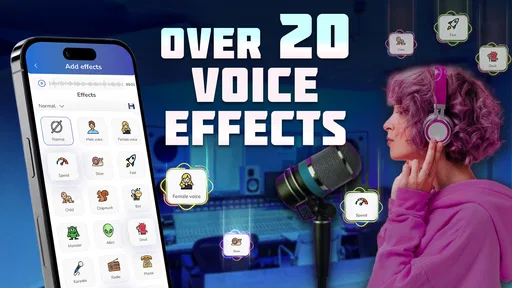
The first advantage is the low barrier to entry. You do not need to understand equalization, compression, pitch automation, or a timeline before hearing a changed voice. The app's purpose is visible from the beginning, and its collection of more than twenty sound effects gives enough room to compare different moods instead of stopping at a single novelty filter.
More From Our News Desk

 Gmail
GmailGmail in a Busy Inbox: Who Benefits Most?
From first account to crowded workday, Gmail earns its place through dependable search and flexible sorting—but its best fit depends on how much inbox maintenance you can tolerate.

 Prime Video
Switching to Prime Video: What Changes in Your Viewing Routine
Prime Video can make a compelling second home for streaming, but switching means learning a different catalog, rental layer, and route from browsing to playback.

 Universal TV Remote Control
Universal TV Remote Control Works Best as a Reliable Backup
A phone remote earns its place through quick setup and reliable habits. Here is how to get more from Universal TV Remote Control—and where its limits show.

 Weather - By Xiaomi
Weather by Xiaomi Review: Clear at a Glance, Less Clear Up Close
Xiaomi’s weather app makes everyday forecasts quick to scan, but its calm surface can leave useful details and recovery paths harder to find than they should be.

 X
XX Under Pressure: Can It Recover When Posting Goes Wrong?
A resilience-focused review of X, examining setup, mistaken posts, interruptions, weak connections, and the gaps that matter when recovery needs to be dependable.

 Clash of Clans
Clash of Clans Is Won Between the Battles
Its raids are quick; its community is a long-term project of coordination, teaching, rivalry, and shared responsibility—with all the friction that entails.
Latest News



I recommend recording a neutral phrase first. Something like a short introduction lets you compare effects fairly, while an exaggerated performance can make every option sound entertaining simply because of the delivery. After that, try the same phrase with a whisper, a normal speaking voice, and a deliberately dramatic voice. This small test reveals whether you prefer the effect itself or merely the way you performed it.
Microphone technique makes more difference than many new users expect. Holding the phone too close can make breathing and harsh consonants distracting, while speaking from too far away can leave the transformed result thin or unclear. A quiet room is more useful than an expensive accessory. I also prefer leaving a little space before and after the sentence, because an effect can sound abrupt when the recording begins or ends immediately on a word.
The app is available for devices running Android 7.0 or later, so compatibility is fairly welcoming for older Android phones. The current version is 1.34.2. On a shared device, I would still test the complete path once before handing the phone to someone else: record, apply the chosen treatment, play it back, and check where the saved result goes. That avoids discovering a workflow problem after a child has already made several recordings.
Keeping personal boundaries clear
Voice effects can make a shared phone feel like a toy, but a voice recording is still personal content. Before using the app with children or guests, I would explain whose voice is being recorded, who may hear it, and whether the result will be shared. That conversation takes less time than repairing an awkward misunderstanding later.
I would also avoid recording private discussions, background conversations, or anyone who has not agreed to participate. The app is designed for transforming a voice, not for secretly capturing people. In a family setting, the best rule is simple: ask before recording, listen together, and ask again before sending the result outside the household.
There is another boundary that is easy to overlook. A transformed voice may sound humorous to the person who made it but uncomfortable to the person hearing it. I would avoid using an effect to imitate a family member in a way that could mislead someone, especially in a message involving money, emergencies, or personal decisions. The more convincing the joke might seem, the more important it is to label it clearly as an edited recording.
For individual use, I would keep a clean separation between playful clips and meaningful voice notes. A transformed message is not a dependable substitute for an unedited recording when clarity matters. If you are documenting instructions, preserving an important conversation, or making content where the original voice is part of the evidence, use a conventional recorder instead and keep this app for creative variations.
Coordinating recordings before sharing
The save-and-share workflow is convenient because it turns an experiment into something portable, but convenience can encourage rushed decisions. My preferred routine is to make two or three short attempts, listen with the volume at a normal level, and only then choose one to save. A sound that seems amusing through a phone speaker may become tiring or unclear when played in a car, over headphones, or through another person's device.
When several people are contributing, decide in advance who is responsible for the final clip. Otherwise, a shared phone can quickly fill with near-identical versions, and nobody knows which one was approved. I would use a simple naming habit outside the app if the device allows it, such as identifying the person or occasion in the file name. That is especially helpful when one household member uses the phone for school, work, and entertainment.
Short clips are also easier to coordinate than long ones. They upload and play more comfortably in ordinary messaging conversations, and the listener understands the joke before the effect becomes repetitive. If the goal is a story or a skit, I would record separate lines rather than one long performance, then decide whether the app is enough for the final result. This approach gives you more control over retakes and makes it easier to remove a line that someone later wants deleted.
The app's free entry point makes casual testing easy, but it includes in-app purchases ranging from forty-nine cents to thirty-eight dollars and ninety-nine cents per item. I would be particularly careful on a shared device: the person experimenting with effects may not be the person who manages purchases. Before allowing children or guests to explore, establish who can approve any paid item and make sure everyone understands that installing the app for free does not mean every optional item is free.
This is one area where a conventional voice recorder may be better. A recorder usually keeps the purpose obvious: capture clean audio and manage the file. Voice Changer - Tune My Voice adds creative choice, but that choice also adds a decision layer. If your household mainly needs reliable reminders, homework notes, or clear instructions, the simpler tool is the sensible option.
Age, trust, and the right kind of supervision
The Everyone rating makes the app approachable for a wide age range, and the basic interaction is easy enough for younger users to understand. Still, an age label does not replace household guidance. The important questions are who is being recorded, whether the recording contains identifying information, and where the finished clip will go.
With younger children, I would keep the first session together. Not because the voice effects are difficult, but because the sharing step deserves context. A child may understand how to make a funny voice without understanding that a clip can be forwarded, saved by someone else, or heard outside the original conversation. Demonstrating the difference between “saved for us” and “sent to another person” is more valuable than simply showing which effect sounds funniest.
Older children may use it more independently for skits, creative projects, or playful messages. I would still agree on a few rules: no impersonating someone to deceive them, no recording classmates or relatives without permission, and no sharing a clip that another person wants removed. These are sensible rules for any audio app, but the transformation feature makes them especially relevant because editing can blur the line between a joke and a misleading message.
Adults sharing a device should think about account boundaries as well. The app can be used by different people, but that does not automatically make their recordings private or their purchase decisions separate. I would avoid leaving personal clips in a place where another household member might casually open them, and I would not assume that a guest's recording should remain on the phone indefinitely. A quick cleanup after a group session is good digital housekeeping.
Trust also affects whether the app is enjoyable. If every recording requires suspicion or lengthy checking, the playful purpose disappears. My approach is to set expectations once, supervise the first few uses with children, and then allow more independence when the user demonstrates good judgment. That gives the app room to be fun without treating it as consequence-free.
Where the effects shine and where they fall short
The app is at its best when the effect is the point of the recording. A short punchline, a character introduction, or a deliberately silly greeting can benefit from an obvious transformation. The listener does not need studio realism; they only need to recognize the original speaker and understand the creative idea.
It is less convincing as a serious production environment. If you are trying to make a polished song, match a voice precisely to a video, remove background noise with care, or control several vocal layers, you will likely want a dedicated audio editor. Those tools take longer to learn, but they offer more precise control. This app chooses immediacy over detailed editing, and I think that is a reasonable trade-off as long as you choose it knowingly.
Compared with built-in phone voice recorders, the difference is obvious: the recorder is better for clean, dependable capture, while this app is better for playful transformation. Compared with advanced music apps, it is faster and less intimidating, but much narrower. Compared with social platforms that include voice effects, it may feel more focused because the recording itself is the activity rather than one small feature inside a larger feed. The right choice depends on whether you want a private creative experiment, a polished production, or a social publishing environment.
One useful test is to judge the result without watching the screen. Play the saved clip later and ask whether the words remain understandable, whether the effect supports the joke, and whether you would still want to share it after the novelty fades. This catches a common problem with voice changers: an effect can be impressive for a few seconds but unpleasant across a full message.
I also suggest keeping the original wording in mind before recording. Effects can change the character of a phrase, but they do not fix unclear writing or poor timing. For a family greeting, write the sentence first, rehearse it once, and then record the transformed version. That small preparation produces a cleaner result than improvising several long takes and hoping one happens to work.
What the popularity and cost suggest
The app has a 4.7 average from around eighteen thousand ratings, along with more than four hundred written reviews. Those numbers suggest that many users find the central experience satisfying, and my impression matches that: the concept is easy to grasp and delivers a result quickly. More than a million installs also place it well beyond a niche experiment, which is reassuring when you want an app that other family members can understand without a tutorial.
Popularity should not be confused with universal suitability. People who enjoy quick audio jokes are likely to get value from it, while users searching for professional voice processing may feel that the controls stop too soon. The free price makes trying it low-risk, but the optional purchase range means shared-device households should pay attention before anyone explores beyond the free experience.
I would also judge it by how often the household will actually use it. If you need one transformed greeting and then expect to forget about the app, installing it temporarily may make more sense than treating it as a permanent creative tool. If children regularly make skits or relatives enjoy exchanging silly audio messages, its quick workflow can justify keeping it available.
My household verdict
After using it with a shared-device mindset, I see Voice Changer - Tune My Voice as a friendly, focused audio toy with enough variety to remain interesting beyond the first test. Its strongest qualities are speed, accessibility, and the ability to turn an ordinary sentence into something worth replaying. The free installation and Everyone rating make it easy to introduce, while the broad Android compatibility helps households with older phones.
I would recommend it to families, friends, and casual creators who want short transformed clips without learning a full editing suite. I would also recommend using it with clear rules around consent, saving, sharing, and optional purchases. Those boundaries do not reduce the fun; they make the shared experience more comfortable for everyone.
I would skip it if your priority is clean archival audio, serious music production, detailed vocal control, or private voice storage. A standard recorder is safer for straightforward notes, and a more advanced editor is better for polished work. For the middle ground—quick character voices, playful greetings, and small household collaborations—this app earns its place.
My final advice is to start with a short neutral phrase, compare several effects, listen to the result away from the recording screen, and share only after everyone involved agrees. Used that way, Voice Changer - Tune My Voice stays what it does best: an uncomplicated way to experiment with voices while keeping the people and boundaries around the recording in view.
Voice Changer - Tune My Voice Frequently Asked Questions
Can I use Voice Changer - Tune My Voice to make short clips for social media or messages?
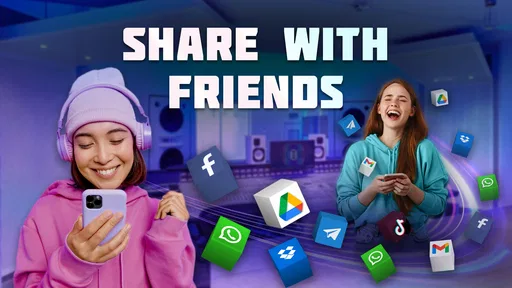
Yes. The app is built around transforming a voice recording and saving or sharing the result, so it can suit short clips you want to send to friends or use in creative posts. Preview the edited audio before sharing, and check that the destination app accepts the saved recording in the format provided.
Who develops Voice Changer - Tune My Voice, and what kind of app is it?
Voice Changer - Tune My Voice is a Music & Audio app developed by ElQube Tech. Its focus is straightforward: record a voice, try sound effects, and keep or share an altered version. If you are looking for a full audio workstation with extensive production tools, this app is more narrowly aimed at playful voice transformations and quick creative experiments.
What audio effects and editing options does the app offer?
Voice Changer - Tune My Voice lets you transform a recording with more than 20 sound effects, making it easy to try different ways of changing how your voice sounds. You can listen to the result and decide whether to keep it, then save or share it. The range of effects makes it useful for playful clips as well as creative audio experiments.
Which devices can run Voice Changer - Tune My Voice?
Voice Changer - Tune My Voice is an Android app that requires Android 7.0 or later. Before downloading, check the Android version on your device and make sure you have enough room for the app and any recordings you plan to save. If your device meets the minimum requirement, you can install it and try the recording and voice effects features.
What is Voice Changer - Tune My Voice used for?
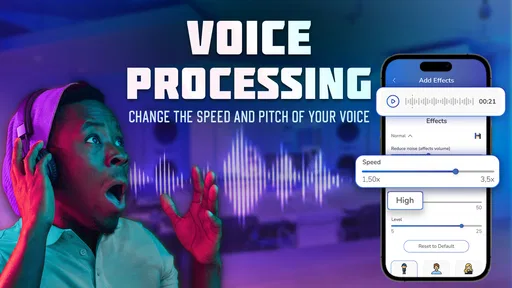
Voice Changer - Tune My Voice is designed for recording your voice and applying different audio effects to change how it sounds. You can experiment with altered pitches, character-style voices, and other filters, then preview the result before saving or sharing it. It is mainly intended for entertainment, creative recordings, jokes among friends, and adding variety to short audio clips.
Pros
- Offers quick voice effects for fun recordings and messages.
- Simple controls make it easy for beginners to experiment.
- Useful for creating playful content for social media.
- Includes several distinct effects rather than one basic filter.
- Audio previews help you test changes before saving or sharing.
Cons
- Some effects may sound artificial or less convincing.
- The free version may include ads or restricted features.
- Recording quality depends heavily on your phone’s microphone.
- Export and sharing options may be limited in some versions.
- Privacy details should be checked before uploading personal recordings.











