

Vocalist: Learn to Sing
- 26.00
- 4.4
- Installs
- 10.00K
- Price
- Free

Screenshots
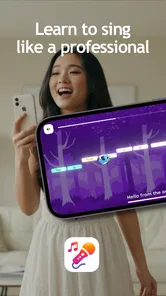
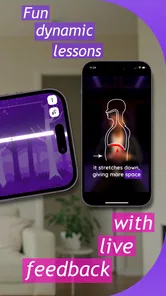
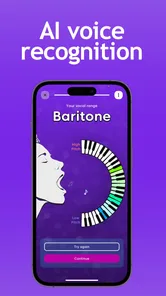
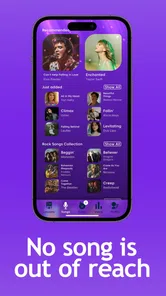

Analysis by Reviewed
Learning to sing is one of those goals that sounds simple until you try to practise consistently. I tested Vocalist: Learn to Sing as a music and audio app, and my overall impression is that it works best as a low-pressure starting point for people who want to make singing part of their routine. It is free to download, aimed at Everyone, and comes from Lamarde Limited. The experience is more approachable than committing to regular private lessons, but it also asks you to be realistic about what a mobile vocal tool can and cannot replace.
The app’s store summary points toward karaoke nights and vocal heights, while its short description presents it as a vocalist-focused tool. That combination gives a useful clue about its audience: people who want to sing more confidently, improve their vocal habits, or prepare for casual performances rather than study music theory in a formal, academic way. I would not treat it as a complete conservatory-style course. I would treat it as a practical companion for getting started, repeating exercises, and becoming more aware of how I use my voice.
How I Would Decide Whether Vocalist Fits
I’d use this section to make the decision practical: choose one specific aim, such as feeling steadier on a karaoke song, and see whether a guided practice routine helps you return to it. I’d also weigh the app’s free starting point against the possibility of paid items, so the next step is to compare its focused approach with the broader alternatives singers often try.
Start with your actual singing goal
The first question is not whether the app is popular or inexpensive. It is what you want to do with your voice. If your goal is to stop feeling nervous at karaoke, practise regularly at home, or build a more deliberate warm-up habit, this app makes sense. If you need detailed feedback from a teacher, help with a persistent vocal problem, or a structured path toward professional auditions, I would look at lessons or specialist coaching instead.
I found the most useful way to judge it was to imagine a normal week. Would I open it before singing, follow a short practice session, and then try the same ideas with a song? If yes, the app has a clear role. Would I expect it to diagnose why my throat feels strained, correct every technical mistake, or replace a human who can hear subtle changes in my voice? That expectation would be too high.
This distinction matters because singing apps often look similar from a distance. Some focus on karaoke and entertainment, some on pitch feedback, some on guided lessons, and some on recording. Vocalist: Learn to Sing is most appealing when the user wants an accessible practice aid rather than a full recording studio or a substitute for a vocal instructor.
What I looked for during everyday use
I paid attention to four practical things: whether the app encouraged me to return, whether its guidance felt understandable, whether it could fit around a busy day, and whether the free entry point made experimentation easy. Those criteria are more important to me than a long feature list. A vocal app can contain plenty of material and still be unhelpful if it makes practice feel complicated.
More From Our News Desk

 Gmail
GmailGmail in a Busy Inbox: Who Benefits Most?
From first account to crowded workday, Gmail earns its place through dependable search and flexible sorting—but its best fit depends on how much inbox maintenance you can tolerate.

 Prime Video
Switching to Prime Video: What Changes in Your Viewing Routine
Prime Video can make a compelling second home for streaming, but switching means learning a different catalog, rental layer, and route from browsing to playback.

 Universal TV Remote Control
Universal TV Remote Control Works Best as a Reliable Backup
A phone remote earns its place through quick setup and reliable habits. Here is how to get more from Universal TV Remote Control—and where its limits show.

 Weather - By Xiaomi
Weather by Xiaomi Review: Clear at a Glance, Less Clear Up Close
Xiaomi’s weather app makes everyday forecasts quick to scan, but its calm surface can leave useful details and recovery paths harder to find than they should be.

 X
XX Under Pressure: Can It Recover When Posting Goes Wrong?
A resilience-focused review of X, examining setup, mistaken posts, interruptions, weak connections, and the gaps that matter when recovery needs to be dependable.

 Clash of Clans
Clash of Clans Is Won Between the Battles
Its raids are quick; its community is a long-term project of coordination, teaching, rivalry, and shared responsibility—with all the friction that entails.
Latest News



The strongest use case is a short session before an activity that already exists in your life. For example, I can imagine opening it after work, spending a few minutes preparing my voice, and then singing along with a familiar track before meeting friends for karaoke. That workflow is more realistic than promising myself an ambitious hour-long routine that I will abandon after a few days.
Another useful scenario is the occasional singer who notices the same problem repeatedly. Perhaps I start too quietly, drift away from the melody, or lose confidence when a phrase rises. A dedicated practice app gives me a place to focus on that weakness instead of simply singing the entire song again and hoping it improves. The value comes from making practice intentional.
What the current version tells me about access
The app is currently at version 2.2.17 and supports Android 8.0 and later. That makes it available to people using older Android phones as well as newer devices, which is helpful for a practice tool that does not need to be tied to a premium handset. The app has passed the early-experiment stage in the eyes of its listing, with over 10K installs and a 4.4 average from around 300 ratings.
I would still avoid treating those figures as proof that it will suit every singer. Ratings can tell me that many users found the general experience worthwhile, but they cannot decide whether the teaching style matches my level. A complete beginner, a casual karaoke fan, and an experienced vocalist may all judge the same app differently.
Where the App Wins in a Crowded Category
The app’s strongest case is not that it replaces every music tool, but that it keeps vocal practice distinct from browsing songs or reviewing recordings. I’d consider whether that focus would help me spend less time choosing what to do and more time practising; the following comparison looks at when a karaoke service, video lesson, or recording tool may be the better fit.
It lowers the barrier to starting
My favourite quality here is the low commitment. Because the app is free, I can try it without first deciding that I am serious enough to pay for a course. That matters for singing, where embarrassment often stops people before technical difficulty does. A private lesson can feel intimidating, and a large online course can feel like homework. A phone-based practice option feels easier to approach on an ordinary evening.
That easy entry also makes it useful for testing motivation. Instead of buying equipment, planning a recording setup, or searching through a large library of tutorials, I can begin with the app and see whether I actually enjoy regular vocal practice. If I never return to it, I have learned something about my habit without making a major investment.
The free model is not completely cost-free in every sense, because in-app purchases are listed at $6.99 per item. I would therefore examine the app’s available paid choices before building my whole routine around them. The sensible approach is to use the free access to understand the workflow first, then decide whether a particular purchase solves a problem I genuinely have.
It suits private, repeatable practice
Singing improves through repetition, but repetition is easier when the session feels manageable. I like the idea of using this app as a private rehearsal space where I can repeat a difficult part without worrying about an audience. That is especially valuable for people who are self-conscious about pitch or volume.
A small but important habit is to separate learning from performance. I would use the app first to work on a specific vocal task, then sing a complete song afterward. That prevents the common mistake of judging progress only by whether a full song sounds perfect. The app is more useful when it helps me notice one improvement at a time.
I would also keep a simple personal note after each session: what felt easier, where I lost control, and whether my voice felt comfortable afterward. The app may support practice, but my own observations add context that a screen cannot provide. This is one of the best ways to turn casual use into a repeatable routine.
It gives casual singers a clearer next step
Many people know they want to sing better but do not know what to practise first. That uncertainty can lead to random video searches, inconsistent advice, and jumping between exercises without a plan. A dedicated vocalist app can reduce that decision fatigue by putting singing practice in one place.
For someone preparing for a karaoke night, the benefit is not necessarily becoming an outstanding singer overnight. It is arriving with a little more control and a better understanding of personal limits. I would choose songs that sit comfortably in my range, practise the transitions that cause trouble, and use the app to make the preparation feel deliberate rather than rushed.
Its audience rating keeps the app approachable
The Everyone content rating is appropriate for an app that may be used by a broad household audience. I can recommend it more comfortably as a beginner-friendly option without framing it as an adult-only product or a specialist professional tool. That does not mean every exercise will suit every age or voice, but the overall positioning feels accessible.
Lamarde Limited has kept the product focused enough that I can understand its purpose quickly: this is for vocal practice, not a general music streaming service. That focus is an advantage when I want to sing rather than browse endlessly through unrelated audio content.
Three practical ways to get more from it
Use a warm-up boundary. I would begin gently and stop if my throat feels painful, rather than treating completion of a session as more important than vocal comfort.
Practise the difficult phrase before the full song. Repeating the exact transition that causes trouble is usually more efficient than singing the entire track from the beginning each time.
Compare confidence, not only pitch. Before and after a session, I would notice breathing, tension, steadiness, and willingness to sing out. Those changes can be meaningful even when a recording still sounds imperfect.
These habits also reveal a trade-off. The app can make practice more organized, but it cannot make me disciplined automatically. If I open it only when I feel inspired, its value will be limited. Its best results depend on connecting it to a real routine, such as practising before a weekly karaoke gathering or using it at the same quiet time each evening.
Where the paid option needs careful thought
The presence of $6.99 in-app items means I would avoid purchasing impulsively. A paid item should have a clear purpose in my routine: perhaps it gives me access to something I repeatedly need, or it removes a limitation that genuinely blocks practice. If I am only curious, the free experience is the safer place to begin.
This is also where the app may be less attractive than free video lessons. A video platform can offer a huge variety of teachers and techniques at no direct cost, although finding reliable guidance takes more effort. Vocalist offers a more focused environment, while the open video alternative offers breadth and often more explanation. I would pay only for focus that I am actually using.
Where another type of app may fit better
If my priority is singing along to a large catalogue, a karaoke-focused service may be a better choice. Those apps are designed around song selection, backing tracks, and entertainment. I would choose one when the main goal is performing familiar material immediately, not building a deliberate practice habit.
If I want to inspect pitch visually while recording, a pitch-analysis or recording app may suit me better. That kind of tool can be useful for reviewing a performance, but it may feel technical and less welcoming to a beginner. Vocalist is the better direction when I need guidance and structure more than a detailed audio workstation.
If I have recurring hoarseness, pain, or uncertainty about safe technique, I would not rely on any app alone. A qualified vocal teacher or appropriate health professional can respond to my individual voice in a way software cannot. This is not a criticism unique to Lamarde Limited; it is a basic limit of self-guided digital practice.
The switching cost is small, but the habit cost is real
Trying the app is easy, but changing from one practice method to another still has a hidden cost: losing the routine I already built. If I currently use a notebook, a teacher, or a favourite set of exercises, I would not replace everything immediately. I would test Vocalist alongside that method for a week and see whether it makes practice easier or merely adds another place to look.
Moving from scattered online tutorials may be simpler because the app can give my practice a single home. Moving from personal lessons is different. I might gain convenience and privacy, but lose immediate correction. The right decision depends on whether my biggest problem is access to instruction or failure to practise consistently.
I would also consider the phone itself. A mobile screen can encourage short sessions, but it can also introduce distractions. To make the app work, I would put the phone on a stable surface, use headphones only when appropriate, and give the session my full attention. The quality of the routine matters more than simply having the app installed.
Who should choose it
I recommend trying Vocalist if you are new to singing, returning after a long break, or looking for a private way to prepare for karaoke. It is particularly suitable for someone who wants to experiment before paying for lessons and for a casual singer who benefits from a clear prompt to practise.
I would be more cautious if you already have advanced vocal training and want highly individualized correction. You may find a teacher, specialist vocal platform, or recording-focused tool more useful. Likewise, if you mainly want a huge song library and instant performance features, a karaoke service will probably match your priorities more closely.
The app is also not the right answer for someone expecting dramatic results without repetition. Singing is physical, and progress depends on coordination, listening, breathing, and confidence developing over time. A practice app can support those things, but it cannot bypass them.
My recommendation after weighing the trade-offs
I see Vocalist: Learn to Sing as a sensible first step rather than a complete vocal education. Its free access, approachable positioning, and focused purpose make it easy to test. The 4.4 average from around 300 ratings suggests a generally positive reception, while the modest install base indicates that I should judge it by my own experience rather than assume it is the universal choice.
My recommendation is to install it when your main need is a simple, repeatable way to practise singing privately. Give it a fair trial by using it on several separate days, applying one specific goal per session, and checking whether it helps you sing with more control or confidence. Do not buy a $6.99 item until you know exactly how it will improve that routine.
For me, the deciding point is convenience with boundaries. The app can help turn “I should practise singing” into an activity I can actually begin, and that is valuable. It is less convincing as a replacement for human feedback, serious vocal diagnosis, or a full karaoke catalogue. If you understand that distinction, this is a useful beginner-friendly music and audio app with a clear place in an everyday singing routine.
Vocalist: Learn to Sing Frequently Asked Questions
What devices and operating systems can run Vocalist: Learn to Sing?
Vocalist: Learn to Sing is available for Android and iOS devices, so you can practice using a compatible phone or tablet. On Android, it requires version 8.0 or later. Before downloading, check that your device meets the platform’s requirements and has enough available space for the app and any content you may want to access.
Who develops Vocalist: Learn to Sing, and what kind of app is it?
Vocalist: Learn to Sing is developed by Lamarde Limited and belongs to the Music & Audio category. Its store summary, “Karaoke Nights 2 Vocal Heights,” points toward a singing-focused experience, while the short description is simply “Vocalist.” If you are looking for an app centered on practicing your voice, it is a relevant option to explore.
What is Vocalist: Learn to Sing and who is it designed for?
Vocalist: Learn to Sing is a singing practice app designed to help users develop their voice through guided exercises, pitch practice, and regular vocal training. It can be useful for complete beginners, casual singers, and more experienced vocalists who want a convenient way to practice at home. The app is best viewed as a training aid rather than a replacement for professional vocal coaching.
Can Vocalist: Learn to Sing actually help improve my singing voice?
The app can support improvement by encouraging consistent practice and helping you work on fundamentals such as pitch accuracy, vocal control, breathing, and warm-ups. Results depend largely on how regularly and carefully you use the exercises. It may help you become more aware of when you sing sharp or flat, but meaningful progress usually requires patience, repetition, healthy technique, and possibly feedback from a qualified singing teacher.
Do I need any special equipment to use Vocalist: Learn to Sing?
For basic practice, you generally only need a compatible Android or iOS device and a reasonably quiet place to sing. Headphones may be useful when listening to lessons or backing tracks, although some exercises may require the microphone to hear and evaluate your voice. A stable internet connection could also be necessary for downloading lessons, syncing progress, or accessing subscription-based content.
Pros
- Clear vocal exercises help beginners build a consistent practice routine.
- Pitch-focused lessons make it easier to identify and correct singing inaccuracies.
- Short sessions fit well into daily practice
- even with limited free time.
- Progress tracking can encourage users to maintain regular singing habits.
- Useful for practicing privately without needing an in-person vocal coach.
Cons
- Some advanced singers may find the lesson content too basic.
- Accurate feedback depends heavily on microphone quality and room noise.
- Regular practice can become repetitive for users seeking more variety.
- Certain features or lessons may require a paid subscription.
- The app cannot fully replace personalized guidance from a qualified vocal teacher.











