

VimFlow
- 12.00
- 4.6
- Installs
- 10.00K
- Price
- Free

Screenshots

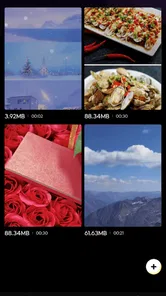

Analysis by Reviewed
When I want to tidy up a collection of clips without turning the task into a full production session, VimFlow is the kind of app I would reach for first. It sits in the video players and editors category, but its appeal is less about dramatic effects and more about keeping a simple editing job under control. The focus feels practical: bring scattered video material into a more manageable order, make straightforward changes, and prepare the result without the weight of a professional desktop editor.
That makes it interesting for a very specific kind of creator. I would consider it for quick personal videos, short social posts, classroom material, a small event recap, or clips that need basic organization before someone else receives them. I would not approach it expecting a complete replacement for a serious timeline editor. The value is in reducing friction around ordinary video handling, especially when I am working from a phone and want to finish a small task instead of learning a complicated production system.
Starting with a manageable creative brief
The first useful question is not “What effects can this app add?” but “What exactly am I trying to deliver?” VimFlow makes more sense when the brief is modest and clear. For example, I might have several short recordings from a family gathering and need one coherent sequence, or I might want to arrange a few product clips before sending them to a colleague. In those situations, organization is part of editing, not a separate chore.
I found that this mindset helps avoid one of the common problems with mobile video tools: opening an editor without deciding what the finished video should do. If the goal is a short, understandable sequence, I can judge every clip by whether it supports that purpose. A shaky opening, an accidental pocket recording, or a long pause becomes easier to identify when I am thinking about the handoff rather than merely collecting footage.
The app is free, which lowers the barrier for trying this workflow. Its content rating is Everyone, so it is positioned as a broadly accessible tool rather than something aimed at a narrow professional audience. The developer is MKH apps, and the current version is 1.0.4. I would still treat it as a focused utility: useful when its straightforward approach matches the job, less convincing when I need a deep toolbox.
One practical habit I recommend is to decide the intended viewing context before editing. A video meant for a phone screen can tolerate a different rhythm from one that will be shown to a group. VimFlow is most helpful when I use it to impose order on the material, not when I expect it to invent the creative direction for me. That distinction saves time and makes the final sequence feel deliberate.
Who benefits from the simple approach
I see a good fit for people who regularly record clips but do not want to become video specialists. A parent assembling a short school-event recap, a student preparing a presentation insert, or a small seller arranging a few demonstration shots can benefit from a less intimidating workspace. The app’s plain approach also suits anyone who prefers making a few clear decisions rather than browsing through dozens of effects.
More From Our News Desk

 Gmail
GmailGmail in a Busy Inbox: Who Benefits Most?
From first account to crowded workday, Gmail earns its place through dependable search and flexible sorting—but its best fit depends on how much inbox maintenance you can tolerate.

 Prime Video
Switching to Prime Video: What Changes in Your Viewing Routine
Prime Video can make a compelling second home for streaming, but switching means learning a different catalog, rental layer, and route from browsing to playback.

 Universal TV Remote Control
Universal TV Remote Control Works Best as a Reliable Backup
A phone remote earns its place through quick setup and reliable habits. Here is how to get more from Universal TV Remote Control—and where its limits show.

 Weather - By Xiaomi
Weather by Xiaomi Review: Clear at a Glance, Less Clear Up Close
Xiaomi’s weather app makes everyday forecasts quick to scan, but its calm surface can leave useful details and recovery paths harder to find than they should be.

 X
XX Under Pressure: Can It Recover When Posting Goes Wrong?
A resilience-focused review of X, examining setup, mistaken posts, interruptions, weak connections, and the gaps that matter when recovery needs to be dependable.

 Clash of Clans
Clash of Clans Is Won Between the Battles
Its raids are quick; its community is a long-term project of coordination, teaching, rivalry, and shared responsibility—with all the friction that entails.
Latest News



It can also be useful as a preparation step. Suppose I have recorded a longer interview or a set of demonstrations and need to identify a sensible order before passing the material to a more advanced editor. I can use a lightweight mobile workflow to reduce confusion, then move the organized result onward if the project grows. That is a different role from being the final production environment, but it is a valuable one.
I would skip it for projects that depend on detailed audio mixing, layered motion graphics, precise color work, complex captions, or a carefully controlled export pipeline. Those needs usually justify a more established editor with visible controls for every stage. Choosing VimFlow for that kind of work could create frustration because simplicity becomes a limitation once the brief becomes technically demanding.
Building the first version without overworking it
My preferred way to use VimFlow is to make a rough first pass quickly. I start by identifying the clips that actually belong in the finished piece, then arrange them around a simple beginning, middle, and end. I avoid polishing too early. If the order is wrong, a beautiful transition will not rescue the video, and spending time on minor details before the structure is settled is one of the easiest ways to lose momentum.
This is where the app’s organizational focus matters. A basic edit can still require judgment: which clip establishes context, which one carries the main information, and where the viewer should stop. I try to remove repetition before making anything decorative. A shorter sequence often feels more intentional, particularly when the original recordings were made casually and contain pauses that made sense while filming but not while watching.
A useful everyday scenario is a weekend trip. I might return with several clips of the same location, a few walking shots, and one or two moments that explain why the place mattered. Instead of publishing everything in recording order, I can shape the material into a small story: arrival, highlights, and a closing view. The app is valuable here because it encourages me to treat the phone’s camera roll as raw material rather than as the final arrangement.
Another non-obvious use is preparing a review bundle for someone who did not record the footage. If I am sending clips to a teammate, I can create a clearer sequence first, making it easier for that person to understand what is important. Even if the recipient later uses another editor, the organized version acts as a visual brief. This reduces the back-and-forth that often happens when filenames and camera-roll order fail to explain the intended story.
Small workflow choices that improve the result
I would keep the first version intentionally conservative. Use the strongest opening clip, remove dead space, and check whether every section earns its place. Then watch the complete sequence from beginning to end without stopping. That uninterrupted viewing is important because an edit can look fine clip by clip while feeling slow or confusing as a whole.
I also recommend keeping an untouched copy of the original material before making changes. This is not a special feature claim about VimFlow; it is a sensible habit for any mobile editing workflow. Originals give me a safety net if I later realize that a shorter cut removed useful context. They also make it easier to create a second version for a different audience instead of trying to reconstruct the first recording set from memory.
A further tip is to separate “must fix” decisions from “nice to have” decisions. A missing shot or awkward order is a must-fix problem. A decorative adjustment is optional. When I use that priority system, a simple editor becomes more productive because I am not waiting for a perfect treatment before I have a usable draft.
Iterating when the first cut is not right
The first arrangement is rarely the final one, even for a short video. I usually discover that the opening takes too long, that two similar clips sit next to each other, or that the ending arrives without enough sense of closure. VimFlow is best judged during this revision stage. A tool that helps me see and adjust the sequence without making every change feel like a technical exercise has a real advantage for casual creators.
My revision pass starts with distance. I stop thinking about how much effort went into recording each clip and judge only what appears on screen. This can mean removing a moment I personally like because it interrupts the pace. It can also mean keeping a technically imperfect shot because it contains the only useful explanation of what happened. Good editing is not always about visual perfection; it is about preserving meaning while reducing distraction.
One trade-off with a focused app is that simplicity may leave me wanting more control as the project develops. If I begin with a short sequence and then decide I need several visual layers, detailed sound balancing, or a more exact treatment of individual moments, I may reach the app’s practical boundary. That is not a reason to dismiss it. It simply means I should recognize the point at which the project has outgrown a lightweight workflow.
For me, that boundary is useful to identify early. If the brief is still changing every few minutes, a more advanced editor may be the better starting point. If the creative decision is already clear and the remaining work is mainly selection and arrangement, VimFlow is more likely to feel efficient. The right choice depends less on how ambitious I am and more on how complicated the actual edit has become.
Comparing it with familiar alternatives
Compared with editing directly inside a social media app, VimFlow is a better fit when I want to organize material before publishing it. Social platforms are convenient for immediate posts, but their editing decisions are often tied to one destination. A separate tool gives me a more neutral preparation stage, which is useful when the same video may be shared privately, sent to a group, or adapted later.
Compared with a full mobile editor, VimFlow’s likely strength is approachability rather than depth. Advanced alternatives can be better when I need multiple tracks, elaborate effects, or fine-grained control. They can also make a small task feel unnecessarily large. I would choose VimFlow for a clean, limited job and move to a more powerful editor when the project calls for detailed manipulation that deserves dedicated controls.
It also differs from simply leaving clips in the camera roll. The camera roll stores material, but storage is not the same as communication. A sequence prepared for another person answers basic questions that a pile of recordings does not: what should be watched first, what can be ignored, and what is the intended takeaway? That organizational layer is where this app can earn its place.
Preparing the handoff and deciding when to move on
Before I consider a video finished, I check it as a recipient would. Does the opening explain enough? Is the middle easy to follow? Does the ending feel accidental? I also watch on the device where I expect the audience to view it, because a sequence that feels comfortable during editing can feel different when consumed casually on a phone.
For a simple handoff, clarity matters more than showing off the editing process. I want the recipient to understand the material without needing a message that explains the order. This is particularly helpful when sending a collection of clips to a client, teacher, teammate, or family member. A well-organized result can save the other person time even if they plan to continue editing elsewhere.
I would not promise that a lightweight editor can satisfy every publishing requirement. Different destinations may impose their own format, length, or presentation expectations, and those details should be checked at the point of delivery. My advice is to treat the app as the place where the creative sequence becomes coherent, then verify that the finished file suits the destination before sharing it widely.
This is also where I would answer a question many first-time users have: is it suitable for professional delivery? For a simple internal review, a straightforward social clip, or a small personal project, it may be enough. For paid work with strict technical specifications, I would use it only if the required workflow is genuinely simple and I could verify the final result carefully. A specialist editor remains the safer choice when delivery standards are central to the job.
What the early reception suggests
VimFlow has a 4.6 average from around 382 ratings and has passed 10 thousand installs. Those figures suggest that the app has attracted meaningful early attention, while still feeling like a relatively small tool rather than a dominant platform. I read that combination as encouragement to try it for a modest workflow, not as a reason to assume it will cover every editing scenario.
The release date is April 9, 2026, so I would keep expectations realistic about maturity. A current version can improve over time, but a newer app may also feel narrower than long-established competitors. That makes personal testing important: the best way to judge it is to run one representative project from selection through handoff and see whether its simplicity removes work or merely moves the work somewhere else.
My verdict for creators who value a clean workflow
I like VimFlow most as a practical middle ground. It is more purposeful than leaving clips in a camera roll, but less demanding than opening a professional-grade editor for every small task. Its free access and Everyone rating make experimentation easy, and the focus on simple organization suits creators who need a finished, understandable sequence rather than a showcase of effects.
The strongest reason to use it is not that it promises to transform ordinary footage into something spectacular. It is that it can help me make a decision about what belongs together, what should be removed, and how the viewer should move through the material. That is a useful creative service in its own right. A well-ordered short video often feels more polished than a heavily decorated one with no clear direction.
My main caution is scope. I would not choose it as my only editor for a demanding production, and I would move to a deeper alternative once audio, layers, graphics, or exact delivery controls became central. But for quick edits, organized handoffs, and everyday creative output, I can recommend giving it a fair trial. The best results come from using VimFlow as a focused finishing path, not forcing it to behave like a complete studio.
If your usual problem is that useful clips remain scattered because editing feels like too much work, this app addresses that specific hesitation well. If your problem is that you need advanced control over every frame and track, another option will serve you better. For my own light video tasks, I would keep VimFlow available for the moments when a clear structure matters more than a long list of tools.
VimFlow Frequently Asked Questions
Who develops VimFlow, and which devices can run it?
VimFlow is developed by MKH apps and is a video players and editors app. Its current version is 1.0.4, and it requires Android 7.0 or later. If you are considering it for an iOS device, check the relevant app store for compatibility before downloading. As with any app, make sure your device meets the platform’s requirements so installation and everyday use go smoothly.
Is VimFlow intended for video editing, or does it focus on organizing workflows?
VimFlow is listed in the Video Players & Editors category, and its store summary describes it as “Simple editing for smooth organization.” That makes it worth considering if you want an app connected with video editing and organization. The published description is brief, so it is sensible to look through the app’s current screenshots and listing before downloading to see whether its tools match the kind of editing you have in mind.
What is VimFlow and what can I use it for?
VimFlow is designed for users who want a more focused and efficient way to organize tasks, routines, or personal workflows. Before downloading it, you should understand that its value depends on how consistently you use its planning and productivity features. It may be especially useful for people who prefer structured organization, clear priorities, and a streamlined interface rather than a large collection of unrelated tools.
Is VimFlow suitable for beginners, or do I need previous experience?
VimFlow can be used by beginners, but the experience may depend on how familiar you are with productivity applications and workflow-based organization. New users may need a short adjustment period to understand the available sections, create an effective routine, and configure the app to match their habits. Exploring the settings and starting with a simple workflow is recommended before creating a more complex system.
Does VimFlow work offline, or does it require an internet connection?
The need for an internet connection can vary depending on the feature you are using and the version installed on your Android or iOS device. Basic functions may be available without constant connectivity, while synchronization, account-related services, updates, or cloud-based features could require internet access. Check the app’s current store description and permissions before relying on it while traveling or offline.
Pros
- Clean interface makes task planning quick and easy.
- Flow-based organization helps turn large projects into manageable steps.
- Useful for users who prefer focused
- distraction-free productivity.
- Flexible workflows can suit personal and professional planning.
- Progress tracking makes it easier to see completed work.
Cons
- May take time to understand if you are new to flow-based planning.
- Advanced customization options may feel limited for power users.
- Requires consistent updates to keep task information reliable.
- Some features may be less useful without an established workflow.
- Not ideal for users who prefer traditional calendar-based planning.











